NED
NED OMA
OMA NAM316/7
 IRE121/5 (24/50 ov, target 317)
 SA216/4 (51.1 ov)
 AUS
AUS ABH0
ABH0 ALF0
ALF0 BEI1
BEI1 JHM1
JHM1 RCH0
RCH0 KRE0
KRE0 AFG
AFG ZIM
ZIM SAS
SAS LAZ
LAZ ROMA
ROMA CAG
CAG TOR
TOR COMO
COMO BAN
BAN WI
WI IND-W
IND-W ZIM-W
ZIM-W GOA
GOA SC Delhi
 Milan
Milan Bologna
 PAK110
 SL114/2 (18.1/50 ov, target 111)
 NZ198/3
 IND199/4 (13.2/20 ov, target 199)
 Sevilla2
 Osasuna0
 PSG2
PSG2 Lyon0
Lyon0 JER
JER KUW
KUW PNG
PNG QAT
QAT JAB
JAB KAY132/9 (20 ov)
 SIKM184
 NAGA187 & 46/4 (34 ov)
 JHK131/4 (47 ov)
 DELHI515/5d
 ODSA194
 SVCS13/0 (5 ov)
 BRODA616
 J & K6/0 (4 ov)
 CHD685/5d
 HP49/0 (14 ov)
 CGR216/8 (95 ov)
 AP231
AP231 AUCK
AUCK CANT
CANT CD
CD ND
ND DEN
DEN KENYA
KENYA POA
POA SPR
SPR BIK149 (19.3/20 ov, target 158)
 CHR157/3
 BRB149/5 (16.2/20 ov, target 148)
 MIS147
 MOW107/9
 TOK111/5 (18.4/20 ov, target 108)
 LUL88/3 (9.5/20 ov, target 88)
 Parma
Parma Udinese
 Venezia
 Inter Milan
 Genoa
Genoa Juventus
 Mohun Bagan1
 Chennaiyin0
 DHC0
DHC0 VIS1
VIS1 JDT3
JDT3 PORT0
PORT0 KYO5
KYO5 NEW2
NEW2IPhone: Managing Battery: When the iPhone 16 Pro Max launched on September 20, 2024, it kicked off a new era of smartphones with a starting price point.
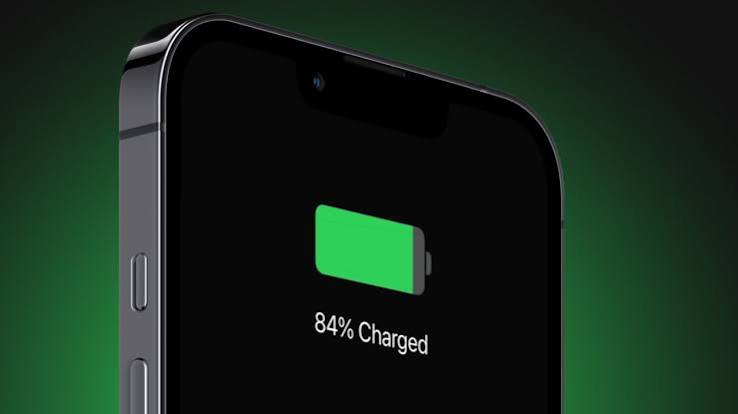
iPhone’s Managing Battery: Understanding Battery Aging
Managing Battery: Factors Contributing to Battery Aging
Lithium-ion batteries wear down due to electrochemical changes shaped by heat exposure, charge cycles, and fast-charging habits. High internal temperatures speed up component wear, while keeping a cell at 100 percent charge for too long leads to ongoing voltage stress on the internal structure.
Signs of Battery Degradation
You might notice shorter daily runtimes, slower app launches, and unexpected shutdowns during demanding tasks. To get a clearer picture, check the official battery metrics in your system settings to see the health of your hardware.
iPhone Models Most Affected
Older models lacking advanced thermal management tend to wear out quicker. However, even newer models can degrade if they’re exposed to constant heat. You can look at independent benchmark results to see how capacity diminishes over several years.
Performance Throttling Explained
Apple’s Response to Battery Concerns
In March 2020, Apple agreed to pay up to $500 million to settle a class-action lawsuit about iPhone performance throttling. This move set a new standard for transparency regarding power management. After this resolution, software updates provided clearer visibility and manual control options for power management.
Mechanisms of Performance Throttling
When a worn-out battery can’t supply the instant current that the processor needs, the device may slow down.
User Control Options for Throttling
| Feature | Function | Trade-Off |
|---|---|---|
| **Peak Performance Capability** | Monitors hardware health and adjusts power dynamically. | Prevents unexpected shutdowns at the expense of maximum speed. |
| **Maximum Capacity Indicator** | Shows the current health percentage compared to when the device was new. | Requires regular monitoring without fixing lost capacity. |
| **Optimized Battery Charging** | Learns your daily routine to delay charging past 80 percent until necessary. | Can interfere with irregular charging habits and unexpected routines. |
Getting a grip on how iOS manages power distribution helps users make smart choices about hardware upkeep. While dynamic frequency scaling keeps older devices usable, swapping out a worn battery is the only way to truly restore performance. The decision between replacing hardware and relying on software solutions really depends on your usage habits and how long you want your device to last.
Related Articles
FAQs
How can I check my battery health?
Apple includes a maximum capacity percentage indicator in iOS Settings under the Battery Health & Charging section, which shows current wear compared to factory new status.
What can I do to extend battery life?
Keep your phone out of high temperatures, avoid long periods at 100 percent charge, and enable the optimized charging options in your iOS settings.
Are there risks associated with performance throttling?
No hardware damage occurs from throttling, but you might notice slower processing speeds and less responsiveness during heavy multitasking.
How does iOS manage battery performance?
The ope