MEX-W
MEX-W ARG-W
ARG-W TSG0
TSG0 B040
B040 CEL0
CEL0 BET0
BET0 Goztepe2
 Çorum FK0
 UDI
UDI MIL
MIL BAR
BAR RMA
RMA Mohun Bagan
 Chennaiyin
 PSG
PSG Lyon
Lyon Sevilla
 Osasuna
 NED
NED OMA
OMA NZ
NZ IND
IND AZ
AZ TWE
TWE NGA148
 UGA147/9 (20 ov, target 149)
 ATH4
ATH4 GET0
GET0 INT2
INT2 FIO1
FIO1 CHU2
CHU2 PFC3
PFC3 LIMWn
LIMWn NW-W
NW-W NCWmn
NCWmn FsWm
FsWm NWEST22/3 (3.1/20 ov, target 181)
 NCAPE180/3
 BOL137/9 (20 ov)
 TITNS137/8
 NZ-A317
 IND-A113 & 106/2 (36 ov)
 SYL280/2 (84 ov)
 KHU
KHU MYMS465/7d
 CHATT134/2 (40 ov)
 DHA521
 RAJ103/6 (26 ov)
 RAN402
 BAR179/3 (56.1 ov)
 BRB
BRB MOW
MOW TOK
TOK MIS
MIS JER
JER KUW
KUW PNG
PNG QAT
QAT SIKM
SIKM NAGA
NAGA GMB112/9
 LES109 (19.5/20 ov, target 113)
 MOZ110/7 (19/20 ov, target 110)
 ZMB109/9
 IND-W328/6
 ZIM-W207 (48.5/50 ov, target 329)
 PAK243/9 (47.1/50 ov, target 242)
 ENG241
 UAE244/8
 CHI0
CHI0 ESP2
ESP2 MEX0
MEX0 AUS0
AUS0 SCP
SCP ACV
ACV LAFC
LAFC LA
LA Atlético1
 Deportivo0
 Lazio2
 Parma1
 Lens2
Lens2 Paris FC1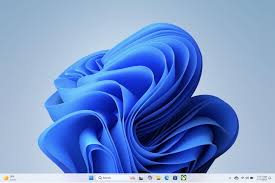
Microsoft Windows 11 24H2 arrived on October 1, 2024, which began a campaign to fix and optimise the ope
Microsoft Windows 11’s Progress
According to Techradar, Microsoft’s recent work has reportedly focused heavily on performance tuning for systems with 8GB of memory. That is a sensible target because many affordable laptops and older desktops sit close to that level, even though the ope
| Rank | Focus | Practical value |
|---|---|---|
| 1 | Memory optimisation | Improving Windows 11’s behaviour on reportedly 8GB machines addresses a more common problem than adding another visual feature. |
| 2 | Better use of existing hardware | Software tuning can extend the useful life of eligible PCs without forcing owners to replace them. |
| 3 | A clearer performance priority | The focus on memory suggests Microsoft is addressing everyday responsiveness rather than relying only on new hardware. |
| 4 | A more realistic view of minimum requirements | The official 4GB floor remains important, but the reportedly 8GB optimisation effort acknowledges that the minimum is not the same as a comfortable target. |
| 5 | Compatibility with Windows 10 hardware | Eligible Windows 10 devices can receive Windows 11 as a free upgrade, reducing the financial barrier to moving forward. |
| 6 | A defined update foundation | Windows 11 24H2 gives Microsoft a specific platform around which performance and compatibility work can continue. |
| 7 | Room for Copilot+ PCs | Microsoft’s AI-focused direction creates a path for newer machines with dedicated neural processing hardware. |
| 8 | A continuing hardware divide | The benefit of AI features depends on hardware that older systems may not have. |
| 9 | Less pressure on storage | Windows 11’s official minimum storage requirement remains 64GB, which keeps the entry barrier within reach for many existing computers. |
| 10 | A more demanding feature roadmap | The ope |
The main weakness is that software optimisation cannot erase hardware limits. A machine with 4GB of RAM may meet the official requirement, but that figure leaves little room for demanding applications, browser tabs, or background services.
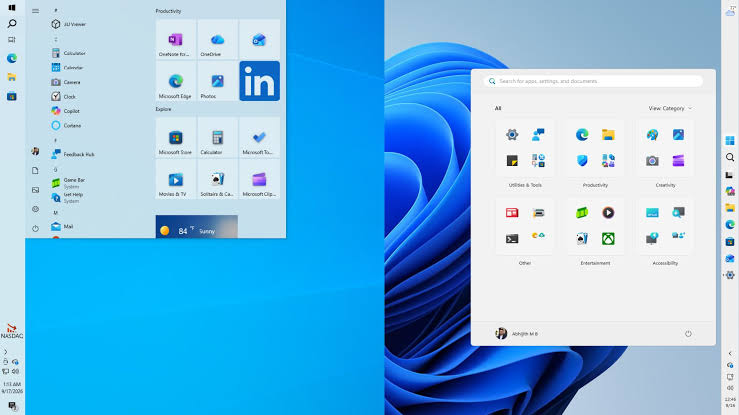
The Root Cause Is a Split Between Windows 11 and Copilot+ PCs
Windows 11 now serves two different audiences. One group wants a stable upgrade for an existing Windows 10 computer, while the other expects local AI features that depend on newer silicon.
The reported Copilot+ PC requirement involves a processor with an NPU capable of at least 40 TOPS, although that figure remains unconfirmed. This creates a clear trade-off: Microsoft can optimise the core ope9 inches with 720p resolution, showing that the base ope
Three Ways Microsoft Could Finish the Job
Microsoft has three practical options. It could continue prioritising memory efficiency, which would help the largest installed base but would not improve machines with genuinely weak processors or storage. It could make AI features optional and clearly separate them from the core Windows experience.
That would protect older PCs from inflated expectations, but it could also make the platform feel fragmented as Copilot+ features become more prominent. The third option is a sharper hardware boundary: maintain broad Windows 11 support while reserving advanced AI functions for certified systems. This would provide clearer expectations, but owners of eligible Windows 10 devices could feel that their free upgrade delivers a second-tier experience.
| Option | Main benefit | Main downside |
|---|---|---|
| More memory tuning | Helps reportedly 8GB systems | Cannot solve every hardware limit |
| Optional AI features | Preserves compatibility | Creates a divided feature set |
| Clear Copilot+ boundary | Sets honest expectations | Makes older PCs feel left behind |
Our recommendation is straightforward: if the priority is extending an existing PC’s life, choose continued performance tuning; if local AI is the goal, choose hardware built for Copilot+ requirements.
The next stage of this campaign should focus on transparent expectations, not just new features. Microsoft has made the right opening move by targeting everyday performance, but the success of Windows 11 will depend on whether users can understand what their hardware can realistically deliver.
Windows 11’s next fix should make the difference between “runs” and “works well” impossible to miss.
FAQs
Is Windows 11 still a free upgrade?
Yes. Eligible devices running Windows 10 can upgrade to Windows 11 without purchasing the ope
What is the minimum RAM requirement?
The official minimum remains 4GB of RAM, although systems with more memory are better suited to multitasking.
How much storage does Windows 11 require?
The official minimum system storage requirement is 64GB.
What display does Windows 11 require?
The opeTechradar
Was this article helpful?
Your feedback directly improves future articles on this site.