MEX-W
MEX-W ARG-W
ARG-W CRY0
CRY0 NEW2
NEW2 HUL1
HUL1 BRE1
BRE1 LIV2
LIV2 BHA0
BHA0 MAN0
MAN0 BOU3
BOU3 ATA4
ATA4 FRO3
FRO3 GEN1
GEN1 VEN0
VEN0 MON0
MON0 LILL1
LILL1 RSO
RSO LEV
LEV UDI
UDI MIL
MIL BAR
BAR RMA
RMA Mohun Bagan
 Chennaiyin
 PSG
PSG Lyon
Lyon Sevilla
 Osasuna
 NED
NED OMA
OMA CDN
CDN SCB
SCB NGA148
 UGA147/9 (20 ov, target 149)
 ATH4
ATH4 GET0
GET0 INT2
INT2 FIO1
FIO1 CHU2
CHU2 PFC3
PFC3 LIMWn
LIMWn NW-W
NW-W NCWmn
NCWmn FsWm
FsWm NWEST22/3 (3.1/20 ov, target 181)
 NCAPE180/3
 BOL137/9 (20 ov)
 TITNS137/8
 NZ-A317
 IND-A113 & 106/2 (36 ov)
 SYL280/2 (84 ov)
 KHU
KHU MYMS465/7d
 CHATT134/2 (40 ov)
 DHA521
 RAJ103/6 (26 ov)
 RAN402
 BAR179/3 (56.1 ov)
 BRB
BRB MOW
MOW TOK
TOK MIS
MIS SIKM
SIKM NAGA
NAGA JHK
JHK DELHI
DELHI ODSA
ODSA SVCS
SVCS CGR
CGR AP
AP GMB112/9
 LES109 (19.5/20 ov, target 113)
 MOZ110/7 (19/20 ov, target 110)
 ZMB109/9
 IND-W328/6
 ZIM-W207 (48.5/50 ov, target 329)
 PAK243/9 (47.1/50 ov, target 242)
 ENG241
 UAE244/8
 KER0
KER0 MCFC0
MCFC0 TSG0
TSG0 B040
B040 CEL0
CEL0 BET0
BET0 Goztepe2
 Çorum FK0
 BIR1
BIR1 CHA0
CHA0 RAFC
RAFC FCF
FCF Atlético1
 Deportivo0
 Lazio2
 Parma1
 Lens2
Lens2 Paris FC1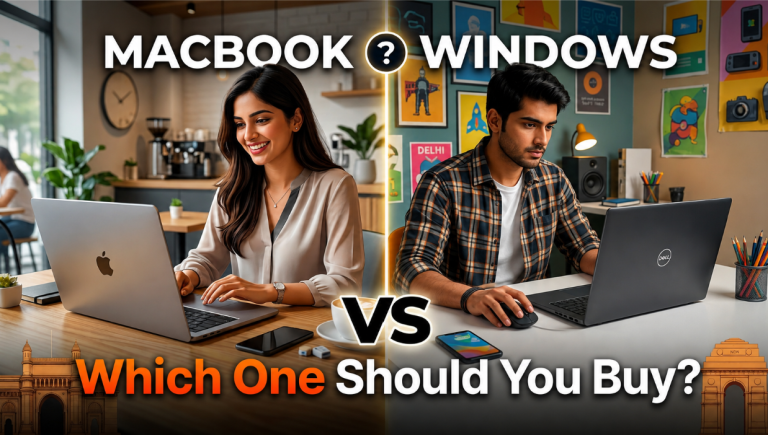
Picking between a MacBook and a Windows laptop in India is rarely just a spec comparison. The two platforms differ in software libraries, ecosystem ties, and the kinds of tasks they handle well, and the price gap between them can be considerable. This guide cuts through the noise by explaining what to evaluate first, then using four verified Windows laptops as concrete reference points across different workloads.
What Should You Consider Before Joining the Macbook vs Windows Laptop India Conversation?
Your workload should drive the decision, not the brand. Here is what the core specs mean in practical terms:
- RAM: 16GB handles smooth multitasking across browser tabs, documents, and video calls. 24GB gives meaningful headroom for larger Adobe projects, multiple game installs, and heavy background tasks running simultaneously.
- SSD storage: 512GB suits most students comfortably; 1TB reduces early housekeeping pressure when you accumulate media files, project archives, or a game library.
- Processor: Intel Core Ultra and Core i7 H-series chips manage everyday tasks, editing timelines, and coding well. The ‘H’ suffix indicates higher sustained performance for demanding workloads.
- GPU: Integrated graphics, found in MacBooks and most ultrabooks, handle productivity, video calls, and casual media efficiently. Dedicated NVIDIA RTX graphics are essential for gaming, 3D rendering, and GPU-accelerated creative tools.
- Weight and battery: A laptop under 1.5kg with integrated graphics typically delivers far longer unplugged use than a 2.5kg machine with a dedicated GPU.
| Tip: Decide the laptop category before comparing specs: ultrabook for battery and portability, a gaming laptop for RTX performance, or a MacBook for macOS ecosystem and polished daily use. |
Which Windows Laptop Offers a Macbook-Style Daily Experience?
For buyers drawn to a MacBook’s slim profile, quality display, and quiet productivity, a thin-and-light Windows ultrabook is the meaningful comparison, not a gaming machine.
The Motorola Motobook 60 Pro pairs an Intel Core Ultra 5 225H processor with 16GB RAM, a 1TB SSD, and a 14-inch OLED panel running at 120Hz, all in a 1.39kg chassis. Its OLED display produces richer contrast than most standard LCDs, making it a genuinely compelling daily companion for office work, study, streaming, and light creative tasks.
In the MacBook vs Windows laptop India comparison, it was listed at ₹73,990 on Flipkart at the time of research, placing it well below many premium MacBook configurations. The limitation is deliberate: no dedicated GPU means it is not suited to gaming or GPU-intensive rendering, but that is precisely the profile of someone who would otherwise consider a MacBook Air.
Which Windows Laptops Make the Stronger Case When GPU Performance Matters?
If your workload involves gaming, 3D projects, AI-assisted creative tools, or GPU-accelerated video work, dedicated NVIDIA RTX graphics represent the clearest reason to choose Windows. Three laptops cover this ground at different price points.
Acer Nitro V 15
The Acer Nitro V 15 pairs a Core i7-13620H with 16GB RAM, a 512GB SSD, and an NVIDIA RTX 5050 8GB GPU, a Blackwell-generation chip with dedicated CUDA cores and ray-tracing hardware, listed at ₹98,990. It suits students and first-time creators who want entry-level RTX access without stepping into premium gaming-laptop pricing. The 2.11kg weight and reduced battery life are fair trade-offs for that GPU capability.
Buyers upgrading from an older laptop can also explore exchange benefits of up to ₹30,000 on Flipkart’s upcoming GOAT sale, which can substantially offset the cost of stepping up to an RTX-equipped system.
HP HyperX Omen 15
The HP HyperX Omen 15 raises the bar with a Core i7-14650HX, 24GB RAM, a 1TB SSD, an RTX 5050 8GB GPU, and a 15.3-inch 2.5K display, listed at ₹1,49,990. The extra RAM and sharper panel serve creators who work across large editing projects and game libraries at the same time. At 2.42kg, it is a desk-first machine rather than a carry laptop.
Dell Alienware 16 Aurora
For the strongest GPU in this set, the Dell Alienware 16 Aurora offers an Intel Core 7 240H, 16GB RAM, a 1TB SSD, and an RTX 5060 8GB GPU with DLSS 4 and neural rendering support. Microsoft Office Home 2024 is included, and its 16-inch 2.5K display makes it a desktop-replacement proposition, listed at ₹1,42,990. At 2.57kg, portability is not the point.
| Trivia: Apple’s India store now lists M5 MacBook Air and M5 Pro/M5 Max MacBook Pro configurations, so checking current Apple India pricing before comparing against Windows alternatives is worthwhile; older M4 pricing no longer reflects the active lineup. |
How Do the Two Platforms Compare Across Key Buying Factors?
The differences settle into four practical areas. Neither platform wins on every point.
| Factor | MacBook | Windows laptops |
|---|---|---|
| GPU options | Integrated only | Dedicated RTX available |
| Gaming library | Limited | Full Windows catalogue |
| Portability | Excellent (slim and light) | Varies; gaming models are heavier |
| macOS and iPhone integration | Native | Requires workarounds |
| Price range in India | Higher entry point | Wider spread, ultrabook to gaming |
| Premium display options | Strong on current models | OLED and 2.5K options available |
Given the price difference between ultrabooks and high-end gaming laptops, up to 24 months of No Cost EMI on eligible purchases can make premium configurations easier to plan for without compromising on specifications.
Which Platform Actually Suits Your Needs?
The decision follows your task list, not a ranking. If your daily workload is writing, research, video calls, media consumption, and iPhone integration, a MacBook or a slim Windows alternative like the Motobook 60 Pro will serve you better than a heavy gaming machine.
The MacBook vs Windows laptop India divide becomes genuinely significant when GPU-dependent work enters the picture: gaming, 3D rendering, and CUDA-accelerated tasks are clear Windows advantages, and the Acer, HP, and Dell options here reflect how varied that segment is by price and power.
Write down the three or four tasks you use a laptop for most. If any of them require a dedicated GPU or depend on Windows-only software, that narrows the choice considerably.
If the list is dominated by productivity and everyday use, you are comparing ultrabooks, and Flipkart’s open box delivery option lets you verify the machine’s condition at your door before you accept it, which removes a common hesitation with online purchases at this price level.
Read more: How to Install Third-Party App Stores on iOS Safely