MEX-W
MEX-W ARG-W
ARG-W Chapecoense2
 Fluminense1
 UAE
UAE NED
NED PAK
PAK ENG
ENG IND-W
IND-W ZIM-W
ZIM-W GMB
GMB LES
LES MOZ
MOZ ZMB
ZMB Inter Milan
 Fiorentina
 Churchill
 Punjab FC
 NGA
NGA UGA
UGA ATM1
ATM1 DEP0
DEP0 LAZ2
LAZ2 PAR1
PAR1 RCL2
RCL2 PAR1
PAR1 RIY2
RIY2 TAA1
TAA1 NZ-A212/6 (64.2 ov)
 IND-A113
 SYL
SYL KHU
KHU MYMS299/4 (87 ov)
 CHATT
CHATT DHA293/3 (84.1 ov)
 RAJ
RAJ RAN320/5 (80 ov)
 BAR
BAR DEN
DEN PNG
PNG NAM321/6
 IRE290 (47.3/50 ov, target 322)
 NZ180/5
 IND181/6 (19.5/20 ov, target 181)
 WEL0
WEL0 MBV0
MBV0 Athletic
 Getafe
 C Palace
 Newcastle
 Hull
Hull Brentford
 Liverpool
 Brighton
 Man United
 Bournemouth
 Atalanta
 Frosinone
 CHE0
CHE0 TOT2
TOT2 VAL1
VAL1 VIL2
VIL2
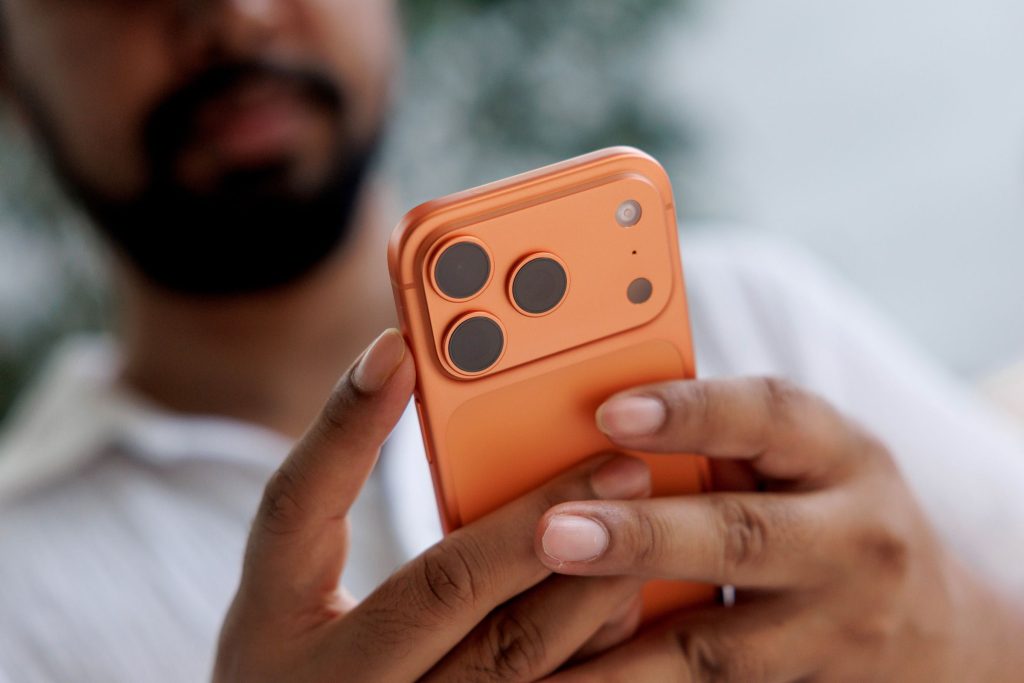
“The Apple Upgrade Program” is back in a new form, and the headline promise is simple: get the latest iPhone without the pay-up-front shock. Apple’s shift, paired with the new financing approach, is aimed at making monthly costs feel closer to an installment plan than a purchase. If you are trying to lease an iPhone because you keep upgrading every year, the key is understanding the contract math before you commit.
Here’s the thing: leasing can be cheaper in cash flow, but it rarely replaces the total cost of ownership. Your real decision is between a predictable monthly budget and the flexibility of walking away or upgrading early. We pulled together the step-by-step mechanics and the usual traps so you can choose with clarity, not vibes.
Overview: What Apple changed for iPhone leasing in 2026
The story starts in Apple’s ecosystem, where the company reworked the upgrade model in 2026. According to Engadget, Apple’s new “Apple Upgrade Program” is designed around interest-free leasing and expands beyond iPhones to cover iPads, Apple Watches, and Macs. That matters because it reframes leasing as an Apple-wide purchase alternative rather than a phone-only deal.
Worth noting: the old iPhone Upgrade Program is being replaced by the new system, with the partnership moving in a different direction. Engadget also described the program as part of a Klarna arrangement, rather than the prior structure linked to Citizens One.
If you are already in the old program, the next decision is timing. You typically keep making payments as usual until your earlier contract ends, then you choose whether to keep the device or switch to the new program. That transition path is the first fork in the road for most people.
Key Details: How to lease an iPhone and what you pay
To lease an iPhone, there are two entry points: you either already have the old iPhone Upgrade Program, or you are starting fresh with the Apple Upgrade Program. For existing participants, the path is mostly continuity first—payments continue until the earlier term finishes. After that, the switch becomes optional, and the choice is between retaining the current device or moving into the new leasing setup.
For new users, the mechanics revolve around monthly payments and eligibility inside Apple’s program flow. Engadget framed the new model as “interest-free leasing only,” which is the standout financial detail versus typical credit structures. Also, AppleCare+ is described by Engadget as bundled into the monthly payments for participants in the official iPhone Upgrade Program.
That bundle changes how you should compare offers. If carrier or third-party plans exclude AppleCare+, the apparent “low monthly” number can be misleading once you
A separate lever is how much you must pay before upgrading again. Engadget’s guide references that upgrading to a new model typically requires paying off at least 50% of the device’s retail 24 to 36 months, which can shape whether leasing fits your personal upgrade rhythm or feels like a long lock-in.
Context: Leasing versus buying (and who wins)
Leasing is not automatically “better”—it is better at solving one problem: reducing the initial cash hit. Buying wins when you want the lowest long-run cost and maximum ownership control. Leasing wins when you treat your phone like a subscription to fast-changing features, and you are okay managing terms like upgrade checkpoints.
Here’s the tension: the more aggressively you want to upgrade, the more leasing agreements tend to push you toward partial payoff thresholds. Engadget’s guide points to at least a 50% payoff requirement for moving to a new model, which means “cheap monthly” doesn’t always mean “upgrade anytime.” If your schedule is flexible, that constraint is easier to live with.
Worth noting: traditional carriers also provide installment and leasing-style routes. Engadget referenced examples like Verizon, AT&T, and T-Mobile offering device payments and leasing structures, including Verizon Device Payments, though the exact program details were marked as part of the broader landscape rather than the Apple program itself. For a different flavor of financing, third-party options like Klarna and Swappa are also referenced as alternatives, but they are not the same as Apple’s official Upgrade Program.
For comparisons while shopping, we recommend checking guidance from TechCrunch and device-buying research from GSMArena to keep the “current deal” context fresh.
What’s Next: Pick the right lease path and plan your upgrade
If your goal is to lease an iPhone through Apple’s official program, start by identifying which version of the deal you’re in. Existing participants should track when the old contract ends, because that date determines when you can switch. New entrants should treat the monthly cost as “including protection,” given AppleCare+ is described as bundled in the program.
Here’s the practical checklist we see people miss. First, confirm the upgrade requirement (Engadget cites a 50% payoff threshold), so your next purchase timing is aligned with the contract. Second, compare durations if you are considering carrier routes; standard lease terms of 24 to 36 months can be too long if your upgrade habit is annual.
Finally, plan your endgame: do you want the ability to upgrade regularly, or do you want ownership and resale later? The best path depends on whether your conflict is cash flow today or cost efficiency across years. If you have been stuck between “buy outright” and “accept carrier lock-in,” the Apple program’s structure is now a third option worth pricing into your budget before you tap confirm.
Related Articles
- Best iPhones Between ₹30,000 and ₹40,000 in India (2026) — Full Specs,…
- Apple spyware alerts for iPhone users: What to do (Aug 2026)
- iPhone 18 report: two new Pro upgrades (2026)
FAQs
How do I start to lease an iPhone through Apple’s program?
You lease an iPhone either by joining the newer Apple Upgrade Program flow described in 2026 coverage, or by switching after your older iPhone Upgrade Program term ends. In both cases, you should review monthly terms and upgrade requirements before agreeing.
Is AppleCare+ included if I lease instead of buying?
Engadget’s 2026 guide describes AppleCare+ as bundled into monthly payments for participants in the official iPhone Upgrade Program. That affects your true “apples-to-apples” monthly comparison.
Can I upgrade immediately if I lease?
No, the guide notes that upgrading to a new model typically requires paying off at least 50% of the device’s retail
What lease term lengths should I expect?
If you look beyond Apple’s program into carrier-style lease agreements, the coverage says they often span 24 to 36 months. Always read the specific contract terms, because the range is not the guarantee.
Are third-party services like Klarna the same as Apple’s program?
No. Third-party options such as Klarna and Swappa are mentioned as leasing alternatives in the broader market, but Apple’s official program has its own structure and bundling details. Compare total monthly cost and upgrade rules side-by-side.
Leasing an iPhone is the budget-first route—just make sure the upgrade threshold and term length match how often you truly want to switch devices.
Was this article helpful?
Your feedback directly improves future articles on this site.