Apple issued a new round of spyware alerts to targeted iPhone users on Sunday, August 16, 2026, warning about possible state-linked mercenary spyware. The update was reported by The Indian Express, and it comes with security steps iPhone owners should follow immediately rather than treating the email as “just another message.” Here’s the takeaway: don’t wait for symptoms or headlines—verify via official Apple account signals, then harden your device settings within minutes.
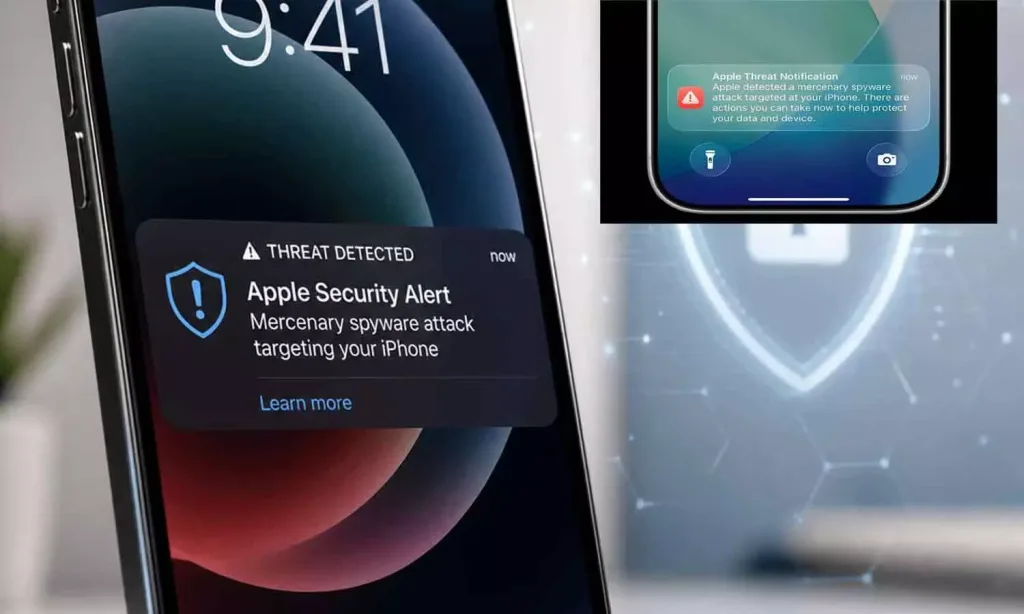
How do I know if I got Apple’s spyware notification?
Worth noting: you shouldn’t rely on the notification alone, because attackers often try to imitate Apple-style messaging. According to The Indian Express, Apple’s alerts are tied to targeted warnings for specific iPhone users, and the safest approach is to verify on your side through your Apple ID account-related security surfaces. The practical example is simple: log in to your Apple ID account page and look for any security details Apple flags there, then compare them with what you received. This reduces the risk of acting on a phishing copy of a real alert.
Bridge: once you confirm the alert is legitimate, the next question is what exact steps you should take first.
What should I do immediately after a spyware alert?
That said, speed matters because sophisticated spyware operators often rely on delayed access and persistent re-compromise. Start by following the security steps Apple’s alert points you to, then tighten the basics that reduce the chance of account takeover. A strong first move is changing your Apple ID password and reviewing active sessions if Apple indicates any suspicious activity in your account context. Then update iOS to the latest available version so you get current security fixes that can block known intrusion paths. Finally, check for any unexpected profiles or management settings in iOS (users sometimes miss this when they focus only on apps).
Bridge: after the first actions, you’ll want to understand what the alert actually means—and what it doesn’t.
What does “spyware notification” mean (and what’s the risk)?
Here’s the thing: a spyware warning generally means Apple believes an attacker may have targeted your Apple ID or device with a mercenary-style tool, aiming to access data, monitor activity, or exploit device weaknesses. The Indian Express framed it as a potential state-sponsored mercenary attack scenario, which is why Apple’s guidance emphasizes verification and protective steps rather than casual troubleshooting. Worth noting: this doesn’t automatically prove infection, and it doesn’t mean your phone is “compromised forever.” It does mean you should treat the event as a serious security incident and move quickly to remove uncertainty—verify your account, secure credentials, and keep the device updated.
Bridge: with the meaning clarified, the next question is how to prevent the next “round” from catching you off guard.
How can iPhone users reduce the chances of future spyware alerts?
Security experts often stress hygiene because it blocks many pre-infection steps—especially account takeover, which is the gateway to deeper device compromise. Start by enabling stronger authentication for your Apple ID, using passkeys where available, and turning on protective settings that reduce risky logins. Also avoid clicking links in emails unless you confirm they match what you see in your Apple ID account page. A concrete example: if you receive an alert and you’re unsure, open the Apple account URL by typing it in manually or using a trusted shortcut, then compare what Apple shows there versus what the message claims. Global reporting around spyware campaigns has repeatedly highlighted that verification-by-account is safer than “trusting the inbox,” a theme echoed in coverage by outlets like The Verge at times of major security pushes (for context, see relevant background reporting at https://www.theverge.com).
Bridge: once you’ve secured your account and device, the last question is what to expect next from Apple and from attackers.
What happens next—will Apple send more alerts or fixes?
Worth noting: Apple typically issues security guidance alongside targeted notifications, and users often see follow-up communications depending on whether they’re among affected accounts. The real threat doesn’t only come from a one-time compromise attempt; it can come from “stickier” access after the initial hook, which is why Apple’s emphasis is on account verification and device hardening. Looking ahead, the best response strategy is operational: keep your iOS updated, review account security signals whenever a new alert arrives, and tighten phishing resistance so attackers can’t reuse stolen credentials. In the short term, your goal is reducing exposure; in the long term, it’s building a repeatable routine so the next spyware alert doesn’t turn into a scramble.
Apple spyware alerts iphone: Bottom line
If Apple’s spyware alerts reached you on August 16, 2026, the safest path is simple: verify the warning in your official Apple ID context, then secure your account and update iOS right away—so you act before spyware operators can convert a warning into access.
Related Articles
- Apple sends warnings on mercenary spyware targets in 98 countries
- Apple’s 20th-anniversary iPhone 2026 survived cancellation scare
- ChatGPT Just Got Smarter — And Free Users Finally Get Unlimited Chats
FAQs
1) What does “issues” mean in the context of Apple’s spyware alert?
In this kind of security notification, “issues” refers to detected or suspected security events tied to your Apple ID or device risk profile. The alert is meant to push you toward protective actions (like verification, password/security changes, and updating iOS) rather than waiting for obvious symptoms.
2) What should I do if the spyware alert came as an email?
First, don’t click anything blindly. Instead, verify using your official Apple ID account-related security surfaces and follow Apple’s in-alert guidance from there. This avoids a common failure mode where attackers send lookalike “Apple” messages to trigger bad decisions.
3) Is a one-time round of spyware notifications?
The August 16, 2026 alerts were described as a new round, which implies future waves are possible depending on detection and targeting patterns. Treat each alert as urgent, but keep your routine consistent: verify first, then secure account settings and keep iOS updated.
4) What makes spyware different from normal malware?
Spyware is designed for stealth and targeted monitoring rather than overt damage. That’s why Apple’s guidance focuses on account/device verification and hardening steps—because you may not notice anything obvious until after access is established.
5) Do I need to worry about ChatGPT-style scams along with spyware alerts?
Separately, scams can piggyback on security anxiety, including messages that try to redirect you to fake “support” pages or credential forms. The protection approach stays the same: verify in official Apple surfaces and ignore instructions that ask you to provide sensitive information via email links.
Apple spyware alerts iPhone users
Was this article helpful?
Your feedback directly improves future articles on this site.