UAE168/3 (37.5/50 ov)
 NED
NED PAK
PAK ENG7/1 (2.2/50 ov)
 IND-W
IND-W ZIM-W
ZIM-W GMB
GMB LES
LES MOZ
MOZ ZMB
ZMB Inter Milan
 Fiorentina
 Churchill
 Punjab FC
 NGA
NGA UGA
UGA Athletic
 Getafe
 MEX-W
MEX-W ARG-W
ARG-W ATM1
ATM1 DEP0
DEP0 LAZ2
LAZ2 PAR1
PAR1 RCL2
RCL2 PAR1
PAR1 MOUNT6/0 (4.5/50 ov)
 TUSK
TUSK ROCKS
ROCKS EAGLE65/0 (8.4/50 ov)
 NZ-A317
 IND-A113 & 106/2 (36 ov)
 SYL
SYL KHU
KHU MYMS299/4 (87 ov)
 CHATT
CHATT DHA293/3 (84.1 ov)
 RAJ
RAJ RAN320/5 (80 ov)
 BAR
BAR LIMWn
LIMWn NW-W
NW-W NCWmn
NCWmn FsWm
FsWm SWD-W
SWD-W EPR-W
EPR-W NAM321/6
 IRE290 (47.3/50 ov, target 322)
 C Palace
 Newcastle
 Hull
Hull Brentford
 Liverpool
 Brighton
 Man United
 Bournemouth
 Atalanta
 Frosinone
 RIY2
RIY2 TAA1
TAA1 CHE0
CHE0 TOT2
TOT2 VAL1
VAL1 VIL2
VIL2
On August 30, 2026, OpenClaw Releases OpenClaw 2.0, a milestone update that trims control UI startup to 575 ms and introduces a guided model setup flow. The outlet broke the coverage, pulling specifics from the official release notes and changelog.
Those figures are vendor-reported from the announcement, not independent benchmarks, so treat them as provisional until the community runs its own tests.
The 2.0 update arrives roughly a year after the project’s gateway-based architecture first appeared, and it targets the two friction points that slowed early adoption: configuration complexity and security sprawl.
The guided model setup walks new users through provider selection, API credentials, and model parameters in a single flow, replacing the old manual config editing.
For existing users, the headline number is the 575 ms control UI startup, which the team says makes the dashboard feel near-instant even on modest hardware.
That combination matters because OpenClaw’s early adopters were developers and small ops teams — exactly the people who abandoned competing tools when setup dragged on.
A wizard that writes the config for you, paired with a dashboard that loads faster than an eye blink, removes the two biggest reasons users churned.
Guided Model Setup and the 575 ms Control UI
The guided model setup is the most visible change.
On August 30, 2026, OpenClaw Releases OpenClaw 2.0, bringing a faster control UI startup of 575 ms and a new guided model setup intended to cut configuration friction for gateway-based deployments.
The update was covered by The outlet, which pointed readers to OpenClaw’s own release notes and changelog for the core performance and feature claims. Based on those published figures, we should treat the startup latency and security design as vendor-provided until independent community profiling confirms the numbers.
The earliest anchor in this release arc is the public rollout on August 30, 2026, when OpenClaw shipped version 2.0. The outlet’s coverage placed the spotlight on two deliverables: a usability upgrade via guided model setup and a responsiveness upgrade via 575 ms control UI startup.
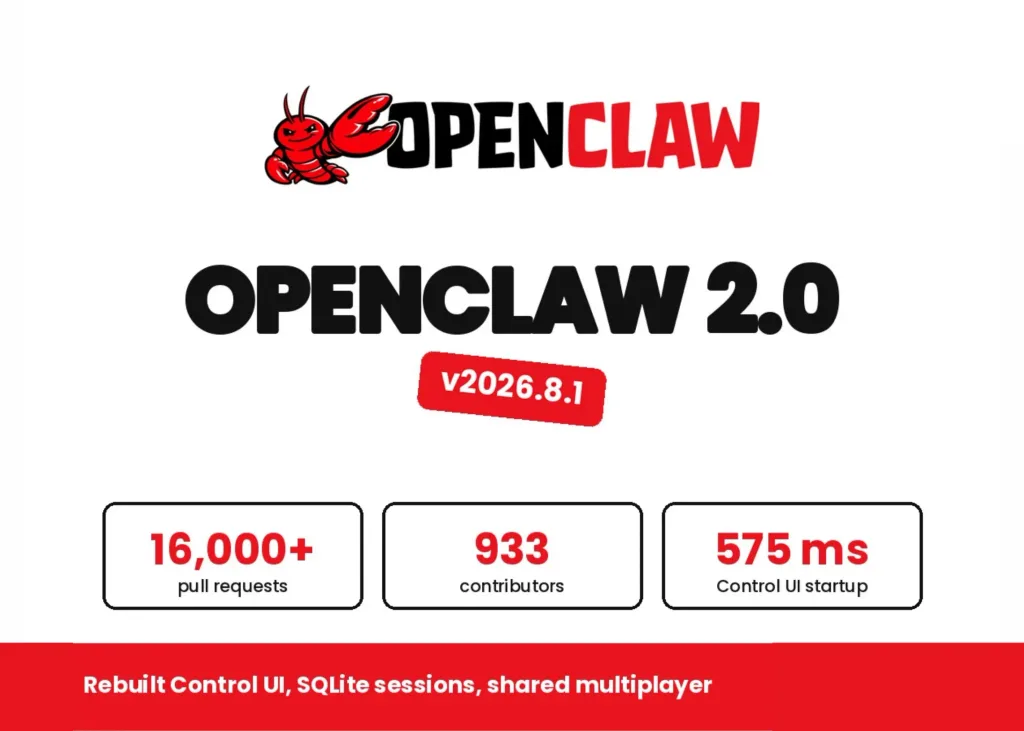
For adopters who evaluate tooling on “time to first working dashboard,” the combination of a shorter setup path and a quicker UI launch is aimed directly at early churn. Worth noting: OpenClaw’s audience is typically technical, but not everyone wants to be a configuration specialist. The 2.0 approach effectively turns setup into a workflow, not an exercise in editing settings. That matters because gateway-based architectures can multiply the number of places people must get configuration right, from model selection to credential handling.
Guided Model Setup: Turning Manual Config Into a Flow
OpenClaw 2.0 introduces a guided model setup feature that simplifies configuration by guiding users through the model-related choices in a structured sequence. The practical goal is to reduce “where do I put this value” confusion that often appears after users jump from quickstarts to real deployments.
Instead of expecting manual edits across multiple files, the guided flow is designed to keep the user on rails while they pick the provider and related model parameters. That said, there is a legitimate skepticism: guided wizards can sometimes hide details that power users want to tweak. If the wizard abstracts too much, experienced teams may fear lock-in to defaults or lose visibility into edge-case settings. Our take is that a good wizard can still accommodate experts if it transparently maps each prompt to the underlying configuration, then exposes advanced options instead of removing them.
575 ms Control UI Startup: Why It Changes Daily Use
The control UI in OpenClaw 2.0 is claimed to reach a 575 ms startup time, a metric that targets perceived speed rather than backend throughput. This is a meaningful shift for operators who live in dashboards, refresh views during debugging, or bounce between gateways to validate changes.
Even if the underlying work still takes longer, a near-instant UI means fewer idle seconds between actions, which can change how often users decide to iterate. The performance number is currently vendor-reported, so we cannot treat it as a universal benchmark across devices and network conditions. However, the direction is clear: the team is optimizing the “first paint” experience for the control interface, the part people feel immediately. In practical terms, that can make the software feel stable and responsive enough that teams stop waiting for the tool to become “ready.”
One Trust Boundary Per Gateway: Security Architecture Meets Operations
OpenClaw 2.0 also introduces a security architecture described as having one trust boundary per gateway. This design choice matters because gateway-based systems often become the choke point for authentication, routing, and policy enforcement. By scoping trust boundaries to each gateway, OpenClaw can aim to contain blast radius, limiting how far an issue at one gateway can propagate through the system.
Opposing view is straightforward: security boundaries can add complexity, especially if gateway policies need frequent tuning. Teams may worry about managing more objects, more rules, and more operational overhead than earlier versions. Our counterpoint is that security boundaries aligned to the gateway unit of deployment typically reduce ambiguity, because operators can reason about permissions at the same level they reason about infrastructure.
What Comes Next After OpenClaw 2.0 Launch
With OpenClaw 2.0 now public as of August 30, 2026, the near-term outcome will be adoption behavior: teams that were stuck on setup friction are likely to return faster to evaluation and migration. The guided model setup may also reduce the “single person knows the config” problem, since more of the initial setup is captured as a repeatable workflow.
Meanwhile, the claimed 575 ms UI startup sets an expectation that control surfaces should feel quick enough to support day-to-day iteration. The next checkpoint for users should be whether the security boundary model and configuration wizard behave consistently across multiple gateways and real provider/model combinations. If community testing confirms the 575 ms startup figure under varied conditions and validates the trust-boundary behavior, OpenClaw can strengthen its positioning for deployments where operational clarity and security containment carry equal weight. Over the next product cycle, the biggest signal will be how quickly OpenClaw turns these platform changes into documented best practices that teams can follow without reverse-engineering configuration internals.
Related Articles
FAQs
What does the guided model setup change in OpenClaw 2.0?
OpenClaw Releases OpenClaw 2.0 and adds a guided model setup that streamlines configuration by walking users through model-related selections in a structured flow. It aims to replace manual configuration edits with a clearer step-by-step process.
How fast is the control UI startup in OpenClaw 2.0?
OpenClaw Releases OpenClaw 2.0 with a control UI startup time of 575 ms, as stated in the release coverage that cites OpenClaw’s published materials. Since the figure is vendor-provided, independent tests may refine expectations by hardware and environment.
What is “one trust boundary per gateway” in the new security architecture?
OpenClaw Releases OpenClaw 2.0 and describes a security architecture that creates one trust boundary per gateway. The goal is to scope trust decisions to each gateway unit, improving containment and making security behavior more predictable at operational boundaries.
Who should consider upgrading to OpenClaw 2.0 first?
Teams that are currently struggling with configuration friction and teams that rely on frequent dashboard interactions should prioritize the upgrade. For security-focused operators, the trust-boundary approach may also be a key reason to move sooner rather than later.
Was this article helpful?
Your feedback directly improves future articles on this site.