NAM316/7
 IRE210/6 (38.1/50 ov, target 317)
 SA233/6 (59 ov)
 AUS
AUS ABH0
ABH0 ALF0
ALF0 BEI2
BEI2 JHM2
JHM2 RCH0
RCH0 KRE0
KRE0 AFG
AFG ZIM
ZIM SAS
SAS LAZ
LAZ ROMA
ROMA CAG
CAG TOR
TOR COMO
COMO BAN
BAN WI
WI IND-W
IND-W ZIM-W
ZIM-W GOA
GOA SC Delhi
 Milan
Milan Bologna
 PAK110
 SL114/2 (18.1/50 ov, target 111)
 NZ198/3
 IND199/4 (13.2/20 ov, target 199)
 NED371/5
 OMA265 (49.3/50 ov, target 372)
 Sevilla2
 Osasuna0
 JER
JER KUW
KUW PNG
PNG QAT
QAT JAB56/4 (9.2/20 ov, target 133)
 KAY132/9
 SIKM184
 NAGA187 & 46/4 (34 ov)
 JHK131/4 (47 ov)
 DELHI515/5d
 ODSA194
 SVCS13/0 (5 ov)
 BRODA616
 J & K6/0 (4 ov)
 CHD685/5d
 HP49/0 (14 ov)
 CGR216/8 (95 ov)
 AP231
AP231 HYD193/2 (54 ov)
 PNJB431
 AUCK
AUCK CANT
CANT CD
CD ND
ND DEN
DEN KENYA
KENYA POA
POA SPR
SPR BIK149 (19.3/20 ov, target 158)
 CHR157/3
 BRB149/5 (16.2/20 ov, target 148)
 MIS147
 MOW107/9
 TOK111/5 (18.4/20 ov, target 108)
 Parma
Parma Udinese
 Venezia
 Inter Milan
 Genoa
Genoa Juventus
 PSG2
PSG2 Lyon0
Lyon0 Mohun Bagan1
 Chennaiyin0
 DHC0
DHC0 VIS1
VIS1 JDT3
JDT3 PORT0
PORT0 KYO5
KYO5 NEW2
NEW2
Tracking your entertainment watchlist has never been this clean. Sofa 5 — the latest version of the popular Apple-native media organiser — has landed, and it’s the most complete personal media tracker available on iOS and macOS today. If you’ve ever lost a half-watched series between three streaming apps or forgotten which podcast episode you left off on, this is the app that fixes that problem. Check out how vibe coding app development is reshaping how indie developers build tools like this one.
What Makes Sofa 5’s Tracking Engine Different From Every Other App
Most media-tracking apps solve one problem. Letterboxd handles films. Trakt handles TV. Overcast handles podcasts. They don’t work together.
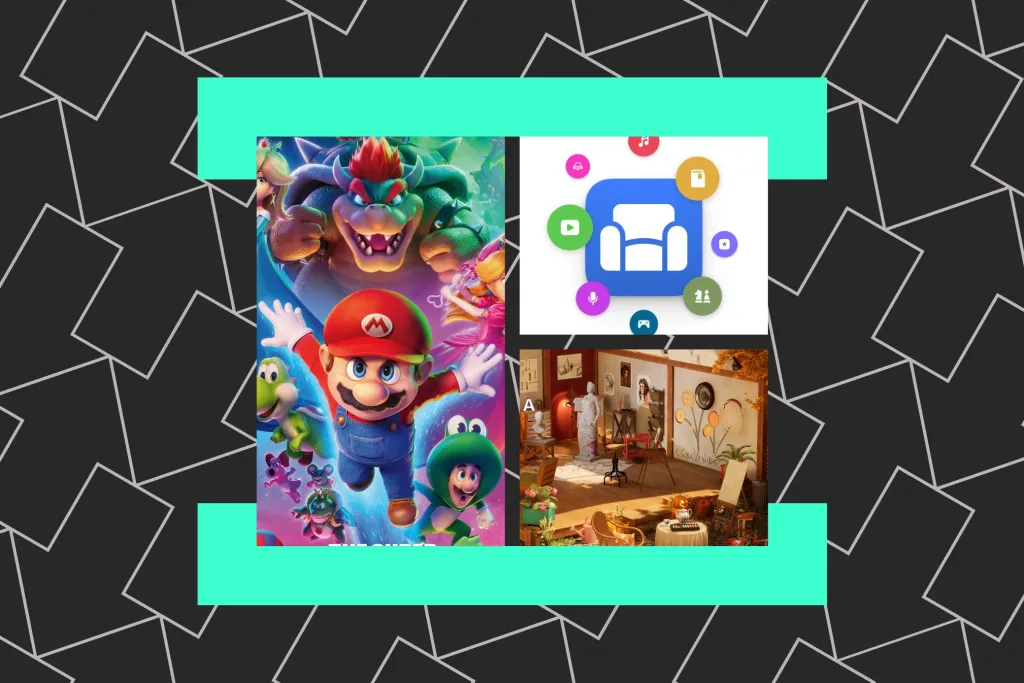
Sofa 5 changes that. It collapses everything into one beautifully designed space. The tracking experience spans TV shows, films, podcasts, books, video games, and board games — all in one place, without the fragmentation. As The Verge reported, version 5 is the biggest overhaul since the app’s original launch, with rebuilt architecture that makes organizing across categories feel natural rather than forced.
Here’s what most reviewers missed: Sofa 5 isn’t trying to be social. It’s deliberately personal — a private log, not a public feed. That’s a sharp contrast to Letterboxd’s social-first approach, and for users tired of performing their media taste online, it’s exactly what they need.
The redesign also embraces Apple’s design language throughout, with widgets, Shortcuts support, and an interface that fits naturally on both iPhone and Mac. One catch: there’s no Android version, and nothing suggests one is coming.
Sofa 5 Pricing, Platform Availability & Key Features
Sofa 5 is available now on the App Store for iPhone and Mac. It uses a freemium model — core tracking features are free, while Sofa Premium unlocks custom lists, detailed stats, and deeper organizational tools.
Premium costs around $2.99/month or $19.99/year (roughly ₹250/month or ₹1,650/year in India). That’s competitive against niche alternatives that charge more for less.
What you get in version 5:
- Unified inbox for all media types — TV, film, podcasts, books, games
- Custom shelves to organize by mood, genre, or status
- Progress tracking for episodes and podcast series
- Widgets for your iPhone home screen and Mac desktop
- Apple Shortcuts integration for automation
- iCloud sync across your Apple devices
- No ads. No algorithm. No social feed.
The samsung introduces app comparison is telling here — big platform apps often bury core features under engagement mechanics. Sofa 5 does the opposite. It’s quiet, fast, and focused entirely on your own list.
One limitation worth mentioning: the app won’t tell you where to stream something. You can log what you want to watch, but you’ll still need to check Netflix or Prime yourself to find it.
How Sofa 5 Stacks Up Against Rivals Like Letterboxd and Trakt
The real question is: why choose Sofa 5 over apps you already use?
| App | Media Types | Social Features | Platform | Price |
|---|---|---|---|---|
| Sofa 5 | TV, Film, Podcasts, Books, Games | None (private) | iOS, macOS | Free / $19.99/yr |
| Letterboxd | Films only | Strong (public logs) | iOS, Android, Web | Free / $19/yr |
| Trakt | TV, Films | Moderate | Web, iOS, Android | Free / $4.99/mo |
| Serializd | TV only | Moderate | iOS, Android | Free |
Sofa 5 wins on breadth. No other single app covers this many media types with this polish on Apple platforms. That said, if you’re on Android or want a community around your film diary, Letterboxd’s still the better choice.
Where Sofa 5 really pulls ahead is with episodic content. You can mark individual episodes, set reminders, and organize shows by status — watching, paused, dropped, finished. That “dropped” category matters — it’s the honest label most apps won’t include.
For podcast listeners who also want to log what they’ve heard alongside their shows, there’s simply nothing else that does this as cleanly. Even dedicated podcast apps like Overcast or Pocket Casts don’t offer cross-media logging. Sofa 5 does. If you’re tracking your top garmin the technology-style personal stats across entertainment — not just fitness — this is the closest thing available.
FAQ: Everything You Need to Know About Sofa 5
Q: Is Sofa 5 available on Android?
No. Sofa 5 is exclusively available on iPhone and Mac. The developer hasn’t announced any Android version as of April 2026.
Q: What does Sofa 5 Premium include?
Premium unlocks custom shelves, detailed personal stats, advanced sorting and filtering, and priority access to new features. The free tier still covers core tracking for all media types.
Q: Does Sofa 5 show where to stream a title?
Not yet. Sofa 5 lets you log and organize content, but it doesn’t pull real-time streaming availability data. You’ll need a separate tool like JustWatch for that.
Q: How is Sofa 5 different from just using a notes app?
The structured approach — episode progress, status labels, custom shelves, stats, and widgets — makes it far more functional than a plain list. It’s purpose-built for media, not generic note-taking.
Q: Is there a one-time purchase option?
Not at launch. Sofa 5 runs on a freemium subscription model. No lifetime purchase option has been confirmed, though the free tier is genuinely usable without paying.
Your media life doesn’t need to be complicated, and Sofa 5 proves it. Clean design, broad media support, and a private-first philosophy make it the most complete app on Apple platforms right now. If you’re an iPhone or Mac user drowning in half-finished shows and forgotten podcast episodes, this is the tool worth trying in 2026.