NED
NED OMA
OMA NAM316/7
 IRE128/5 (25.3/50 ov, target 317)
 SA219/4 (52.3 ov)
 AUS
AUS ABH0
ABH0 ALF0
ALF0 BEI1
BEI1 JHM1
JHM1 RCH0
RCH0 KRE0
KRE0 AFG
AFG ZIM
ZIM SAS
SAS LAZ
LAZ ROMA
ROMA CAG
CAG TOR
TOR COMO
COMO BAN
BAN WI
WI IND-W
IND-W ZIM-W
ZIM-W GOA
GOA SC Delhi
 Milan
Milan Bologna
 PAK110
 SL114/2 (18.1/50 ov, target 111)
 NZ198/3
 IND199/4 (13.2/20 ov, target 199)
 Sevilla2
 Osasuna0
 PSG2
PSG2 Lyon0
Lyon0 JER
JER KUW
KUW PNG
PNG QAT
QAT JAB
JAB KAY132/9 (20 ov)
 SIKM184
 NAGA187 & 46/4 (34 ov)
 JHK131/4 (47 ov)
 DELHI515/5d
 ODSA194
 SVCS13/0 (5 ov)
 BRODA616
 J & K6/0 (4 ov)
 CHD685/5d
 HP49/0 (14 ov)
 CGR216/8 (95 ov)
 AP231
AP231 AUCK
AUCK CANT
CANT CD
CD ND
ND DEN
DEN KENYA
KENYA POA
POA SPR
SPR BIK149 (19.3/20 ov, target 158)
 CHR157/3
 BRB149/5 (16.2/20 ov, target 148)
 MIS147
 MOW107/9
 TOK111/5 (18.4/20 ov, target 108)
 LUL88/3 (9.5/20 ov, target 88)
 Parma
Parma Udinese
 Venezia
 Inter Milan
 Genoa
Genoa Juventus
 Mohun Bagan1
 Chennaiyin0
 DHC0
DHC0 VIS1
VIS1 JDT3
JDT3 PORT0
PORT0 KYO5
KYO5 NEW2
NEW2
These two come up together constantly, and for good reason. Both are free Android video downloaders, neither is on Google Play, both are enormously popular across South Asia, Southeast Asia, and the Middle East, and both promise the same basic thing: paste a link, get a file.
They are not interchangeable, though. The differences between the Snaptube APK and VidMate’s show up in what you install, how much of your screen belongs to advertising, how far the quality options go, and what the security record looks like. This walks through each of those.
Snaptube
The Snaptube download application is an Android video and music downloader built around simplicity. You search inside the app or paste a link, it identifies what you gave it, and you pick a resolution and format. There is no setup wizard and no account.
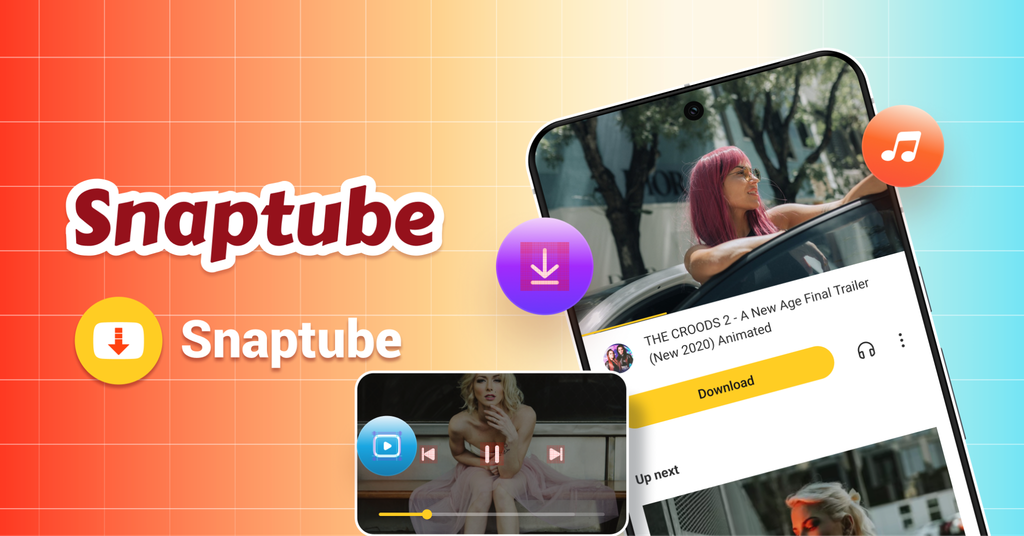
It covers more than 100 platforms, plus a general capability to detect video embedded in ordinary web pages, which extends its reach beyond any fixed list. Installation comes from the official site or from manufacturer stores: Xiaomi GetApps, Huawei AppGallery, OPPO App Market, vivo V-Appstore, HONOR App Market, Samsung Galaxy Store, and Palm Store. It is not carried on Google Play.
Key Features
- Completely free with no subscription, no trial, and no hidden charges
- More than 100 platforms plus general web page video detection
- Resolution from 144p to 8K, and audio from 70kbps to 320kbps
- MP4, MP3, and M4A output, with subtitle downloads
- Batch and full-playlist downloads, with pause and resume
- Built-in player for offline viewing, plus picture-in-picture
- Format memory, so repeat downloads take one tap
- Private vault for saved files, night mode, and a storage cleanup tool
- Around 20MB installed, asking only for storage permission
How to Get Started with Snaptube
- Install it from your phone manufacturer’s store if it is listed there — on a Xiaomi phone, open Xiaomi GetApps and search for it. Otherwise take the APK from the official site.
- Paste a video link, or use the search inside the app to find something.
- Pick the resolution and format from the list. The choice is remembered, so subsequent downloads are a single tap.
Why Snaptube Comes Out Ahead
The clearest practical difference is what happens between you and the download. Snaptube’s interface is the download; there is no advertising layer to work around, so a save is a paste and a tap. That sounds minor until you do it twenty times.
Second, the quality ladder is longer in both directions. Going down to 144p is genuinely useful on a limited data plan, and going up to whatever the source holds means you are not capped below what exists. The 320kbps audio ceiling matters if you extract music.
Third, the footprint. Around 20MB installed and a single permission request — storage, which a downloader needs to write files. Nothing else is asked for, so nothing else runs.
Fourth, the extras are the kind you actually use: batch and playlist downloads for series, background transfers with pause and resume, a built-in player so saved files do not need a second app, format memory, a private vault, and a cleanup tool for freeing space. It has multiple security certifications and ships a stable monthly Snaptube update, which is what keeps parsing working as platforms change.
VidMate

VidMate is the older of the two and the larger by cumulative installs, with over half a billion downloads. It claims support for 1000-plus sites, outputs MP4 and MP3 at up to 1080p, and advertises a 5x accelerated download engine — a company figure rather than a measured one. It includes background downloading and resume, and its most distinctive extra is over 200 built-in live TV channels, which no direct competitor offers. A 2026 update added AI-driven content recommendations.
Where it draws consistent criticism is the experience around all that. Reviews single out heavy advertising: launch screens, banners, and pop-ups placed around the download flow. Users also report a more involved installation than a store install and parse failures on some sources. On the security record, being accurate matters more than being dramatic: security firm Upstream previously reported that VidMate builds contained hidden background advertising activity, unauthorised charges, and collection of device identifiers including IMEI. That reporting is part of why the app is distributed outside Google Play. Counterfeit VidMate APKs are also widespread, so the official site at vidmateapp.com is the only source worth using.
Head to Head
Platform coverage
VidMate claims a larger number — 1000-plus sites against Snaptube’s 100-plus. Treat both as marketing counts, since neither publishes a verifiable list. In practice the platforms most people use are covered by both, and Snaptube’s ability to detect video embedded in arbitrary web pages closes much of the nominal gap. VidMate’s live TV channels are a genuine addition if that is something you want.
Quality
Snaptube’s range runs from 144p to 8K with audio to 320kbps. VidMate supports 1080p. For phone viewing both are more than adequate; the difference shows at the extremes, whether you want the smallest possible file or the largest one a source offers.
Advertising and experience
This is the widest gap. Snaptube’s free model does not put an ad layer in the download path. VidMate’s advertising is the most frequent subject of its negative reviews, and on a slower phone ad rendering also costs you responsiveness. If you download often, this difference compounds.
Safety and installation
Neither is on Google Play, so both need installs from unknown sources enabled, and for both the official site is the only sane source given how many fake APKs circulate. The distinguishing factor is history: Snaptube carries multiple security certifications, while VidMate has the documented Upstream findings above. Anyone choosing between them should weigh that.
Size and permissions
Snaptube is around 20MB and requests storage permission only. VidMate is a larger install with a broader feature set and correspondingly more to run in the background.
The Verdict
Snaptube is the one to install. It gives you a wider quality range, a much cleaner path from link to file, a smaller footprint with a single permission, a stronger security record, and the batch, playlist, and offline-player features that make repeat downloading painless — all free with no subscription.
VidMate makes sense in one specific case: if the built-in live TV channels are something you would genuinely use, and you are willing to accept the advertising and the security history to get them. Otherwise the trade is not favourable.
Other Options Worth Knowing

Hitube is worth a look if you would rather not install anything. Its web version runs in any browser, needs no signup, supports 1080p, and handles Instagram, Facebook, TikTok, Twitter/X, and Pinterest — video, Stories, Reels, photos, and audio. The developers describe it as HD quality, completely free, no ads, and no signup. There is also an Android APK on the official site adding batch downloads, resume support, and a built-in player.

InsTube covers similar ground to both apps in this comparison, with over 100 sites, 1080p output, and MP4, MP3, and M4A formats. Its own angle is Video Lock, an encrypted space that hides saved files, and a music downloader you can search directly. It is free and ad-supported, installed from instube.com rather than Google Play, and advertising is the most common complaint in its reviews.
Read more: ‘No Crushing Allowed’ First Look — Forbidden K-Drama Romance Ahead!