GET1
GET1 SEV1
SEV1 FRO0
FRO0 TOR0
TOR0 LAZ1
LAZ1 CAG1
CAG1 STR0
STR0 AUX0
AUX0 ITKA0
ITKA0 FC Goa1
 AFG
AFG ZIM9/2 (1.5/20 ov)
 FCU0
FCU0 KOE0
KOE0 DSC0
DSC0 BEN0
BEN0 RAC
RAC RMA
RMA LYON
LYON ANG
ANG PAR
PAR MON
MON LIV
LIV ARS
ARS SGE
SGE HSV
HSV WI-A
WI-A LIONS
LIONS LEC
LEC GEN
GEN ELC
ELC VAL
VAL COMO1
COMO1 VEN0
VEN0 MCFC2
MCFC2 SCD3
SCD3 NAM131/5 (21.2/50 ov, target 130)
 IRE129
 NZ195/3 (18 ov)
 IND191/8
 RHINO310/8
 MOUNT257/6 (45.1/50 ov, target 311)
 JAB147/7
 POA122/8 (17.5/20 ov, target 148)
 LIONS206/3
 TITNS22/0 (2/20 ov, target 207)
 TOK
TOK MIS46/1 (6.3/20 ov)
 NZ-A218/3 (62 ov)
 IND-A346
 QLD202/5 (71 ov)
 VIC307
 SYL218 & 89/2 (38 ov)
 CHATT210
 MYMS108 & 57/2 (14 ov) (f/o)
 KHU288
 DHA
DHA BAR
BAR RAN122/3 (39 ov)
 RAJ231
 NED
NED OMA
OMA MS-W
MS-W PS-W
PS-W MOW
MOW BRB
BRB KAY
KAY KAG
KAG CHR
CHR SPR
SPR ASSAM
ASSAM KNTKA
KNTKA TPURA
TPURA SAU
SAU PAK331/7 (48.3/50 ov, target 326)
 SL325/8
 UAE266/5 (49/50 ov, target 264)
 SS-W196/8
 HH-W109 (17.4/20 ov, target 197)
 ST-W180/4 (16.4 ov)
 BH-W178/5
 Falkirk2
 Celtic0
 IBFK4
IBFK4 SAM1
SAM1 Trabzonspor2
 Gaziantep0
 EXC0
EXC0 TWE5
TWE5 TEL3
TEL3 UTR2
UTR2 JUV
JUV NAP
NAP Aston Villa1
 Fulham1
 Barcelona6
 Alavés1
 Milan3
 Inter Milan1
 Troyes2
 Le Mans0
The OnePlus Pad 4 doesn’t try to reinvent itself. On paper, it looks almost identical to the OnePlus Pad 3 — same 13.2-inch footprint, same design language, same core experience. But underneath that familiar shell, OnePlus has made two upgrades that matter a lot more than they first appear: a jump to the Qualcomm Snapdragon 8 Elite Gen 5, and a brighter 1000 nits peak brightness panel.
Add in a bigger 13,380mAh battery and the newly matured OxygenOS 16, and you get a tablet that feels like a genuine “13-inch monster” capable of doing a lot of things at once, without ever breaking a sweat. I have been using this tablet beside my main MacBook for 2 weeks now; let me share my honest, full-length review of the OnePlus Pad 4 and why it is a great choice, if so, for whom?

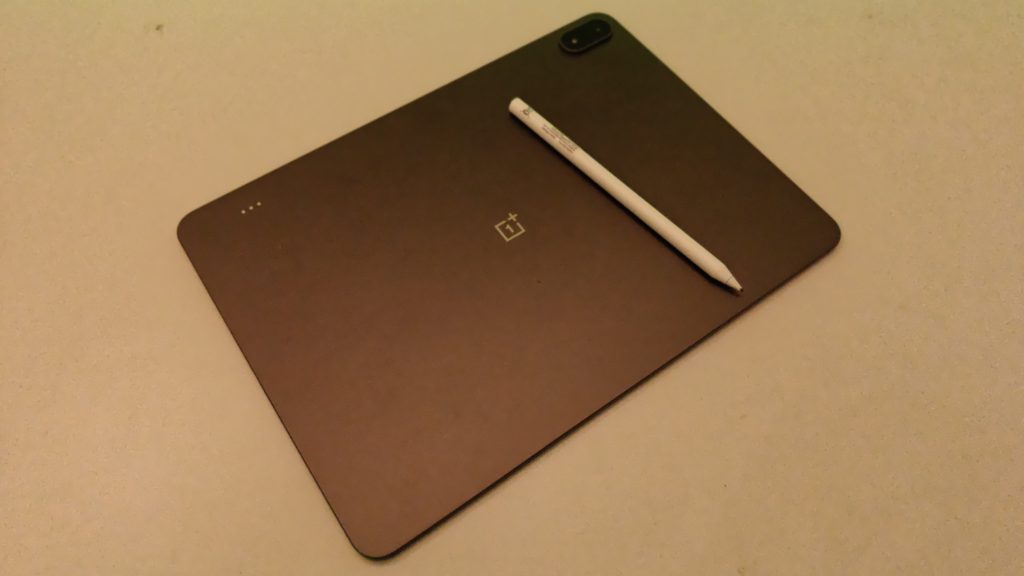

OnePlus Pad 4 Specifications
- Display: 13.2-inch IPS LCD
- Resolution: 3392 × 2400 pixels (3.4K)
- Aspect Ratio: 7:5
- Refresh Rate: Up to 144Hz
- Peak Brightness: Up to 1,000 nits
- Processor: Qualcomm Snapdragon 8 Elite Gen 5
- GPU: Adreno 840
- RAM: 8GB / 12GB LPDDR5X
- Storage: 256GB / 512GB UFS 4.1
- Operating System: OxygenOS 16 based on Android 16
- Rear Camera: 13MP
- Front Camera: 8MP
- Battery Capacity: 13,380mAh
- Charging: 80W SUPERVOOC fast charging
- Speakers: Eight-speaker stereo system
- Microphones: Multiple microphones with AI noise reduction
- Wi-Fi: Wi-Fi 7
- Bluetooth: Bluetooth 6.0
- USB Port: USB Type-C (USB 3.2 Gen 1)
- Biometric Security: Face Unlock
- Stylus Support: OnePlus Stylo 2
- Keyboard Support: OnePlus Smart Keyboard
- Build: Metal unibody design
- Dimensions: 289.61 × 209.66 × 5.94 mm
- Weight: Approximately 672g
- Available Colors: Dune Glow, Sage Mist
Performance: Genuinely Flagship-Grade
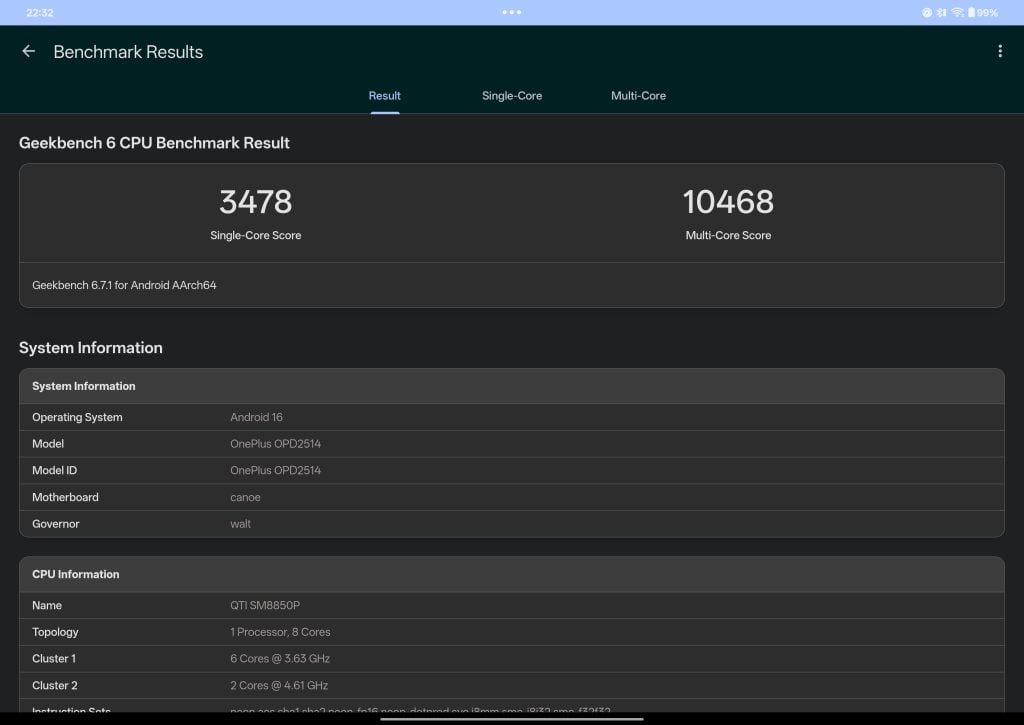
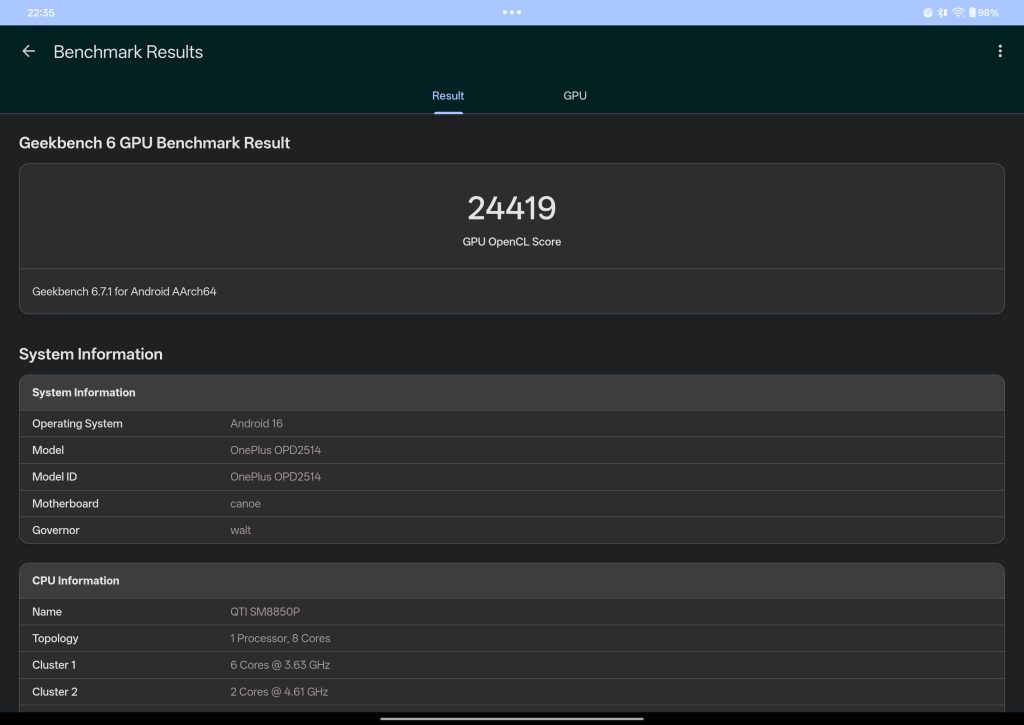
The headline change here is the chipset. The Snapdragon 8 Elite Gen 5 is currently one of the fastest mobile processors on any Android device, and it shows the moment you start multitasking. On my unit, Geekbench 6 returned 3,478 single-core and 10,468 multi-core, with 24,419 in the GPU OpenCL test — numbers that put this comfortably in flagship laptop-replacement territory for day-to-day and creative work.
What’s more impressive than the raw numbers is how that horsepower translates into real use. Multiple apps open side by side, video exports running in the background, a browser with two dozen tabs — none of it seems to faze the Pad 4. That headroom is exactly what makes the “small laptop replacement” pitch believable rather than aspirational.


Display: Brighter Where It Counts
The OnePlus Pad 4 keeps the same 13.2-inch, 3.4K resolution IPS panel formula from the Pad 3, but bumps peak brightness up to 1000 nits. That difference is most noticeable outdoors or in bright rooms — content that used to wash out now stays legible and vivid. Combined with a 144Hz refresh rate and Dolby Vision support, everyday scrolling, reading, and video playback all feel noticeably smoother and punchier than most Android tablets in this category.
Battery Life: The Real Standout
If there’s one upgrade that changes how you’ll actually use this tablet day to day, it’s the battery. The 13,380mAh cell is a meaningful step up, and in practice it delivers exactly what you’d hope for: easily two full days on moderate use, stretching to three or four days on lighter usage like reading, browsing, and video playback. For a device this size, that’s a genuinely impressive result, and it’s the efficiency of the Elite Gen 5 chip working alongside the bigger battery that makes it possible. Charging is fast too, so even when you do need to top up, it doesn’t take long to get back to full.
This kind of battery life is what actually makes the “laptop replacement” idea practical. You’re not tethered to a charger, and you’re not anxiously watching the battery percentage during a full day of work or a long flight.


Software: OxygenOS 16 Grows Up
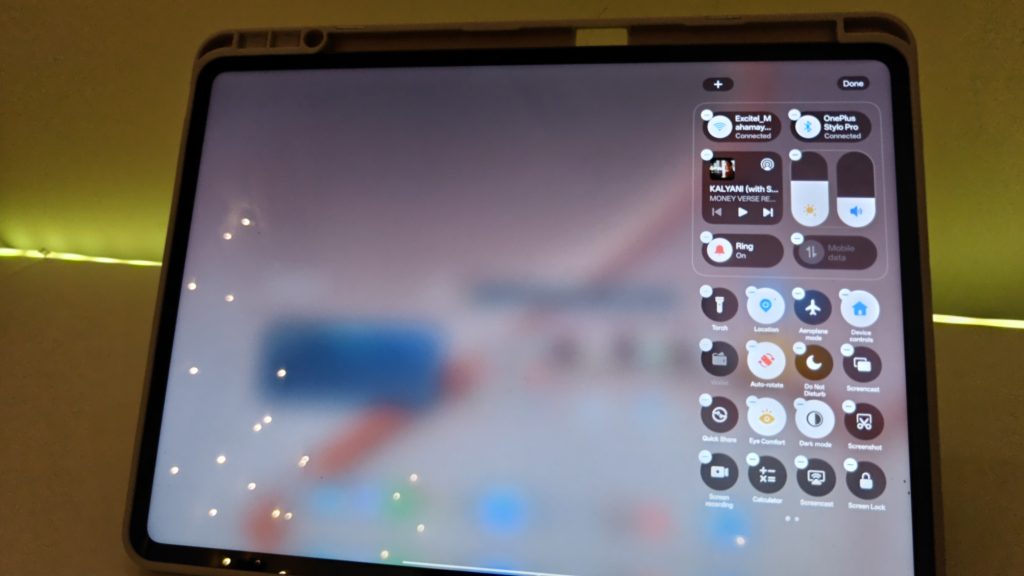
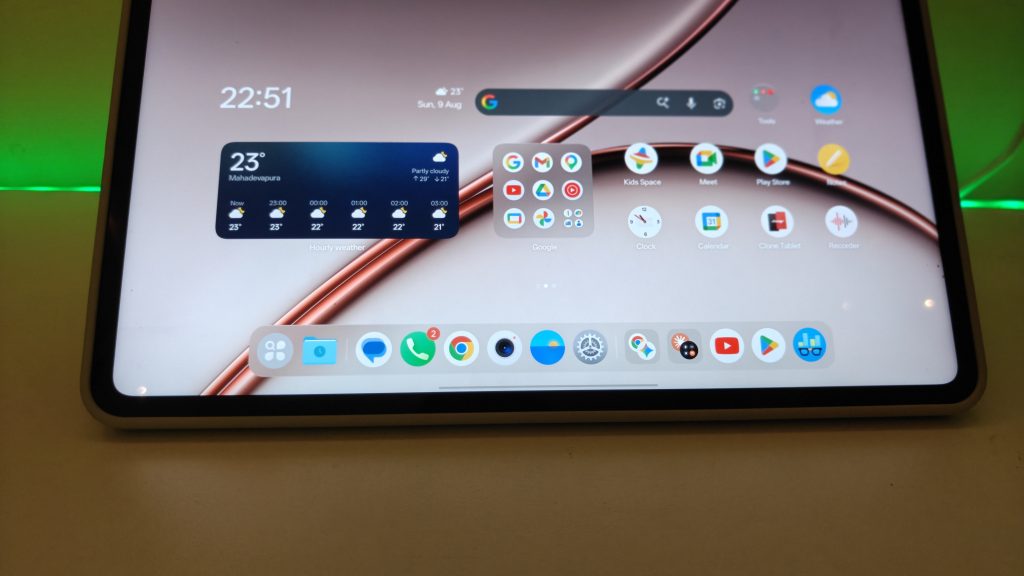
OxygenOS 16 is where a lot of the Pad 4’s usability improvements actually live. The multitasking tools have matured significantly, letting you run split-screen apps, floating windows, and drag-and-drop workflows that genuinely mimic a desktop experience. Combined with the extra processing power, this is the first time a OnePlus tablet has felt like it’s seriously chasing the productivity crown rather than just being a big-screen media device.
Everyday Use: Media, Work, and Everything In Between
For media consumption, the OnePlus Pad 4 is excellent — the bright, sharp, high refresh-rate display makes it a great choice for streaming and browsing. For basic work, attaching a keyboard case transforms it into something you can comfortably type, respond to emails, and manage documents on for hours.

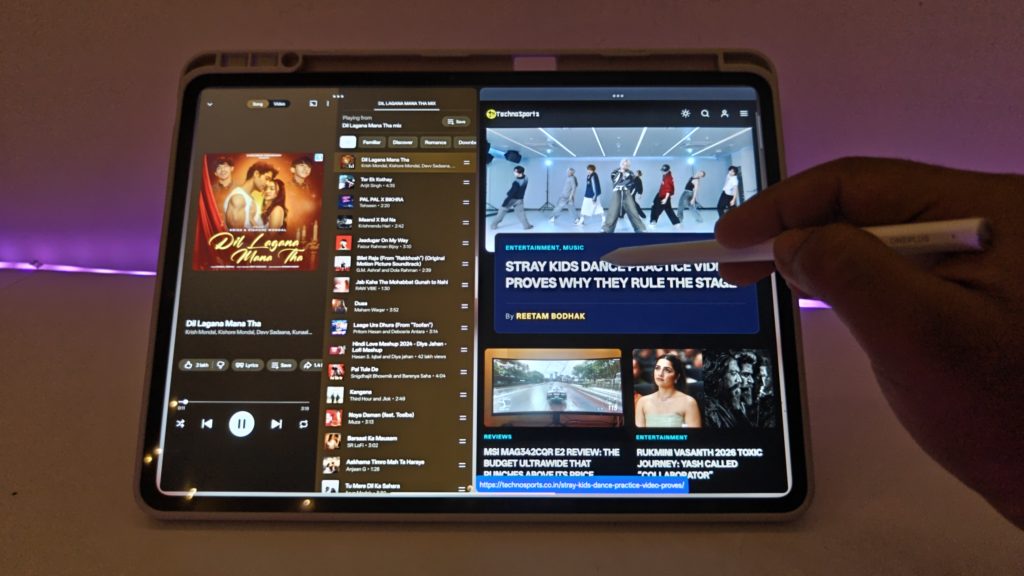
Pair it with the stylus, and the Pad 4 opens up into a genuinely capable creative tool. Sketching, note-taking, and drawing all feel natural and responsive, and thanks to the chip’s power, you can also get into heavier tasks like video editing without constantly waiting on the tablet to catch up. Whether it’s messy creative work or something more serious and deadline-driven, the combination of screen, stylus, and processing power handles it all comfortably.



Cameras: More Useful Than You’d Expect
Tablet cameras are rarely a selling point, but the Pad 4’s cameras pull their weight when it matters. They’re solid for quick photos and video capture, and just as importantly, they hold up well for video calls — which, if you’re using this as a work companion, is arguably the more important use case. Being able to jump into an important video call with clear video and audio, without needing to reach for a laptop, adds real value to the “on-the-go workstation” pitch.
Who Should Buy This
If you’re coming from the OnePlus Pad 3, the Pad 4 isn’t a dramatic reinvention — it’s a refinement. But if you’re shopping fresh, or if battery anxiety, brightness in daylight, and raw multitasking power matter to you, the upgrades here are exactly the ones that make the biggest real-world difference. The Snapdragon 8 Elite Gen 5 gives it serious longevity in terms of future-proofing, the brighter display makes it more usable in more places, and the bigger battery means you can genuinely leave the charger behind for a day or two.

Final Verdict
The OnePlus Pad 4 doesn’t chase flashy redesigns — it chases usability, and it succeeds. With flagship-level performance, a genuinely excellent battery life, a brighter display, and a software experience that’s finally starting to feel like a real productivity platform, this is a tablet you can comfortably carry as a small laptop replacement and use all day without any hiccups. Whether you’re consuming media, sketching with the stylus, editing video, or jumping on a work call, the Pad 4 handles it all with the kind of confidence that makes it easy to recommend.
Buy OnePlus Pad 4 from Amazon India: https://link.amazon/B08n5nMdA