ITT0
ITT0 AlN2
AlN2 ALG0
ALG0 QAD4
QAD4 ATA
ATA PAR
PAR LOR
LOR BRE
BRE NEW
NEW EVE
EVE DEP
DEP OSA
OSA WI-A
WI-A LIONS
LIONS Galatasaray
 Stuttgart
 Shakhtar
 Sporting
 Atlético
 Bayern
 SAS2
SAS2 FIO4
FIO4 NED183/3 (36/50 ov, target 183)
 OMA182
 Athletic2
 Real Sociedad1
 Juventus2
 Napoli0
 NZ-A424
 IND-A346 & 32/0 (11 ov)
 QLD280
 VIC307 & 136/6 (66 ov)
 SYL218 & 218
 CHATT210 & 126/1 (37 ov, target 227)
 MYMS108 & 315/9 (91 ov) (f/o)
 KHU288
 DHA
DHA BAR266/8 (70 ov)
 RAN256
 RAJ231 & 110/3 (27 ov)
 ASSAM135
 KNTKA180/2 (36 ov)
 MEGHA
MEGHA NAGA244/8 (67 ov)
 TPURA219/7 (74.3 ov)
 SAU
SAU BENG143
 MAHA21/2 (8 ov)
 ODSA
ODSA JHK37/3 (25 ov)
 CHD
CHD TN320/4 (86 ov)
 NZ
NZ IND
IND UAE
UAE TOK
TOK MOW
MOW BIK
BIK JAB
JAB LUL
LUL POA
POA DOLPH
DOLPH WPR
WPR CD
CD AUCK
AUCK AFG81/3 (8.1/20 ov, target 80)
 ZIM79
ZIM79 NAM131/5 (21.2/50 ov, target 130)
 IRE129
 MS-W109 (18.1/20 ov, target 125)
 PS-W124/9
 SS-W196/8
 HH-W109 (17.4/20 ov, target 197)
 VLL4
VLL4 LEG3
LEG3 SON0
SON0 KBH2
KBH2 GAIS2
GAIS2 AIK0
AIK0 MJA0
MJA0 KFF0
KFF0 RAF0
RAF0 CAP0
CAP0 CHA1
CHA1 NCHI0
NCHI0 ADQ0
ADQ0 BRN0
BRN0 COM1
COM1 REM0
REM0 DEF1
DEF1 LAF1
LAF1 LIN0
LIN0 ITU0
ITU0 Barcelona
 Aston Villa
 Marseille2
 Toulouse0
 Elche0
 Valencia1
 Lecce1
 Genoa2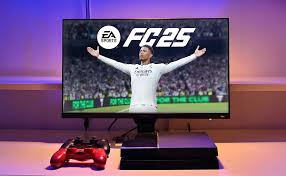
A gaming monitor guide isn’t just for folks who love FPS or racing games—EA Sports FC Legacy players are seeing the difference too. With new features on the horizon and wild rumors buzzing about player-created teams, having the right monitor can seriously change the outcome of your entire season. Let’s get into what actually matters right now.
Gaming monitor guide: First Reactions: EA Sports FC Legacy Features Put to the Test
Here’s the thing: EA Sports FC Legacy’s latest release sticks pretty close to what longtime fans expect. But you’ll notice some fresh energy in how it handles visuals and overall responsiveness. The menus snap between options faster than before. While some players wanted bigger gameplay tweaks, EA clearly prioritized keeping things stable instead of chasing flashy updates.

If you try the game on a 144Hz monitor, you’ll spot it right away—menus and transitions move much smoother than before. That’s a big plus if you’re using a high-refresh gaming monitor guide.
Now, let’s clear something up. Despite all the talk online, player-created teams still aren’t a thing as of April 2026. EA hasn’t officially said anything, so don’t buy into every leak you see. What’s actually here? Way better latency. Matches online feel a lot less floaty, even if you’re playing on a console. That can absolutely decide whether you hit Elite Division or not. In short, your gaming monitor setup still plays a vital role.
But not everything’s perfect. Legacy’s visuals, while sharp, haven’t made the jump to next-gen wow-factor some fans wanted. Even the best displays out there make the player models and stadium lights look good—but not truly stunning. If you want the best possible experience, go for a display with fast response times and low input lag (the Air Traffic Gaming standard is a solid bet).
How FC Legacy Compares on Gaming Monitors (and Why It Matters)
Let’s talk comparisons: stack EA Sports FC Legacy up against other sports games, and you’ll see the difference. NBA 2K and F1 25 go all-in with 4K and HDR. FC Legacy’s engine feels a bit behind when it comes to visual fireworks. According to IGN, even a mid-range gaming monitor can expose some of the visual limits—especially if you’re used to that ultra-crisp RTX 4090 Gaming clarity.
But here’s where FC Legacy makes up ground: gameplay. On a high-refresh monitor, you’ll catch the faster button response and lower input lag instantly—it’s true, sometimes it’s the reason your shot gets blocked or your tackle lands late. Sportskeeda Esports actually pointed out that most pro players won’t even touch anything below a 120Hz panel these days, and you can tell by how consistent their plays are.