NED
NED OMA
OMA NAM316/7
 IRE129/5 (25.5/50 ov, target 317)
 SA220/4 (52.4 ov)
 AUS
AUS ABH0
ABH0 ALF0
ALF0 BEI1
BEI1 JHM1
JHM1 RCH0
RCH0 KRE0
KRE0 AFG
AFG ZIM
ZIM SAS
SAS LAZ
LAZ ROMA
ROMA CAG
CAG TOR
TOR COMO
COMO BAN
BAN WI
WI IND-W
IND-W ZIM-W
ZIM-W GOA
GOA SC Delhi
 Milan
Milan Bologna
 PAK110
 SL114/2 (18.1/50 ov, target 111)
 NZ198/3
 IND199/4 (13.2/20 ov, target 199)
 Sevilla2
 Osasuna0
 PSG2
PSG2 Lyon0
Lyon0 JER
JER KUW
KUW PNG
PNG QAT
QAT JAB
JAB KAY132/9 (20 ov)
 SIKM184
 NAGA187 & 46/4 (34 ov)
 JHK131/4 (47 ov)
 DELHI515/5d
 ODSA194
 SVCS13/0 (5 ov)
 BRODA616
 J & K6/0 (4 ov)
 CHD685/5d
 HP49/0 (14 ov)
 CGR216/8 (95 ov)
 AP231
AP231 AUCK
AUCK CANT
CANT CD
CD ND
ND DEN
DEN KENYA
KENYA POA
POA SPR
SPR BIK149 (19.3/20 ov, target 158)
 CHR157/3
 BRB149/5 (16.2/20 ov, target 148)
 MIS147
 MOW107/9
 TOK111/5 (18.4/20 ov, target 108)
 LUL88/3 (9.5/20 ov, target 88)
 Parma
Parma Udinese
 Venezia
 Inter Milan
 Genoa
Genoa Juventus
 Mohun Bagan1
 Chennaiyin0
 DHC0
DHC0 VIS1
VIS1 JDT3
JDT3 PORT0
PORT0 KYO5
KYO5 NEW2
NEW2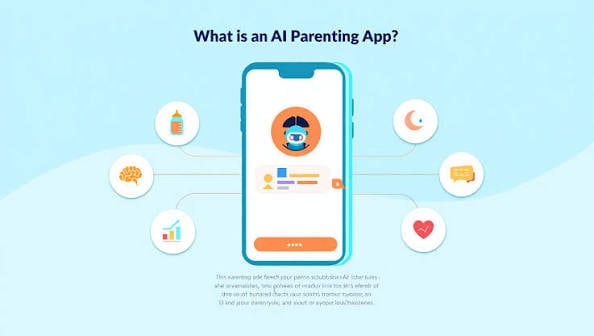
Parents juggling work, sleep, and screen time are reaching for AI Parenting tools that turn guesswork into clear next steps. Google’s Family Link app is the clearest example of this shift, weaving smart digital well-being features and usage-limiting algorithms into every Android device a child touches.
The question now is which other apps actually deliver on the promise, and which are just glossy wrappers around generic advice.

Which App Gives the Most Personalized Activities for Babies and Toddlers?
Kinedu is the standout here. Its proprietary AI recommendation engine generates over 2,400 personalized developmental activities for children aged 0 to 4, adjusting daily based on a parent’s logged milestones and the child’s age in weeks.
The depth matters: a 14-month-old working on fine motor skills gets a different shortlist than a 20-month-old building vocabulary. BabySparks takes a different tack, leaning on an Intelligent milestone tracker backed by developmental data from over 1 million users worldwide. That crowd-sourced scale makes its progress charts feel less like theory and more like a benchmark. If you want the most scientifically broad view of where your child sits, BabySparks wins; if you want daily, curated “do this now” prompts, Kinedu is the stronger pick. For more detail, see OpenAI Blog.
Is There an AI Parenting Assistant That Talks Like a Pediatrician?
Pia is the closest thing. It uses conversational AI to deliver sleep and behavior coaching grounded in guidelines from the American Academy of Pediatrics, which gives its answers a clinical backbone most chatbots lack.
Parents can ask “why is my 9-month-old waking at 4 a.m.?” and get a structured response that references sleep-window science rather than forum hearsay. The trade-off is depth.
Pia is excellent for sleep regressions, feeding transitions, and tantrum patterns, but it does not generate the activity play-lists that Kinedu or BabySparks do. Think of Pia as your on-call pediatric advisor and the activity apps as your daily curriculum.
What’s the Best App for Decoding a Baby’s Cries and Sleep Cues?
LulumMom reportedly focuses on real-time interpretation of crying sounds using machine learning, flagging whether a wail likely signals hunger, discomfort, or fatigue. It is one of the few apps built for the 0-to-12-month window where verbal cues are absent.
Accuracy in the category is still maturing, so treat its readings as a second opinion rather than a diagnosis. Huckleberry solves the older problem of nap timing. Its proprietary SweetSpot machine learning technology predicts optimal nap and sleep times for infants, with 85% reported user accuracy in the company’s own metrics. Parents log wake windows and the app converges on a schedule within days. Pair LulumMom for the early months with Huckleberry once a sleep rhythm starts to emerge, and skip the guesswork entirely. For more detail, see ArXiv AI.
How Does Google Family Link Fit Into a Child Development Routine?
Family Link is not a development app — it is a guardrail. Its usage-limiting algorithms cap screen time, block downloads, and let parents approve or reject app installs from their own phone.
For children aged 6 and up who are already on tablets, it sets the boundaries that let the developmental apps do their job without becoming another distraction. Run Family Link in the background, then layer Kinedu, Pia, or Huckleberry on top for the actual learning and care work.
Which AI Parenting App Should You Download First?
Start with the age. For a newborn, install Huckleberry and LulumMom together to cover sleep and cry decoding. For a toddler, Kinedu plus Family Link covers activities and screen safety.
If you only have space for one app, pick Pia, because its evidence-based coaching scales from infancy through the toddler years and earns its keep every single week.
Are AI Parenting apps safe for my child’s data?
Reputable apps publish data-retention policies and let parents delete logs. Google Family Link and Huckleberry both meet standard COPPA-style requirements, but always review permissions before syncing health or sleep data.
Do these apps replace a pediatrician?
No. Pia references American Academy of Pediatrics guidelines, but it is a coaching tool, not a diagnostic one. For developmental concerns, consult your child’s doctor.
Can I use more than one AI Parenting app at once?
Yes, and most parents do. The most effective setup pairs a sleep tracker with an activity or coaching app, then adds Family Link for screen-time control.
Related Articles
Was this article helpful?
Your feedback directly improves future articles on this site.