PAK102/5 (22.4/50 ov, target 242)
 ENG241
 IND-W328/6
 ZIM-W110/2 (23.4/50 ov, target 329)
 INT0
INT0 FIO1
FIO1 CHU2
CHU2 PFC2
PFC2 NGA
NGA UGA
UGA ATH1
ATH1 GET0
GET0 Konyaspor1
 Genclerbirli0
 MEX-W
MEX-W ARG-W
ARG-W CRY
CRY NEW
NEW HUL
HUL BRE
BRE LIV
LIV BHA
BHA MAN
MAN BOU
BOU ATA
ATA FRO
FRO GEN
GEN VEN
VEN MON
MON LILL
LILL GMB112/9
 LES109 (19.5/20 ov, target 113)
 MOZ110/7 (19/20 ov, target 110)
 ZMB109/9
 UAE244/8
 NED245/7 (43.5/50 ov, target 245)
 DEN
DEN PNG
PNG KENYA
KENYA JER
JER MOUNT185
 TUSK153/3 (32/50 ov, target 186)
 ROCKS220/4 (38.2/50 ov, target 287)
 EAGLE286/7
 LIMWn
LIMWn NW-W
NW-W NCWmn
NCWmn FsWm
FsWm BOL109/4 (15.3/20 ov, target 138)
 TITNS137/8
 EASTN18/1 (1.5/20 ov, target 146)
 SA-EM145/8
 KZNIN164/3 (17/17 ov)
 WPR83/2 (8.4/12 ov, target 116)
 BRB
BRB MOW
MOW TOK
TOK MIS
MIS SIKM
SIKM NAGA
NAGA JHK
JHK DELHI
DELHI ODSA
ODSA SVCS
SVCS CGR
CGR AP
AP CRY1
CRY1 CHE1
CHE1 KER
KER MCFC
MCFC Atlético1
 Deportivo0
 Lazio2
 Parma1
 Lens2
Lens2 Paris FC1
 Al Riyadh2
 Al Taawoun1
 Chelsea0
 Spurs2
 Valencia1
 Villarreal2
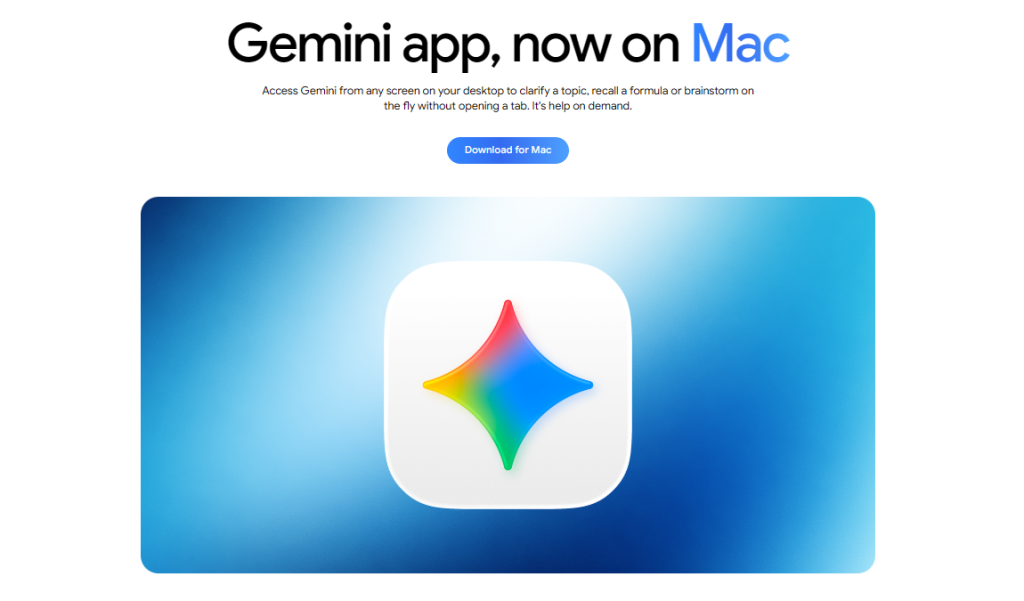
Google Gemini macOS app is now available on Mac, marking a significant expansion of the AI assistant beyond mobile platforms.
After establishing itself on Android and iOS, Google’s native Gemini desktop application brings the conversational AI directly to Mac users who previously relied on browser access at gemini.google.com. This launch positions Gemini as a serious competitor to ChatGPT and Claude on the desktop, eliminating friction for users who want seamless AI integration with their Mac workflow.
Native App Advantage: Why Google Gemini macOS Matters More Than Browser Access
The distinction between a native app and web browser access isn’t merely cosmetic. Google‘s dedicated Gemini macOS application offers faster load times, offline capability for certain functions, and tighter integration with your Mac’s system features. That said, Google Gemini macOS is worth examining closely here.
The app arrives after Google already deployed a Windows version, but macOS users have been waiting for feature parity on Apple’s ecosystem. This native approach mirrors how Google launches Gemini across multiple platforms — each optimized for its operating system rather than relying on a one-size-fits-all web experience. The macOS version inherits Gemini’s core capabilities while adding Mac-specific touches like keyboard shortcuts and native notifications.
Google Gemini macOS: What You Get: Gemini macOS Features and Real Capabilities
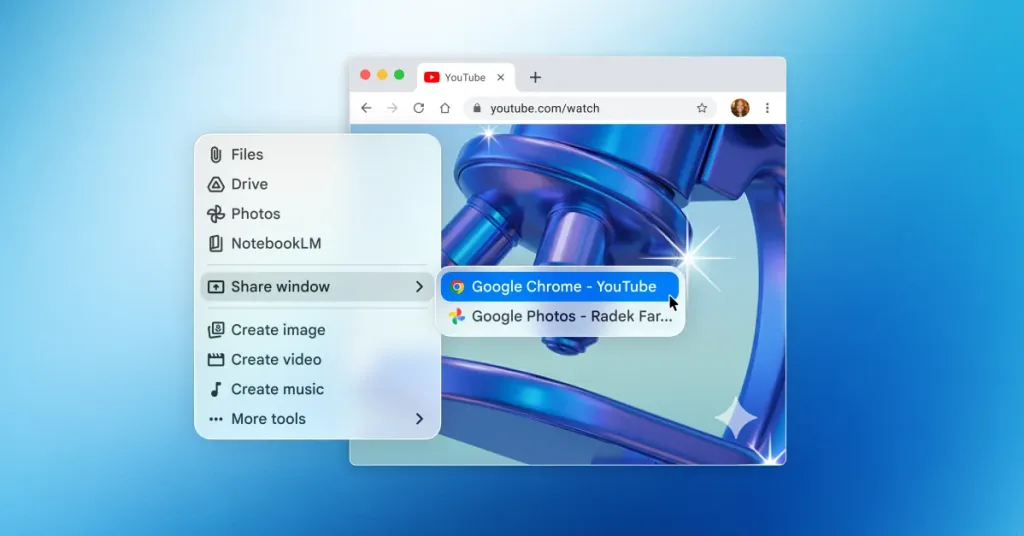
The Gemini macOS app includes integration with Google Workspace products — Gmail, Docs, and Drive all connect directly to the assistant. This means you can ask Gemini to summarize your emails, draft documents, or organize files without context-switching.
The app supports Gemini’s full model lineup, though exactly which version powers the macOS release remains unconfirmed. Google’s personal intelligence approach in Gemini extends to desktop, meaning the assistant learns your preferences over time. Image analysis, code generation, and long-form writing all function identically to the iOS version. Gemini Advanced subscribers (part of Google One AI Premium at reportedly $19.99/month) unlock extended context windows and priority access to newer model versions (according to TechCrunch)
How Gemini macOS Stacks Against ChatGPT and Claude
OpenAI’s ChatGPT desktop app arrived first, establishing the baseline for native AI assistants on Mac. ChatGPT’s advantage: deeper integration with third-party apps and a larger ecosystem of plugins (as reported by The Verge)
Claude, Anthropic’s offering, excels at long-form analysis and coding tasks, with some developers preferring its reasoning chain transparency. Gemini macOS counters with tighter Workspace integration — if you live in Gmail and Docs, Gemini’s native hooks save real time. Not everyone agrees that native apps matter; some users argue browser-based access is sufficient and avoids another app in your dock. But the speed difference is measurable — native apps launch in under 500ms versus browser tabs that can take 2–3 seconds, especially on older Macs.
Installation and What Your Mac Needs
System requirements for Gemini macOS are unconfirmed, though Apple typically requires recent OS versions for native apps. Download the app directly from Google’s official website or the Mac App Store once it appears there.
First-time setup requires your Google account; if you’re already using Gemini on mobile, your conversation history syncs automatically across devices. The app installs in seconds and runs alongside other productivity tools without notable performance impact.
Frequently Asked Questions
How do I download Gemini on Mac?
Visit Google’s official Gemini website or search the Mac App Store for “Google Gemini.” Click install, sign in with your Google account, and the app launches immediately. No setup wizard required.
Is Gemini better than ChatGPT on macOS?
Better depends on your workflow. If you use Gmail and Docs daily, Gemini’s native integration saves friction. ChatGPT has a larger plugin ecosystem. Both deliver comparable AI quality — choice comes down to ecosystem fit, not raw capability.
Does Gemini app work offline on Mac?
Limited offline functionality exists for cached conversations, but real-time AI responses require an internet connection. This matches ChatGPT’s behaviour.