SA329 & 387 (134.4 ov)
 AUS429
 BAN272 & 79/6 (29 ov)
 WI245
WI245 UAE
UAE NED
NED PAK
PAK SL
SL Chennaiyin
 Kerala
 Chelsea
 Man Utd
 Levante
 Atlético
 Al Taawoun
 Al Ettifaq
 Bologna
 Monza
Monza Mohun Bagan
 Punjab FC
 LILL1
LILL1 RCL0
RCL0 VIL0
VIL0 ESP1
ESP1 ELV4
ELV4 M051
M051 HAC1
HAC1 PSG5
PSG5 ND
ND AUCK
AUCK WELL
WELL CANT
CANT MOW121/9
 TOK46/2 (7.4/20 ov, target 122)
 AFG25/0 (1.1/6 ov, target 121)
 OMA120/4
 SOA154 & 217/4 (63.4 ov, target 422)
 WA406/5d & 169
 TAS389/8 (111.1 ov)
 NSW
NSW NZ-A
NZ-A IND-A131/2 (36 ov)
 QLD
QLD VIC
VIC NZ
NZ IND
IND NAM
NAM IRE
IRE AS-W
AS-W MS-W
MS-W PS-W
PS-W MR-W
MR-W ST-W
ST-W BH-W
BH-W SS-W
SS-W HH-W
HH-W ZIM202/5 (20 ov, target 222)
 BRB186/9 (20 ov, target 200)
 VAG199/6
 ENG121/0 (6 ov, target 160)
 CHS1
CHS1 RHI1
RHI1 OMA1
OMA1 CRW1
CRW1 CLEM2
CLEM2 WAKE1
WAKE1 TBR1
TBR1 MIA1
MIA1 MAD2
MAD2 SPV1
SPV1 ORI1
ORI1 AUR0
AUR0 DET1
DET1 HFD1
HFD1 RAC1
RAC1 ALDO1
ALDO1 SARM1
SARM1 ROS1
ROS1 ELP1
ELP1 SAFC0
SAFC0 BUC0
BUC0 PAS0
PAS0 Leverkusen
 Stuttgart
 Gladbach
 Paderborn
 NICE5
NICE5 REN2
REN2 SHA6
SHA6 AHL1
AHL1
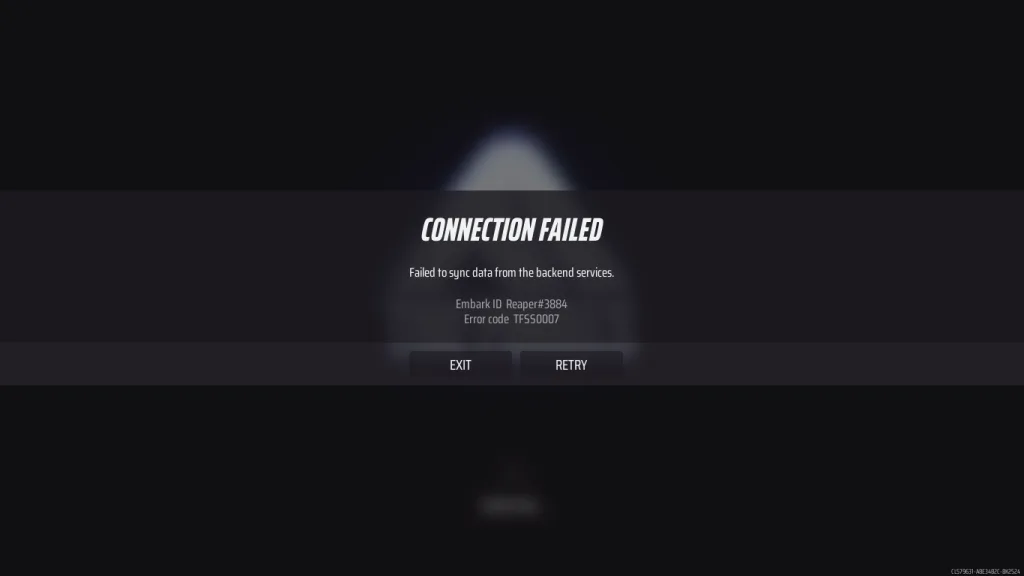
You’re ready to dive into an intense match of The Finals, but instead of the adrenaline-pumping gameplay you’re craving, you’re greeted with the dreaded “Failed to sync data from backend services” error message. Your excitement quickly turns to frustration as you stare at a screen that refuses to let you access the game you love. You’re not alone in this battle against technical glitches.
This particular error has been haunting The Finals community for months, and with the recent Season 7 update launched on June 12, 2025, many players hoped it would disappear. Unfortunately, the issue persists, leaving thousands of gamers scratching their heads and searching for solutions. The error essentially means your game client cannot communicate properly with the game’s servers, creating a digital wall between you and your gaming experience. Understanding why this happens and knowing how to fix it can save you hours of frustration and get you back to what matters most – dominating the competition in The Finals’ explosive multiplayer battles.
Understanding the Root Cause of Backend Services Errors
The “Failed to sync data from backend services” error in The Finals typically stems from communication breakdowns between your game client and the game’s remote servers. When you launch The Finals, your local game installation needs to synchronize various pieces of data with Embark Studios’ backend infrastructure, including player profiles, progression data, cosmetic items, and current game state information.
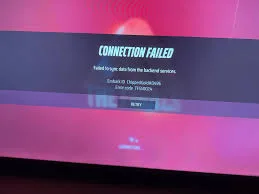
Several factors can disrupt this crucial handshake process. Network connectivity issues on your end can prevent proper data transmission, while server-side problems from the developer’s infrastructure can create bottlenecks that affect thousands of players simultaneously. Sometimes, the error occurs due to temporary server maintenance, unexpected traffic spikes during peak gaming hours, or even minor bugs introduced with new updates like Season 7.
What makes this error particularly frustrating is its unpredictable nature. Some players experience it consistently every time they launch the game, while others encounter it sporadically during gameplay sessions. The error can also manifest differently across various platforms, with Steam users often reporting different symptoms compared to console players. Understanding these nuances helps explain why some fixes work for certain players while others need alternative solutions.
Immediate Quick Fixes That Often Work
Restart Your Game and Platform
The most straightforward solution often proves surprisingly effective. Completely close The Finals through your task manager or gaming platform, wait approximately thirty seconds, then relaunch the application. This simple restart clears temporary cache files and reestablishes fresh connections with the backend services. Many players report success with this method, especially when the error occurs after extended gaming sessions.
For console players, consider performing a complete system restart rather than just closing the application. Xbox and PlayStation systems sometimes maintain persistent connections that can interfere with proper synchronization. A full reboot ensures all network connections are refreshed and any conflicting processes are terminated.

Verify Your Internet Connection Stability
Network instability frequently triggers backend synchronization errors in The Finals. Test your internet connection speed and stability using online tools or built-in network diagnostics. If you’re using Wi-Fi, consider switching to a wired Ethernet connection for more reliable data transmission. Wireless connections can experience interference from other devices, leading to packet loss that disrupts the synchronization process.
Check for any ongoing internet service provider issues in your area, as regional connectivity problems can affect game server communication. Sometimes, simply disconnecting and reconnecting your internet connection can resolve temporary routing issues that prevent proper backend access.
Advanced Troubleshooting Solutions
Disable Antivirus and Firewall Interference
Security software can sometimes mistake The Finals’ backend communication for suspicious activity, blocking essential data transfers. Temporarily disable your antivirus program and Windows Firewall, then attempt to launch the game. If this resolves the error, you’ll need to add The Finals to your security software’s exception list.
Create specific firewall rules allowing The Finals executable files to communicate freely with external servers. This approach maintains your system’s security while ensuring the game can access necessary backend services without interference. Steam users should also verify that Steam itself has proper firewall permissions, as connection issues with Steam’s infrastructure can cascade into individual game problems.
Clear Game Cache and Verify File Integrity
Corrupted cache files or damaged game files can prevent proper backend synchronization. Steam users should right-click The Finals in their library, select Properties, navigate to Local Files, and click “Verify integrity of game files.” This process checks for corrupted or missing files and automatically downloads replacements.
For other platforms, clearing the game’s cache involves locating and deleting temporary files stored in your system’s AppData folders. Always backup your save files before attempting cache clearing procedures, as this process occasionally affects local progress data.
When Server Issues Are Beyond Your Control
Monitoring Official Communication Channels
Sometimes the “Failed to sync data from backend services” error results from server-side issues that require developer intervention. Embark Studios typically communicates ongoing server problems through their official social media channels, particularly Twitter and Discord. Following these channels provides real-time updates about maintenance periods, server outages, and estimated resolution times.
During confirmed server issues, attempting repeated fixes from your end won’t resolve the problem. Patience becomes your best strategy, as forcing connections during server maintenance can sometimes worsen synchronization problems or corrupt local game data.
Understanding Peak Hour Limitations
The Finals experiences significant traffic spikes during evening hours and weekends when most players are online. These peak periods can overwhelm backend services, resulting in synchronization errors for some users. If you consistently encounter the error during specific times, try playing during off-peak hours to determine if server load contributes to your connection problems.
Emergency Solution: Complete Game Reinstallation
When all other methods fail, completely uninstalling and reinstalling The Finals often provides a permanent solution. This nuclear option removes all potentially corrupted files, clears problematic registry entries, and establishes fresh backend connections. Before proceeding, ensure your game progress is properly synced to cloud saves or linked accounts.
The reinstallation process varies by platform, but generally involves uninstalling through your gaming client, manually deleting remaining game folders, restarting your system, and performing a fresh installation. While time-consuming, this method boasts the highest success rate for resolving persistent backend synchronization errors.
Frequently Asked Questions
Q: Why does the “Failed to sync data from backend services” error keep happening after Season 7?
Q: Can I play The Finals offline to avoid backend service errors?
A: No, The Finals requires constant internet connectivity and backend synchronization for all game modes. The game’s architecture relies heavily on server-side validation for player progression, matchmaking, and anti-cheat systems. Offline play isn’t supported, making backend connectivity essential for any gameplay experience.