WI-A
WI-A LIONS
LIONS NED
NED OMA
OMA Sassuolo
 Fiorentina
 Atalanta
 Parma
Parma Lorient
 Brest
Brest Newcastle
 Everton
 Deportivo
 Osasuna
 NE
NE MIA
MIA LAFC
LAFC MIN
MIN ATH2
ATH2 RSO1
RSO1 JUV2
JUV2 NAP0
NAP0 OLM2
OLM2 TOU0
TOU0 ELC0
ELC0 VAL1
VAL1 MOW
MOW BRB63/4 (10.1/20 ov)
 NZ-A272/6 (85.3 ov)
 IND-A346
 QLD211/5 (75.5 ov)
 VIC307
 SYL218 & 89/2 (38 ov)
 CHATT210
 MYMS108 & 57/2 (14 ov) (f/o)
 KHU288
 DHA
DHA BAR
BAR RAN122/3 (39 ov)
 RAJ231
 MS-W
MS-W PS-W
PS-W KAY
KAY KAG
KAG CHR
CHR SPR
SPR BIK
BIK JAB
JAB LUL
LUL POA
POA ASSAM
ASSAM KNTKA
KNTKA TPURA
TPURA SAU
SAU AFG81/3 (8.1/20 ov, target 80)
 ZIM79
ZIM79 NAM131/5 (21.2/50 ov, target 130)
 IRE129
 NZ195/3 (18/20 ov, target 192)
 IND191/8
 SS-W196/8
 HH-W109 (17.4/20 ov, target 197)
 ST-W180/4 (16.4/20 ov, target 179)
 BH-W178/5
 TOK162/1 (16/20 ov, target 162)
 MIS161/5
 POR
POR HOU
HOU LEC1
LEC1 GEN2
GEN2 LIV0
LIV0 ARS1
ARS1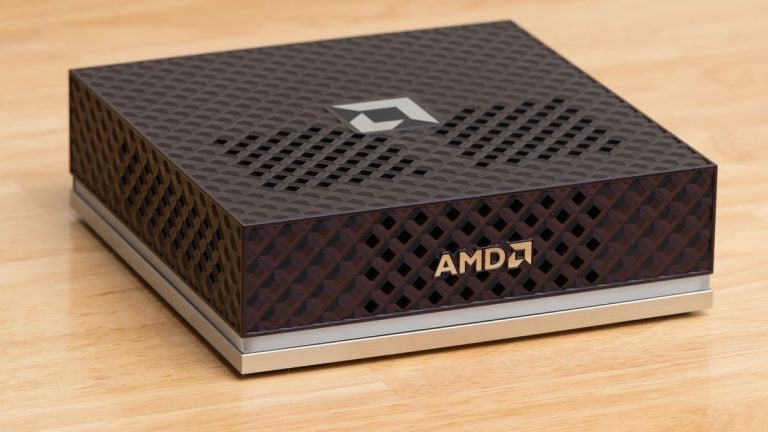
Microsoft has confirmed a specialised edition of Windows 11 built for AI developers, and the headline requirement is stark: 64GB of RAM as the absolute baseline. The news matters because it signals where Microsoft sees PC computing heading — away from consumer polish and toward on-device machine learning.
The company has positioned this release alongside its Copilot+ PC initiative, which originally launched in June 2024, and the new edition is expected to reach developers through Volume Licensing and Azure Dev Tools for Teaching rather than retail channels. Here is what that means for your wallet and your workflow.
The 64GB Problem for Developers
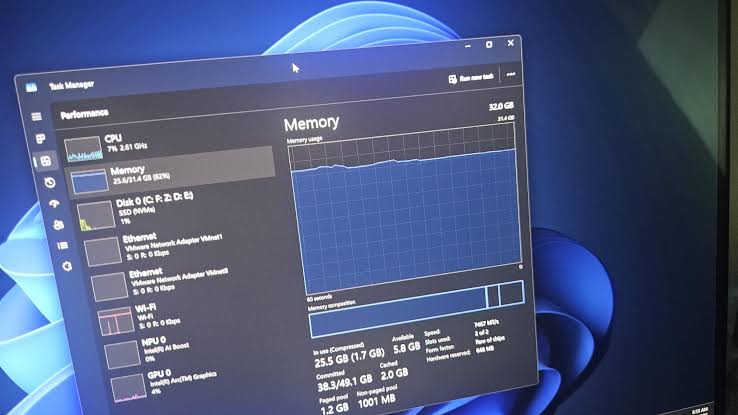
Most consumer laptops in India ship with 8GB or 16GB of RAM, so the new baseline immediately excludes the majority of machines on the market today.
A capable 64GB workstation from brands like HP, Lenovo, or Dell reportedly costs upwards of ₹1,50,000, putting this edition firmly in the professional bracket. The requirement also raises a fairness question: is Microsoft building for developers, or forcing hardware upgrades that only enterprises can afford?
Either way, hobbyists and students are the ones left out.
Why Microsoft Stripped Windows Down
The root cause is overhead. Consumer-facing features — reportedly the Microsoft Store, Xbox Game Bar, and Cortana — consume memory and background cycles that AI workloads would otherwise use.
This stripped windows approach frees system resources for NPU (Neural Processing Unit) tasks, with compatibility reportedly tied to Qualcomm Snapdragon X, Intel Core Ultra, and AMD Ryzen AI processor families. Storage demands are equally serious, with a 256GB NVMe SSD reportedly listed as the minimum.
Early builds reportedly reached registered enterprise testers through the Windows Insider Program, suggesting Microsoft wants feedback from serious deployments, not casual users.
Your Three Options Compared
Developers facing the 64GB wall have three realistic paths, and each carries a trade-off.
| Option | Cost | Upside | Downside |
|---|---|---|---|
| Buy a 64GB Copilot+ PC | Reportedly ₹1,50,000+ | Full NPU support | Expensive, locks you in |
| Use standard Windows 11 Pro | Existing PC | No new spend | Higher overhead, no NPU tuning |
| Cloud GPU instances | Pay-per-use | Scales on demand | Recurring costs, latency |
Buying dedicated hardware gives you the best local performance, but the upfront cost is brutal for freelancers and small studios. Standard Windows 11 Pro keeps your existing machine alive, though you lose the optimisations that make the developer edition attractive in the first place.
Cloud instances avoid hardware entirely, yet long fine-tuning runs can quietly generate monthly bills that rival a new workstation. Weigh your workload frequency before committing — occasional training jobs rarely justify a reportedly ₹1.5 lakh machine.
What’s Next for the AI Developer Edition
Microsoft has not announced retail pricing or an exact general-availability date, so enterprise buyers should watch Volume Licensing portals for updates reportedly expected through late 2026. Institutions stripping features to serve a narrow audience is a familiar pattern — we saw similar debates around the Michael Slater Stripped of honours case and coverage of Sri Lanka Women Stripped titles, where removals sparked questions about who benefits.
On the entertainment side, our OTT vs Theatrical Windows analysis shows how “windows” strategy shapes industries, and Miss North Carolina USA controversies remind us that titles can be redefined overnight. The verdict is simple: if you fine-tune models weekly, invest in a 64GB machine; if you dabble, stick with standard Windows and rent cloud GPUs. This stripped windows edition makes one thing clear — AI development on PCs is now a professional discipline with professional hardware demands.
Related Articles
- Windows 11 August Update 2026: 3 Reasons to Download Now
- Windows “Kill Switch” script found (2026)
- Coding Agents Don't Need Bigger Context Windows
FAQs
Does the AI developer edition of Windows 11 really need 64GB of RAM?
Yes, Microsoft has set 64GB as the minimum baseline requirement, with configurations reportedly supported up to 512GB for large language model fine-tuning.
Can regular users buy this edition?
It is expected to be available through Volume Licensing and Azure Dev Tools for Teaching programmes rather than retail stores, so everyday consumers cannot simply purchase it.
Which processors are supported?
Compatibility is reportedly tied to Qualcomm Snapdragon X, Intel Core Ultra, and AMD Ryzen AI processor families, all of which include dedicated NPUs.
What features have been removed?
Consumer-facing features including the Microsoft Store, Xbox Game Bar, and Cortana have reportedly been removed to reduce overhead for AI workloads.
Was this article helpful?
Your feedback directly improves future articles on this site.