NZ
NZ IND
IND NAM
NAM IRE
IRE MOZ
MOZ UGA
UGA Aston Villa
 Man City
 Rayo
Rayo Elche
Elche GMB
GMB ZMB
ZMB NGA
NGA LES
LES Cagliari
 Bologna
 IPS1
IPS1 NFO1
NFO1 ALA1
ALA1 MCF1
MCF1 TOR3
TOR3 MON2
MON2 BRE1
BRE1 NICE2
NICE2 TAS67/4 (15.4/50 ov, target 305)
 VIC304/7
 NZ-A133/1 (39.2 ov)
 IND-A113
 DHA
DHA RAJ
RAJ MYMS
MYMS CHATT
CHATT RAN
RAN BAR
BAR SYL
SYL KHU
KHU UAE
UAE NED
NED PAK
PAK ENG
ENG IND-W
IND-W ZIM-W
ZIM-W AFG170/3 (34.3/50 ov, target 170)
 ZIM169
 DOLPH56/0 (3.5/8 ov, target 56)
 SWD51/4 (8/8 ov)
 WSW1
WSW1 BRI1
BRI1 Como
Como Sassuolo
 Augsburg
 Union Berlin
 Cologne
 Schalke
 Mainz
Mainz Bremen
 RB Leipzig
 Elversberg
 VFB2
VFB2 BMG3
BMG3 AHL4
AHL4 KHA1
KHA1
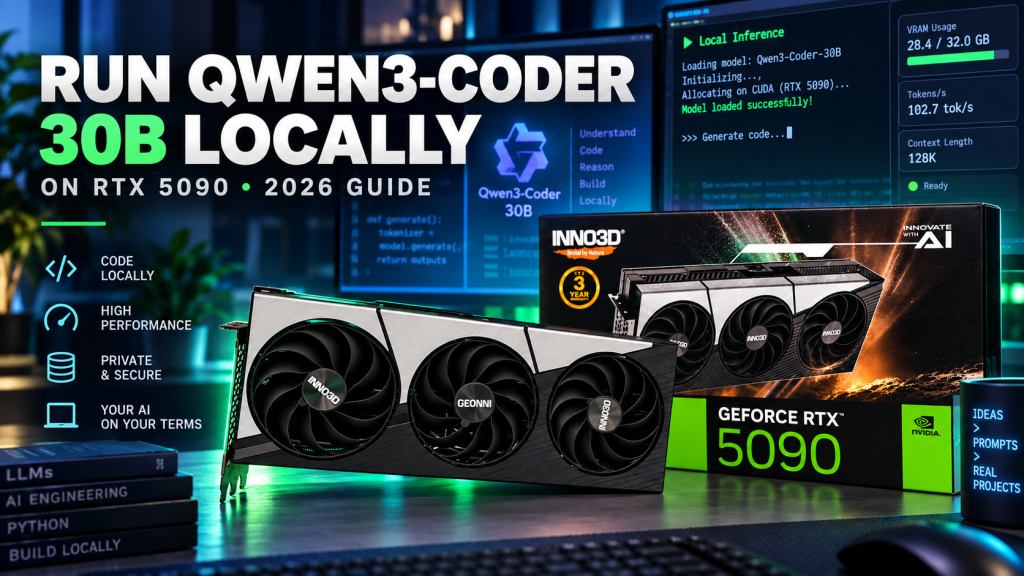
Run Qwen3-Coder locally on an RTX 5090, and Alibaba’s coding specialist becomes a fully offline teammate: no API bills, no rate limits, refactoring and debugging your codebase in real time. In this 2026 guide, we walk through exactly how to run Qwen3-Coder 30B-A3B locally on Windows using Ollama or LM Studio, what VRAM you actually need, and why NVIDIA’s 32GB flagship card is the ideal home for it.
WHAT IS QWEN3-CODER 30B-A3B? ALIBABA’S AGENTIC CODING MODEL
Qwen3-Coder 30B-A3B is the compact member of Alibaba’s Qwen3-Coder family (sitting alongside a much larger 480B-A35B flagship), and it is purpose-built for agentic coding rather than general conversation. It’s a Mixture-of-Experts (MoE) model with 30B total parameters but only about 3B active per token, which is what lets it run fast on a single consumer GPU despite its size.
It is a sibling to the general-purpose model in our Qwen 3.8 local guide, but this release trades vision support for deep coding ability: code completion, multi-file refactoring, debugging, and unit test generation, with strong tool-calling support for agentic frameworks like Qwen Code and Cline.
Test Config Specifications:
- Monitor: MSI MAG342CQR E2 Curved Gaming Monitor
- Motherboard: MSI PRO Z890-S WIFI Motherboard
- CPU: Intel Core Ultra 7 265K
- RAM: 32GB (2X16) Corsair Vengeance Performance DDR5 Memory
- Primary SSD: Western Digital SN850 500GB PCIe Gen 4 SSD
- Secondary/Game SSD: 480GB Crucial SATA SSD, WD Green 960GB SATA SSD
- Power Supply: Antec HCG-1000-EXTREME PSU
- GPU: INNO3D GeForce RTX 5090 X3 OC
- CPU Cooler: DEEPCOOL GAMMAXX L360 ARGB
- Cabinet: MSI MAG PANO 130R PZ
- OS: Microsoft Windows 11 Pro
QWEN3-CODER 30B-A3B SPECS AT A GLANCE
| Spec | Qwen3-Coder 30B-A3B |
|---|---|
| Developer | Alibaba (Qwen team) |
| Architecture | Mixture-of-Experts, 30B total / ~3B active parameters |
| License | Apache 2.0 (commercial use allowed) |
| Q5_K_M GGUF size on disk | ~21.7GB |
| Standard context window | 32K tokens (expandable to 64K with q8_0 KV cache) |
| Approx. VRAM at 64K context (q8_0 KV cache) | ~25GB |
| Recommended VRAM | 24GB floor, 32GB comfortable |
| Reported throughput on RTX 5090 | ~231 tokens/sec |
| Best for | Code completion, refactoring, debugging, unit tests, agentic coding |
WHY THE RTX 5090 IS IDEAL TO RUN QWEN3-CODER LOCALLY
The curated Q5_K_M quantization of Qwen3-Coder 30B-A3B weighs in at roughly 21.7GB on disk. Push the context window out to 64K tokens with q8_0 KV cache quantization enabled and total VRAM usage lands around 25GB. NVIDIA’s GeForce RTX 5090 ships with 32GB of GDDR7 VRAM, which comfortably clears that number with headroom left over for your IDE, browser tabs, and other GPU-hungry apps running alongside it. That headroom is what makes it realistic to run Qwen3-Coder locally with its context window fully extended instead of truncating long files or entire repositories mid-task. Real-world reports put generation throughput at around 231 tokens/sec on the RTX 5090, fast enough to feel closer to a cloud API than a local model.
HOW TO RUN QWEN3-CODER 30B-A3B LOCALLY WITH OLLAMA (STEP-BY-STEP)
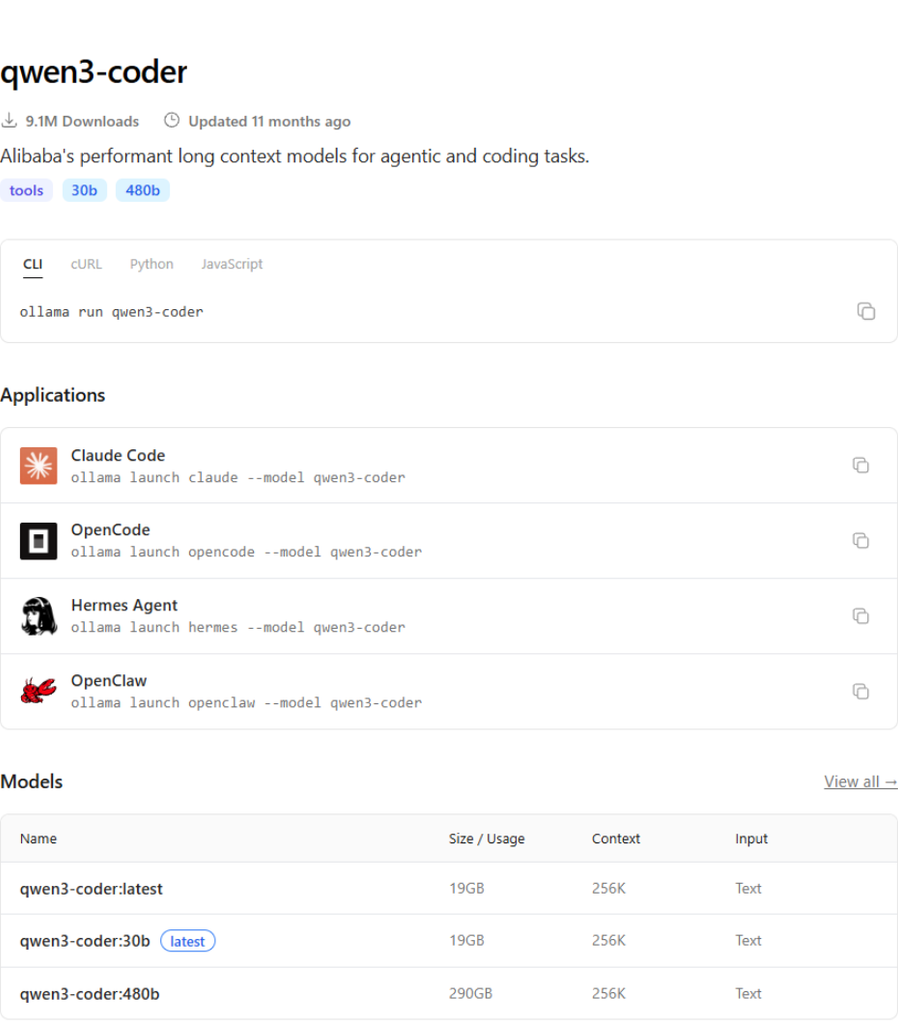
Ollama is the fastest way to run Qwen3-Coder 30B-A3B locally on Windows, macOS, or Linux, and Alibaba’s curated quantized build is available directly from its model library. If you haven’t set it up yet, our Nemotron 3.5 Lightning local guide covers the same Ollama basics on an RTX 5090.
- Download and install Ollama from ollama.com/download.
- Open a terminal or PowerShell window.
- Pull the model with
ollama pull qwen3-coder:30b-a3b-q4_K_M. - Once the download finishes, launch it with
ollama run qwen3-coder:30b-a3b-q4_K_M. - Point your coding agent (Qwen Code, Cline, or any OpenAI-compatible tool) at the local Ollama endpoint, or chat with it directly in the terminal.
Want the extended 64K context window instead of the default 32K? Set it explicitly when you launch the model, and enable q8_0 KV cache quantization so the larger context fits inside your RTX 5090’s VRAM budget alongside the model weights.
USING THE Q5_K_M GGUF BUILD INSTEAD (ADVANCED)
If you want the slightly higher-fidelity Q5_K_M GGUF instead of Ollama’s curated q4_K_M build, Unsloth and bartowski both publish Qwen3-Coder-30B-A3B-Instruct GGUF quantizations on Hugging Face. You can register one with Ollama through a custom Modelfile that sets the RENDERER and PARSER directives to qwen3-coder, which tells Ollama how to correctly template tool calls and chat turns for this model. It’s a slightly more advanced path, but it’s worth knowing if you want the extra quality headroom the Q5_K_M weights provide.
RUNNING QWEN3-CODER IN LM STUDIO (CHAT GUI ALTERNATIVE)
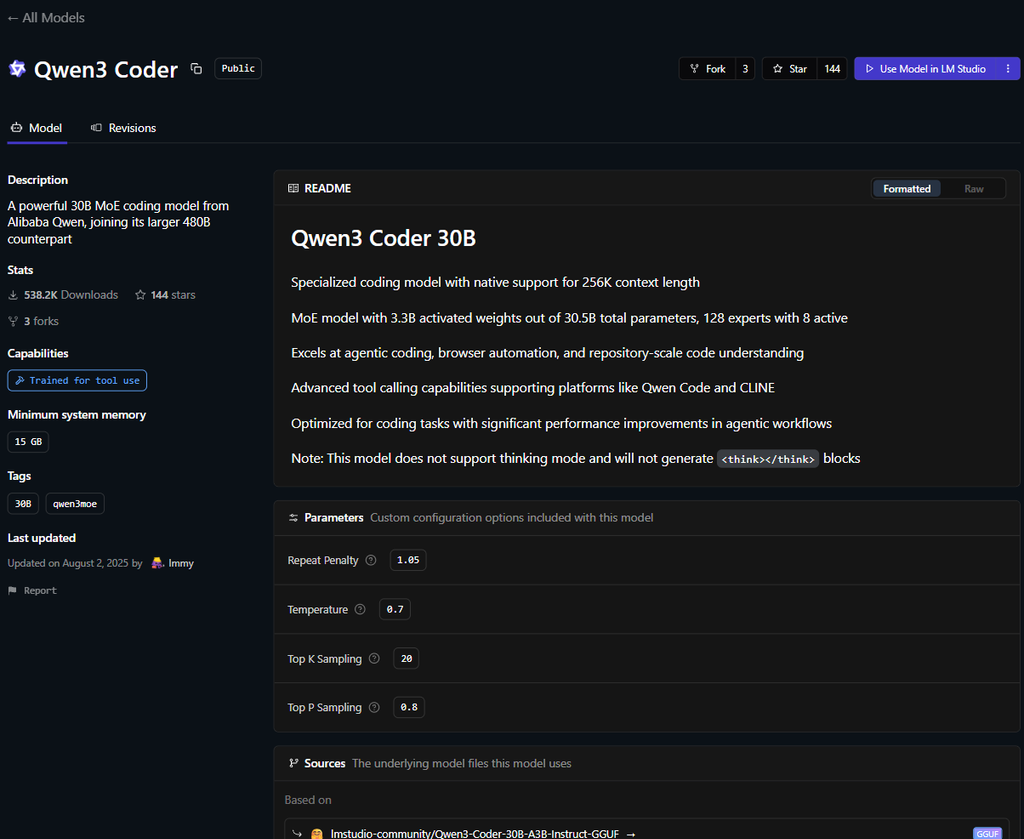
Prefer a graphical interface over the command line? LM Studio lists Qwen3-Coder 30B directly in its model catalog, including the community GGUF quantizations. Open LM Studio, search for “Qwen3 Coder” in the Discover tab, pick the 30B build sized for your VRAM, download it, and load it from the My Models tab. LM Studio also exposes a local OpenAI-compatible server, so any coding agent that speaks the OpenAI API can point straight at your local Qwen3-Coder instance.
LICENSING AND WHY IT MATTERS FOR CODING TEAMS
Qwen3-Coder 30B-A3B ships under an Apache 2.0 license, the same permissive terms Alibaba uses across its Qwen3 family, meaning it’s free to use commercially with no restrictive clauses to navigate. That matters more for a coding model than almost any other category, since it means the completions, refactors, and generated tests it produces carry no ambiguous licensing baggage back into your codebase. You can review the full model card, weights, and benchmark details on Qwen’s official Hugging Face page.
Running Qwen3-Coder locally instead of through a hosted coding assistant means your proprietary source code never leaves your machine, there’s no per-token bill racking up while it churns through a large repository, and there’s no rate limit interrupting an agentic refactor halfway through. For anyone who already owns an RTX 5090, that’s a genuinely capable coding copilot sitting on your desk for free.
FINAL THOUGHTS
Qwen3-Coder 30B-A3B is one of the best reasons yet to run a local coding model instead of leaning on a cloud subscription. It installs cleanly through Ollama or LM Studio, it’s fully open-weight under Apache 2.0, and its MoE architecture keeps it fast enough on an RTX 5090 to feel like a real teammate rather than a slow toy. Pair it with our Qwen 3.8 guide for general chat and vision tasks, and you’ve got two capable local models sharing the same 32GB card.
Keep it here at TechnoSports for more local AI guides, GPU benchmarks, and hands-on hardware coverage.
Buy the INNO3D GeForce RTX 5090 X3 OC from here