Portronics has launched the Mport Space, an innovative 8-in-1 USB Type-C hub featuring built-in M.2 SSD expansion alongside essential connectivity ports. Announced on February 16, 2026, this versatile hub addresses the common problem of limited laptop ports while adding expandable storage in one sleek, travel-friendly package.
Priced at just ₹2,799, the Mport Space targets professionals, content creators, and anyone seeking flexible data expansion combined with comprehensive connectivity through a single Type-C connection.
Built-In Storage Expansion
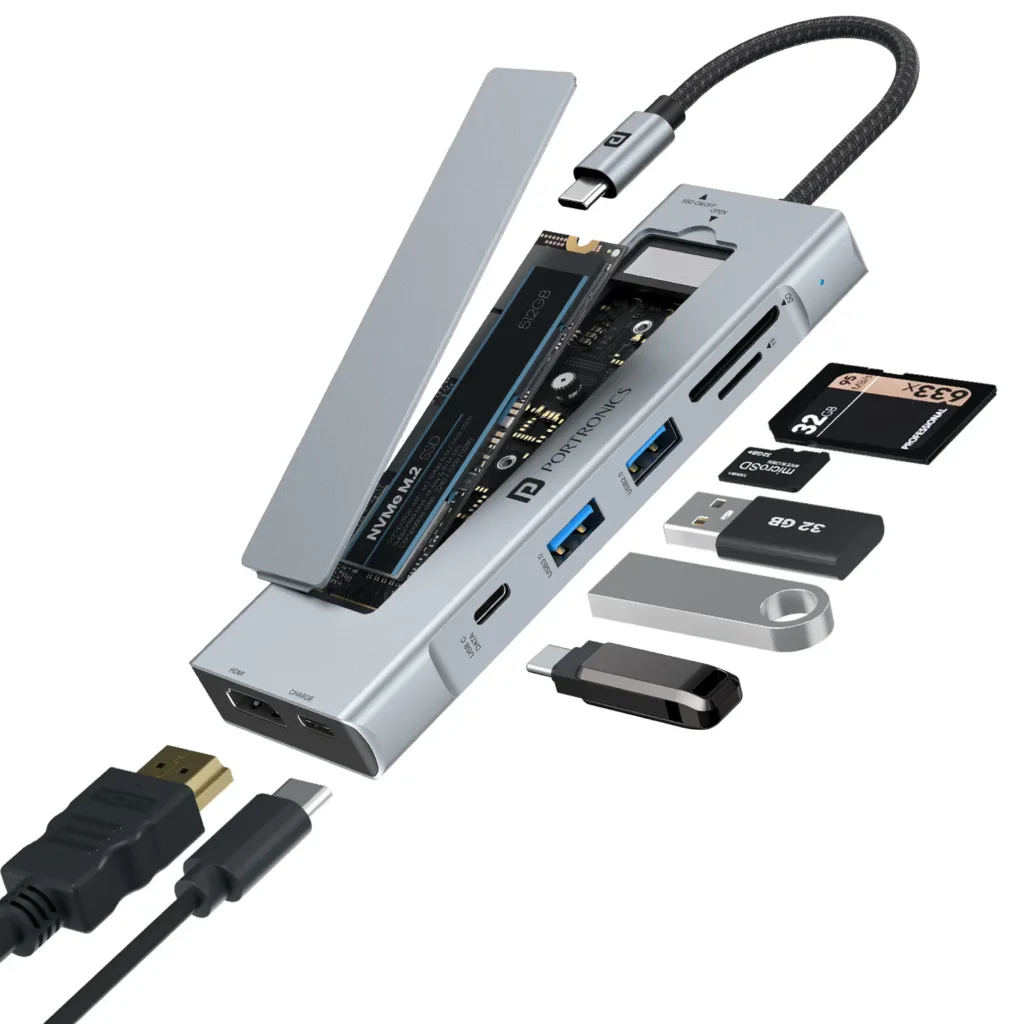
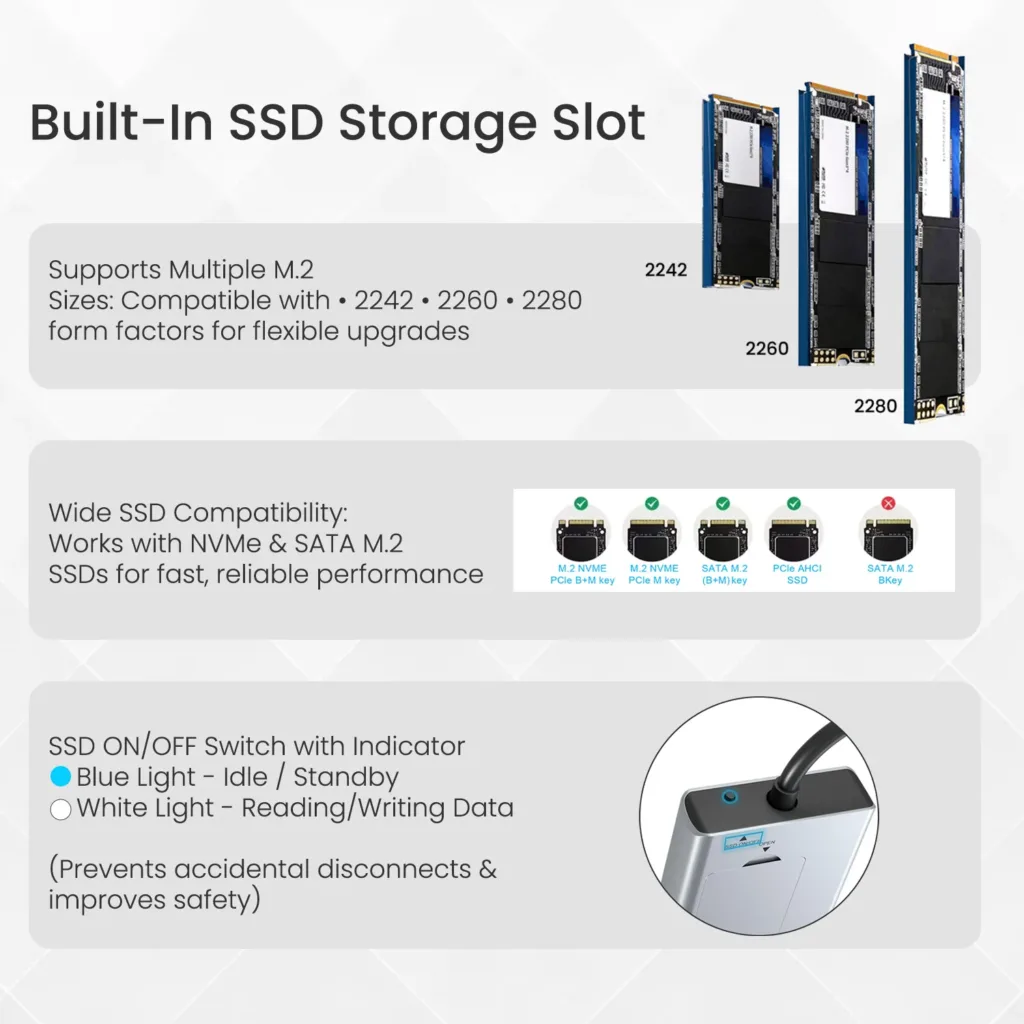
At the heart of Mport Space is its integrated M.2 SSD slot supporting NVMe and SATA SSDs in 2242, 2260, and 2280 sizes (SSD sold separately). This eliminates the need for a separate enclosure, transforming the hub into a compact, portable storage companion.
This feature particularly benefits professionals handling large files, content creators managing high-resolution media, and users needing flexible data expansion on the go. Instead of carrying multiple accessories, you get storage and connectivity in one device.
Complete Port Expansion
The hub expands a single Type-C port into eight essential connections for comprehensive functionality beyond just storage.
| Port Type | Specifications | Use Case |
|---|---|---|
| HDMI Output | 4K @ 30Hz | External displays, presentations |
| USB 3.0 Ports | High-speed data transfer | Peripherals, external drives |
| SD/microSD Readers | Dual card slots | Camera footage, drone media |
| Type-C PD Port | 100W pass-through | Laptop charging |
| Type-C Data Port | High-speed transfer | Modern peripherals |
| M.2 SSD Slot | 2242/2260/2280 support | Storage expansion |
The HDMI output supports 4K resolution at 30Hz, allowing users to mirror or extend screens for presentations, streaming, or enhanced multitasking on larger displays.

Power and Performance Features
Mport Space features 100W USB-C Power Delivery pass-through charging, enabling users to power their laptops while simultaneously using all connected peripherals. This ensures uninterrupted workflows without constantly managing battery levels.
High-speed file transfers are supported via USB 3.0 and Type-C data ports, while dual card readers offer quick access to footage and photos from cameras, drones, and storage devices—essential for photographers and videographers working in the field.
Safety and Durability
Portronics focused on user safety and long-term reliability. The hub includes a dedicated SSD ON/OFF switch preventing accidental disconnections that could corrupt data during file transfers. LED indicators show standby and read/write activity for at-a-glance status monitoring.
The premium aluminum body aids heat dissipation while maintaining a sleek aesthetic suitable for professional environments. The nylon braided cable enhances longevity, making it well-suited for office desks, home setups, and travel.
With plug-and-play compatibility, Mport Space works seamlessly with laptops, tablets, and other USB-C devices without requiring additional drivers or installation.
Pricing and Availability
The Portronics Mport Space is priced at ₹2,799 and available on Portronics.com, Amazon.in, Flipkart.com, and leading retail stores across India. The product includes a 12-month warranty.
For more tech accessory reviews and laptop peripheral news, follow our coverage.