NZ
NZ IND
IND NAM
NAM IRE
IRE MOZ
MOZ UGA
UGA Aston Villa
 Man City
 Rayo
Rayo Elche
Elche GMB
GMB ZMB
ZMB NGA
NGA LES
LES Cagliari
 Bologna
 IPS1
IPS1 NFO1
NFO1 ALA1
ALA1 MCF1
MCF1 TOR3
TOR3 MON2
MON2 BRE1
BRE1 NICE2
NICE2 TAS103/5 (20.2/35 ov, target 276)
 VIC304/7 (50 ov)
 WA
WA NSW22/1 (4.2/50 ov)
 NZ-A135/3 (41 ov)
 IND-A113
 DHA
DHA RAJ
RAJ MYMS
MYMS CHATT
CHATT RAN
RAN BAR
BAR SYL
SYL KHU
KHU MEX-W
MEX-W ARG-W
ARG-W UAE
UAE NED
NED AFG170/3 (34.3/50 ov, target 170)
 ZIM169
 IND-W200/1 (27.1/50 ov, target 198)
 ZIM-W197
 DOLPH56/0 (3.5/8 ov, target 56)
 SWD51/4 (8/8 ov)
 WSW1
WSW1 BRI1
BRI1 Como
Como Sassuolo
 Augsburg
 Union Berlin
 Cologne
 Schalke
 Mainz
Mainz Bremen
 RB Leipzig
 Elversberg
 VFB2
VFB2 BMG3
BMG3 AHL4
AHL4 KHA1
KHA1
If your camera roll is a black hole of duplicate screenshots, mistimed memories, and albums you can’t organize the way you want, OPPO’s latest ColorOS 16 update was built with you in mind. Rather than another flashy AI gimmick, this release focuses on something far more practical: giving users real control over how photos are dated, hidden, sorted, and searched.
Here’s a full breakdown of what’s changing, and why each feature actually matters day to day.
What’s New in OPPO ColorOS 16’s Photo Update
| Feature | What It Does |
|---|---|
| Time Adjustment | Edit a photo’s capture date/time directly in Photos |
| Hide Customised Albums | Remove selected albums from the main Photos view |
| Batch Favourites | Mark multiple photos as favourites in one tap |
| Scan Text | Extract, copy, edit, or share text from any photo instantly |
| Flexible Photo View | Toggle between Immersive and By Date browsing |
| Private Safe & Selection | Easier multi-format file selection, fewer accidental taps |
1. Time Adjustment: Put Your Memories in the Right Moment
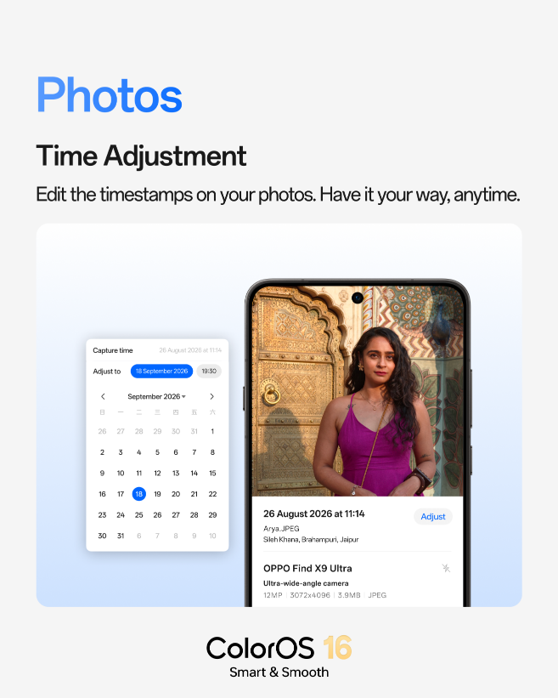
Anyone who’s imported old scanned photos, edited a screenshot years after taking it, or just had their phone’s clock glitch during a trip knows the frustration of a photo sitting in the wrong spot in their timeline. This update lets you manually correct the capture date and time right from the Photos app — no third-party editor needed. It’s a small fix, but it means your gallery finally reflects reality instead of metadata errors.
2. Hide Customised Albums: Keep Private Moments Out of View
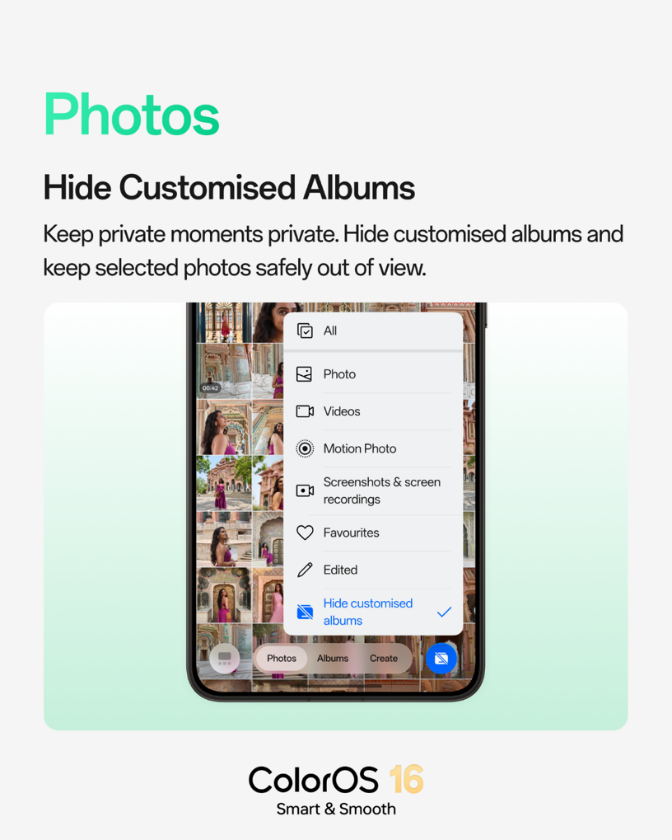
Not every photo needs to be visible every time you open your gallery. This feature lets you tuck specific albums out of the main view entirely, giving you a cleaner, more curated Photos experience while keeping sensitive or simply less-relevant content out of casual browsing — without needing to move everything into a separate locked vault.
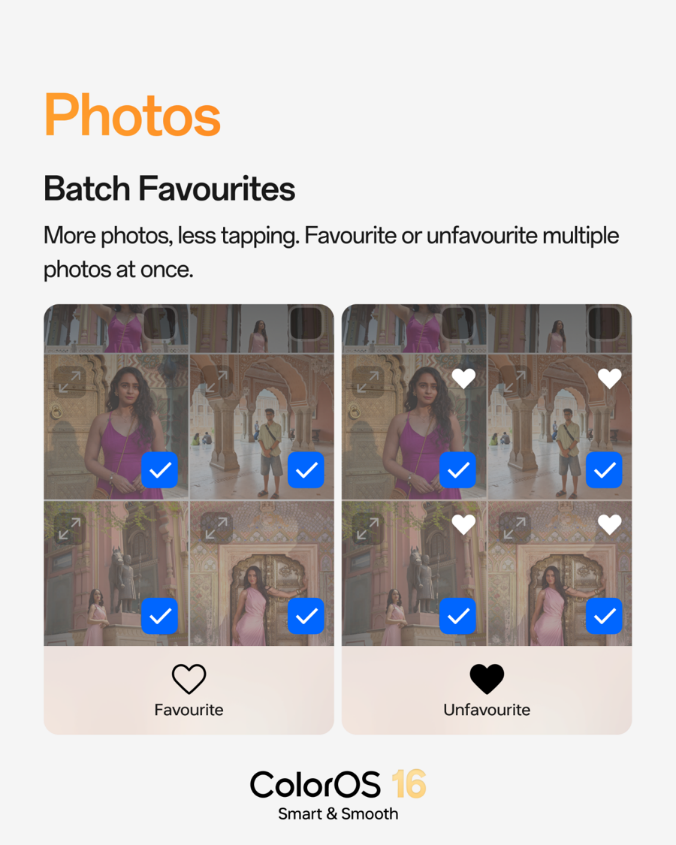
3. Batch Favourites: More Photos, Less Tapping
Manually favouriting dozens of photos one at a time is tedious, especially after a big event or trip. Batch Favourites solves that by letting you select multiple images and mark them all as favourites in a single action — a small workflow change that saves real time for anyone who organizes photos in bulk.
4. Scan Text: Extract Text From Photos in One Tap
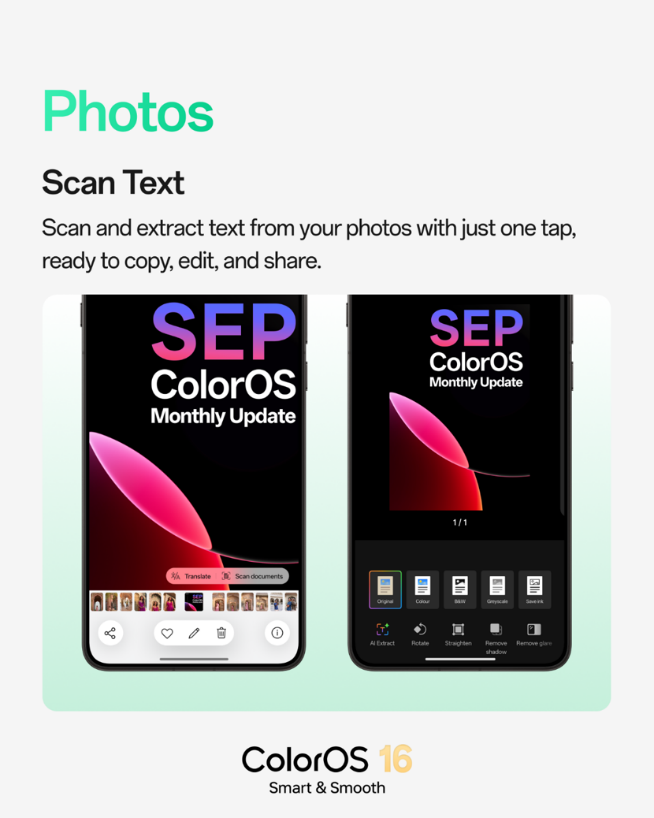
This is arguably the most functionally useful addition. Scan Text pulls written content directly out of any photo — a whiteboard note, a business card, a printed document — and lets you copy, edit, or share it instantly. For document photos specifically, ColorOS 16 adds rotation, straightening, and glare/shadow removal tools, effectively turning your camera roll into a lightweight document scanner.
5. Flexible Photo View: Browse Memories Your Way
Different people think about their photo history differently. Some want a visual, scroll-through experience; others want to jump straight to a specific date. ColorOS 16 now lets you switch freely between Immersive and By Date views, so browsing adapts to how you actually search for memories instead of forcing one fixed layout.
And More: Private Safe & Selection Improvements
Beyond the headline features, the September update also refines Private Safe and general photo selection — making it easier to add and organize files across different formats while cutting down on accidental taps during selection, a small but appreciated quality-of-life fix for anyone managing large libraries.
This update continues ColorOS‘s broader pattern of layering practical, everyday usability improvements on top of Android rather than chasing flashy redesigns — a philosophy that’s carried the platform through more than a decade of updates since its 2013 debut.
For more on how ColorOS has evolved across major releases, TechnoSports has covered previous ColorOS rollouts in India, useful context for seeing how far the platform has come.
FAQs
Q1. What is the biggest new feature in ColorOS 16’s photo update?
Scan Text stands out most — it extracts and lets you copy, edit, or share text directly from any photo, with added tools for cleaning up document scans.
Q2. Can I hide specific albums without locking them in Private Safe?
Yes — the new Hide Customised Albums feature lets you remove selected albums from the main Photos view without moving them into a separate locked vault.