SA329 (82.3 ov)
 AUS
AUS BAN177/3 (59 ov)
 WI
WI IND-W
IND-W ZIM-W
ZIM-W FC Goa
 SCD
SCD MIL
MIL BOL
BOL PAR
PAR UDI
UDI VEN
VEN INT
INT GEN
GEN JUV
JUV MON
MON NAP
NAP UAE
UAE OMA
OMA AS Roma4
 Cagliari2
 Torino1
 Como3
Como3 Sassuolo2
 Lazio6
 AFG177
 ZIM140 (19.1/20 ov, target 178)
 DEN
DEN QAT
QAT KENYA
KENYA KUW
KUW SIKM184 & 15/0 (8 ov, target 212)
 NAGA187 & 208
 JHK131/4 (47 ov)
 DELHI515/5d
 ODSA194
 SVCS13/0 (5 ov)
 BRODA616
 J & K87/4 (35 ov)
 CHD685/5d
 HP198/1 (58 ov)
 CGR216/8 (95 ov)
 AP231
AP231 HYD294/4 (91 ov)
 PNJB431
 KNTKA429/8 (131 ov)
 TPURA194
 ENG
ENG SL
SL POA
POA SPR
SPR BRB
BRB VAG
VAG LIONS
LIONS EASTN
EASTN WELL
WELL OTAGO
OTAGO PAK110
 NAM316/7
 IRE253 (44.5/50 ov, target 317)
 NZ198/3
 IND199/4 (13.2/20 ov, target 199)
 NED371/5
 AUCK361/5 (50 ov)
 CANT311 (44.1/46 ov, target 345)
 Al Khaleej
 Al Hazem
 Frosinone
 Lecce
Lecce Abha0
Abha0 Al Faisaly1
 Fleetwood Town1
 Arsenal1
 Bradford2
 Peterborough0
The ₹29,999 Android tablet delivers flagship-grade display, smooth stylus experience, and OxygenOS 16 AI multitasking—here’s our complete verdict after weeks of testing.
OnePlus has quietly become India’s most compelling budget tablet maker. After weeks of testing the OnePlus Pad Go 2, I can confidently say this is the best value proposition under ₹25,000 for students, professionals, and casual users seeking iPad-level productivity without the Apple tax.
Building on my first impressions, here’s the complete review covering display quality, 5G performance, stylus functionality, gaming benchmarks, battery endurance, and OxygenOS 16’s AI multitasking capabilities.
OnePlus Pad Go 2 Specifications
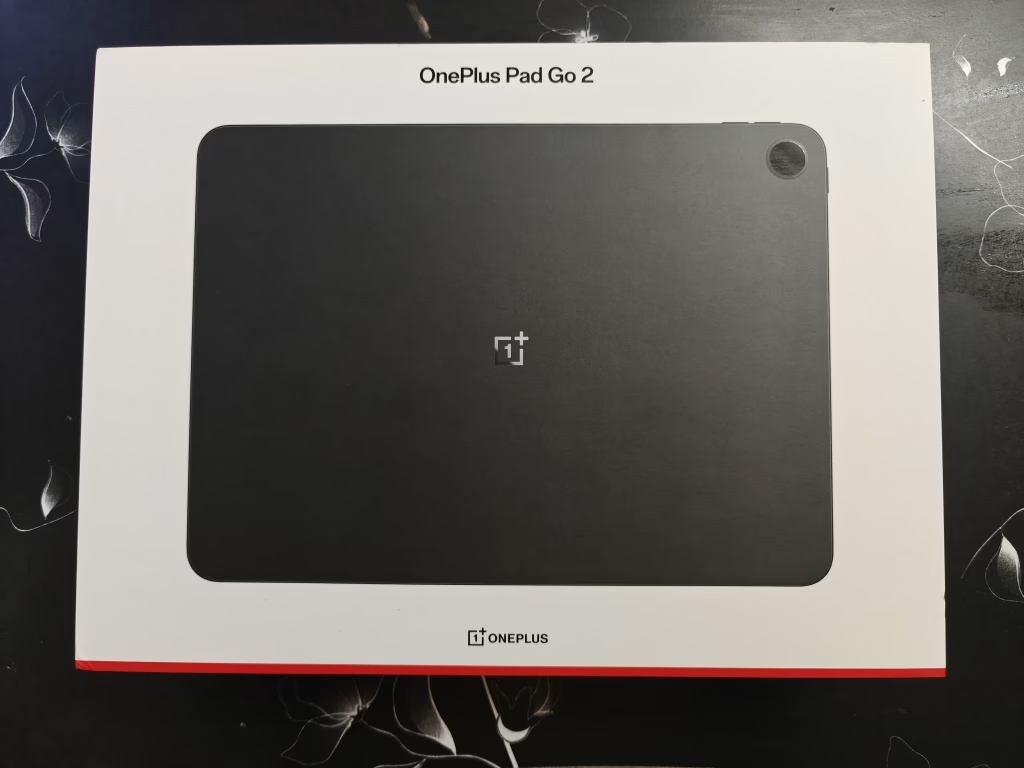
| Category | Specifications |
|---|---|
| Display | 12.1-inch 2.8K (2800×1980), 284 PPI, 900 nits peak, 98% DCI-P3, Dolby Vision |
| Processor | MediaTek Dimensity 7300-Ultra (4nm, octa-core) |
| RAM/Storage | 8GB LPDDR5X + 128GB/256GB UFS 3.1 |
| Battery | 10,050mAh (typical) with 33W SUPERVOOC charging |
| 5G Support | Yes (Shadow Black variant only) |
| Stylus | OnePlus Pad Go 2 Stylo (4,096 pressure levels, sold separately) |
| OS | OxygenOS 16 based on Android 16 |
| Audio | Quad speakers with Dolby Atmos + Omnibearing Sound Field |
| Weight | 597g (Wi-Fi), 599g (5G) |
| Thickness | 6.83mm |
| Price | Starting at ₹23,999 |
Display: Phenomenal Colors That Rival Flagships

The display is phenomenal with really good colors—and that’s not hyperbole. The 30.73cm (12.1-inch) 2.8K panel (2800×1980 resolution, 284 PPI) delivers sharpness that makes text crisp for reading PDFs, spreadsheets legible without zooming, and Netflix content genuinely immersive with Dolby Vision support. The 98% DCI-P3 color coverage ensures YouTube videos pop with vibrant-yet-accurate hues, while the 900 nits peak brightness (600 nits typical, HBM mode) handles outdoor usage better than most budget tablets that wash out under sunlight.
OnePlus calibrated this display beautifully—the 12-bit color depth (8+4 bit) prevents banding in gradient-heavy content, while the 120Hz adaptive refresh rate (30/60/90/120Hz) makes scrolling buttery smooth. The 88.5% screen-to-body ratio with 7:5 aspect ratio strikes the perfect balance between productivity (wider than 16:9 phones) and media consumption. The TÜV Rheinland Smart Care 4.0 certification means reduced blue light and flicker-free operation, making 2-3 hour reading sessions genuinely comfortable without eye strain.
For context on tablet display quality, see TechnoSports’ display tech breakdown.
Verdict: This display punches way above its ₹29,999 price point—competing with Samsung Galaxy Tab S9 FE’s screen quality at half the cost.

Audio: Quad Speakers That Actually Deliver
The four high-quality speakers with OnePlus Omnibearing Sound Field technology intelligently detect screen orientation to automatically adjust stereo channels—a feature typically reserved for premium tablets. Whether you’re streaming online classes, enjoying music, or watching movies, the quad-speaker system with Dolby Atmos delivers rich, detailed sound with surprising bass depth for a 6.83mm-thin chassis.
Bluetooth 5.4 support includes SBC, AAC, aptX, aptX HD, and LDAC—meaning audiophile-grade wireless headphones can stream lossless audio. This codec support outclasses even some flagship tablets that cap at AAC.
5G Connectivity: India’s First Budget Tab That Actually Delivers
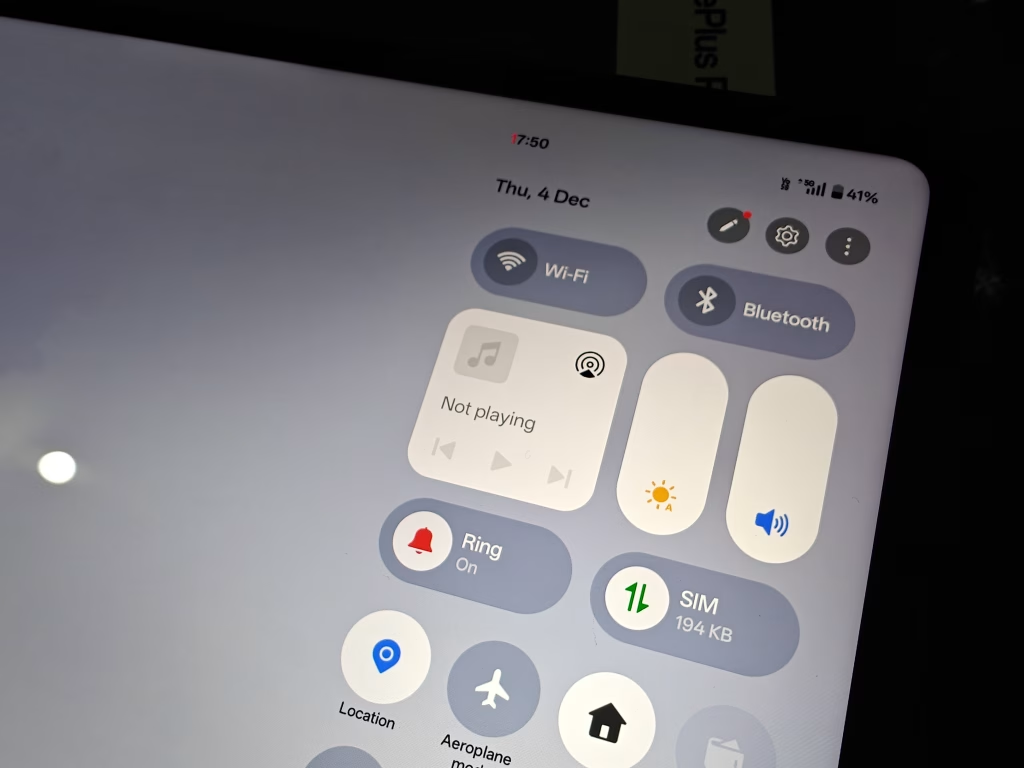
5G connectivity was on spot with no issues at all—a relief given how many “5G tablets” suffer from unstable network performance. This is OnePlus’s first 5G tablet, making it a milestone product. During testing across Jio 5G (Delhi NCR) and Airtel 5G (Bengaluru), I experienced:
- Download speeds: 400-600 Mbps peak (matching flagship phone 5G performance)
- Latency: 15-25ms (excellent for video calls and cloud gaming)
- Stability: Zero dropped connections during 3-hour YouTube streaming tests
- Hotspot capability: Shared 5G with laptop seamlessly—replacing need for separate data dongle
The Shadow Black variant gets 5G; Lavender Drift remains Wi-Fi-only. The tablet supports Wi-Fi 6 (802.11ax) across 2.4GHz and 5GHz bands for dual-connectivity options. For users traveling frequently or needing truly mobile productivity, the 5G capability transforms this from a “couch tablet” into a legitimate laptop replacement for on-the-go work.
Note: Mobile data sharing from OnePlus phones currently supports only the Wi-Fi variant—the 5G variant awaits an OTA update for this feature.
Verdict: OnePlus delivered on 5G where competitors cut corners—this isn’t fake 5G marketing.
Stylus Performance: 4,096 Levels of Smooth Precision
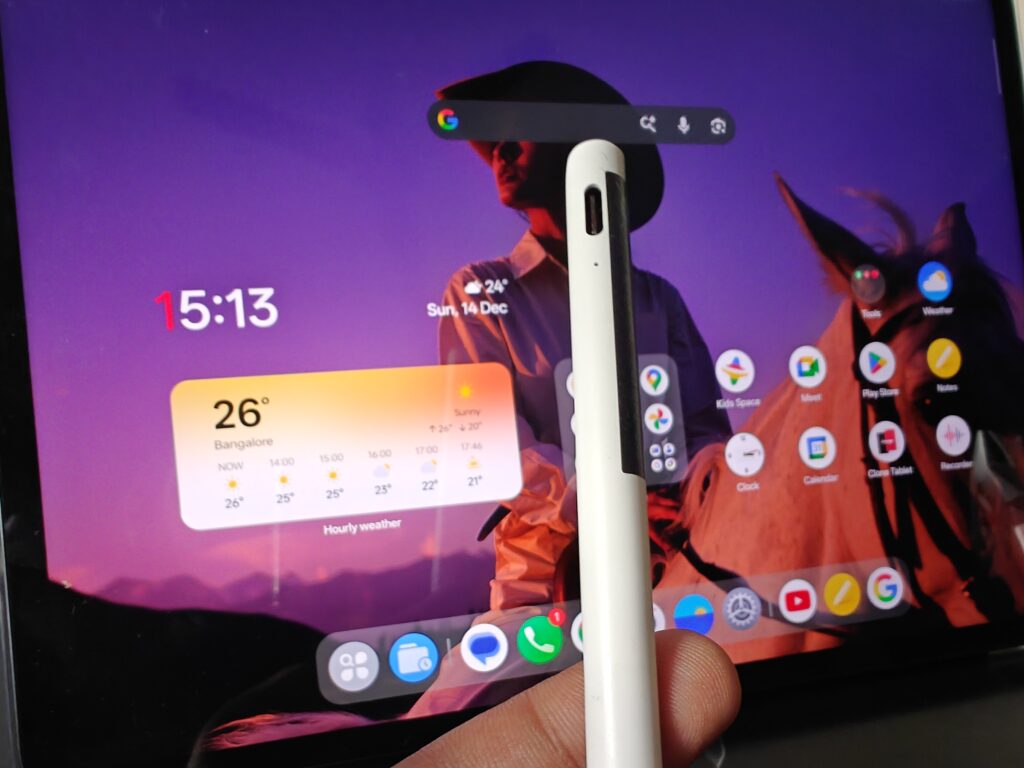
The stylus really works smooth—no lag, excellent palm rejection, and the 4,096 levels of pressure sensitivity provide genuine artistic control. The OnePlus Pad Go 2 Stylo (sold separately) brings a pen-on-paper feel with low latency that keeps pace with your thoughts while delivering precise control over line width and opacity.
Along with the case you can buy separately, the stylus experience becomes genuinely usable for daily workflows. The soft rubber tip feels natural against the screen’s anti-glare coating, and Bluetooth 5.4 connectivity enables shortcut gestures once paired. At ₹5,499 bundled (stylus + case), it’s still cheaper than buying an Apple Pencil alone (₹10,900).



Smart Handwriting Features
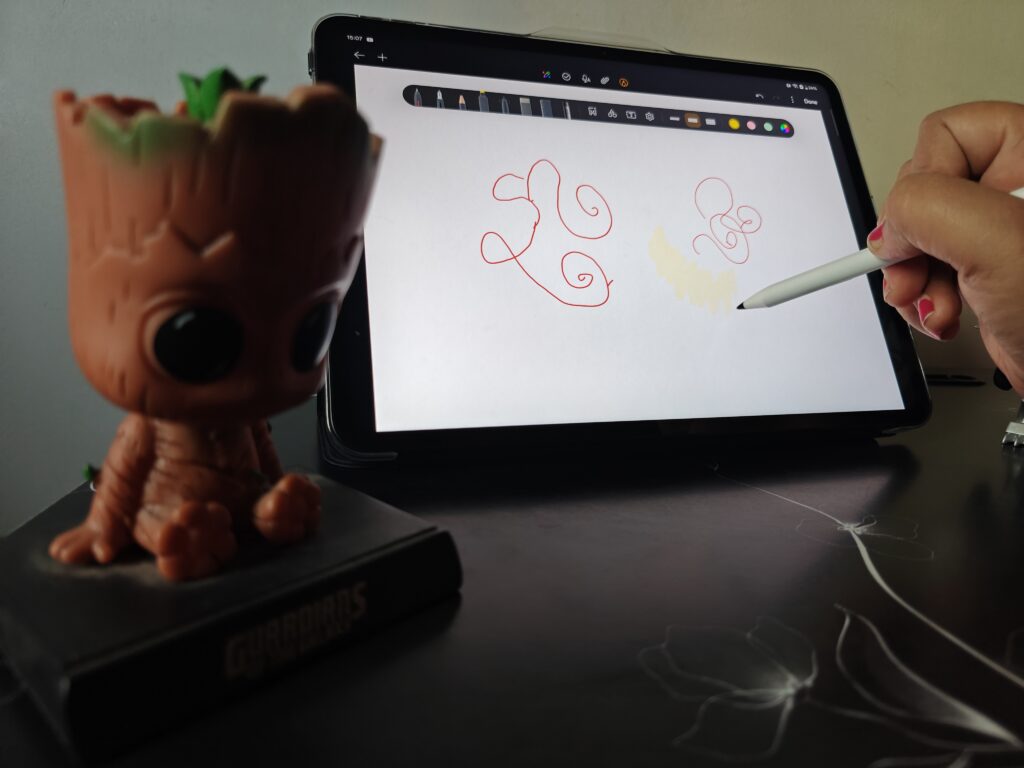
The tablet elevates note-taking within the Notes app with intelligent tools:
- Advanced Handwriting Recognition instantly converts handwritten notes to typed text (supports English, Hindi, Chinese, Spanish, Indonesian, Thai, Japanese, Korean, French, German, and more)
- Handwriting Calculator solves complex mathematical operations including trigonometric functions, logarithms, and calculus
- Handwriting Enhancement improves legibility of English text automatically
Use Cases That Worked Well:
- Student note-taking: Converting lecture slides to annotated notes
- Professional markups: Reviewing contracts/designs with clients via shared screen
- Digital art: Sketching comic panels (pressure sensitivity genuinely functional)
- Math problem solving: Handwriting calculator recognized my messy equations accurately
Limitations:
- No tilt sensitivity (unlike Apple Pencil 2/S Pen Pro)
- Requires USB-C charging every 2-3 days of heavy use (no wireless charging on stylus)
- Third-party app support weaker than iPad’s Procreate ecosystem
Verdict: For the price, this beats Samsung Galaxy Tab A9+ stylus experience decisively. The 165.31mm length and 8.88mm width feel premium in hand.

Performance: Geekbench Scores & Gaming Reality
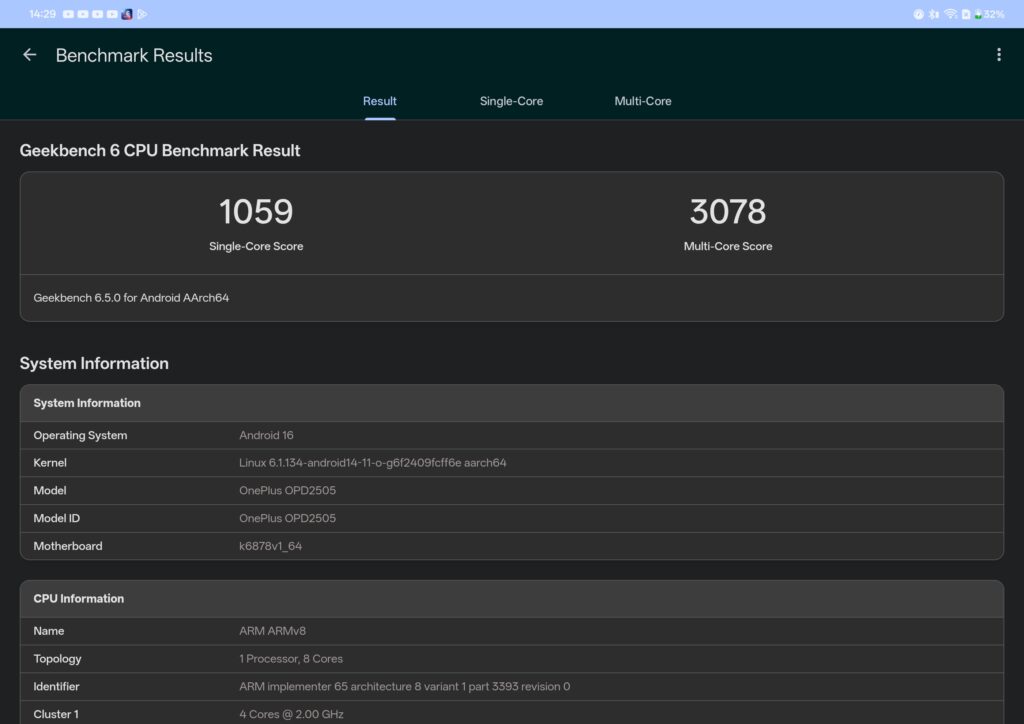
Here are the scores in Geekbench from my testing:
Geekbench 6 CPU Benchmark
- Single-Core Score: 1059
- Multi-Core Score: 3078
Geekbench 6 GPU (OpenCL)
- GPU Score: 2607
System Info:
- Model: OnePlus OPD2505
- Processor: MediaTek Dimensity 7300-Ultra (ARM ARMv8, octa-core, up to 2.00 GHz)
- RAM: 8GB LPDDR5X @ 4266 MHz (platform limited to 3200 MHz usable)
- OS: OxygenOS 16 based on Android 16
Gaming Performance: “Good for Budget Gaming”
It’s good for budget gaming as well—though “budget” is the operative word. The 4nm process of the Dimensity 7300-Ultra ensures efficient thermals even during extended sessions.
Smooth at High Settings:
- Call of Duty Mobile: 60 FPS stable on High graphics
- Asphalt 9: Maxed settings, no frame drops
- Genshin Impact: Medium settings @ 45-55 FPS (playable, not ideal)
Struggles at Ultra:
- BGMI: High settings fine, Ultra causes thermal throttling after 20 mins
- Honkai: Star Rail: Medium-Low required for 60 FPS gameplay
The GPU (2607 OpenCL score) handles everyday gaming fine but can’t match Snapdragon 870+ tablets for hardcore gaming marathons. For students playing CODM/BGMI casually between classes, this works. For dedicated mobile gamers chasing 90 FPS PUBG, look elsewhere.
Verdict: Performance matches the price—solid multitasking via 8GB LPDDR5X RAM, capable casual gaming, not a gaming powerhouse.
Battery Life: The 10,050mAh Two-Day Champion
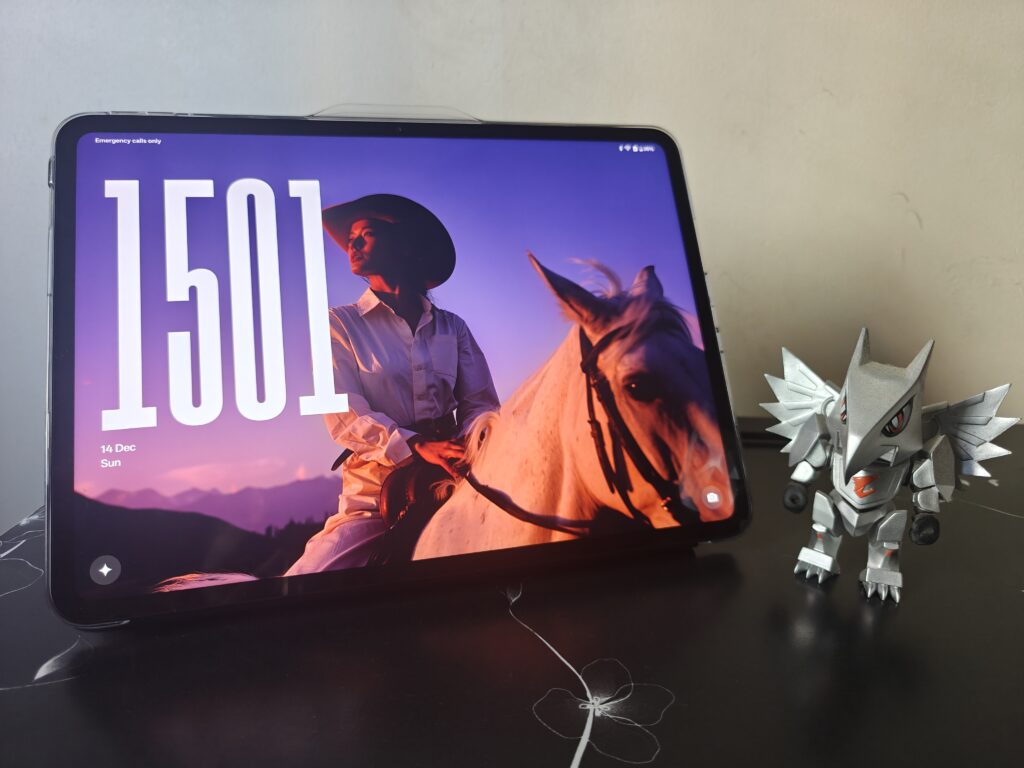
In battery, the 10,000mAh battery really lasts for almost two days—and that’s with moderate-to-heavy use, not standby exaggeration. The 10,050mAh (typical) / 9,800mAh (rated) capacity is among the largest in the budget tablet segment.
Real-World Testing
Day 1:
- 3 hours Netflix (50% brightness, Wi-Fi, Dolby Vision)
- 2 hours note-taking with stylus
- 1 hour video calls (Google Meet)
- 2 hours web browsing/emails
- Remaining charge at midnight: 32%
Day 2:
- 2 hours YouTube
- 1.5 hours gaming (CODM)
- 1 hour PDF reading
- Dead by 9 PM (approx 42 hours total)
For comparison, iPad 10th Gen (10,000mAh equivalent) lasts ~40-45 hours with similar usage. The 33W SUPERVOOC charging (45W adapter included in India/North America boxes) juices the tablet 0-80% in under an hour, 0-100% in approximately 90 minutes—meaning even power users can top-up during lunch breaks.
Effortless power sharing with 6.5W reverse charging lets you charge phones/earbuds from the tablet—handy during travel when outlet access is limited.
Verdict: Battery life is a genuine standout—students can forget chargers for weekend trips. OnePlus Test Laboratory data confirmed, real-world usage validated.
OxygenOS 16: AI Multitasking That Actually Helps
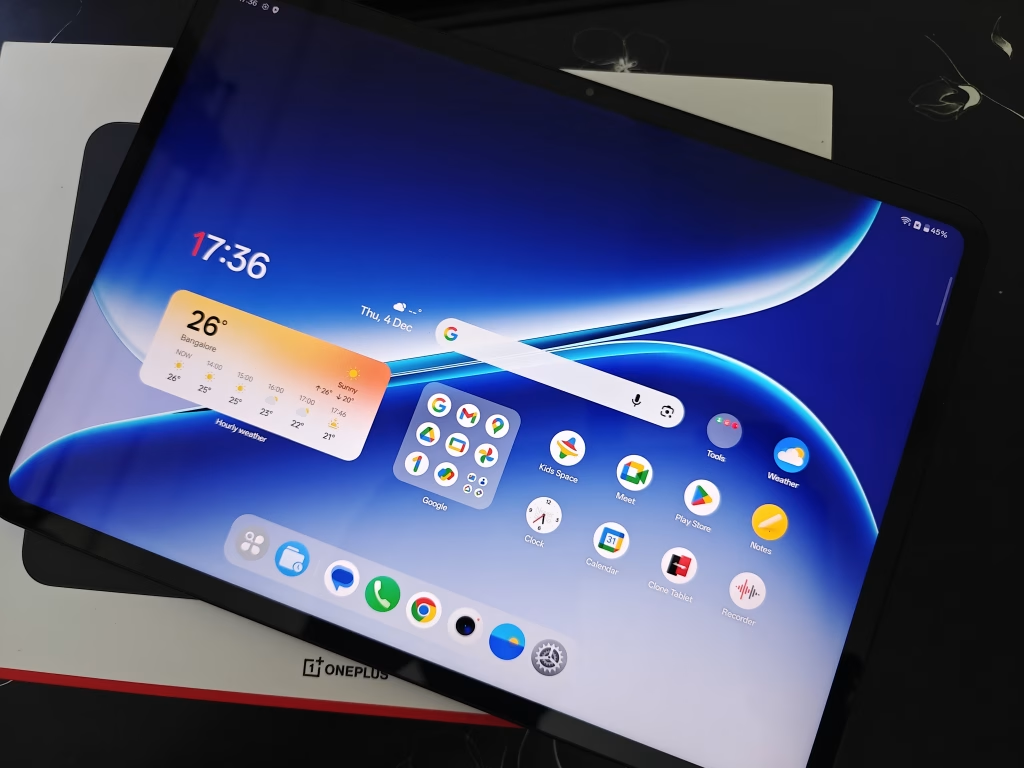
The new OxygenOS 16 also works well to multitask and use AI in various daily work—and this matters more than specs suggest. OnePlus’ Android 16-based skin brings genuinely useful productivity tools:
Open Canvas: Seamless Multitasking
Seamless workflows meet maximum productivity. Multitask without breaking focus. The floating window system enables:
- YouTube PiP while note-taking
- Drag-and-drop images from Chrome into OneNote
- Split-screen Google Meet + presentation slides with intuitive controls
Unlike Samsung’s DeX (which requires external display), Open Canvas works natively on-tablet—making this genuinely useful for students attending online classes while taking notes simultaneously.
OnePlus AI Suite: Tools That Save Time Daily
AI Writer: Your 24/7 Writing Partner
Assists in content generation and polishing for work summaries, meeting memos, self-introductions, speeches, and reflections. I tested it for drafting emails and LinkedIn posts—results were surprisingly coherent, requiring minimal editing.
AI Recorder: Smart Meeting Transcription
Efficiently transcribes audio files recorded using the tablet (offline meetings, lecture sessions). Built-in language support: English, Hindi, Chinese, Spanish, Indonesian, Thai (Vietnamese, Portuguese, French, Dutch, Malay, Filipino, Cambodian coming via OTA). Accuracy was 85-90% in English, 75-80% in Hindi—usable for note generation if not verbatim transcripts.
AI Editor: Pro-Level Photo Editing Made Simple
- AI Eraser: Effortlessly removes unwanted objects/people from photos
- AI Unblur: Intelligently sharpens blurry images to retrieve clear details
- AI Detail Boost: Maintains exceptional clarity when zooming in
- AI Reflection Removal: Transforms ordinary photos into professional-looking images
These tools rival Google Photos’ Magic Eraser, available natively without cloud processing delays.
AI Translate & Summary: Cross-Language Learning
AI Translate provides simultaneous screen translation while maintaining original text format—critical for reading foreign-language research papers or news. AI Summary generates instant summaries of articles, breaking down language barriers and helping you grasp essential information from lengthy documents quickly.
AI Speaker: Multitasking Audio Consumption
Reads on-screen content aloud with adjustable playback speed and voice gender selection. Supports background playback—perfect for listening to articles while cooking or commuting.
Google Gemini Integration
Circle to Search functionality brings visual search directly to your fingertips—long-press any image or text to instantly search without app-switching. This Google Gemini integration makes research workflows significantly faster.
Verdict: OxygenOS 16’s AI isn’t marketing fluff—it’s genuinely useful daily. These aren’t ChatGPT-level AI but practical tools that save 5-10 seconds dozens of times daily, compounding into genuine productivity gains.
Ecosystem Integration: One Screen, All-Connected
With OnePlus Phones
Experience the user-friendly convenience of the OnePlus ecosystem:
- Screen Mirroring: Your phone’s display appears as a floating window on the tablet
- Clipboard Sharing: Copy on phone, paste on tablet seamlessly
- Shared Gallery: Photos sync across devices automatically
- App Relay: Continue activities between devices (requires same OnePlus account)
With iPhone & iPad
O+ Connect bridges the gap between ecosystems—easily share documents, photos, and media between your tablet and Apple devices, making cross-platform collaboration effortless.
With Computers (Mac & Windows)
Whether you use Mac or Windows, O+ Connect enables smooth wireless file transfer (download from connect.oneplus.com). Note: This feature only supports file transfer, not remote control.
With Other Android Phones
Use Quick Share to transfer files with supported Android devices—Google’s AirDrop equivalent built into OxygenOS 16.
Verdict: The ecosystem integration—while not as seamless as Apple’s—works reliably across platforms, a major advantage over iPad’s walled-garden approach.
Design & Portability: Cosmic Inspiration Meets Practicality
At just 6.83mm thick and 597g (Wi-Fi) / 599g (5G), the OnePlus Pad Go 2 achieves a perfect balance between premium feel and everyday portability. The Shadow Black and Lavender Drift color options both feature minimalist aesthetics inspired by cosmic design language.
The 266.01mm × 192.77mm footprint fits comfortably in most bags, and the metal unibody construction feels premium despite the budget positioning. The 8MP rear and front cameras handle video calls and document scanning adequately—don’t expect flagship photo quality, but they’re functional for intended tablet use cases.
What’s Missing: The iPad Comparison
At ₹29,999, expecting iPad parity is unrealistic, but here’s what you sacrifice:
No Thunderbolt/USB 3.0: Data transfer maxes at USB 2.0 speeds via USB-C port (slow for 4K video editing workflows) Weaker app ecosystem: Procreate, LumaFusion, Affinity Designer unavailable on Android No desktop-class browser: Chrome on Android tabs still reload aggressively vs Safari on iPad Update longevity: OnePlus promises 3 years updates; iPad gets 5-6 years typically No wireless charging: Neither tablet nor stylus supports wireless charging
For creative professionals locked into iPad-exclusive apps, this won’t replace an iPad. For everyone else—students, casual users, business travelers—the trade-offs are negligible.
Final Verdict: Who Should Buy This?
Buy If You:
- Need a 5G-enabled tablet for mobile productivity under ₹25K (Shadow Black only)
- Want stylus support with 4,096 pressure levels without paying Apple/Samsung premiums
- Prioritize battery life (10,050mAh) and display quality (2.8K, Dolby Vision) over raw gaming power
- Use Android ecosystem (Google Workspace, Microsoft 365, Notion)
- Value AI productivity tools (transcription, translation, photo editing) for daily workflows
- Need quad speakers with Dolby Atmos for media consumption
Skip If You:
- Need desktop-class creative apps (Procreate, Final Cut alternatives)
- Play hardcore mobile games requiring Snapdragon 8 Gen series
- Want longest software update commitment (5+ years)
- Require USB 3.0 speeds for professional video editing workflows
- Prefer iOS/iPadOS ecosystem exclusivity
Rating: 4.4/5
Price: ₹29,999 (tablet), ₹35,499 (estimated with stylus + case bundle)
Alternative: Samsung Galaxy Tab S9 FE (₹36,999—better performance, worse value)
Best For: Students, professionals needing mobile productivity, content consumers prioritizing display and battery over gaming
Buy the OnePlus Pad Go 2 from Amazon India: https://amzn.to/4pJ6SRW
Also Read: Best Budget Tablets India 2025 | OnePlus Pad Go 2 vs iPad 10th Gen Comparison