Meta AI opt-out refers to Instagram controls and data objections users can use to limit chatbot-related processing. Meta announced Meta AI integration for Instagram chats on September 27, 2023. The supplied record marks the announcement and policy details as unconfirmed, so check current settings and official notices before acting.
September 2023: Meta AI Enters Instagram Chats
The announcement brought Meta AI into Instagram conversations, adding an assistant powered by Meta’s AI technology to a social app used worldwide. Instagram is a primary subsidiary of Meta Platforms, Inc., headquartered in Menlo Park, California.
A chatbot inside chats raises a different privacy question from a standalone app: what information may be processed when people interact with it? There’s an important distinction between limiting how data is used and switching off a feature. The available facts don’t confirm a universal setting that removes Meta AI from every Instagram account or region, so don’t treat a hidden shortcut or cleared conversation as proof that the assistant has been disabled.
April 2024: Llama Provides the Technology Context
Meta’s chatbot uses technology from the Llama large language model family. Meta released Llama 3 in April 2024, a useful point in the timeline for understanding the model family behind the assistant. That detail identifies the technology lineage, but it doesn’t show exactly what Instagram data is retained or how a particular interaction is handled.
For users, the practical concern is what they choose to enter into a chatbot. Avoid sharing passwords, financial details, private messages, or sensitive personal information unless Meta’s current privacy information clearly explains how it handles that data. Our earlier Instagram tools Guide: offers related context on features available to creators, but it isn’t proof of a full opt-out switch.
What Instagram Users Can Do
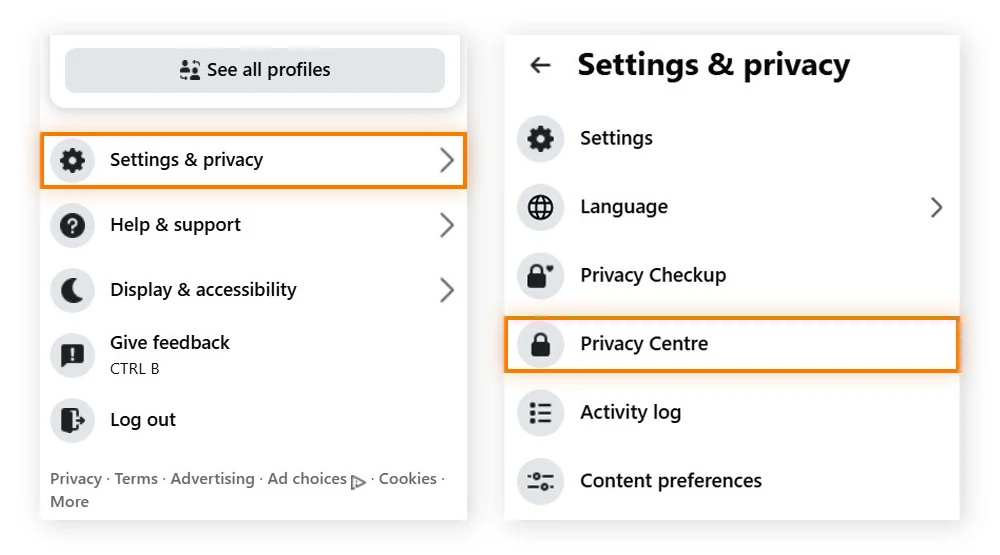
The supplied policy description says users in the European Union and United Kingdom can submit data objection forms under GDPR rules. It also directs users seeking to restrict data use to the Privacy Policy section in the Instagram app on iOS or Android.
Those details are marked unconfirmed, so check the latest in-app instructions and the applicable official form before submitting an objection. Open Instagram, find its Privacy Policy section, and read the current information about Meta AI and data use. If your region has an objection form, fill it out with accurate account details and save any confirmation; menu labels and availability can vary by account or location, so don’t rely on a fixed tap-by-tap path.
| User goal | What the available information supports |
|---|---|
| Reduce data use | Check the Privacy Policy section in the app. |
| Submit an objection | EU and UK users may have a data objection form. |
| Remove the chatbot everywhere | A universal disable control is not established. |
| Protect sensitive information | Avoid entering it into chatbot conversations. |
What Happens Next for Instagram Privacy Controls?
Check what Instagram currently offers in your country instead of assuming a policy form disables the chatbot itself. Meta’s privacy notices and app settings are the best places to look for changes, especially if the company expands or revises its AI features. For more detail, see Gizmodo.
EU and UK users should confirm that the objection process applies to the specific data use they want to restrict. For users elsewhere, the supplied facts don’t establish an equivalent objection form or a global opt-out. So check the app’s latest privacy information, limit what you share with the assistant, and remember that a reduced data-use request doesn’t mean complete feature removal. The clearest move today is to verify the available controls before sharing anything sensitive.
FAQs:
Can I completely disable Meta AI in Instagram?
The available information does not establish a universal setting that removes Meta AI from every Instagram account or region. A data objection is not confirmed to remove the chatbot.
Where can I find Instagram’s AI privacy information?
Check the Privacy Policy section in the Instagram app on iOS or Android, and review the current information about Meta AI and data use.
Can users in India submit the same objection form?
The supplied information says users in the European Union and United Kingdom can submit data objection forms. It does not confirm whether users in India can submit the same form.
Does an objection form remove the chatbot from Instagram chats?
The available information does not confirm that an objection form removes the chatbot. A data objection is not the same as a confirmed switch that disables Meta AI.
Was this article helpful?
Your feedback directly improves future articles on this site.