NAM321/6 (50 ov)
 IRE
IRE RAY
RAY ELC
ELC GMB
GMB ZMB
ZMB NGA
NGA LES
LES CAG
CAG BOL
BOL COMO
COMO SAS
SAS FCA
FCA FCU
FCU KOE
KOE S04
S04 M05
M05 SVW
SVW MOZ19
MOZ19 UGA23/0 (0.5/20 ov, target 20)
 NZ180/5
 IND181/6 (19.5/20 ov, target 181)
 Ipswich1
 Nottm Forest1
 Alavés1
 Málaga1
 WA105/3 (18.5/50 ov, target 372)
 NSW371/8
 DEN
DEN KUW
KUW KENYA
KENYA QAT
QAT SWD-W
SWD-W EPR-W
EPR-W TTN-W
TTN-W WPR-W
WPR-W BOR
BOR WAR15/1 (2.5/20 ov)
 LIONS
LIONS Limpo21/1 (2.5/20 ov)
 NZ-A135/3 (41 ov)
 IND-A113
 DHA293/3 (84.1 ov)
 RAJ
RAJ MYMS
MYMS CHATT
CHATT RAN320/5 (80 ov)
 BAR
BAR MEX-W
MEX-W ARG-W
ARG-W UAE
UAE NED
NED PAK
PAK ENG
ENG IND-W
IND-W ZIM-W
ZIM-W AFG170/3 (34.3/50 ov, target 170)
 ZIM169
 RBL
RBL ELV
ELV SCP
SCP HSV
HSV Torino3
 Monza2
 Brest1
 Nice2
Nice2 Stuttgart2
 Gladbach3
 Al Ahli4
 Al Khaleej1
Tired of laptops that die by lunchtime? The HP OmniBook 5 OLED (he0015QU), powered by Qualcomm’s Snapdragon X processor, flips the script on battery anxiety. This isn’t your typical Intel or AMD machine — it’s an ARM-based powerhouse built for people who live out of their laptop bag.
HP OmniBook 5 OLED: Specs That Tell the Real Story
Formerly branded as the Pavilion series, the OmniBook 5 brings a genuinely premium OLED display and Copilot+ AI capabilities into a surprisingly affordable package.
| Specification | Details |
|---|---|
| Processor | Qualcomm Snapdragon X1-26-100 (8 cores, up to 3GHz) |
| RAM | 16GB LPDDR5x-8448 (onboard) |
| Storage | 1TB PCIe Gen4 NVMe SSD |
| Display | 14″ 2K OLED, 300 nits, Low Blue Light |
| Graphics | Qualcomm Adreno GPU |
| OS | Windows 11 Home |
| Software | MS Office Home 2024 + 1-Yr Microsoft 365 Basic |
| Weight | 1.29 Kg |
| Price (India) | Approx. ₹74,990 and ₹95,898 (with HP care) |

Why the Snapdragon Chip Changes the Game
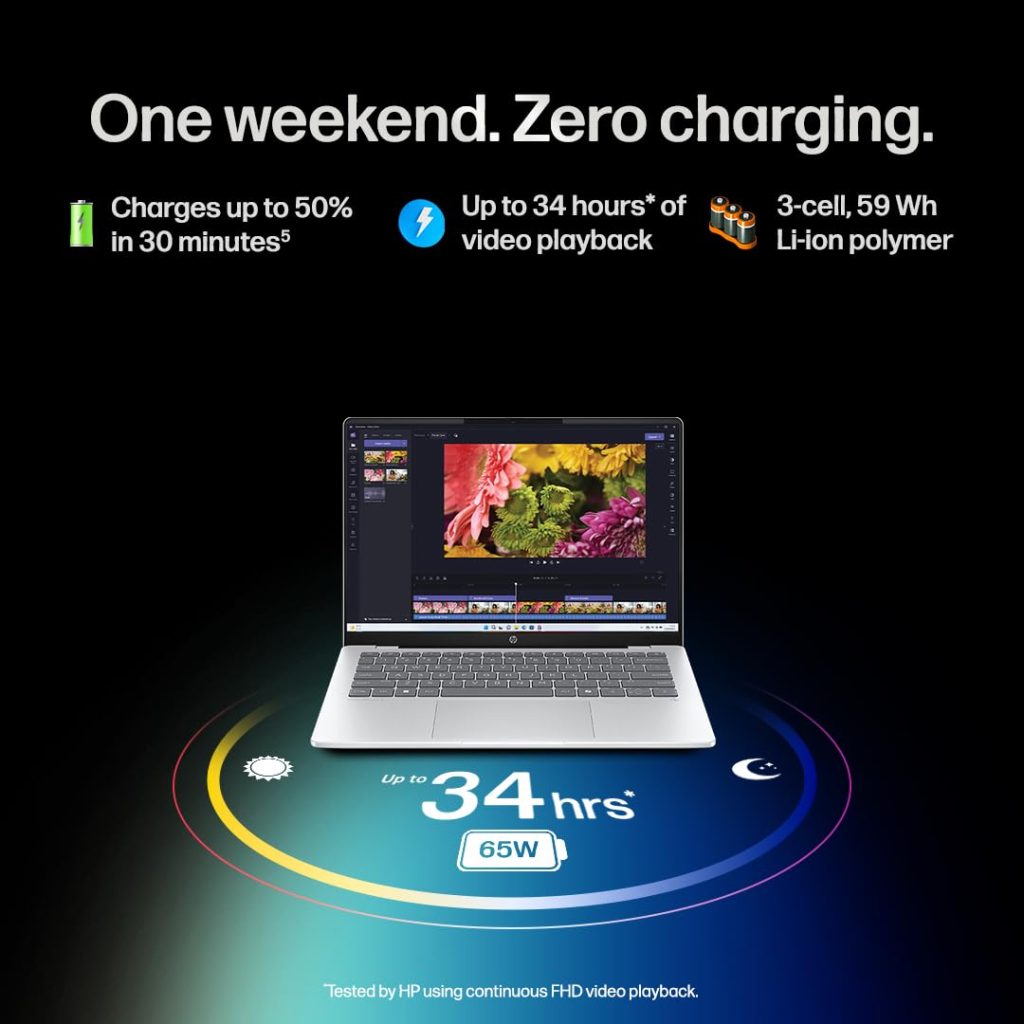
The Snapdragon X series is built on ARM architecture — the same design philosophy that powers most smartphones, prioritizing efficiency over raw brute force. That architectural approach is well documented on Wikipedia, and it’s exactly why this laptop sips battery instead of gulping it. Real-world users report the OmniBook 5 comfortably stretching across multiple days of moderate use — a rarity for slim, OLED-equipped machines.
The trade-off? App compatibility. Since Windows on ARM is still catching up, some legacy software and tools like Android Studio’s emulator can hit snags. If your workflow leans on browsing, streaming, office work, and content consumption, you’ll barely notice. If you’re a developer running specialized virtualization tools, it’s worth checking compatibility first.
Who Is This Laptop Really For?
This machine shines brightest for:
- Frequent travelers who want long battery life without lugging a charger everywhere
- Media consumers and casual creators who’ll love the vivid OLED screen for streaming and photo editing
- Students and professionals doing everyday computing — docs, browsing, video calls, and light multitasking
Gaming and heavy virtualization workloads aren’t its strong suit, so gamers should look elsewhere. Before you finalize your pick, it’s worth comparing this against Intel and AMD alternatives — you’ll find detailed side-by-side laptop breakdowns on TechnoSports that make the decision a lot easier.
Final Verdict
The HP OmniBook 5 OLED isn’t trying to be everything to everyone — it’s laser-focused on portability, battery endurance, and visual quality. For the right user, that focus makes it one of the smartest lightweight laptop buys of the year.
FAQs
Q1: Does the HP OmniBook 5 support all Windows apps?
Q2: How long does the battery actually last?
Real-world users report multi-day battery life under moderate, everyday usage patterns.