SA329 & 387 (134.4 ov)
 AUS429
 BAN272 & 79/6 (29 ov)
 WI245
WI245 COR0
COR0 MIR0
MIR0 UAE
UAE NED
NED PAK
PAK SL
SL Chennaiyin
 Kerala
 Chelsea
 Man Utd
 Levante
 Atlético
 Al Taawoun
 Al Ettifaq
 Bologna
 Monza
Monza Mohun Bagan
 Punjab FC
 LILL1
LILL1 RCL0
RCL0 VIL0
VIL0 ESP1
ESP1 ELV4
ELV4 M051
M051 HAC1
HAC1 PSG5
PSG5 ND
ND AUCK
AUCK WELL
WELL CANT
CANT MOW53/4 (8.5/20 ov)
 TOK
TOK SOA154 & 182/1 (48 ov, target 422)
 WA406/5d & 169
 TAS342/5 (98.5 ov)
 NSW
NSW NZ-A
NZ-A IND-A66/1 (21.4 ov)
 NZ
NZ IND
IND NAM
NAM IRE
IRE AS-W
AS-W MS-W
MS-W PS-W
PS-W MR-W
MR-W ST-W
ST-W BH-W
BH-W SS-W
SS-W HH-W
HH-W AFG221/7
 ZIM202/5 (20 ov, target 222)
 BRB186/9 (20 ov, target 200)
 VAG199/6
 ENG121/0 (6 ov, target 160)
 AAE1
AAE1 GLP2
GLP2 HUR0
HUR0 TIG1
TIG1 COL6
COL6 UdeC1
UdeC1 COQ1
COQ1 ULC0
ULC0 RPO0
RPO0 CIP1
CIP1 UVA0
UVA0 PITT0
PITT0 NJIT0
NJIT0 BRY3
BRY3 ARMY1
ARMY1 L-MD0
L-MD0 LEH2
LEH2 COLG0
COLG0 UNH1
UNH1 UML0
UML0 STBK4
STBK4 NE0
NE0 Leverkusen
 Stuttgart
 Gladbach
 Paderborn
 NICE5
NICE5 REN2
REN2 SHA6
SHA6 AHL1
AHL1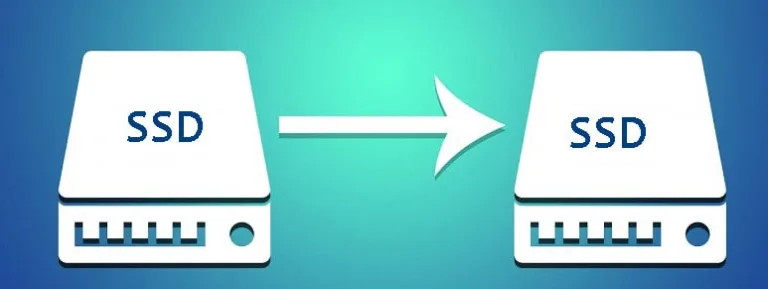
The solid-state drive (SSD) has become very popular among computer users because it’s faster and more durable than traditional hard disk drives (HDDs). Initially, many users might buy a smaller SSD, like 125GB or 250GB, to test it out. But over time, they might want to upgrade to a larger or better SSD because the storage or performance decreases, or they might want to try a more advanced model like NVMe SSDs instead of SATA SSDs.
Transfer SSD to new SSD by cloning
No matter why you’re upgrading, you’ll need to transfer your old data to the new SSD, or otherwise you’ll have to reinstall everything from scratch, including the operating system (OS) and programs. To move personal files like photos, music, and documents from one SSD to another, you can copy and paste them. However, transferring a large amount of data takes time and efforts. Besides, if you try to transfer applications by copying and pasting, some might not work properly on the new disk. If the old SSD is where the boot files are stored, using copy and paste will make them invalid, and you even won’t be able to boot the OS from the new SSD.
However, Windows doesn’t have built-in options to clone SSDs or HDDs. You’ll need a powerful third-party disk cloning software windows 10 like AOMEI Partition Assistant. This tool enables you transfer all your data from the old SSD to the new one, including the OS and programs without any data loss, and they work finely just like they did on the old SSD.
How to transfer SSD to new SSD with AOMEI Partition Assistant?
Now that we’ve found out the best way to transfer SSD to new SSD is by cloning the entire old SSD with AOMEI Partition Assistant. This is a good pick and recommended by many users.
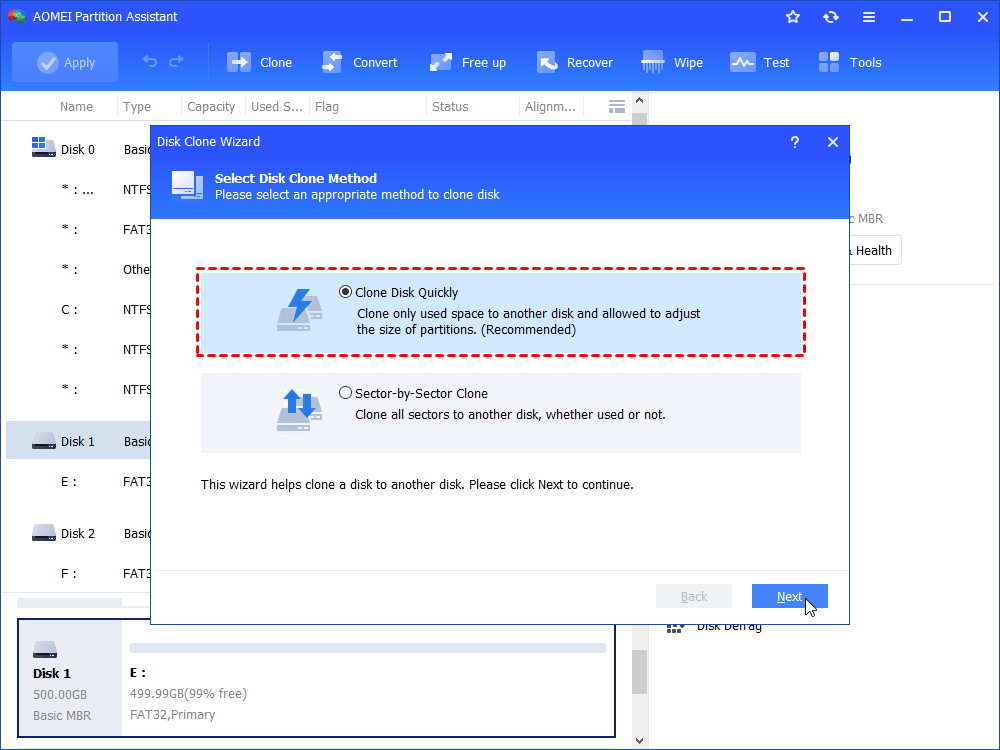
This software has a feature called “Disk Clone” that lets you copy everything to a new SSD by copying the whole disk without any data loss. It offers two ways to do this, depending on your specific needs and the size of your SSD:
“Clone Disk Quickly” only transfers the used space of the disk to another one. So, the new disk should be bigger than the used space on the old one. This option is good for cloning from a bigger SSD to a smaller one.
“Sector-by-Sector Clone” copies every part of the disk to another one, whether it’s used or not. So, the new disk must be bigger than the old one. This software is even helpful for cloning BitLocker disks.
This tool can also copy USB flash drives, SD cards, and other hard drives on different Windows systems, including Windows 11/10/8/7/XP/Vista. It also lets you clone a specific partition to another drive with its “Partition Clone” feature. Now, let’s see how to clone to SSD with AOMEI Partition Assistant and avoid data loss.
Preparation steps:
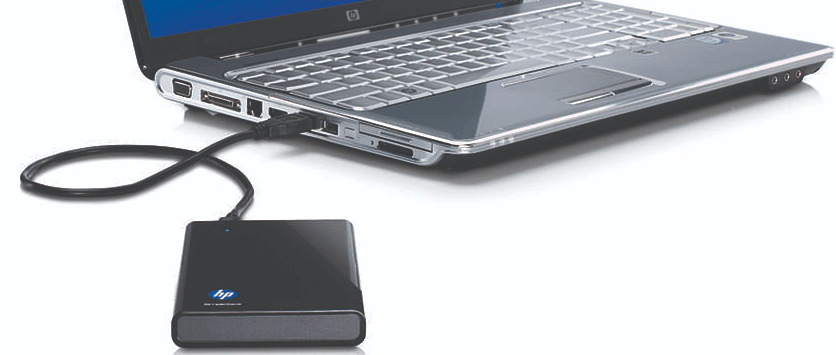
1.Please install the new SSD into your desktop or laptop. If your electronic device has only one disk slot, you may need a SATA to USB adapter to connect it.
2.If the target disk has not been used, please initialize it first.
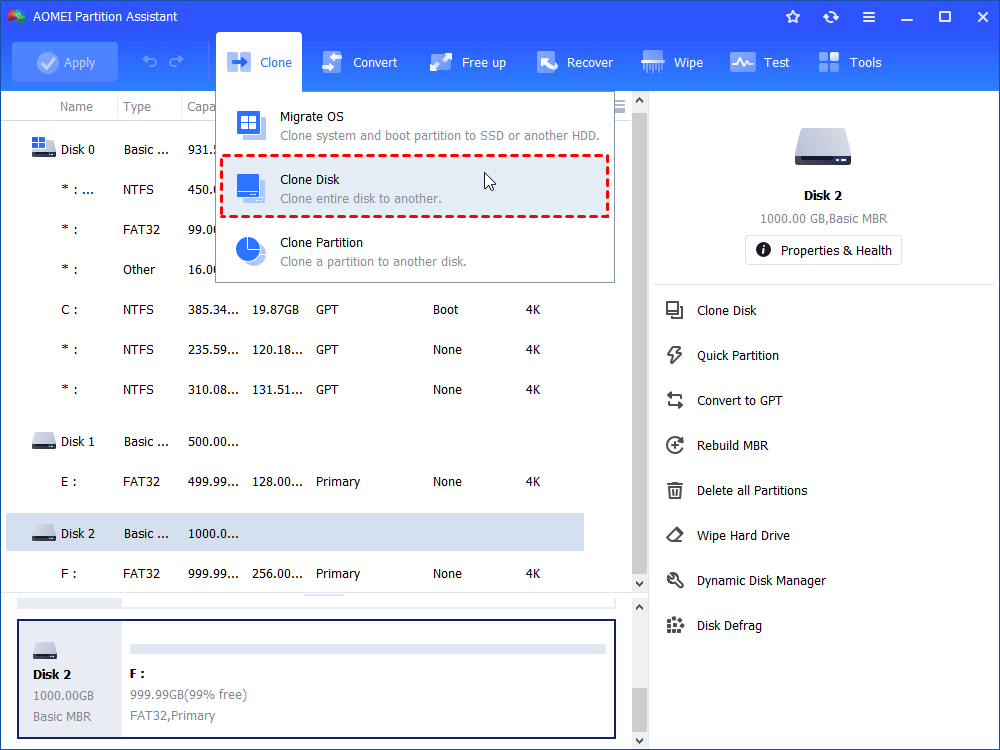
Step 1. Install and open the AOMEI software. From the top pane, click “Clone” > “Clone Disk” in turn.
Step 2. Pick a disk copying method based on your needs and click “Next”. Here we choose “Clone Disk Quickly” as an example.
Step 3. Select the target SSD where you want to move all the content from the old SSD. Check “Optimize the performance of SSD” and click “Next”.
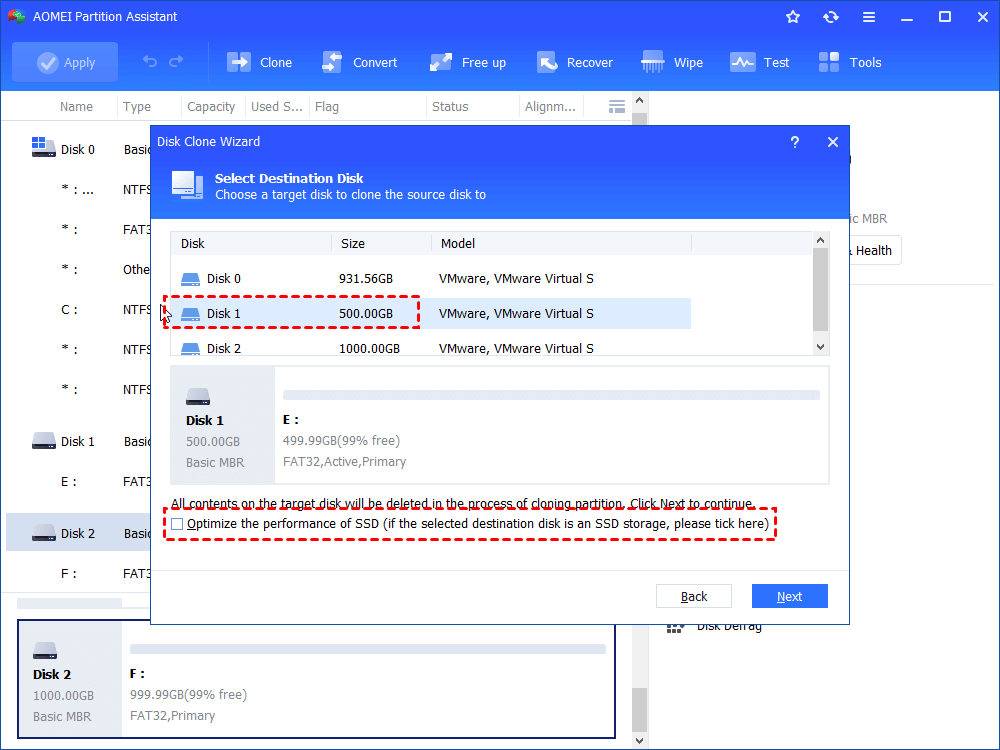
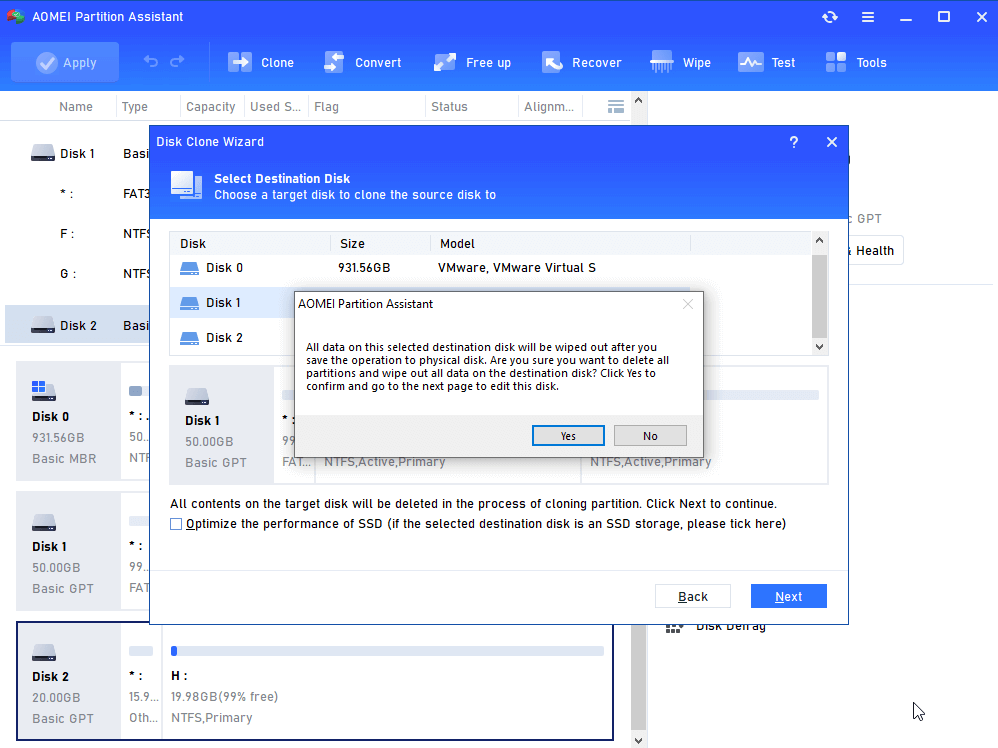
Step 4. A warning will pop up about potential data loss on the target disk. If you’ve backed up important files, click “Yes” to proceed.
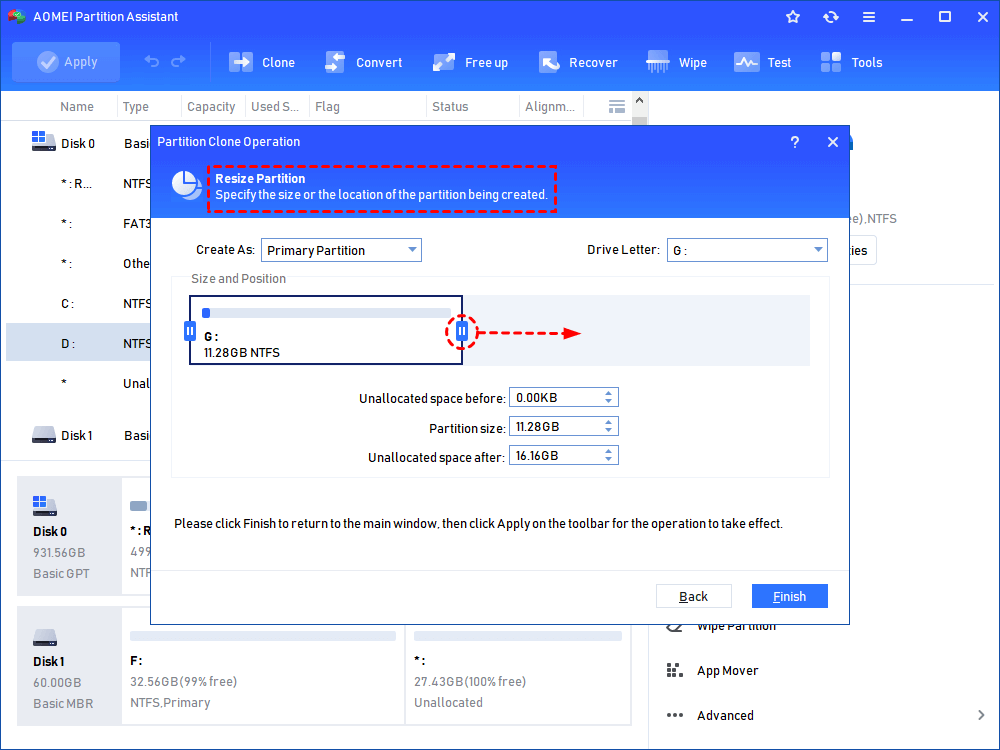
Step 5. Adjust the partition sizes on the new SSD drive if needed, or you can just skip it and keep the default settings. Then click “Next” to continue.
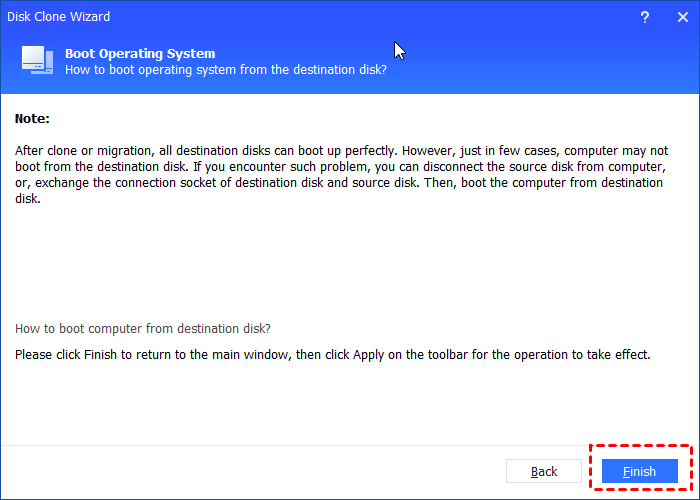
Step 6. You’ll receive instructions on how to boot the operating system successfully from the new disk. Read it carefully and click “Finish”.
Step 7. Click “Apply” to start the SSD cloning process.
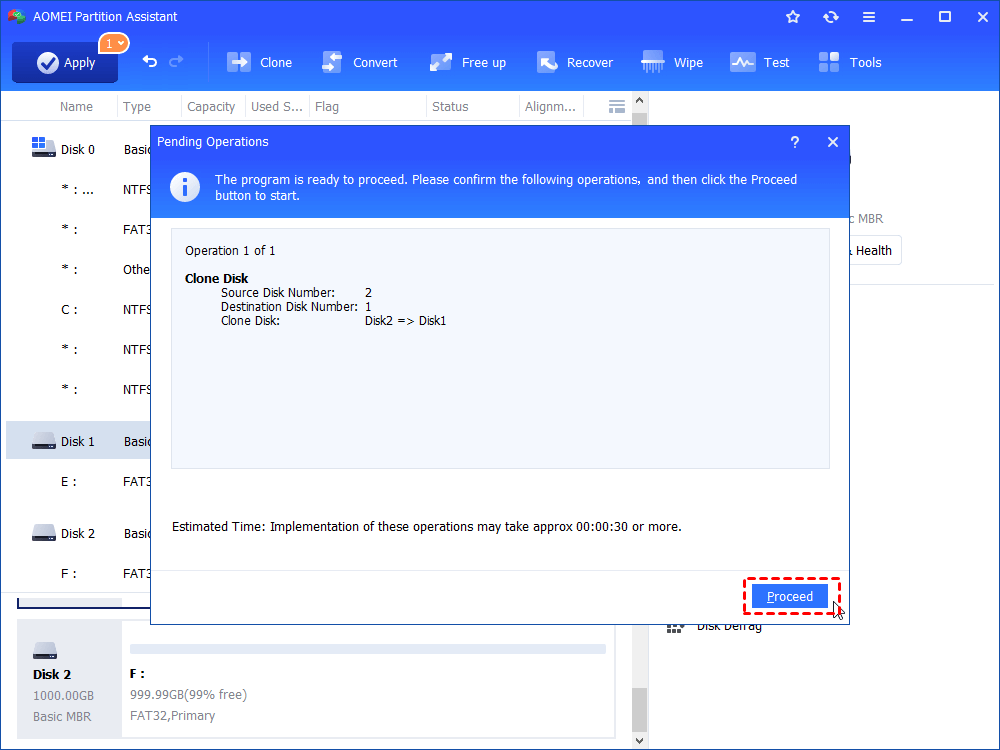
This guide is about transferring or cloning the MBR SSD that has the operating system installed to another GPT SSD drive. If you’re doing the same thing, make sure your motherboard can boot in UEFI mode. You’ll need to switch from BIOS to UEFI to boot the OS from the cloned SSD properly.
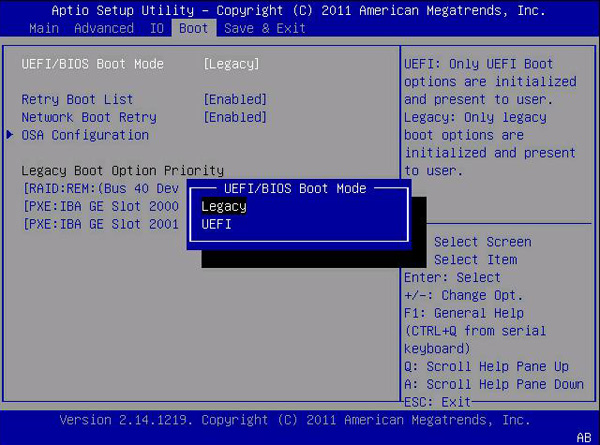
On the other hand, if you don’t want to change the boot mode or if your motherboard doesn’t support UEFI, you can change the SSD to MBR before copying it.
The above guide is mainly focus on how to copy SSD to new SSD with everything. But what if you only want to transfer the operating system or some applications to a new disk? No problem, AOMEI Partition Assistant can handle that as well. It includes a feature called “Migrate OS,” which lets you transfer only the partitions related to the operating system to another location. This way, you can boot from the new drive without any issues.
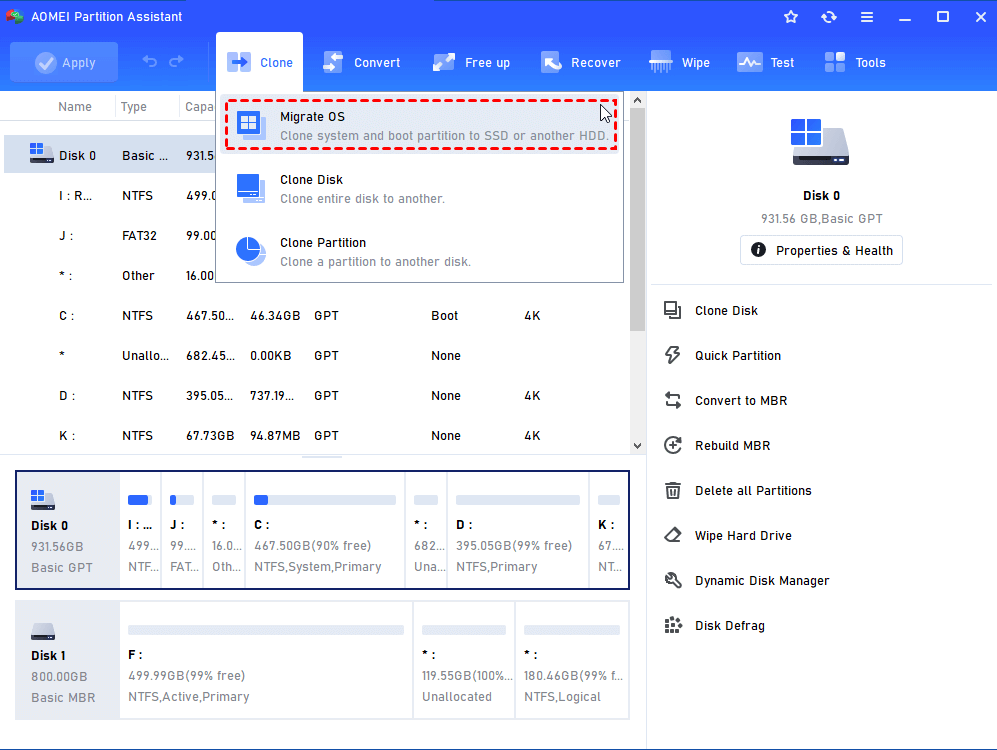
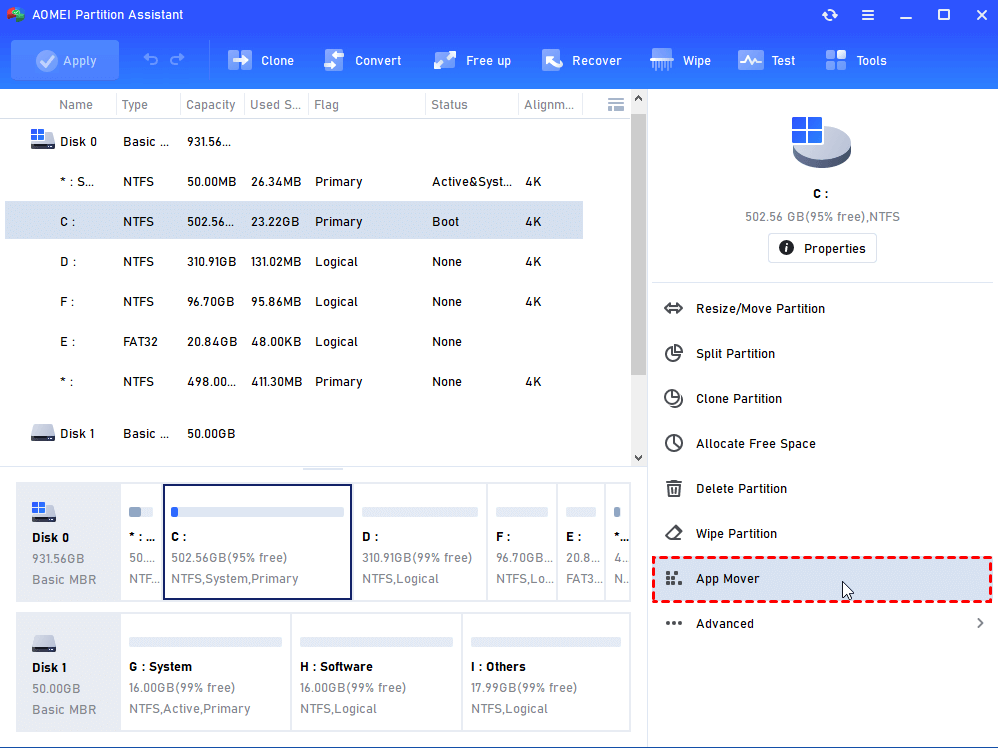
Besides moving the OS partition, this multifunctional software can also transfer certain applications from one drive to another without harming the boot files. So, you don’t have to be concerned that the transferred apps won’t load after the move.
For example, if you want to move programs from C drive to D drive on Windows 10, you just need to simply click on “Free up” > “App Mover” from the top pane, or choose the target drive and select “App Mover” from the right pane, and then follow the instructions. Now, this feature also allows you to move Cache, Downloads, or other large video folders to another drive.
Conclusion
In short, with AOMEI Partition Assistant, you can easily and effectively transfer SSD to new SSD anytime by cloning the hard disk. It not only the utility to transfer SSD to new SSD but also a multifunctional toolkit to meet various needs in daily computer use. It is a good idea to explore more practical functions for effectively computer management like Reset Windows Password, Recover Data, PC Cleaner, and so on. It can also tap into the disk potential and manage partitions efficiently.
Do check out: Top 5 Fastest Goals Scored in ISL History