UDI1
UDI1 ROMA4
ROMA4 TOT1
TOT1 CRY0
CRY0 BET2
BET2 MCF0
MCF0 MUN1
MUN1 DOR0
DOR0 HIL1
HIL1 FAT0
FAT0 CLT2
CLT2 ORL0
ORL0 HEE0
HEE0 NEC0
NEC0 PSV1
PSV1 WIL0
WIL0 MIL
MIL INT
INT TRY
TRY MNS
MNS AVL
AVL FUL
FUL BAR
BAR ALA
ALA NZ
NZ IND
IND NAM
NAM IRE
IRE Como
Como Venezia
 Mumbai City
  SC Delhi
 RAY3
RAY3 CEL0
CEL0 BOU2
BOU2 LEE0
LEE0 BRE2
BRE2 NFO0
NFO0 COV3
COV3 SUN1
SUN1 JER
JER QAT
QAT KENYA
KENYA PNG
PNG WAR46/1 (4/20 ov, target 131)
 WPR130/8
 TAS427
 NSW174/8 (60 ov)
 NZ-A
NZ-A IND-A291/7 (88 ov)
 QLD
QLD VIC282/9 (84 ov)
 DHA
DHA BAR
BAR SYL218
 CHATT64/1 (15 ov)
 MYMS
MYMS KHU280/8 (82 ov)
 RAN
RAN RAJ155/6 (59 ov)
 AFG
AFG ZIM
ZIM NED
NED OMA
OMA ST-W
ST-W BH-W
BH-W SS-W
SS-W HH-W
HH-W OTAGO
OTAGO CD
CD BRB
BRB MIS
MIS PAK331/7 (48.3/50 ov, target 326)
 SL325/8
 UAE266/5 (49/50 ov, target 264)
 PS-W138/1 (13.3 ov)
 MR-W136/6
 AS-W185/2
 MS-W164/7 (20 ov)
 CLB0
CLB0 DC0
DC0 CIN0
CIN0 PHI0
PHI0 NYC0
NYC0 MTL0
MTL0 MCF1
MCF1 DEP1
DEP1 Getafe
 Sevilla
 Frosinone
 Torino
 HUL2
HUL2 IPS2
IPS2 MNC0
MNC0 BHA1
BHA1
For years, Dropbox has been a go-to cloud storage service for millions of users worldwide. It offers seamless file sharing, powerful collaboration tools, and reliable backup solutions. However, one glaring omission from its feature set has been support for Live Photos on iPhones.
If you’re an iPhone user, you might assume that Dropbox has supported Live Photos for a long time—after all, the feature debuted a decade ago with the iPhone 6s. But surprisingly, it took 10 years for Dropbox to finally introduce full Live Photos support on its platform.
With version 416.2 of the Dropbox iOS app, users can now view, upload, and modify Live Photos—something that should have been available years ago. So, what exactly does this new update bring, and why did it take so long? Let’s dive in.
What Are Live Photos? A Quick Refresher
Before we get into Dropbox’s update, let’s quickly revisit what Live Photos are and why they matter.
Apple introduced Live Photos with the iPhone 6s in 2015. Unlike regular photos, Live Photos capture 1.5 seconds of motion before and after you take a picture, creating a short, animated clip.
This feature allows users to:
- Relive moments with motion and sound.
- Pick the best frame from a short burst of images.
- Create fun GIF-like effects using iOS editing tools.
- Convert Live Photos into still images or videos.
Live Photos are widely used, especially by iPhone users who love capturing memories with a touch of movement. Apple’s Photos app, Google Photos, and OneDrive all support Live Photos, making Dropbox’s lack of support stand out even more.
Dropbox’s Latest Update: What’s New?
The latest Dropbox iOS update (version 416.2) finally brings Live Photos support to the app. Here’s what you can do now:
1. View and Upload Live Photos
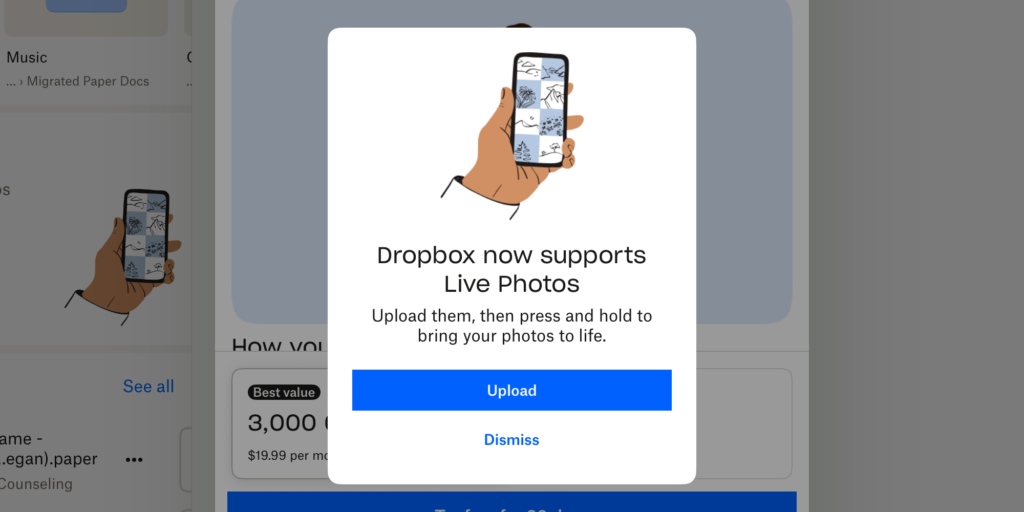
With this update, users can upload Live Photos to Dropbox without losing their motion effects. Previously, Dropbox would only save the still image, stripping away the movement. Now, when you upload a Live Photo, it stays intact.
2. Play Live Photos Inside Dropbox
Just like in Apple’s Photos app, you can long-press a Live Photo inside Dropbox to see it play. This is a small but significant improvement for those who store their media in Dropbox instead of iCloud.
3. Convert Live Photos to Still Images
Dropbox now lets users switch between Live and Still images directly in the app. To do this:
- Tap the Live toggle under “Image Preferences.”
- Select Still Image to save only the main frame.
- If you want to bring back the motion, tap Live Photo again.
4. Save Live Photos as JPGs
Since Live Photos are typically stored in Apple’s HEIC format, some users may prefer converting them to JPG for better compatibility. Dropbox now includes an option to:
- Tap Save as JPG under “Image Preferences.”
- Convert the Live Photo into a standard JPG file.
These updates make Dropbox more iPhone-friendly and eliminate a major frustration for Apple users who rely on Dropbox for media storage.
Why Did It Take Dropbox 10 Years to Add This?
It’s a mystery why Dropbox waited an entire decade to support Live Photos, especially when competitors like Google Photos and OneDrive have offered it for years.
While Dropbox hasn’t provided an official explanation, here are some possible reasons:
1. Dropbox Prioritized Business and Enterprise Features
Dropbox has shifted its focus over the years from personal cloud storage to enterprise collaboration tools. It launched features like Dropbox Paper, Smart Sync, and AI-powered search, which cater more to businesses than casual users.
2. Technical Challenges with Live Photos
Live Photos are unique because they store both an image and a short video file. Implementing this format required:
- Handling HEIC format compatibility.
- Supporting motion playback across devices.
- Ensuring seamless upload and storage without loss of quality.
Dropbox may have delayed the update due to engineering complexities in supporting this Apple-specific format.
3. A Push to Stay Relevant for iPhone Users
With iCloud, Google Photos, and OneDrive already supporting Live Photos, Dropbox may have finally realized it was lagging behind. To stay competitive, it had to adapt to what users wanted.
4. Dropbox’s Apple Relationship
Apple pushes users toward iCloud Photos for seamless Live Photo storage. Dropbox, as a third-party service, may not have been Apple’s priority for API access or technical support.
Whatever the reason, it’s here now—better late than never!
How to Use Live Photos in Dropbox (Step-by-Step Guide)
If you’re a Dropbox user excited to try this feature, follow these steps:
1. Update Your Dropbox App
Make sure you’re running Dropbox version 416.2 or later. You can update it via the App Store.
2. Upload a Live Photo to Dropbox
- Open Dropbox on your iPhone.
- Tap the “+” button to upload files.
- Select a Live Photo from your camera roll.
- Tap Upload.
Your Live Photo will now retain its motion and audio in Dropbox.
3. View and Play Live Photos
- Open Dropbox and locate your uploaded Live Photo.
- Long-press the image to see the motion play.
4. Convert Live Photos to Still Images
- Open the Live Photo in Dropbox.
- Tap Image Preferences.
- Select Still Image to save only the static frame.
5. Save Live Photos as JPGs
- Open the Live Photo.
- Tap Save as JPG.
- The image will be converted for better compatibility.
This makes Dropbox more versatile for photographers, content creators, and everyday users who want more control over their media.
Should You Use Dropbox for Live Photos?
Now that Dropbox supports Live Photos, is it worth using over iCloud or Google Photos? Here’s a comparison:
| Feature | Dropbox | iCloud Photos | Google Photos |
|---|---|---|---|
| Live Photos Support | ✅ Now supported | ✅ Yes | ✅ Yes |
| Storage Space | 2GB free, paid plans available | 5GB free, paid plans available | 15GB free, paid plans available |
| Automatic Sync | ❌ No auto-sync | ✅ Yes | ✅ Yes |
| Video & Image Backup | ✅ Yes | ✅ Yes | ✅ Yes |
| Cross-Platform Access | ✅ Yes | ❌ Apple-only | ✅ Yes |
Pros of Using Dropbox for Live Photos:
✅ Cross-platform compatibility (works on iOS, Android, Windows, and Mac).
✅ More storage options compared to Apple’s 5GB limit.
✅ Business-friendly features like team sharing and file recovery.
Cons:
❌ No automatic Live Photo backup (unlike iCloud).
❌ Limited free storage (2GB vs. 15GB on Google Photos).
❌ Not as seamless as Apple’s built-in Photos app.
For Apple users deeply integrated into iCloud, Dropbox may not be the best choice. But for those who want a third-party storage option that works across devices, this update is a big step forward.
Final Thoughts: A Long-Overdue But Welcome Update
While it took 10 years, Dropbox has finally caught up with Apple’s Live Photos. The update makes Dropbox a more competitive cloud storage option for iPhone users who want to store and manage Live Photos outside of iCloud.
If you’re a Dropbox power user, this feature will enhance how you store and share photos. However, if you rely heavily on automatic syncing and unlimited storage, iCloud or Google Photos may still be better options.
What Do You Think?
Are you excited about Live Photos support in Dropbox? Will you start using Dropbox for Live Photos now? Let us know in the comments! 🚀