SA329 & 347/8 (124.4 ov)
 AUS429
 BAN272 & 79/6 (29 ov)
 WI245
WI245 NEU1
NEU1 BFC0
BFC0 DIR1
DIR1 NEOM0
NEOM0 HAC
HAC PSG
PSG NICE
NICE REN
REN SHA
SHA AHL
AHL ELV
ELV M05
M05 VIL
VIL ESP
ESP LILL
LILL RCL
RCL UAE
UAE NED
NED PAK
PAK SL
SL ABH1
ABH1 ITT1
ITT1 NAM168 (41/50 ov, target 299)
 IRE298/8
 NZ259/7
 IND172/9 (20 ov, target 260)
 Fiorentina2
 Atalanta2
 DEN
DEN JER
JER RHINO215
 MOUNT216/6 (46.4/50 ov, target 216)
 EAGLE129 (40.2/50 ov, target 275)
 TUSK274/9
 BRB
BRB VAG149/3 (13.4/20 ov)
 SOA154 & 182/1 (48 ov, target 422)
 WA406/5d & 169
 TAS335/5 (96 ov)
 NSW
NSW AS-W
AS-W MS-W
MS-W PS-W
PS-W MR-W
MR-W ND
ND AUCK
AUCK OTAGO
OTAGO CD
CD WELL
WELL CANT
CANT MOW
MOW TOK
TOK AFG221/7
 ZIM202/5 (20 ov, target 222)
 ENG386/5
 OMA196
 BH-W154/5
 SS-W157/6 (20 ov, target 155)
 Chennaiyin
 Kerala
 Chelsea
 Man Utd
 Al Nassr5
 Al Kholood3
 Al Riyadh0
 Al Qadsiah6
 Frosinone5
 Lecce1
 Al Khaleej4
 Al Hazem2
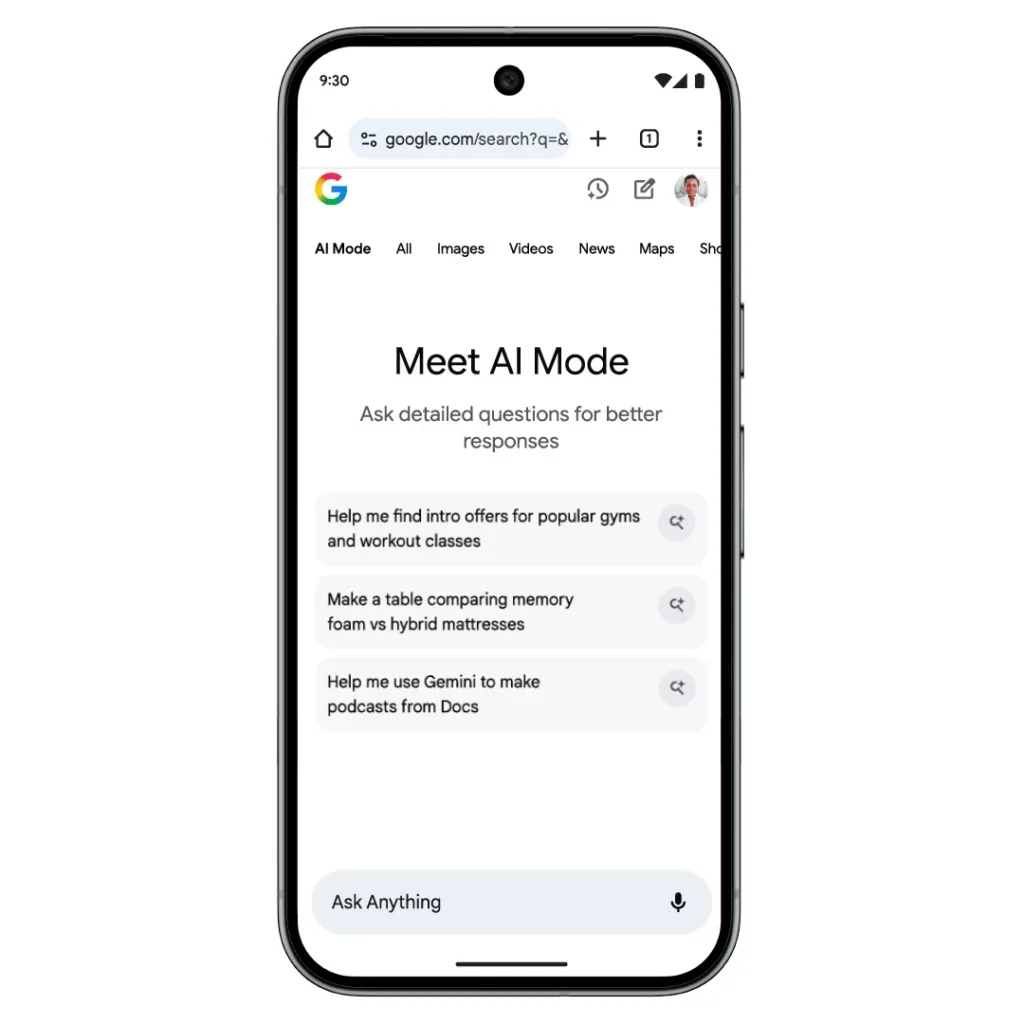
Google just made AI-powered search ridiculously easy. Chrome for iOS and Android now features a dedicated AI Mode button on the New Tab page, putting Gemini-powered search front and center. This update transforms how millions access intelligent search daily.
Table of Contents
Chrome AI Mode: Quick Overview
| Feature | Details |
|---|---|
| Location | Below search bar on New Tab page |
| Availability | US (launched Nov 5, 2025) |
| Global Rollout | Coming to 160+ countries |
| Languages | Hindi, Indonesian, Japanese, Korean, Portuguese |
| Powered By | Gemini 2.5 AI |
| Access | Pill-shaped button with icon |
What Is AI Mode in Chrome?
AI Mode allows users to ask complex questions and follow-ups to dig deeper on topics directly within Search. Think of it as Google’s answer to ChatGPT, but integrated seamlessly into your browser experience.
The feature uses Gemini 2.5’s advanced reasoning to allow users to ask questions via text, voice, or image, and provide comprehensive answers to queries. Unlike standard Google searches that return links, AI Mode delivers conversational, detailed responses with the ability to ask follow-up questions.

Why This Shortcut Matters
Previously, accessing AI Mode required visiting specific URLs or navigating through menus. The new pill-shaped button appears below the search bar on the New Tab Page, joined by an Incognito button, making AI search as accessible as traditional search.
By making it easier to access AI Mode on mobile, Google likely hopes people will use its service rather than navigate to competitors’ tools. With Chrome commanding massive mobile market share, this strategic placement channels countless searches into AI-powered territory.
New Agentic Features
Beyond simple search, AI Mode has expanded agentic booking capabilities for restaurant reservations, event tickets, and flight bookings. What was once exclusive to Google AI Ultra subscribers is now available to all users who opt into the “Agentic capabilities in AI Mode” experiment.

How to Access It
The AI Mode shortcut is rolling out with Chrome version 141+ on both platforms. Simply update Chrome through your app store, open a new tab, and you’ll see the AI Mode button below the search bar. If it’s not visible immediately, Google’s server-side rollout means it may arrive in stages based on your region.
For more tech news and gaming updates, visit TechnoSports. Learn more about Google’s AI innovations directly from their official blog.