SA329
SA329 AUS411/8 (117 ov)
 BAN272
 WI134/4 (48 ov)
 UAE72/1 (17.1/50 ov, target 197)
 OMA196
 ENG247/1 (34.6/50 ov)
 SL
SL MS-W192/4
 HH-W108/3 (10.5/20 ov, target 193)
 AFG
AFG ZIM
ZIM KHA
KHA HAZ
HAZ FRO
FRO LEC
LEC NSR
NSR KHO
KHO RIY
RIY QAD
QAD FIO
FIO ATA
ATA NZ
NZ IND
IND NAM
NAM IRE
IRE Genoa2
 Juventus0
 Monza1
 Napoli4
 Milan2
 Bologna4
 Parma0
 Udinese0
 WELL
WELL OTAGO
OTAGO SIKM184 & 117/5 (46 ov, target 212)
 NAGA187 & 208
 BRODA616
 J & K303 & 239/4 (72 ov) (f/o)
 CHD685/5d
 HP518/6 (157 ov)
 CGR237 & 34/1 (10 ov, target 179)
 AP231 & 184/3d
 MAHA330 & 54/2 (19 ov, target 340)
 GUJ223 & 446/5d
 PONDI172 & 183/5 (75 ov) (f/o)
 UP333
UP333 BH-W
BH-W SS-W
SS-W BIK
BIK KAY
KAY SWD
SWD TITNS
TITNS MOW
MOW VAG
VAG MIS
MIS TOK
TOK IND-W133/2 (17/50 ov, target 132)
 ZIM-W131
 MR-W138/9
 ST-W140/4 (17/20 ov, target 139)
 JAB116/2 (17.2/20 ov, target 116)
 KAG115
 LIONS204/1 (18/20 ov, target 199)
 EASTN198/6
 BRB81 (12.1/20 ov, target 178)
 ADL0
ADL0 LCS0
LCS0 Abha
Abha Al Ittihad
 NorthEast
 Bengaluru
 Al Diriyah
 Neom SC
 Venezia0
 Inter Milan2
 GOA1
GOA1 SC Delhi1
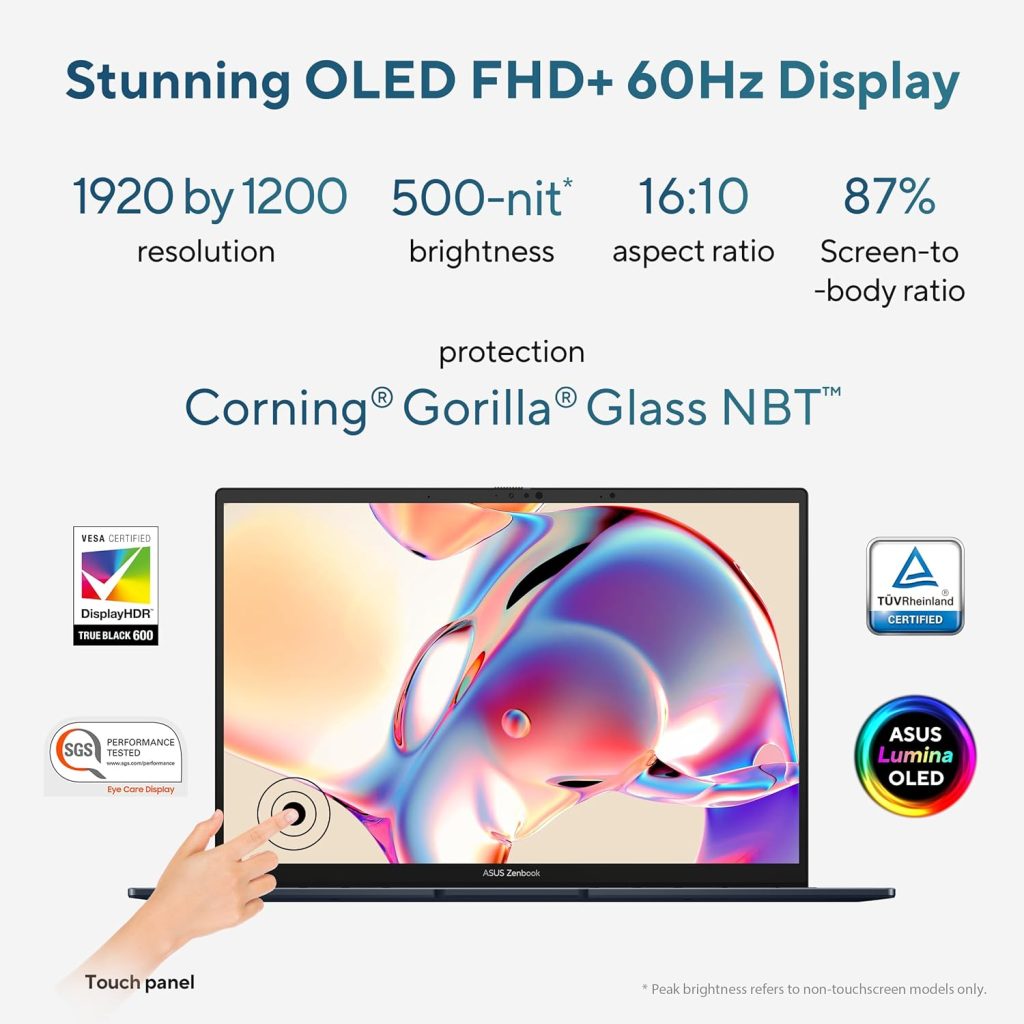
Some laptops whisper premium. The ASUS Zenbook 14 (UX3405CA-QL1016WS) shouts it — a touchscreen OLED display, Intel’s flagship Core Ultra 9 chip, and 32GB of blazing-fast RAM packed into a body that weighs barely more than your morning coffee thermos. This is ASUS aiming squarely at professionals and creators who want zero compromises.
ASUS Zenbook 14: Numbers That Matter
This Zenbook isn’t playing in the budget or mid-range space — it’s a genuine flagship ultrabook, and the spec sheet backs that up.
| Specification | Details |
|---|---|
| Processor | Intel Core Ultra 9 285H (16 cores, up to 5.4 GHz) |
| RAM | 32GB LPDDR5X (onboard) |
| Storage | 1TB PCIe 4.0 NVMe SSD |
| Display | 14″ WUXGA OLED Touchscreen, 500 nits HDR, Stylus support |
| Graphics | Intel Arc Graphics |
| NPU | Intel AI Boost, up to 13 TOPS |
| OS | Windows 11 Home |
| Software | Office Home 2024 + 1-Yr Microsoft 365 Basic |
| Weight | 1.28 Kg |
| Price (India) | Approx. ₹1,35,990 and ₹1,42,889 (Regular Price) |
Why the Core Ultra 9 285H Changes the Conversation
This is where the Zenbook 14 truly separates itself. The Core Ultra 9 285H isn’t just a fast CPU — it comes with a dedicated Neural Processing Unit built specifically for AI workloads, running alongside Intel’s Arc integrated graphics. This hybrid design philosophy, blending traditional cores with AI acceleration, is part of a broader industry shift you can explore further on Wikipedia.
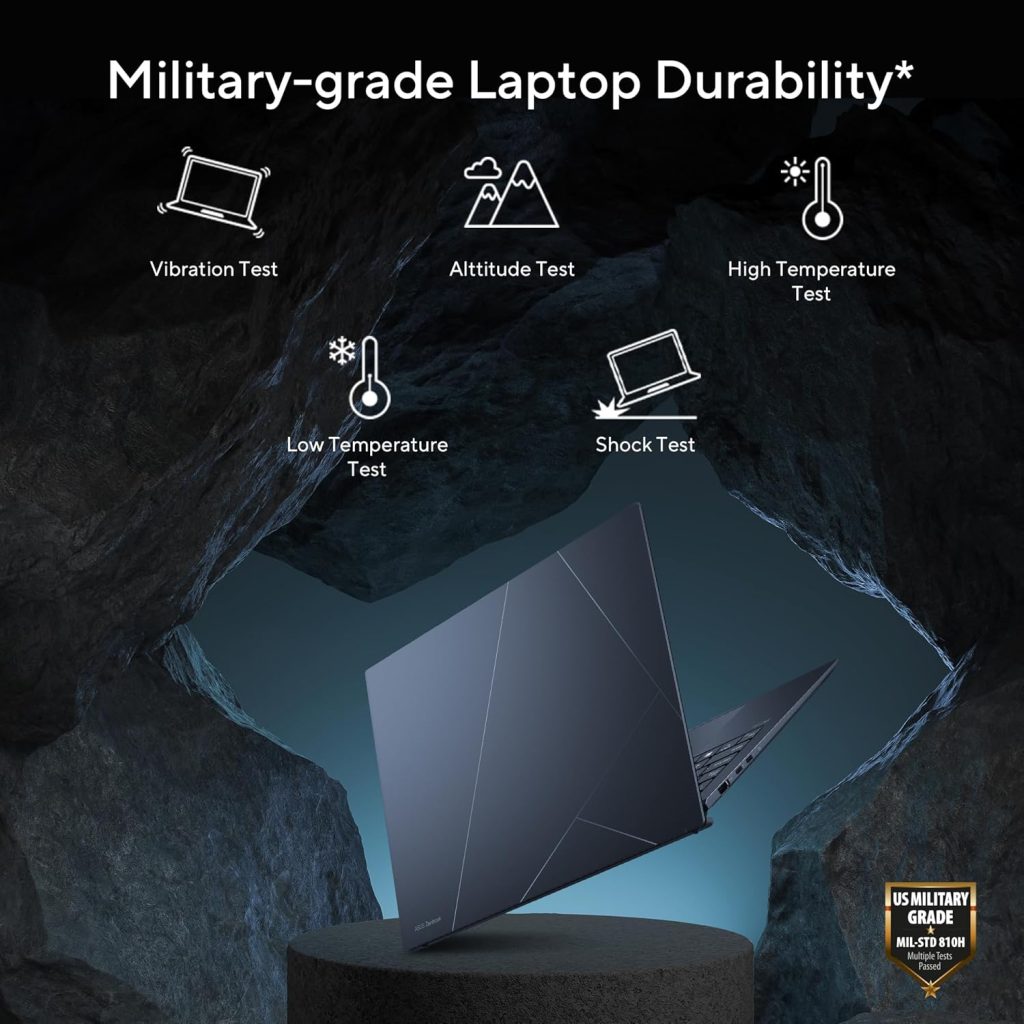
What does that mean in real life? Faster video exports, smoother multitasking across dozens of Chrome tabs and creative apps, and genuinely useful on-device AI features like background noise suppression during calls — all without hammering your battery. Add in a vivid 500-nit HDR OLED touchscreen with stylus support, and this laptop becomes a serious tool for designers, photographers, and content creators who need color accuracy, not just raw speed.
Who Should Splurge on This One?
The Zenbook 14 is built for:
- Creative professionals doing photo editing, video work, or design where OLED color accuracy genuinely matters
- Power users and consultants who run demanding multitasking workflows daily
- Anyone who values portability without sacrificing performance — 1.28kg is remarkably light for this spec sheet
This isn’t a budget pick, and it’s not meant to be. If you’re evaluating whether this premium jump is worth it over more affordable Core Ultra 5 or 7 variants, it’s worth browsing detailed comparisons on TechnoSports before making the final call.
Conclusion
The ASUS Zenbook 14 doesn’t try to be a jack-of-all-trades — it’s a precision tool for people who need serious performance wrapped in a genuinely premium, portable package. If your work demands both power and polish, this is about as close to “no compromises” as laptops get right now.