SA329 & 387
 AUS429 & 60/7 (26 ov, target 288)
 UAE87/3 (16.5/50 ov, target 264)
 NED263/4
 PAK
PAK SL232/2 (39/50 ov)
 PS-W126/1 (13.1/20 ov, target 137)
 MR-W136/6
 MOH0
MOH0 SHL0
SHL0 Erzurum0
 Çorum FK1
 CFC
CFC KER
KER CHE
CHE MAN
MAN LEV
LEV ATM
ATM TAA
TAA ETT
ETT BOL
BOL MON
MON MBSG
MBSG PFC
PFC B04
B04 VFB
VFB BMG
BMG SCP
SCP Lille1
 Lens0
Lens0 Villarreal0
 Espanyol1
 Elversberg4
 Mainz1
 Le Havre AC1
 PSG5
PSG5 JER
JER QAT
QAT KENYA
KENYA PNG
PNG BIK
BIK SPR
SPR TAS427
 NSW174/8 (60 ov)
 NZ-A
NZ-A IND-A291/7 (88 ov)
 QLD
QLD VIC282/9 (84 ov)
 DHA
DHA BAR
BAR MYMS
MYMS KHU
KHU NZ
NZ IND
IND NAM
NAM IRE
IRE AFG
AFG ZIM
ZIM ST-W
ST-W BH-W
BH-W SS-W
SS-W HH-W
HH-W SWD
SWD EASTN
EASTN MOW
MOW VAG
VAG WAR
WAR WPR
WPR AS-W185/2
 MS-W164/7 (20 ov, target 186)
 SCOT100/3 (6 ov, target 122)
 VAL0
VAL0 EIB0
EIB0 Nice5
Nice5 Rennes2
 Al Shabab6
 Al Ahli1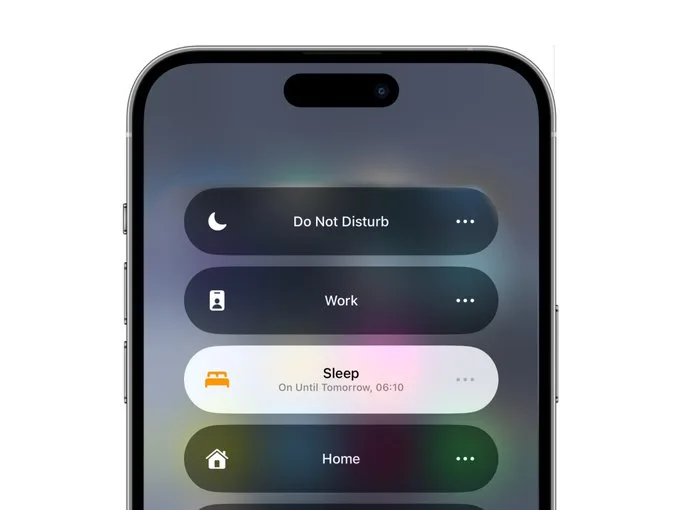
Apple Focus Modes : Apple’s Focus feature is a game-changer for productivity, allowing users to filter notifications, limit distractions, and stay on task. However, setting up Focus Modes properly requires some tweaking. To help you get the most out of this powerful tool, here are eight expert tips for optimizing Apple’s Focus Modes.
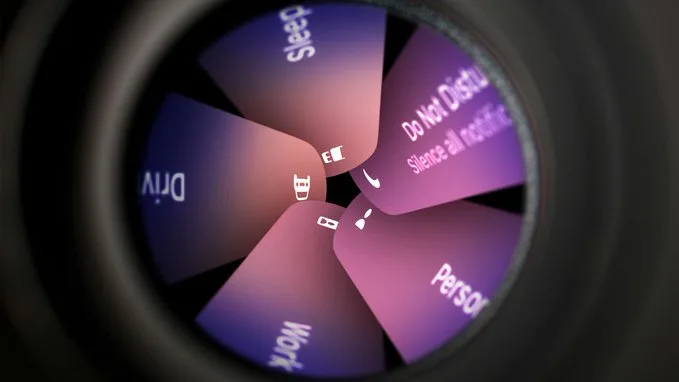
Apple Focus Modes: 8 Expert Tips to Master Apple’s Focus Modes and Minimize Distractions
1. Customize Focus Modes to Fit Your Lifestyle
Apple provides default Focus Modes like Do Not Disturb, Work, and Sleep, but you can create custom modes tailored to your needs. To set up a personalized Focus Mode:
- Go to Settings > Focus
- Tap + to create a new Focus Mode
- Name it, choose an icon, and configure its settings
For example, you can create a “Deep Work” mode that allows only essential work apps and silences social media notifications.
2. Silence or Allow Specific People
If you want to filter calls and messages:
- Select your Focus Mode
- Tap People
- Choose to Allow Notifications From or Silence Notifications From specific contacts
This is ideal for keeping work notifications on mute at home or ensuring you never miss important calls from family during work hours.
3. Filter App Notifications for Better Focus
Just like with people, you can allow or silence app notifications:
- Navigate to your Focus Mode settings
- Tap Apps
- Select apps you want to receive notifications from or block entirely
For example, a Work Focus mode can allow Slack and Email notifications while muting social media and gaming apps.
4. Reduce Interruptions with AI-Powered Sorting
Devices with Apple Intelligence can enable Reduce Interruptions, which filters notifications dynamically:
- Go to Settings > Focus > Reduce Interruptions
- Allow only AI-prioritized notifications
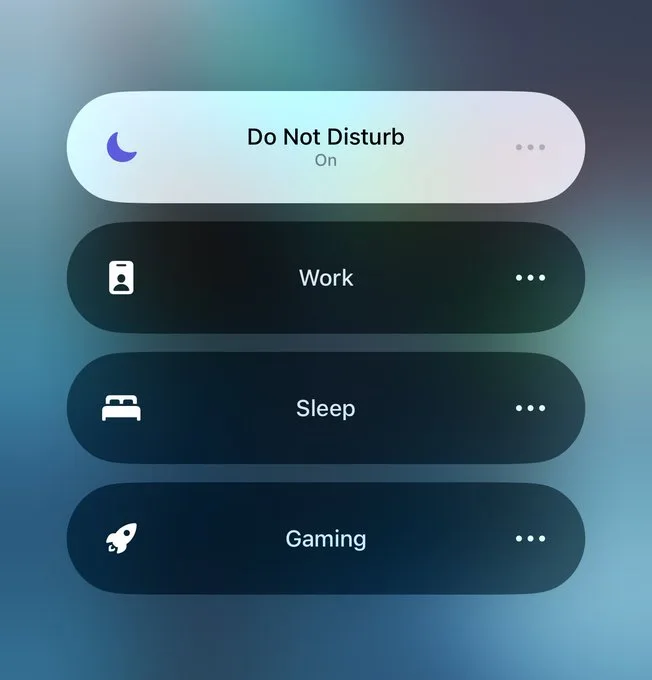
This feature intelligently lets urgent alerts through while muting non-essential ones.
5. Limit App Access with Custom Home Screens
To hide distracting apps when Focus Mode is on:
- Open Settings > Focus
- Select Customize Screens
- Choose a specific Home Screen layout
For instance, a Work Focus Mode can show only work-related apps while hiding entertainment and social media apps.
6. Automate Focus Modes with Scheduling
Instead of manually enabling Focus Modes, schedule them to activate based on:
- Time (e.g., Work Focus from 9 AM to 5 PM)
- Location (e.g., Study Mode when at the library)
- App Usage (e.g., Reading Focus when opening Apple Books)
This automation ensures you stay on track without extra effort
7. Use Apple’s Pre-Configured Special Focus Modes
Apple offers unique Focus Modes with specialized features:
- Sleep: Integrates with Apple Watch for sleep tracking
- Driving: Automatically activates when driving is detected
- Fitness: Turns on during workouts
- Mindfulness: Engages when using meditation apps
Leverage these specialized modes to enhance different aspects of your daily routine
8. Unlink Focus Modes Across Devices
By default, Focus Modes sync across all Apple devices. If you prefer to use them separately:
- Go to Settings > Focus
- Toggle off Share Across Devices
Similarly, on Apple Watch, go to General > Focus and disable Mirror my iPhone if you want independent settings
Apple’s Focus feature is a powerful tool for managing distractions, improving productivity, and maintaining work-life balance. By taking the time to customize, automate, and fine-tune your settings, you can create a seamless digital experience that supports your lifestyle.
Start implementing these tips today and take control of your notifications!