 SAS0
 FIO0
 ALS0
 AHL0
 WAS4
 AQAJ2
 TRA0
 NEF1
 GEN1
 ALA0
 ATA
 PAR
 LOR
 BRE
 NEW
 EVE
 DEP
 OSA
 WI-A
 LIONS
 Galatasaray
 Stuttgart
 Shakhtar
 Sporting
 Atlético
 Bayern
 NED183/3 (36/50 ov, target 183)
 OMA182
 Athletic2
 Real Sociedad1
 Juventus2
 Napoli0
 Marseille2
 Toulouse0
 NZ-A424
 IND-A346 & 32/0 (11 ov)
 QLD280
 VIC307 & 136/6 (66 ov)
 SYL218 & 218
 CHATT210 & 126/1 (37 ov, target 227)
 MYMS108 & 315/9 (91 ov) (f/o)
 KHU288
 DHA
 BAR266/8 (70 ov)
 RAN256
 RAJ231 & 110/3 (27 ov)
 ASSAM135
 KNTKA180/2 (36 ov)
 MEGHA
 NAGA244/8 (67 ov)
 TPURA219/7 (74.3 ov)
 SAU
 BENG143
 MAHA21/2 (8 ov)
 ODSA
 JHK37/3 (25 ov)
 CHD
 TN320/4 (86 ov)
 NZ
 IND
 UAE
 TOK
 MOW
 BIK
 JAB
 LUL
 POA
 DOLPH
 WPR
 CD
 AUCK
 AFG81/3 (8.1/20 ov, target 80)
 ZIM79
 NAM131/5 (21.2/50 ov, target 130)
 IRE129
 MS-W109 (18.1/20 ov, target 125)
 PS-W124/9
 ATRO2
 VOL0
 ALLB1
 EST0
 SHO1
 MGR0
 KAL0
 IRAK0
 VLL1
 LEG0
 Barcelona
 Aston Villa
 Elche0
 Valencia1
 Lecce1
 Genoa2
 Liverpool0
 Arsenal1
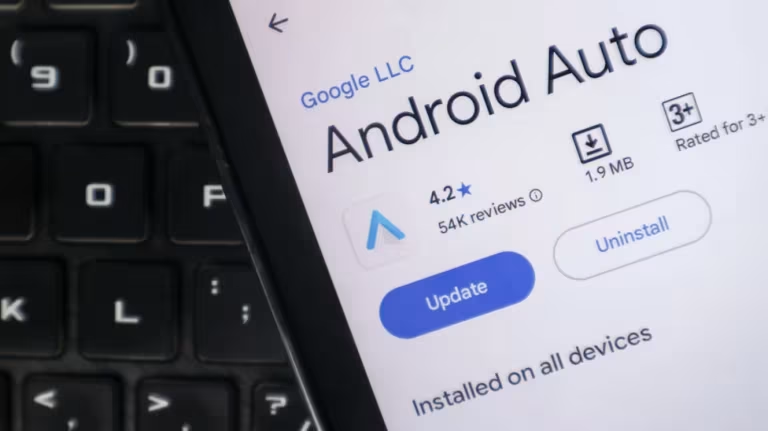
In November 2026, code reportedly uncovered by 9to5Google in the latest Android Auto build pointed to a dormant system profile. It’s designed to route employer-managed apps straight to your dashboard during commutes. Earlier, on May 10, 2023, Google announced Android Auto calling features for Zoom, Webex, and Microsoft Teams at Google I/O.
That first push set a precedent for bringing professional communication tools to vehicle dashboards. Now, the direction appears to be shifting toward clearer workplace separation. A structural change seems designed to split corporate apps from personal ones through dedicated system profiles. It signals a deliberate move toward compartmentalizing digital habits behind the wheel.
The Initial Dashboard Redesign
The groundwork for this shift began well before today’s car interfaces. Google officially rebranded Android Auto for phone screens as Google Assistant driving mode in 2022, then fully deprecated it in 2023.
That overhaul pushed developers to rethink how navigation and media commands worked with vehicle hardware. Designers focused on larger touch targets and less visual clutter to help prevent driver distraction. The cleanup also made room for more complex app routing without compromising safety standards.
Backend Preparation and Scheduling Tools
On October 14, 2024, version 13.2 introduced pre-compiled code pointing to direct Microsoft Teams integration. Engineers saw those backend files as early signs that enterprise scheduling might eventually move beyond standard media controls.
The framework quietly prepared to handle multiple apps, with no public announcement. System teams worked on stable routing pipelines so future corporate features wouldn’t crash standard navigation modules during peak usage. This phase laid the groundwork for separating work and personal apps.
Hidden Tiles and Notification Spillover
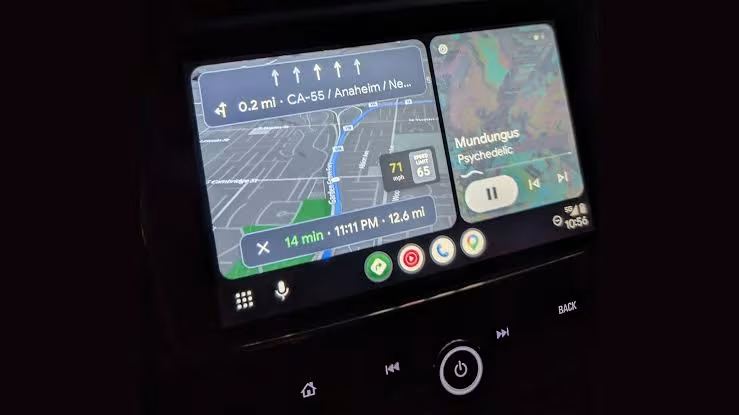
Recent code analysis reportedly found a previously dormant feature buried in the latest software build. A detailed teardown of Android Auto version 18.0.664204 reportedly uncovered a dedicated Work Mode tile beside the main application grid.
When activated, the interface shows a briefcase icon over the app drawer, setting corporate tools apart from entertainment apps. Support for Work Profiles lets drivers accept scheduled meetings between appointments while keeping data boundaries in place. Personal contacts and browsing history remain separate from corporate oversight, protecting employee privacy. Code analysis suggests the tile currently acts as a silent placeholder, not an active toggle.
Navigating the New Commute Reality
Bringing commutes and corporate workflows together creates a real tension for modern professionals. Drivers who once used travel time to decompress may now face notifications from their main work platforms.
Recent analysis of wider industry shifts points to organizations like Cognizant Puts Work, which push digitization beyond traditional office walls. Other platforms are testing similar connectivity standards and gauging how much users will accept. Android Auto’s update essentially turns the passenger cabin into a mobile command center. Commuters will have to weigh easy meeting access against losing uninterrupted downtime.
| Software Version | Key Feature Introduced | Release Window |
|---|---|---|
| 13.2 | Pre-compiled Microsoft Teams integration | October 2024 |
| 18.0.664204 | Hidden Work Mode tile deployment | November 2026 |
| Future Build | Official Work Profile notification routing | Unconfirmed |
The move from basic calling support to structured corporate separation marks a major milestone for connected vehicles. Check official release notes to see how notification filtering will work across different smartphone models. Wireless connection compatibility still requires a device running Android 8.0 or higher, leaving older handsets out.
Ultimately, this software shift shows that convenience calls for careful boundary management. Drivers will need to set their preferences before the rollout reaches more markets. Configure your notification filters now: merging corporate calendars with daily commutes leaves no room for accidental overtime. Source: Engadget
Will the new workplace features automatically sync with all compatible smartphones?
The system needs manual activation through device settings. Only users who explicitly enable the Work Profile tab will see corporate apps on their dashboard.
How does the updated interface protect personal data from employer tracking?
Android separates work and personal environments using distinct storage partitions. Employer-managed apps therefore can’t access private messages or browsing history.
Is wireless connectivity required to access the new work profile controls?
Wired connections still support basic operations, but wireless pairing offers the smoothest way to switch between personal and corporate app grids.
Read Next
- OpenAI Pledges to Buy Google AI Chips in First Move Away From Google, Nvidia, and Reliance
- Apple iPhone Duo vs iPhone Air: Which Should You Choose?
- ONDC DigiDukaan: How India’s 1.4 Crore Kiranas Are Going Digital, One Restock at a Time
Was this article helpful?
Your feedback directly improves future articles on this site.