MEX-W
MEX-W ARG-W
ARG-W NAP2
NAP2 ROMA0
ROMA0 CHE0
CHE0 TOT0
TOT0 VAL1
VAL1 VIL0
VIL0 DOR0
DOR0 SGE0
SGE0 Samsunspor1
 Amed SFK0
 WIL0
WIL0 CAM3
CAM3 ALV0
ALV0 FCA0
FCA0 RIY
RIY TAA
TAA LAZ
LAZ PAR
PAR RCL
RCL PAR
PAR ATM
ATM DEP
DEP UAE
UAE NED
NED PAK
PAK ENG
ENG IND-W
IND-W ZIM-W
ZIM-W KHO0
KHO0 ETT3
ETT3 RAC2
RAC2 ESP1
ESP1 ARS2
ARS2 EVE0
EVE0 COV0
COV0 FUL1
FUL1 KNGHT126/6 (20 ov)
 MPUMA
MPUMA NZ-A135/3 (41 ov)
 IND-A113
 SYL
SYL KHU
KHU MYMS299/4 (87 ov)
 CHATT
CHATT DHA293/3 (84.1 ov)
 RAJ
RAJ RAN320/5 (80 ov)
 BAR
BAR GMB
GMB LES
LES MOZ
MOZ ZMB
ZMB NGA
NGA UGA
UGA NAM321/6
 IRE290 (47.3/50 ov, target 322)
 NZ180/5
 IND181/6 (19.5 ov)
 BHA1
BHA1 WHU0
WHU0 Inter Milan
 Fiorentina
 Churchill
 Punjab FC
 Athletic
 Getafe
 C Palace
 Newcastle
 OFC0
OFC0 NEU0
NEU0 NEOM2
NEOM2 ABH0
ABH0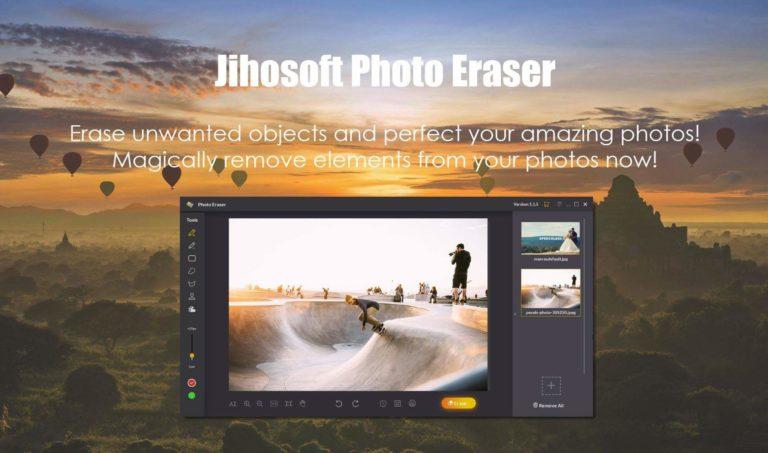
Looking for a software or photo editing tool to remove unwanted objects from images? Jihosoft Photo Eraser is the one-stop destination to remove unwanted objects from photos
It often happens that while we take some photographs, and some object or some person might just become a photobomb or some unwanted object in the total frame might just destroy the beauty of your photo.
Well, it’s not possible to physically remove the objects while taking photos but what we can do is remove them via any software or photo editing tool. Not everyone is proficient to use photo editing software like Adobe Photoshop or Adobe Illustrator.
So, to simplify your work and to save your time Jihosoft Photo Eraser, a photo editing tool is here for you. It is just about 30MB for a Windows version.
This software primarily focuses to help you remove unwanted objects from our images. So, let’s talk more about it in this post…

Why use the software?
Jihosoft Photo Eraser helps you to edit an object out of the image without any hassle. From a novice to a pro anybody can use this software and remove unwanted images from photos magically.
If an unwanted object like a signboard, a group of people, watermark tries to destroy your creativity, this software will practically remove all of them. Moreover, it is even able to repair broken buildings in a photo like a magic. It’s an easy to use software, that doesn’t even require a high-end PC.
Another good thing about this photo editing tool is that, after removing the unwanted stuff, your image looks as if nothing was there actually while clicking the pic. You get a proper edited picture at its full resolution without any image distortion or noise.
Well, editing with this tools seems easy but you need to know the steps to remove or else you may not get the desired results.

Downloading the Jihosoft Photo Eraser
The software is free to download and use but after editing any picture you’ll notice Jihosoft’s branding which is not expected from you. No worries, after having the idea of editing photos with the software, or having known the use of it, you can anytime purchase the license of the software.
The full version of this software will just cost you a one-time fee of $39.95 which you can directly pay on their site and legalize the product to use it effortlessly.
Having downloaded the software you can either purchase the license directly from the software itself or visit the following links:
Purchase link for Windows: https://www.jihosoft.com/order/photo-eraser/

Tools that you must know
Before using the software some prerequisites that you must know are:
On the left hand of the software, the tab has got all the options that you will be able to use on your image:
Rectangle Selection– The rectangle selection helps you to select any unwanted object with a rectangular size.
Lasso Selection– The lasso selection is a free hand selection style that lets you easily point and select the unwanted object that you want to remove.
Polygon Selection– As the name suggests, with this option you can select any unwanted object with a shape of a polygon and then further remove the unwanted stuff from the image.
Selection Brush– It helps you to select the unwanted stuff by simply painting over it. You can change the size of the brush tool from 1px to 200px.
Fix the selection– With this option, you can make a more precise selection by removing the unwanted stuff from the selection area.
Red Mask– Normally the unwanted selected part that you want to remove from the image gets masked or gets looks red. This mask helps to erase the unwanted objects from your image.
Steps to erase an unwanted object:
Opening the software for the first time you’ll notice a short tutorial that is given in the software that will give a quick overview of using it effectively. It will look somewhat like this:
Well, let’s jump to the steps to remove unwanted objects via Jihosoft Photo Eraser:
The Steps:
Step 1: First of all, after opening the software, you need to import the image that you want to edit from your PC. Well, the picture can be of any size, format or resolution, anything can be fixed with Jihosoft Photo Eraser.

Step 2: Selecting the unwanted object from the image is very easy. You just need to point to the object or the group of object that you want to remove.
Step 3: Use the Selection Brush tool to select the unwanted object that you want to remove. After selecting it, the object will be covered with Red Mask automatically. This indicates the part or object which you do not want in the image.

Step 4: Click the Erase button, and the object gets removed from the image magically without affecting it. It may take a bit time to remove the object but after that, you will a clear yet perfect image without any noise or any unwanted object in the image itself.

Tips:
- Always try to remove unwanted objects one by one by selecting and just tapping the ‘Erase’ option. This makes the image perfect and no distortion or noise affects the image.
- As each selection and removal of the unwanted object from the image is unique, every time you will get some different results after you apply the ‘Erase’ option.
Verdict
Out of a bunch of Adobe products or Google products that I used, I found this software amazing and yes very useful as well. After a long time, I found a useful product taking minimal storage on my laptop, giving me no trouble at all.

Things that impressed me:
- It takes very little storage on your device
- It is fast & lag-free
- Easy to use
- The finished product is just great
- No noise or image distortion to the image after editing
Apart from all that, this fee of $39.95 may just bother you a bit, but trust me after using the software you’ll not regret anymore. It is because this software not only does its job efficiently but also has more features that will help to reinvent your images.
So, we at TechnoSports recommend this software for you to use and we rate this product 4 out of 5. After using the product give your ratings from beneath our post and also tell us how you liked it… 🙂
Do check out: Xiaomi Pocophone F1-The smartphone with liquid cooling system
TechnoSports-stay UPDATED 🙂