Google launched Gemini-powered prompt-based photo editing in India, alongside Australia and Japan, enabling users to describe desired changes through simple voice or text commands. The “Help me Edit” feature processes natural language requests like “remove the motorcycle in the background” or “restore this old photo” using Google’s Nano Banana image model, with all processing happening directly within the app on devices running Android 8.0 or higher with at least 4GB RAM.
Table of Contents

Voice and Text Commands Replace Complex Editing Tools
The expansion brings conversational editing beyond Pixel 10 exclusivity to all supported Android devices across India, with language support including English, Hindi, Tamil, Marathi, Telugu, Bengali, and Gujarati. Users tap the “Help me Edit” box when editing photos, selecting from suggested prompts or typing custom requests in plain language instead of manually adjusting sliders or learning complex editing software.
| Feature | Capability | Requirements |
|---|---|---|
| Help me Edit | Voice/text prompt-based editing | Android 8.0+, 4GB RAM minimum |
| Language Support | 7 Indian languages | Hindi, Tamil, Marathi, Telugu, Bengali, Gujarati, English |
| Nano Banana Model | On-device AI processing | No internet required for editing |
| Face-Based Edits | Remove glasses, open eyes, adjust pose | Uses private face groups |
| C2PA Credentials | AI edit metadata labels | Transparency for modified images |
| Advanced Edits | Multi-step refinements | Follow-up instructions supported |
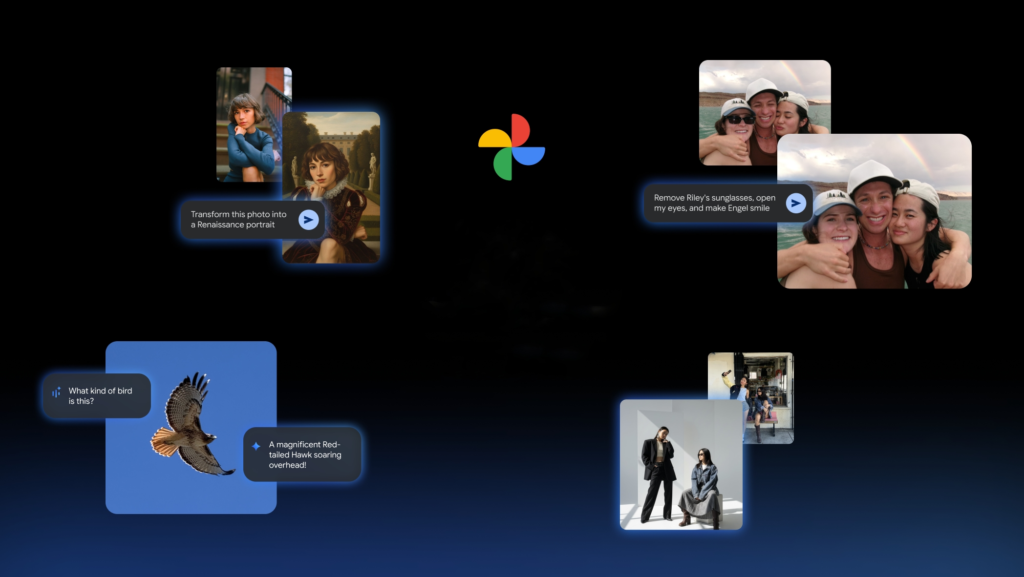
Personalized Face Recognition Enables Group Photo Fixes
The AI handles surprisingly specific requests including editing friends’ poses, removing glasses, or opening eyes in photos where subjects blinked. Google’s Gemini capabilities use images from users’ private face groups to generate accurate, personalized edits of people in their libraries, maintaining facial consistency while making requested modifications.
Users can request basic adjustments like improving lighting or removing background objects, alongside advanced changes such as applying new visual styles. The tool supports follow-up instructions, allowing step-by-step refinements—after removing an object, users can ask the AI to further adjust colors or enhance subjects through conversational commands.
C2PA Content Credentials support launches simultaneously in these countries, adding digital labels indicating when images were created or edited using AI. This metadata includes edit history information, addressing social media platforms’ challenges in labeling AI content as AI-generated and AI-edited images become increasingly common.

The expansion follows Google’s aggressive AI integration throughout Google Photos. Last November, the company expanded AI-powered search capabilities to over 100 countries with 17+ language support, and introduced AI templates converting photos into different artistic styles. The conversational editing update shifts experiences from manual sliders to natural language, democratizing advanced editing previously requiring specialized software knowledge.
The feature’s availability on any Android device meeting minimum specifications—not just Pixel phones—significantly expands accessibility. Processing happening directly within the app without internet connectivity for actual editing ensures privacy while maintaining performance, making professional-grade editing tools available to millions of users in their native languages.
Explore Google Photos features and discover more AI photography innovations transforming mobile content creation.
FAQs
How do I access prompt-based editing in Google Photos India?
Open any photo, tap “Help me Edit,” then type or speak your desired changes in plain language across 7 supported Indian languages.
What devices support Google Photos AI editing in India?
Any Android device running Android 8.0 or higher with at least 4GB RAM can use the feature—not limited to Pixel phones.