
 WI-A
 LIONS
 JUV1
 NAP0
 OLM2
 TOU0
 ATH2
 RSO1
 VAN3
 SEA0
 SCB0
 FCF0
 NED
 OMA
 Sassuolo
 Fiorentina
 Atalanta
 Parma
 Lorient
 Brest
 Newcastle
 Everton
 Deportivo
 Osasuna
 ATL
 TOR
 NSH
 RBNY
 ELC0
 VAL1
 LEC1
 GEN2
 LIV0
 ARS1
 SGE3
 HSV1
 NZ-A218/3 (62 ov)
 IND-A346
 QLD202/5 (71 ov)
 VIC307
 SYL218 & 89/2 (38 ov)
 CHATT210
 MYMS108 & 57/2 (14 ov) (f/o)
 KHU288
 DHA
 BAR
 RAN122/3 (39 ov)
 RAJ231
 MS-W
 PS-W
 MOW
 BRB
 KAY
 KAG
 CHR
 SPR
 BIK
 JAB
 ASSAM
 KNTKA
 TPURA
 SAU
 AFG81/3 (8.1/20 ov, target 80)
 ZIM79
 NAM131/5 (21.2/50 ov, target 130)
 IRE129
 NZ195/3 (18/20 ov, target 192)
 IND191/8
 SS-W196/8
 HH-W109 (17.4/20 ov, target 197)
 ST-W180/4 (16.4/20 ov, target 179)
 BH-W178/5
 TOK162/1 (16/20 ov, target 162)
 MIS161/5
 NE
 MIA
 LYON2
 ANG0
 PAR3
 MON1
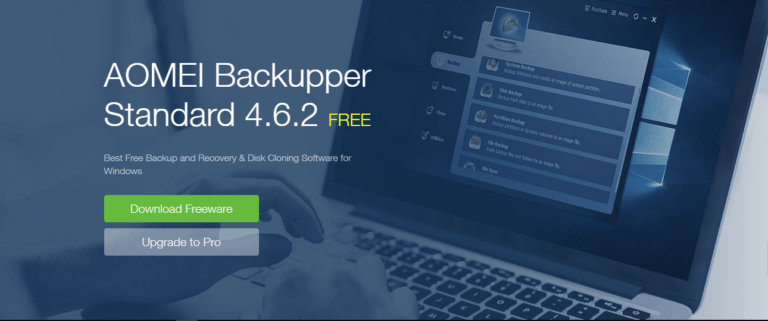
In search of a good Backup software for your PC or laptop? AOMEI Backupper Software is all you need
In our everyday life, we are totally dependent on our electronic devices for getting things done, for entertainment and for various purposes. PCs or laptops play a vital role in our daily lives.
From work to leisure, we do everything on them and the data that we store on them is very much important for us. So, if mistakenly we lose our data it can really trouble us a lot and recovering them back is very tedious job.
Backing up is a term which we are all familiar with but do we really take backups of our system on a regular basis?

No, instead of the fact that people are dependent mostly on their PCs and laptops, they do not care much about backing up their device.
Well, some might say it is a lengthy and complex process, some may say it takes lot of space, some say backing up to be a waste of time. This is mostly because people are not in touch with simple backup softwares.
Wait! Now, you will again complain that not everyone has or can afford a great backup software. To put an end to this, I am here to introduce a great and effective software which I was given to review – the AOMEI Backupper 4.6.2 software.
AOMEI Backupper Standard 4.6.2
AOMEI Backupper Standard is a free backup software designed for Windows PC. You can protect all data on computer via system backup, file backup, file sync, etc.

As disaster recovery solution, this software will help you restore Windows and files after disaster ASAP. It is also free disk cloning software for upgrading HDD to SSD.
Free softwares are a gem if they work well with your system. Before trying out the professional version I first tried out the Standard free edition of the software as because most people tend to go for the free one first.
The features of the free edition of the software includes:
- Backup system and files to protect your Windows
- Clone your hard drive to another HDD or SSD; clone data partition from one disk to another
- Incremental/Differential Backup and schedule backup files and system
- Sync files from one location to another on a regular basis; real-time sync files
- Event-trigger backup and sync files: run backup tasks automatically when a user logs on and logs off, system startup, or system shutdown occurs.
- Backup or sync files to external drive, USB flash drive, SD card, NAS, network share, mapped network drive, etc.

Review
I first tried out the main highlight of the software i.e. the Backup tool. I first tried to create a system backup of my old laptop running on Windows 10. The software first started to backup my C: Drive that consumes 104.86 GB of space.
To my surprise, the software took the entire backup of my C: Drive in about 45-50 minutes. Well, the speed obviously depends on the hardware of your system, backing up SSD storage drives may prove to be much more fast.
You also get the option to backup your entire system, or any drive in particular or any file or folder. Not only that, you can encrypt your backup, compress it and set standards for it as well.

Restoring the backup is a simple thing for which you have to head over to the Restore option and start restoring your needful disk image or system image that you previously backed up with this software.
Also you can clone your disks or perform a partition clone as well which comes in very handy if you have lot of drives to handle on your system.
Other utilities like Create Bootable Rescue Media or PXE Boot Tool works fine and are really helpful.
AOMEI Backupper Professional 4.6.2
AOMEI Backupper Professional edition, an advanced backup and restore software, contains all features of the Standard edition, provides complete and reliable PC backup and restore strategies for Windows 10/8/8.1/7/XP/Vista.

The professional edition is a bit advanced form of the Standard Free edition and includes some more useful benefits. Here are all the specs of the Professional edition:
- Backup: supports incremental/differential backup, file/folder backup, system/disk backup, event-trigger backup;
- Restore: supports selective file restoring, dissimilar hardware restore(Universal Restore)
- Clone: supports OS migration from HDD/SSD to HDD/SSD without reinstalling
- Sync: supports file/folder sync, real-time sync
- Utilities: PXE boot tool, create bootable USB or CD/DVD, command line backup and restore, etc.
- Multi-Language support
Review
To be very honest, I was too bored with Microsoft’s own Backup system that consumes lot of storage space on my hard disk. So, when I was given to review the AOMEI Backupper Professional I felt excited.

Like the free edition, the basic tasks works the same and the extra features are really useful for your PC or laptop. The extra benefits that I totally enjoyed were:
Restore system to dissimilar hardware, System clone, Command line backup, Merge backup images, Backup disk space management, PXE boot tool with unlimited client computers support.
The best thing that I like about the Professional edition is the Universal Restore option that gives you to restore anything on to any drive or disk to any of your system having this software installed.
Useful options like System Clone and Merge Image Backups are very helpful for users. Overall, all of the premium options work pretty well and the Professional option is the perfect option if you are looking for a good Backup software for your home PC and laptop.

Another great thing is that when you purchase the software, you get to license two of your PCs or laptops or both your PC and laptop.
Price & Availability
The Professional Edition of the AOMEI Backupper 4.6.2 will cost you $49.95, which is a bit hefty at first but yes it’s a good one-time investment as well.
You can also purchase the bundle of AOMEI Partition Assistant Professional edition and AOMEI Backupper Professional edition for just $76.94 which makes more sense and provides better value for money.
Well, if you are just a normal PC user just require to do basic backups then the normal free version will get your things done. Check out the backup freeware.

If you are a tech nerd like me and own a lot of PCs or laptops with lots of drives and get confused about your data and need great backup software, you can doubt go for this software.
Do tell us your views regarding the software in the commands below… 🙂
Need assistance in partitioning your disks? Check out our review of AOMEI Partition Assistant:
😎TechnoSports-stay UPDATED😎