SA329 & 335/6 (119.5 ov)
 AUS429
 BAN272 & 79/6 (29 ov)
 WI245
WI245 NEU1
NEU1 BFC0
BFC0 KAS1
KAS1 NAG3
NAG3 DIR
DIR NEOM
NEOM HAC
HAC PSG
PSG NICE
NICE REN
REN SHA
SHA AHL
AHL ELV
ELV M05
M05 VIL
VIL ESP
ESP LILL
LILL RCL
RCL UAE
UAE NED
NED ABH1
ABH1 ITT1
ITT1 NAM168 (41/50 ov, target 299)
 IRE298/8
 NZ259/7
 IND172/9 (20 ov, target 260)
 Fiorentina2
 Atalanta2
 DEN
DEN JER
JER RHINO215
 MOUNT215/6 (46.3/50 ov)
 EAGLE129 (40.2/50 ov, target 275)
 TUSK274/9
 BRB
BRB VAG90/2 (9.2/20 ov)
 SOA154 & 182/1 (48 ov, target 422)
 WA406/5d & 169
 TAS335/5 (96 ov)
 NSW
NSW PAK
PAK SL
SL AS-W
AS-W MS-W
MS-W PS-W
PS-W MR-W
MR-W ND
ND AUCK
AUCK OTAGO
OTAGO CD
CD WELL
WELL CANT
CANT MOW
MOW TOK
TOK AFG221/7
 ZIM202/5 (20 ov, target 222)
 ENG386/5
 OMA196
 BH-W154/5
 SS-W157/6 (20 ov, target 155)
 Chennaiyin
 Kerala
 Al Nassr5
 Al Kholood3
 Al Riyadh0
 Al Qadsiah6
 Frosinone5
 Lecce1
 Al Khaleej4
 Al Hazem2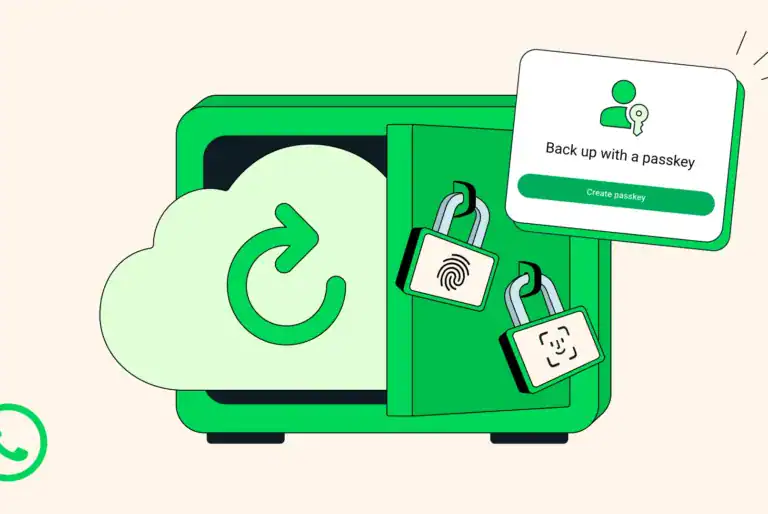
Your WhatsApp chats hold irreplaceable memories—years of photos, voice notes, and conversations you can’t afford to lose. WhatsApp is making it dramatically easier to protect these precious moments with a game-changing update: passkey-encrypted backups.
Table of Contents

WhatsApp Passkey-Encrypted Backups: Secure Chats Made Simple
As the first private messaging app to offer end-to-end encrypted chat backups, WhatsApp continues leading in user privacy. The new passkey feature eliminates the need to memorize complex passwords or unwieldy 64-digit encryption keys.
How Passkey Encryption Works
| Old Method | New Passkey Method |
|---|---|
| Memorize complex password | Use fingerprint |
| Remember 64-digit encryption key | Use face recognition |
| Manual entry required | Use screen lock code |
| Risk of forgetting credentials | Instant, seamless access |

Instead of juggling passwords, you’ll simply use your fingerprint, face, or screen lock to encrypt your backups. A tap or glance is all it takes to apply the same robust security that protects your personal chats and calls to your backup data.
Why This Matters
Chat backups are crucial when you lose your phone or upgrade to a new device. Without proper encryption, these backups could potentially be accessed by unauthorized parties. End-to-end encryption ensures only you can access your backed-up messages—no one else, not even WhatsApp.
The passkey approach removes the biggest barrier to backup encryption: complexity. Many users skip encrypted backups because managing passwords feels overwhelming. Now, biometric authentication makes security effortless and accessible to everyone.
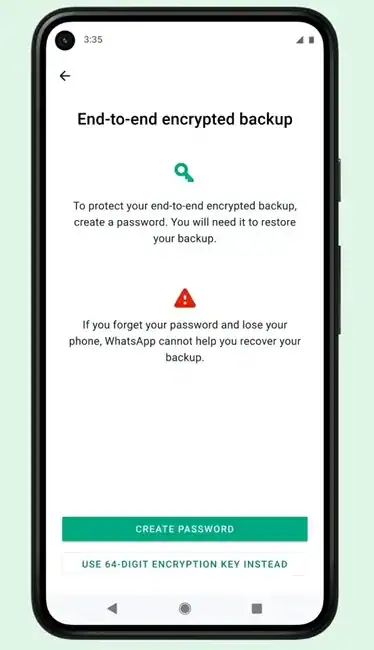
Setting Up Passkey-Encrypted Backups
The feature is rolling out gradually over the coming weeks and months. To enable it:
- Open WhatsApp and go to Settings
- Navigate to Chats → Chat backup
- Select End-to-end encrypted backup
- Follow the prompts to set up passkey authentication
Your memories deserve protection, and now securing them is as simple as unlocking your phone. Whether you’re safeguarding family photos, important work conversations, or sentimental voice messages, passkey-encrypted backups ensure your digital life stays private and accessible—on your terms.
With WhatsApp continuing to prioritize user privacy through intuitive security features, protecting what matters most has never been easier.