SA329 & 140/4 (47 ov)
 AUS429
 BAN272
 WI134/4 (48 ov)
 NZ
NZ IND
IND NAM
NAM IRE
IRE Abha
Abha Al Ittihad
 NorthEast
 Bengaluru
 Al Diriyah
 Neom SC
 Le Havre AC
 PSG
PSG Nice
Nice Rennes
 Al Shabab
 Al Ahli
 FIO2
FIO2 ATA2
ATA2 NSR5
NSR5 KHO3
KHO3 RIY0
RIY0 QAD6
QAD6 FRO5
FRO5 LEC1
LEC1 SBP172 & 165/7 (59.4 ov, target 237)
 MITS112 & 296
 SOA154
 WA406/5d & 79/6 (29 ov)
 UAE
UAE NED
NED PAK
PAK SL
SL BH-W
BH-W SS-W
SS-W AS-W
AS-W MS-W
MS-W PS-W
PS-W MR-W
MR-W MIS
MIS TOK
TOK AFG221/7
 ZIM202/5 (20 ov, target 222)
 ENG386/5
 OMA196
 HH-W174/8 (20 ov, target 193)
 ST-W140/4 (17/20 ov, target 139)
 MOW185/3
 VAG90/9 (20 ov, target 186)
 TOR2
TOR2 UDO1
UDO1 AEP1
AEP1 ATH5
ATH5 XER1
XER1 CAD3
CAD3 HBK0
HBK0 BAR8
BAR8 MNC1
MNC1 PSG1
PSG1 WIU2
WIU2 SIUE0
SIUE0 UND0
UND0 SDST1
SDST1 PRST0
PRST0 IDHO2
IDHO2 SCR2
SCR2 ALM2
ALM2 Elversberg
 Mainz
Mainz Villarreal
 Espanyol
 KHA4
KHA4 HAZ2
HAZ2 Genoa2
 Juventus0
Simple Ways to Do GB WhatsApp Update in 2025, Part 2 – All You Need to Know
Many users prefer GB WhatsApp, a modified version of the official messaging app, because of its added features and customization options. It’s important to keep your GB WhatsApp updated so you can enjoy the latest features, bug fixes, and security enhancements.
In this series of articles for the GB WhatsApp update, we will share five simple methods to update GB WhatsApp to the latest version available.
Note: We won’t encourage users to download or do an update of GB WhatsApp or any unofficial versions of WhatsApp; if you are doing it, it is at your own risk.
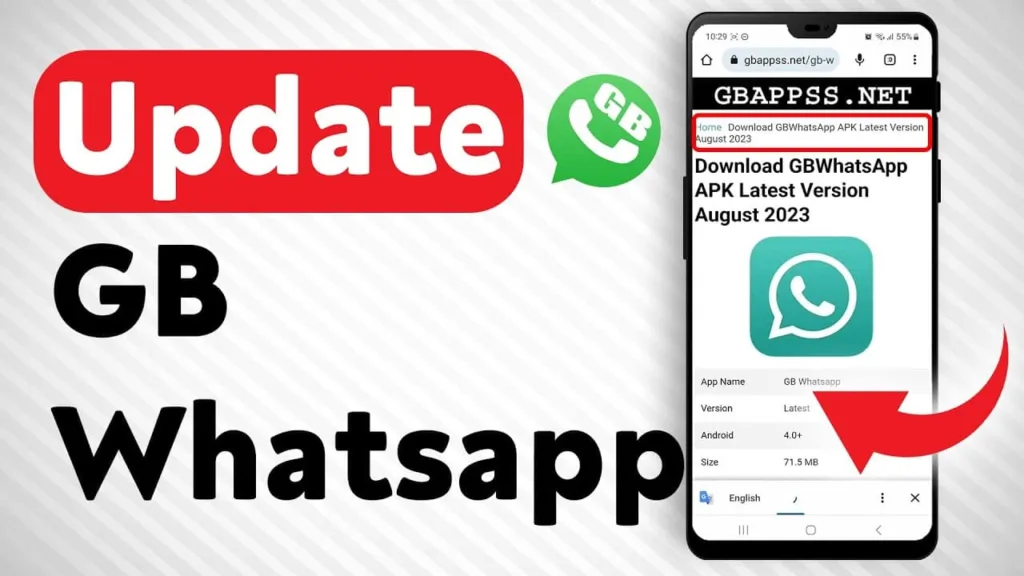
GB WhatsApp Update: Simple steps to follow in 2025—Part 2
Here’s a step-by-step guide on how to update GB WhatsApp:
- Backup Your Chats: Before updating, make sure to back up your chats. Open GB WhatsApp, go to Settings > Chats > Chat backup, and tap on ‘Back Up’.
- Download the Latest Version: Visit the official GB WhatsApp website or a trusted source to download the latest APK file. Ensure you’re downloading from a reliable site to avoid malware.
- Enable Unknown Sources: On your Android device, go to Settings > Security, and enable ‘Unknown Sources’ to allow the installation of apps from sources other than the Google Play Store.
- Install the Update: Locate the downloaded APK file in your device’s file manager and tap on it to start the installation process. Follow the on-screen instructions to complete the installation.
- Restore Your Chats: Once the update is installed, open GB WhatsApp and verify your phone number. You will be prompted to restore your chats from the backup. Tap ‘Restore’ to get your chats back.
- Explore New Features: After updating, explore any new features or settings that may have been added in the latest version.
Remember, GB WhatsApp is a third-party app and not available on the Google Play Store, so always ensure you’re downloading from a reputable source.
| App Name | GB Whatsapp |
| Size | 51 MB approx |
| Requirement | Android 4.3 and up |
| Root Requirement | Non-Root |
| Last Update | 1 day ago |
| Website | GBWhatsapp.download |
| Permissions asked | Access to Gallery, Wi-Fi, storage |
Advanced & Safe Ways to Do GB WhatsApp Update as of 2025 (Part 2)
| Step | Method | How It Works | Notes / Safety |
|---|---|---|---|
| 11 | Use a Parallel App / Dual Space | Install GB WhatsApp in a “Dual App” or “Parallel Space” environment to test the update before using your main account. | Lets you experiment without risking your primary chats or number. |
| 12 | Manually Restore Backups | After updating, use GBWhatsApp → Settings → Chats → Restore to bring back your chat history. | Backups must be on local storage or Google Drive (if supported). |
| 13 | Switch Between Versions Safely | If one mod build is buggy, downgrade or switch to another updated GB WhatsApp variant. | Always uninstall the faulty version after backup to avoid conflicts. |
| 14 | Check APK Signatures | Use an APK verifier app to ensure the downloaded file hasn’t been tampered with. | Essential for avoiding malware-infested APKs. |
| 15 | Opt for Stable vs. Beta Releases | Some developers release Beta builds; choose Stable builds if you need reliability. | Beta builds may offer features early but risk crashes. |
| 16 | Monitor WhatsApp Official Policy | Stay updated on Meta’s ban enforcement and detection techniques. | Helps reduce the risk of permanent account bans. |
| 17 | Avoid Auto-Update Apps | Don’t use shady “auto-update APK installers” that fetch files from random sources. | They often push adware or outdated builds. |
| 18 | Use a VPN When Downloading | In some regions, the APK source may be blocked; VPN helps you access it securely. | Always choose a trusted VPN provider. |
| 19 | Transfer to New Device | Move GB WhatsApp APK + backup files to your new phone before installing. | Keeps your chats intact when changing devices. |
| 20 | Have a Fallback Plan | Keep the official WhatsApp app installed with another number, so you don’t lose contact if GB stops working. | Ensures continuity if your mod account is restricted. |
✅ With Part 1 + Part 2, you’ve now got a 20-step complete update guide for GB WhatsApp in 2025, balancing simplicity, safety, and caution.

Don’t forget to read: Simple Ways to Do GB WhatsApp Update in 2025 – Part 1
If you’re tech-savvy and looking to update your GB WhatsApp, here’s a simple guide to help you with a quick update in 2025. However, before you proceed, it’s important to understand why we strongly recommend against downloading or updating GB WhatsApp. While the guide might be useful, there are serious security concerns and risks associated with using third-party apps like GB WhatsApp that are not officially supported.
If you are well-versed in technology and interested in updating your GB WhatsApp, here are some straightforward instructions for a quick update in 2025. In case you found the GB WhatsApp update guide helpful and have decided to proceed, kindly take a look at why we do not suggest downloading or updating this application.
Note: We won’t encourage users to download or update GB WhatsApp or any unofficial versions of WhatsApp if they are doing so at their own risk.
FAQs
Why update WhatsApp?
How to update the official app?
Search for “WhatsApp”.
If an update is available, you’ll see an “Update” button. Tap it to download and install.