NZ113/3 (14.4 ov)
 IND
IND NAM321/6
 IRE208/5 (37.3/50 ov, target 322)
 MEX-W
MEX-W ARG-W
ARG-W ARS
ARS EVE
EVE COV
COV FUL
FUL OFC
OFC NEU
NEU NEOM
NEOM ABH
ABH RAC
RAC ESP
ESP KHO
KHO ETT
ETT NAP
NAP ROMA
ROMA MOZ19
MOZ19 UGA23/0 (0.5/20 ov, target 20)
 Ipswich1
 Nottm Forest1
 Alavés1
 Málaga1
 Torino3
 Monza2
 KENYA
KENYA QAT
QAT SWD-W
SWD-W EPR-W
EPR-W TTN-W
TTN-W WPR-W
WPR-W BOR135/3 (18/20 ov, target 137)
 WAR136/8
 NZ-A135/3 (41 ov)
 IND-A113
 DHA293/3 (84.1 ov)
 RAJ
RAJ MYMS299/4 (87 ov)
 CHATT
CHATT RAN320/5 (80 ov)
 BAR
BAR SYL
SYL KHU
KHU UAE
UAE NED
NED PAK
PAK ENG
ENG IND-W
IND-W ZIM-W
ZIM-W GMB
GMB LES
LES ZMB
ZMB NGA
NGA AFG170/3 (34.3/50 ov, target 170)
 ZIM169
 CHE
CHE TOT
TOT Brest1
 Nice2
Nice2 Stuttgart2
 Gladbach3
 Al Ahli4
 Al Khaleej1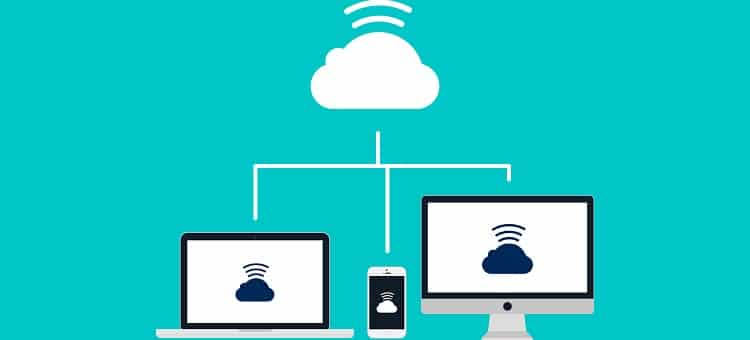
Software bugs never scream out loud. An app crashes without explanation, a program that was working perfectly the previous day refuses to launch, or an update silently shuts down a workflow someone relies on daily. Diagnosing these problems over the phone or through a chat message typically entails getting an end user to describe symptoms they could not possibly have the vocabulary to define accurately, for someone, technically, like a frozen screen and a spinning cursor or an unresponsive window looked the same, even though the underlying causes are entirely different.
The gap between recognizing that a problem exists and visualizing it is the largest learning bottleneck in troubleshooting. Debugging by a technician alone from a textual description is basically blinding blind people, having the user try to interpret what type of behavior they are experiencing, rather than the low-level performance of the software in question.
Experiencing the Error Rather than Hearing About It
Using remote desktop support for software troubleshooting closes that gap by letting a technician view the exact error message, the exact application state, and the exact sequence of events that led to the problem, rather than reconstructing it secondhand from a user’s account of what went wrong.
Why does this matter: Software problems are often very specific. An error code, a specific menu option selection, or an almost unnoticeable visual glitch can indicate exactly where the root cause lies, but only if someone qualified even has the chance to see it. Users are saying the app looks weird, leaving a technician with little to go on. That same screen, when seen by a technician, tells them instantly that the problem is a rendering error, which means a missing plugin or a corrupted cache, and then they can head directly to lobbying for the fix.
Timing: Reproducing the Problem
Intermittent issues, which occur only under specific circumstances and cannot be easily reproduced on demand, are the most challenging to troubleshoot. This is where remote access comes in. Although the technician can talk to the user and try to give instructions on how to help, if he knows that it will not be enough, because normally, once this happens or there is an application failure? So they watch what the user did with remote access, seeing exactly when it fails. This type of real-time reproduction is usually the quickest way to isolate the root cause because it eliminates any guesswork about what might have initiated the failure.
It also lets you immediately test possible solutions. Instead of recommending a change and waiting for feedback on whether it worked, a tech can implement the fix in real time, instantly see its effect, and ensure resolution before hanging up.
Logs and diagnostic information tell another side of the story.
Most of the time, you do not see it on screen, but software problem-solving often involves examining log files, error history, and system diagnostics that most users would never think to check. With remote access, a technician can go straight to this information instead of guiding a user through menus or configuration screens that may be unfamiliar. Here, well-structured approaches to reviewing this kind of data matter because the well-organized logs can reveal patterns in a root cause much sooner than guesswork through trial and error. They also establish guidelines for doing this, including a guide on computer security log management from a federal standards body with a decades-long history of trivializing practical applications for organizing and analyzing log data related to issues outside the realm of strictly security-related troubleshooting.
Software problems are often the result of a stale version or an update not being applied. This is why disciplined patching practices (both proactive and reactive) matter as much as findings do. Resources such as a recent set of patch management best practices even guide how to structure these processes, such as prioritizing and testing updates before large-scale deployment, while avoiding many software problems in the first place through several habits.
Direct Fixes for Decreasing Repeat Concerns
Another unintended consequence of remote troubleshooting is how it changes the nature of the fix. If a technician applies a remedy rather than describing it for the user to try on their own, fewer things will be: 1, bypassed; 2, improperly set and/or misconfigured; or 3, an instruction will not be understood. That directness minimizes the chance that the same problem will recur within days, because the underlying fix wasn’t applied properly on its first pass.
It also allows technicians to identify other related problems while they are already in the system. Software interactions often have downstream effects on other applications or settings. At the same time, a true technician who can see the bigger picture is more likely to catch something that the action-by-action, symptom-building approach misses.
Standardizing the Process of Quick Issue Resolution
Companies that treat remote access as the default for working software, rather than just a backup to troubleshoot by phone first, solve problems significantly faster. The shift is not about a specific feature but about changing the default workflow: seeing the problem live is step one, not only when something gets too complicated to solve over the phone.
This strategy pays dividends most obviously for orgs that support a broad diversity of software across many devices, where the combinatorial explosion of likely issues needing to be diagnosed makes good tools that aid in accurate, rapid firm diagnosis especially valuable. There are so many variable operating systems, application versions, and configuration quirks that phone-based troubleshooting can only ever hope to keep pace with — whereas direct visibility cuts through all of it almost instantly. The earlier a data technician can see what is really going on, the better the case information they have to correct or clarify what’s actually wrong, rather than what we end up talking about.
Frequently Asked Questions
Why is remote access usually faster than calling for software issues?
By having direct visibility into the actual error, application state, and system behavior, guesswork is removed from hearing about a problem through a user’s secondhand account of it, and a technician can find out what went wrong much faster.
Why can logs aid in the troubleshooting of software?
Techs should use log files and diagnostic histories to understand the sequence of events leading up to a failure, providing concrete evidence rather than relying on symptom observation.
Can remote troubleshooting prevent the software stability from recurring?
Yes. Fixing the problem directly, rather than guiding a user through the process, leaves fewer opportunities for a step to be skipped or a misconfiguration to occur, which means the same problem is less likely to return soon after it has been reported as resolved.
Read more: OpenAI Dev Day 2026: Latest ChatGPT Updates & Oura Insights