
 SA329 (82.3 ov)
 AUS
AUS BAN3/0 (4 ov)
 WI
WI IND-W
IND-W ZIM-W
ZIM-W GOA
GOA SC Delhi
 Milan
Milan Bologna
 Parma
Parma Udinese
 Venezia
 Inter Milan
 Genoa
Genoa Juventus
 Monza
Monza Napoli
 UAE
UAE OMA
OMA ROMA4
ROMA4 CAG2
CAG2 TOR1
TOR1 COMO3
COMO3 SAS2
SAS2 LAZ6
LAZ6 AFG177
 ZIM140 (19.1/20 ov, target 178)
 AUCK
AUCK CANT
CANT CD
CD ND
ND SIKM184
 NAGA187 & 79/5 (50 ov)
 JHK131/4 (47 ov)
 DELHI515/5d
 ODSA194
 SVCS13/0 (5 ov)
 BRODA616
 J & K6/0 (4 ov)
 CHD685/5d
 HP49/0 (14 ov)
 CGR216/8 (95 ov)
 AP231
AP231 HYD193/2 (54 ov)
 PNJB431
 KNTKA297/7 (95 ov)
 TPURA194
 ENG
ENG SL
SL DEN
DEN QAT
QAT KENYA
KENYA KUW
KUW POA
POA SPR
SPR BRB
BRB VAG
VAG PAK110
 NAM316/7
 IRE253 (44.5/50 ov, target 317)
 NZ198/3
 IND199/4 (13.2/20 ov, target 199)
 NED371/5
 JAB113 (19.3/20 ov, target 133)
 KAY132/9
 Al Khaleej
 Al Hazem
 Gamba Osaka
 Buriram
 ABH0
ABH0 ALF1
ALF1 Sevilla2
 Osasuna0
 PSG2
PSG2 Lyon0
Lyon0Pixel Silencing: Your pixel is central here. Pixel owners are reporting a frustrating issue.
Pixel Silencing: Understanding the Issue
The primary problem comes from a disconnect between the phone’s software and incoming signals. This leads to calls being blocked or silenced before users can even respond. According to Android Police, many users have pointed out that their phones fail to alert them to legitimate callers. This undermines the basic purpose of having a mobile device. It’s not just that the phone is on “Do Not Disturb” mode; this seems to be a deeper software misconfiguration that stops the ringer from going off.
Pixel Silencing: Overview of the Pixel’s Call-Silencing Feature
Modern Pixel devices use advanced AI-driven call screening and filtering tools aimed at reducing spam. However, the current issue indicates that these algorithms might be overzealous, mistakenly flagging valid contacts as unwanted. Although the official specs for hardware components like RAM, storage, processor, display, and battery details remain unconfirmed, it’s clear that the software managing these calls is having a logic error.
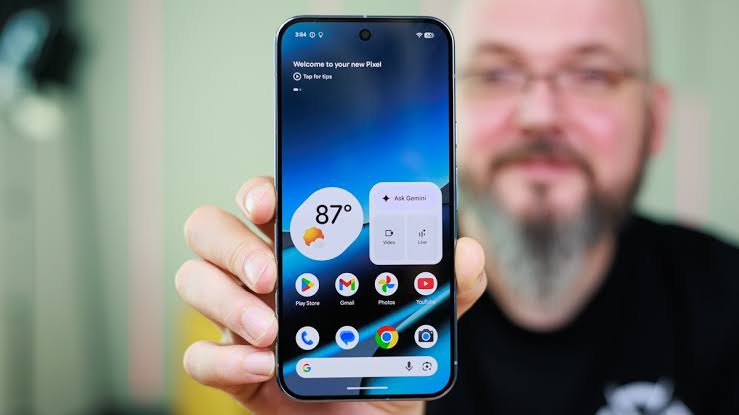
Common Scenarios Where Silencing Occurs
Users have noticed that calls often go silent during busy background activities or right after installing the latest system updates. When the device enters a power-saving mode or when certain notification permissions are adjusted, the logic for incoming calls seems to revert to a “silent” state.
User Experiences and Complaints
The frustration among users is evident. Many report only discovering missed calls hours later when they check their logs. Unlike typical notification bugs, this issue offers no visual or sound alerts, which can leave callers thinking the user is intentionally ignoring them.
How to Resolve the Problem
While we expect a universal software patch from Google soon, there are steps users can take right now to reduce the impact of this silencing bug. Troubleshooting involves carefully checking your settings, as the issue might relate to specific permission overrides or automated rules.
Steps to Check Settings on Pixel Devices
Start by going to your phone’s “Settings” menu and selecting “Sound & Vibration.” Make sure “Do Not Disturb” isn’t set to activate automatically based on schedules or activity recognition. You should also temporarily disable “Adaptive Sound” and “Flip to Shhh” features to rule out hardware-sensor-triggered silencing.
Recommended Updates and Troubleshooting Tips
If tweaking the sound profiles doesn’t help, check your “Phone” app permissions. Go to Settings > Apps > Phone > Notifications and ensure that “Incoming calls” is set to either “Default” or “Urgent” priority.
Also, make sure your “Spam and Call Screen” settings aren’t set to “Automatically screen, decline robocalls,” as this feature has shown to be overly aggressive. If issues continue, clearing the cache for the Phone app and restarting the device often refreshes the notification listener service.
Source: Android Police
FAQs
What triggers the call-silencing feature?
This issue seems to stem from a software conflict, likely tied to aggressive spam-filtering algorithms or system notification rules that misinterpret incoming calls as background tasks.
How can I check if my calls are being silenced?
Regularly check your “Call Log” for missed calls that didn’t generate a notification. If you spot calls in the log without a missed call alert, your device is probably affected.
Are all Pixel models affected?
Reports indicate this is widespread across multiple versions, but it’s not confirmed if specific hardware iterations or a universal Android 17-based software bug is at fault.
What should I do if the issue persists?
If tweaking notification priorities and clearing the Phone app cache doesn’t work, try booting your device into “Safe Mode” to see if a third-party app is messing with your system audio. Staying informed about your Pixel is key to navigating these challenges.


