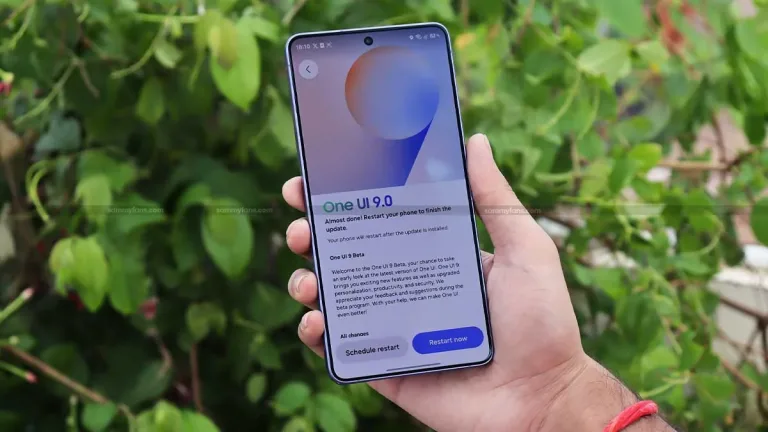
Every Samsung owner wants to know one thing when a new software update appears: when does it reach my phone? Samsung has now shared the One UI 9 rollout schedule for several Galaxy devices, based on an announcement from Samsung Thailand. The Galaxy S26 series started receiving the update on September 21, while the Galaxy S25 series and the latest foldables follow a week later. Here is the schedule, along with what to expect.
Table of Contents
One UI 9 Rollout Schedule
| Device | Rollout date |
|---|---|
| Galaxy S26 series | From September 21, 2026 (global rollout began) |
| Galaxy S25 series | From September 28, 2026 |
| Galaxy Z Fold 7 | From September 28, 2026 |
| Galaxy Z Flip 7 | From September 28, 2026 |
| Galaxy S23 FE | October 2026 (exact date not given) |
These dates were explicitly confirmed for Thailand. Reports expect other regions to follow a similar or concurrent timetable, but Samsung has not published a separate schedule for India in the sources we reviewed.
What the Dates Tell Us
Samsung is moving faster than it used to. Releasing a major update for the Galaxy S26 series on September 21, only a week before older flagships and foldables, shows that the company wants its newest and recent phones to share the same software experience. The Galaxy S23 FE, a fan-edition phone from a couple of years ago, is also on the list in October, which is a good sign for owners of fan-edition devices.
For Indian users, it is common for Samsung to start with some regions and then add others in waves, so your phone may see the update a few days or weeks later than Thailand. Carrier or region variants can also affect timing.
How to Check for the Update
Open Settings, go to Software update and tap Download and install. If nothing appears, it usually means the rollout has not reached your region or your phone batch yet. Updates are often released in stages, so patience helps. Before installing, back up your data, charge the phone to at least 50 percent and connect to Wi-Fi, since major updates are large.
Tips Before You Update
Check that your key apps, especially banking and work apps, are updated, since new Android versions can occasionally cause compatibility issues. Free up storage space, and do not interrupt the installation. If you rely on your phone for work, you may want to wait a few days to see feedback from early users before updating.
What Is Not Confirmed
We could not confirm the full feature list in the sources reviewed here, and Samsung has not announced exact dates for India. The S23 FE date was described only as October. Plans can also change if bugs are found, and Samsung may pause a rollout. For the latest official information, check Samsung India support, and for background on the software see One UI on Wikipedia. More Samsung news is under our Samsung Galaxy tag.
Quick Answers
Which phones get it first? The Galaxy S26 series, from September 21.
When do the S25 and foldables get it? From September 28, per Samsung Thailand.
What about the Galaxy S23 FE? October, with no exact date.
Why Fast Updates Matter
A major Android update is more than a new look. It usually brings security improvements, performance tuning and new features, and the sooner it arrives the longer you benefit from them. Samsung has promised long update support on its recent flagships, and a quick rollout like this is a practical sign of that commitment.
For buyers, update speed is also a hidden part of a phone’s value. A phone that keeps receiving new software retains its resale price better and stays safer from new threats. If you are comparing a Galaxy with another brand, check how many years of updates are promised, not just the camera and chip.
If your phone is not on the list, do not panic. Samsung generally updates devices in waves, and older models receive the update on a separate schedule. Keep checking Settings and the Samsung Members app for notices, and avoid unofficial downloads, which can harm your phone or void the warranty.
Finally, remember that new software can briefly affect battery life and performance while the phone reindexes files and optimises apps after the update. This usually settles in a day or two, so give the phone a little time before judging the release.
Source: Notebookcheck, citing Samsung Thailand