EST0
EST0 ALS0
ALS0 WI-A
WI-A LIONS
LIONS GAL
GAL VFB
VFB SHK
SHK SCP
SCP ATM
ATM MUN
MUN BAR
BAR AVL
AVL BODO
BODO LILL
LILL FEY
FEY INT
INT LAS
LAS SLB
SLB Newcastle0
 Everton1
 Deportivo2
 Osasuna1
 Atalanta0
 Parma3
 Lorient0
 Brest2
 DOLPH
DOLPH WPR
WPR ASSAM135
 KNTKA496/5 (117 ov)
 MEGHA144
 NAGA254 & 73/3 (25 ov)
 TPURA268 & 54/4 (22 ov)
 SAU118
 BENG143
 MAHA207/9 (79 ov)
 ODSA
ODSA JHK258/5 (108 ov)
 CHD49/3 (20 ov)
 TN571/7d
 CGR284
 HYD275/9 (83 ov)
 DELHI299/6 (90 ov)
 SVCS266
 GOA397
 BIHAR107 & 63/3 (22 ov) (f/o)
 GUJ534/9d
 KER74/3 (23 ov)
 HP153
HP153 RAJ78 & 297/4 (87 ov)
 NZ
NZ IND
IND UAE
UAE OMA
OMA BAN
BAN WI
WI HH-W
HH-W MR-W
MR-W CD
CD AUCK
AUCK OTAGO
OTAGO CANT
CANT NED183/3 (36/50 ov, target 183)
 MS-W109 (18.1/20 ov, target 125)
 PS-W124/9
 LUL98/2 (11.4/20 ov, target 98)
 POA97/9
 BIK174/3
 JAB172/7 (20 ov, target 175)
 CHR129/6
 SPR131/5 (16.4/20 ov, target 130)
 KAY180/6
 KAG181/6 (19.4/20 ov, target 181)
 ALH0
ALH0 SHO1
SHO1 MAN
MAN ROMA
ROMA Sassuolo2
 Fiorentina4
 CAHN0
CAHN0 KYO0
KYO0
Europa Universalis 5, the latest grand strategy masterpiece from Paradox Interactive, offers players unprecedented control over history through hundreds of console commands. Whether you’re testing strategies, experimenting with game mechanics, or simply want to bend history to your will, this comprehensive guide covers everything you need to dominate the game.
Europa Universalis: Essential Game Information
| Category | Details |
|---|---|
| Developer | Paradox Interactive |
| Genre | Grand Strategy, Historical Simulation |
| Platform | PC (Steam, Paradox Launcher) |
| Console Access | Press Tilde (~) key after enabling debug mode |
| Total Commands | 200+ unique console commands |
| Command Types | Currency, Military, Diplomatic, Debug, Editor |
How to Enable Console Commands
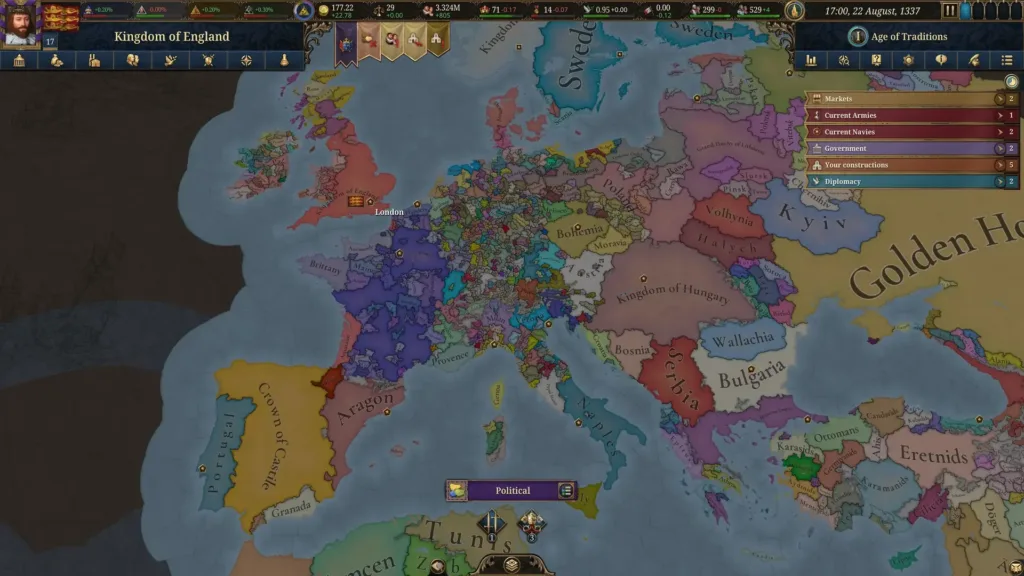
Before accessing cheats, you must enable debug mode. Here are three methods:
Steam Method:
- Open Steam Library → Right-click Europa Universalis 5
- Select Properties → Navigate to General tab
- Add
-debug_modeto Launch Options - Launch game and press Tilde (~) to access console
Launcher Method:
- Open game launcher → Select Game Settings
- Choose “Open game in Debug Mode” option
- Press Tilde (~) in-game to activate console
Windows Direct Method:
- Navigate to game installation folder
- Right-click the .exe file → Properties
- Add
-debug_modeat end of target field path - Launch via this modified shortcut
Most Useful Console Commands
Currency & Resources Commands
| Command | Effect |
|---|---|
cash | Adds money to treasury |
Manpower | Increases available manpower |
Sailors | Adds sailors for naval operations |
Prestige | Boosts nation prestige |
Stability | Improves government stability |
GovernmentPower | Adds government power points |
Game-Changing Cheat Modes
| Command | Function |
|---|---|
YesMan | AI accepts all diplomatic proposals |
InstantMove | Units move instantly across map |
InstantSiege | Sieges complete immediately |
InstantConstruction | Buildings finish instantly |
RemoveFogOfWar | Reveals entire map |
ByPassRequirements | Ignores all requirements |
Strategic Commands
tag [CountryTag]– Switch to any nationannex [CountryTag]– Instantly annex another countryresearch [advance]– Unlock specific technologyresearch_all– Unlock all technologiesconquer [location_id]– Capture any territorybankrupt [CountryTag]– Bankrupt rival nations
Advanced Gameplay Commands
For players wanting deeper control, Europa Universalis 5 includes specialized commands for:
Character Manipulation: Create characters (create_character), add traits (add_trait), modify abilities (set_adm, set_dip, set_mil), and even force marriages (impregnate)
Economic Control: Manipulate markets (economy), stockpile goods (stockpile), manage building queues, and control trade routes
Military Dominance: Spawn units (give_units), eliminate armies (kill_all_units), win sieges instantly (win_siege), and raise levies worldwide (world_levies)
Diplomatic Mastery: Control opinions (opinion), gain favors (favor), build trust (trust), and force peace deals
Editor Tools for Modders
Europa Universalis 5 includes professional editing tools accessible through console:
map_editor– Modify terrain and geographypop_editor– Adjust population demographicsport_editor– Design naval infrastructureinstitution_editor– Customize game mechanics
These strategy game development tools make EU5 incredibly mod-friendly, extending its longevity and replayability.

Important Considerations
Achievement Warning: Using console commands disables Steam achievements for that playthrough. Start a separate save file for experimentation.
Game Balance: While commands provide ultimate power, they can diminish the strategic challenge that makes Europa Universalis compelling. Use judiciously for testing or casual play.
Multiplayer Restrictions: Console commands only work in single-player mode. Multiplayer games prevent cheating through server-side validation.
For more PC gaming guides and strategy game tips, explore our comprehensive gaming coverage.
Frequently Asked Questions
Q: Do console commands disable achievements in Europa Universalis 5?
Q: How do I access the console in Europa Universalis 5?
-debug_mode to your game’s launch options (Steam Properties → General tab). After launching the game, press the Tilde (~) key (located below Escape) to open the console, then type your desired command and press Enter.