SA329
SA329 AUS379/5 (102.3 ov)
 BAN272
 WI90/2 (30.1 ov)
 UAE9/0 (0.4/50 ov, target 197)
 OMA196
 ENG140/0 (19.5/50 ov)
 SL
SL MS-W165/3 (17.3/20 ov)
 HH-W
HH-W AFG
AFG ZIM
ZIM KHA
KHA HAZ
HAZ FRO
FRO LEC
LEC NSR
NSR KHO
KHO RIY
RIY QAD
QAD FIO
FIO ATA
ATA NZ
NZ IND
IND NAM
NAM IRE
IRE Genoa2
 Juventus0
 Monza1
 Napoli4
 Milan2
 Bologna4
 Parma0
 Udinese0
 WELL
WELL OTAGO
OTAGO JAB71/2 (12/20 ov, target 116)
 KAG115
 SIKM184 & 117/5 (46 ov, target 212)
 NAGA187 & 208
 BRODA616
 J & K303 & 117/4 (42 ov) (f/o)
 CHD685/5d
 HP496/5 (149 ov)
 CGR237
 AP231 & 184/3d (32 ov)
 MAHA330 & 54/2 (19 ov, target 340)
 GUJ223 & 446/5d
 BH-W
BH-W SS-W
SS-W BIK
BIK KAY
KAY SWD
SWD TITNS
TITNS MOW
MOW VAG
VAG MIS
MIS TOK
TOK IND-W133/2 (17/50 ov, target 132)
 ZIM-W131
 MR-W138/9
 ST-W140/4 (17/20 ov, target 139)
 LIONS204/1 (18/20 ov, target 199)
 EASTN198/6
 BRB81 (12.1/20 ov, target 178)
 POA145/7
 SPR148/4 (16.5/20 ov, target 146)
 ADL0
ADL0 LCS0
LCS0 Abha
Abha Al Ittihad
 NorthEast
 Bengaluru
 Al Diriyah
 Neom SC
 Venezia0
 Inter Milan2
 GOA1
GOA1 SC Delhi1
Nothing ruins a good Zed-killing session like the dreaded “Server Connection Lost” error in Killing Floor 3. Since the game’s launch on July 24, 2025, many players have encountered this frustrating connectivity issue that can boot you out mid-match or prevent you from joining servers altogether. Don’t worry – we’ve got you covered with proven solutions to get you back in the action.
Killing Floor 3 Understanding the Server Connection Lost Error
The Server Connection Lost error can occur either between rounds or when attempting to join a server, effectively cutting your connection to Tripwire Interactive’s game servers. This issue has become increasingly common as players worldwide dive into the latest chapter of the beloved co-op horror franchise.

The error typically manifests in two ways: sudden disconnections during active gameplay or failed connection attempts when trying to join multiplayer sessions. Understanding when and why this happens is the first step toward fixing it.
Killing Floor 3 Connection Error: Quick Reference Guide
| Error Type | Common Causes | Primary Fix | Success Rate |
|---|---|---|---|
| Connection Timeout | Network instability | Router restart | 85% |
| Authentication Failed | Firewall blocking | Allow through firewall | 90% |
| Matchmaking Issues | Server overload | Try different region | 75% |
| Mid-game Disconnects | Packet loss | Switch to wired connection | 80% |
| Failed to Join | Port blocking | Port forwarding | 70% |
Proven Fixes for Server Connection Lost Error
1. Restart Your Game and System
Sometimes a simple reboot can resolve underlying connectivity issues. This basic troubleshooting step clears temporary files and resets network connections that might be causing conflicts.
Steps:
- Close Killing Floor 3 completely
- Restart your PC/console
- Relaunch the game and try reconnecting
2. Check Your Network Connection
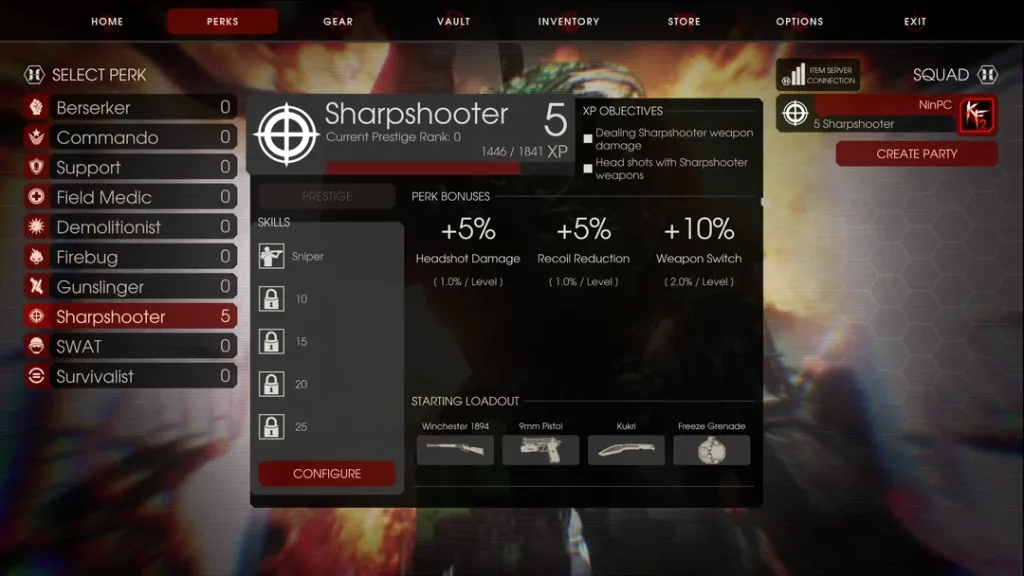
The first step is to ensure that your network is working as intended. A stable internet connection is crucial for maintaining server connectivity in Killing Floor 3.
Network Optimization Tips:
- Update your wifi drivers if you are on a wireless connection
- For those on a wired connection, check your Ethernet cable and try resetting or restarting your modem
- Switch to a wired connection if possible for better stability
3. Configure Windows Firewall Settings
The Firewall might be blocking the connection. Many players have found success by allowing Killing Floor 3 through their firewall.
Firewall Fix Method:
- Go into Multiplayer
- Navigate to the Terminal
- Uncheck Matchmaking
- Start any map
- The Firewall should pop up while you are in the lobby, choose “Allow”
- Re-enable Matchmaking
4. Verify Server Status
Before troubleshooting your connection, check the official social media pages for updates on server status. Sometimes the issue isn’t on your end – Tripwire’s servers might be experiencing downtime or maintenance.
Advanced Troubleshooting Solutions
Router and Network Settings
Adjusting your router settings or switching to a wired connection can resolve connectivity issues. Consider these advanced fixes:
- Port Forwarding: Configure your router to forward specific ports for Killing Floor 3
- DNS Changes: Switch to Google DNS (8.8.8.8) or Cloudflare DNS (1.1.1.1)
- Quality of Service (QoS): Prioritize gaming traffic in your router settings
Game File Verification
Corrupted game files can cause connection issues. Verify your game files through your platform:
- Steam: Right-click game → Properties → Local Files → Verify integrity
- Epic Games: Library → Three dots → Verify
When to Contact Support
If none of these solutions work, it’s time to reach out for official help. Always check sources like their official X account (formerly known as Twitter) or their official website first for any announcements.
Official Support Channels:
- Tripwire Interactive Forums
- Epic Games Support for Epic Games Store issues
- Steam Support for Steam-related problems
Prevention Tips for Future Connection Issues
Optimal Gaming Setup
- Use a wired internet connection when possible
- Close bandwidth-heavy applications while gaming
- Keep your network drivers updated
- Check your internet connection and restart your router regularly
System Maintenance
- Keep Killing Floor 3 updated to the latest version
- Regularly restart your gaming system
- Monitor your internet speed during peak hours
Why These Connection Issues Happen
Server connection problems in Killing Floor 3 often stem from the game’s recent launch and high player demand. The game launched on July 24, 2025 for PC (via Steam and Epic Games Store), the PlayStation®5 system, and the Xbox Series X|S console system, leading to increased server load.
Network instability, firewall conflicts, and regional server issues are the most common culprits behind connection errors. Understanding these root causes helps you apply the right fix for your specific situation.
Stay updated with the latest gaming fixes and troubleshooting guides at TechnoSports.co.in, your go-to source for gaming solutions and esports news.
For more gaming troubleshooting guides and the latest updates on popular titles, check out our comprehensive coverage at TechnoSports.co.in.
Frequently Asked Questions
Q: Why does Killing Floor 3 keep saying “Server Connection Lost” during matches? A: The “Server Connection Lost” error typically occurs due to network instability, firewall blocking, or server overload. The most effective fixes include restarting your router and system, allowing Killing Floor 3 through your Windows Firewall, and switching to a wired internet connection. If you’re using WiFi, update your wireless drivers, and for wired connections, check your Ethernet cable and restart your modem.
Q: How can I check if Killing Floor 3 servers are down before troubleshooting? A: Before attempting any fixes, check Tripwire Interactive’s official social media accounts and website for server status updates. You can also visit the official Tripwire Interactive forums or check community platforms like Reddit for real-time player reports. If servers are experiencing maintenance or outages, the issue will resolve once service is restored, and no local troubleshooting is needed.
For more gaming guides, troubleshooting tips, and esports coverage, visit TechnoSports.co.in – your trusted source for gaming solutions and entertainment news.