NZ180/5 (20 ov)
 IND
IND NAM95/2 (21.1/50 ov)
 IRE
IRE MOZ
MOZ UGA
UGA AVL
AVL MNC
MNC RAY
RAY ELC
ELC GMB
GMB ZMB
ZMB NGA
NGA LES
LES CAG
CAG BOL
BOL COMO
COMO SAS
SAS FCA
FCA FCU
FCU Ipswich1
 Nottm Forest1
 Alavés1
 Málaga1
 Torino3
 Monza2
 Brest1
 Nice2
Nice2 WA
WA NSW290/5 (42.4/50 ov)
 DEN
DEN KUW
KUW KENYA
KENYA QAT
QAT SWD-W
SWD-W EPR-W
EPR-W TTN-W
TTN-W WPR-W
WPR-W NZ-A135/3 (41 ov)
 IND-A113
 DHA
DHA RAJ
RAJ MYMS
MYMS CHATT
CHATT RAN
RAN BAR
BAR SYL
SYL KHU
KHU MEX-W
MEX-W ARG-W
ARG-W UAE
UAE NED
NED PAK
PAK ENG
ENG IND-W
IND-W ZIM-W
ZIM-W AFG170/3 (34.3/50 ov, target 170)
 ZIM169
 TAS137 (25.2/35 ov, target 276)
 VIC304/7 (50 ov)
 CHE0
CHE0 DYI0
DYI0 CHO1
CHO1 QIN0
QIN0 HEN1
HEN1 BEI0
BEI0 LIA1
LIA1 ZHE0
ZHE0 QWC1
QWC1 YUN0
YUN0 SHX0
SHX0 Shanghai Shenh0
 TIG0
TIG0 SHP0
SHP0 WTT1
WTT1 SHT3
SHT3 KOE
KOE S04
S04 M05
M05 SVW
SVW RBL
RBL ELV
ELV Stuttgart2
 Gladbach3
 Al Ahli4
 Al Khaleej1
Google is turning Android into an “intelligent OS” — one where AI agents do the app-navigating for you. The company has detailed two new capabilities currently in early beta: AppFunctions for structured AI integration, and an intelligent UI automation framework for apps that haven’t built native integrations yet.
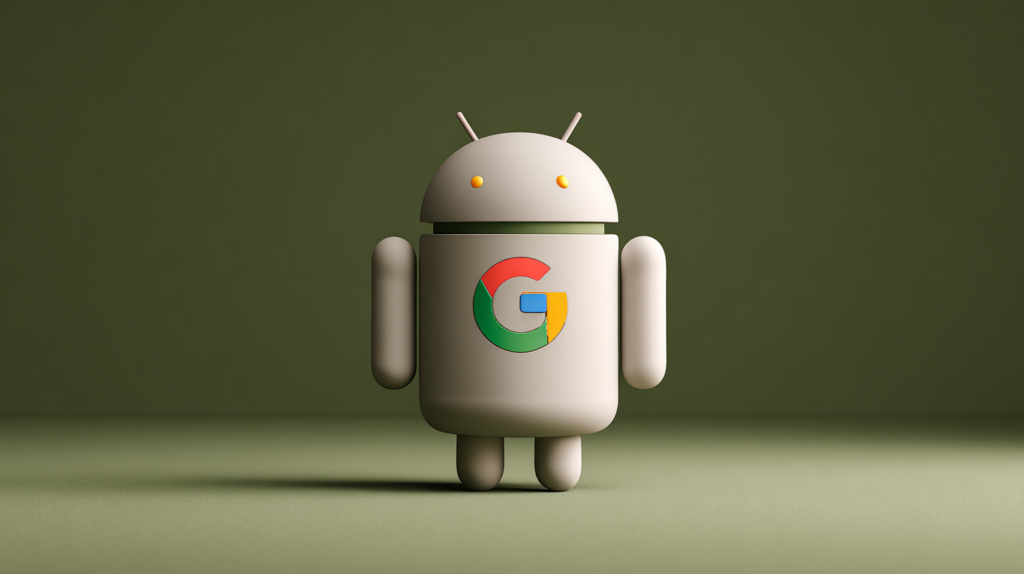
Android AI Agent Features: At a Glance
| Feature | What It Does | Status |
|---|---|---|
| AppFunctions | Lets apps expose actions/data to AI agents via natural language | Early beta |
| UI Automation Framework | Allows Gemini to perform multi-step tasks in any app without native integration | Beta (Gemini app) |
| Samsung Gallery + Gemini | Ask Gemini to fetch photos from Gallery without switching apps | Live on Galaxy S26 |
| Supported Categories (AppFunctions) | Calendar, Notes, Tasks | Available now |
| Supported Categories (UI Automation) | Food delivery, Grocery, Rideshare | US & South Korea first |
| Trigger | Long-press power button → Gemini | Galaxy S26 + Pixel 10 |
| Android 17 | Broader AppFunctions + UI automation expansion | Coming later in 2026 |
What This Means for Android Users
AppFunctions uses the AppFunctions Jetpack library to let developers define self-describing functions that Gemini can discover and trigger through natural language — all processed on-device rather than remote servers, keeping privacy intact.
The Samsung Gallery integration on the Galaxy S26 is the clearest real-world demo: instead of manually hunting through albums, you ask Gemini to surface specific photos and they appear inside the Gemini app directly, with options to share or use in follow-up actions.
For apps that haven’t built AppFunctions support yet, the UI automation framework fills the gap — Gemini can perform multi-step tasks like placing a customised food order or reordering groceries by reading and interacting with the app’s own UI, without requiring any developer effort.
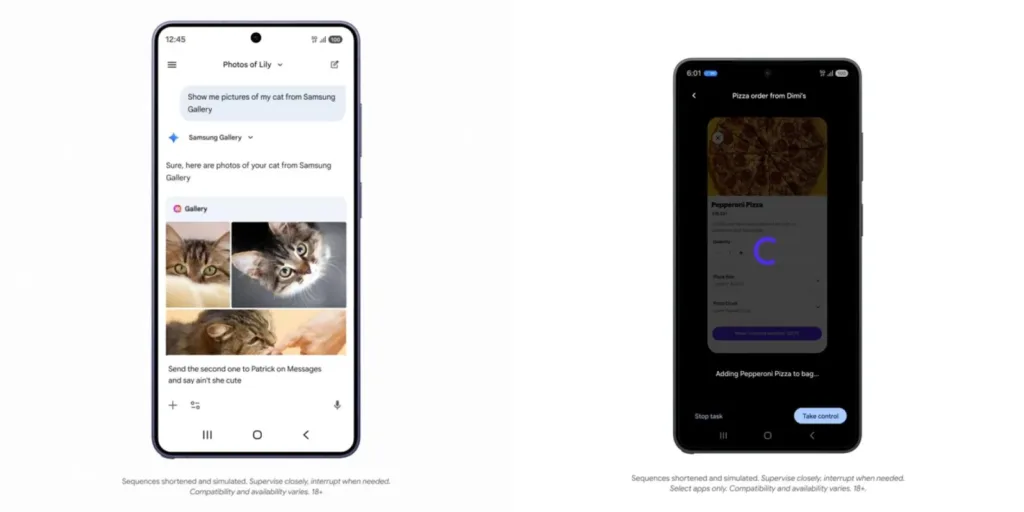
Crucially, Google has baked in transparency controls — users can monitor task progress via notifications or a live view, pause automation at any point, and Gemini will always ask for confirmation before completing sensitive actions like purchases. Full expansion of both features is planned for Android 17 later this year.
Read the full technical breakdown on the Android Developers Blog. Also check our coverage of Gemini 3 features on Galaxy S26 and Pixel 10 and Android 17 what to expect on TechnoSports.