SA329 & 387
 AUS429 & 60/7 (26 ov, target 288)
 UAE93/3 (18.1/50 ov, target 264)
 NED263/4
 PAK
PAK SL237/2 (39.4/50 ov)
 MOH0
MOH0 SHL0
SHL0 Erzurum0
 Çorum FK1
 CFC
CFC KER
KER CHE
CHE MAN
MAN LEV
LEV ATM
ATM TAA
TAA ETT
ETT BOL
BOL MON
MON MBSG
MBSG PFC
PFC B04
B04 VFB
VFB BMG
BMG SCP
SCP Lille1
 Lens0
Lens0 Villarreal0
 Espanyol1
 Elversberg4
 Mainz1
 Le Havre AC1
 PSG5
PSG5 JER
JER QAT
QAT KENYA
KENYA PNG
PNG BIK
BIK SPR
SPR SWD
SWD EASTN10/0 (1.1/20 ov)
 TAS427
 NSW174/8 (60 ov)
 NZ-A
NZ-A IND-A291/7 (88 ov)
 QLD
QLD VIC282/9 (84 ov)
 DHA
DHA BAR
BAR MYMS
MYMS KHU
KHU NZ
NZ IND
IND NAM
NAM IRE
IRE AFG
AFG ZIM
ZIM ST-W
ST-W BH-W
BH-W SS-W
SS-W HH-W
HH-W MOW
MOW VAG
VAG WAR
WAR WPR
WPR OTAGO
OTAGO CD
CD PS-W138/1 (13.3/20 ov, target 137)
 MR-W136/6
 AS-W185/2
 MS-W164/7 (20 ov, target 186)
 SCOT100/3 (6 ov, target 122)
 GRA0
GRA0 ATL0
ATL0 VAL0
VAL0 EIB0
EIB0 Nice5
Nice5 Rennes2
 Al Shabab6
 Al Ahli1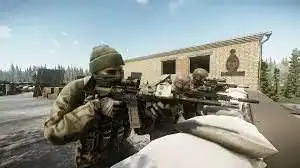
Getting kicked out of Tarkov with Error 213 right when you’re ready to raid? You’re not alone. This authentication server error has frustrated thousands of players, especially after the game’s recent Steam launch. Let’s cut through the noise and get you back in the game.
What’s Really Happening with Error 213?
Error 213 appears when the game can’t establish a connection with Escape from Tarkov’s authentication servers. The error message typically reads “Error connecting to authentication server,” which blocks you from even reaching the login screen.
The issue became significantly worse following Tarkov’s Steam release, where massive player surges overwhelmed the authentication system. While server congestion is the main culprit, client-side issues can also trigger this error.
Escape from Tarkov Reference: Common Causes & Solutions
| Problem | Solution | Time Required |
|---|---|---|
| Server overload | Wait & retry during off-peak hours | 5-30 minutes |
| Outdated launcher | Update BSG Launcher | 2-5 minutes |
| Firewall blocking | Add game to exceptions | 3 minutes |
| Corrupted files | Verify game integrity via Steam | 5-10 minutes |
| Admin permissions | Run as administrator | 1 minute |
Proven Fixes You Need to Try
1. Check Server Status First
Before troubleshooting your system, visit Escape from Tarkov’s official social media channels or check the game’s server status. If servers are down, no amount of local fixes will help.
2. Run as Administrator
Running the game with administrative rights can resolve permission-related barriers that prevent connections to authentication servers. Simply right-click the EscapeFromTarkov.exe file and select “Run as administrator.”
3. Configure Your Firewall
Windows Firewall may be blocking your connection. Navigate to Windows Security → Firewall and Network Protection → Allow an app through firewall. Add EscapeFromTarkov.exe and ensure both Private and Public boxes are checked.
4. Verify Game Files
Missing or corrupted game files can prevent proper authentication. In Steam, right-click Escape from Tarkov → Properties → Installed Files → Verify Integrity of Game Files. This process identifies and repairs damaged files automatically.
5. Disable VPN Connections
Since Error 213 is network-related, any active VPN can create additional connection issues. Temporarily disable your VPN and try connecting again.
When Nothing Works: Server-Side Issues
Sometimes the problem isn’t your PC or internet—it’s tied directly to Tarkov’s backend servers. During wipes, major updates, or high-traffic periods, authentication servers struggle under the load. Related errors like 418 or “There is no game with name eft” also indicate backend congestion.
In these situations, patience is your best tool. Attempting to log in during off-peak hours significantly increases your chances of successful authentication.
Still Stuck? Contact Support
If you’ve exhausted all troubleshooting options and Error 213 persists, reaching out to Battlestate Games’ support team is your next step. Their specialized knowledge can address account-specific problems or confirm widespread server issues.
For more gaming troubleshooting guides and esports updates, check out our gaming tech section and stay updated with the latest esports news.