
 SA329 (82.3 ov)
 AUS
AUS BAN
BAN WI
WI IND-W
IND-W ZIM-W
ZIM-W GOA
GOA SC Delhi
 Milan
Milan Bologna
 Parma
Parma Udinese
 Venezia
 Inter Milan
 Genoa
Genoa Juventus
 Monza
Monza Napoli
 ROMA4
ROMA4 CAG2
CAG2 TOR1
TOR1 COMO3
COMO3 SAS2
SAS2 LAZ6
LAZ6 AFG177
 ZIM140 (19.1/20 ov, target 178)
 AUCK
AUCK CANT
CANT CD
CD ND
ND SIKM184
 NAGA187 & 46/4 (34 ov)
 JHK131/4 (47 ov)
 DELHI515/5d
 ODSA194
 SVCS13/0 (5 ov)
 BRODA616
 J & K6/0 (4 ov)
 CHD685/5d
 HP49/0 (14 ov)
 CGR216/8 (95 ov)
 AP231
AP231 HYD193/2 (54 ov)
 PNJB431
 KNTKA297/7 (95 ov)
 TPURA194
 KER101/6 (35 ov)
 BENG350
 UAE
UAE OMA
OMA ENG
ENG SL
SL DEN
DEN QAT
QAT KENYA
KENYA KUW
KUW POA
POA SPR
SPR BRB
BRB VAG
VAG PAK110
 NAM316/7
 IRE253 (44.5/50 ov, target 317)
 NZ198/3
 IND199/4 (13.2/20 ov, target 199)
 NED371/5
 JAB113 (19.3/20 ov, target 133)
 KAY132/9
 Gamba Osaka
 Buriram
 Kashima
 Pohang Steelers
 ABH0
ABH0 ALF1
ALF1 Sevilla2
 Osasuna0
 PSG2
PSG2 Lyon0
Lyon0
Every developer knows the frustration. You set Claude Code on a complex, hour-long task, step away to make coffee, and come back to find it frozen — patiently waiting for you to click “Allow” on a mkdir command. Every. Single. Time.
Anthropic heard the complaint. And now, they’re fixing it.
Starting no earlier than March 12, 2026, Claude Code is launching a new Auto Mode in research preview — a smarter, safer way to let Claude handle permission decisions on its own while you focus on what actually matters: building.
What Is Auto Mode, Exactly?
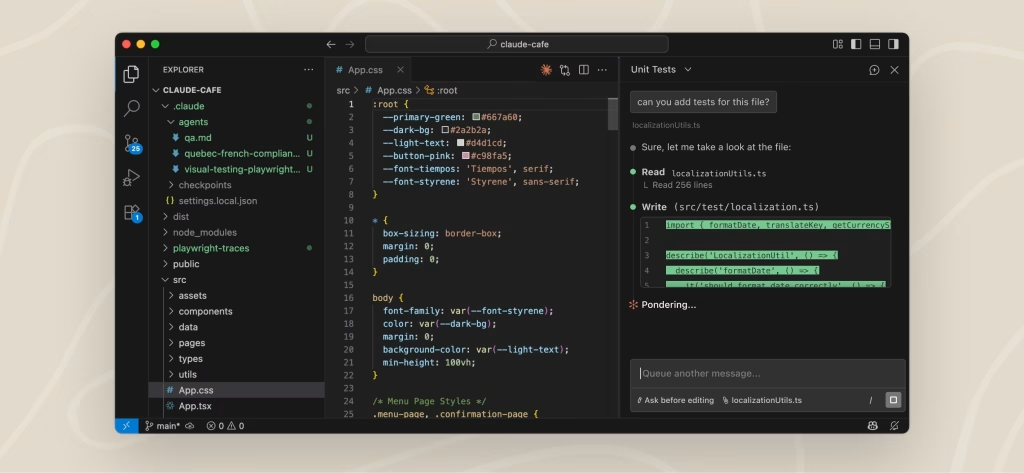
Auto mode is Claude Code’s new permission management layer. Instead of pinging you for approval on every file edit, bash command, or tool call, Claude evaluates each action itself and decides whether it’s safe to proceed — without breaking your flow.
Think of it as giving Claude a judgment call, not a blank check.
It’s designed as a safer alternative to the popular but risky --dangerously-skip-permissions flag, which many developers use today to avoid interruptions during long agentic sessions. The problem? That flag bypasses all safety checks. Auto mode is smarter — it comes with built-in prompt injection safeguards, so Claude is actively watching for attempts to manipulate it mid-session.
We covered Claude’s growing memory and reasoning abilities in our guide on how Claude’s memory feature works across conversations — and auto mode is very much the next step in that direction: an AI that doesn’t just remember you, but can act for you, safely.
Auto Mode at a Glance
| Feature | Detail |
|---|---|
| Launch | Research preview, no earlier than March 12, 2026 |
| How to enable | Run claude --enable-auto-mode |
| What it does | Claude handles permission decisions autonomously |
| Safety upgrade | Built-in prompt injection protection |
| Replaces | --dangerously-skip-permissions flag (safer alternative) |
| Trade-offs | Slightly higher token usage, cost & latency |
| Best used in | Isolated/sandboxed environments |
How to Enable (or Disable) Auto Mode
By default, your team can access auto mode immediately by running:
claude --enable-auto-mode
No admin action needed. But if your organisation wants to restrict auto mode, here’s how to lock it down across platforms:
macOS (via Jamf/Kandji): Set the Settings key in com.anthropic.claudecode managed preferences with value {"disableAutoMode": "disable"}
Windows (via Group Policy/Intune): Set Settings (REG_SZ) at HKLM\SOFTWARE\Policies\ClaudeCode with value {"disableAutoMode": "disable"}
File-based (macOS/Linux/Windows): Add "disableAutoMode": "disable" to your managed-settings.json at the platform-appropriate path.
Full details are available in Anthropic’s official Claude Code permissions docs.

A Word of Caution
Anthropic is upfront: auto mode isn’t perfect. It won’t catch every risky action, and it does nudge up token usage and cost slightly. The recommendation is clear — use it inside isolated environments like containers or sandboxed VMs, where a misstep won’t cascade into your production systems.
Also worth reading: Anthropic’s deep dive on how Claude Code sandboxing works for anyone building long-horizon agentic workflows.
If you’re using Claude Code for serious development work, auto mode isn’t just a convenience — it’s a meaningful step toward truly autonomous AI pair programming. The coffee break is finally safe.
Sources: Anthropic Claude Code Docs | Anthropic Engineering Blog


