NZ
NZ IND
IND NAM
NAM IRE
IRE MOZ
MOZ UGA
UGA Aston Villa
 Man City
 Rayo
Rayo Elche
Elche GMB
GMB ZMB
ZMB NGA
NGA LES
LES Cagliari
 Bologna
 IPS1
IPS1 NFO1
NFO1 ALA1
ALA1 MCF1
MCF1 TOR3
TOR3 MON2
MON2 BRE1
BRE1 NICE2
NICE2 TAS129/7 (23.3/35 ov, target 276)
 VIC304/7 (50 ov)
 WA
WA NSW38/1 (9/50 ov)
 NZ-A135/3 (41 ov)
 IND-A113
 DHA
DHA RAJ
RAJ MYMS
MYMS CHATT
CHATT RAN
RAN BAR
BAR SYL
SYL KHU
KHU MEX-W
MEX-W ARG-W
ARG-W UAE
UAE NED
NED AFG170/3 (34.3/50 ov, target 170)
 ZIM169
 IND-W200/1 (27.1/50 ov, target 198)
 ZIM-W197
 DOLPH56/0 (3.5/8 ov, target 56)
 SWD51/4 (8/8 ov)
 WSW1
WSW1 BRI1
BRI1 Como
Como Sassuolo
 Augsburg
 Union Berlin
 Cologne
 Schalke
 Mainz
Mainz Bremen
 RB Leipzig
 Elversberg
 VFB2
VFB2 BMG3
BMG3 AHL4
AHL4 KHA1
KHA1
On October 2, 2026, TechnoSports compares ChatGPT and Claude for document analysis workflows. The practical choice comes down to source handling, citation needs, privacy rules, and review effort—not the Kevin Mandia search term.
The useful comparison is not which chatbot sounds more fluent. It is which system handles your source files, citation needs, privacy rules, and review process with fewer manual checks. OpenAI develops ChatGPT, while Anthropic develops Claude, and both offer document-focused capabilities through their respective applications and business products.
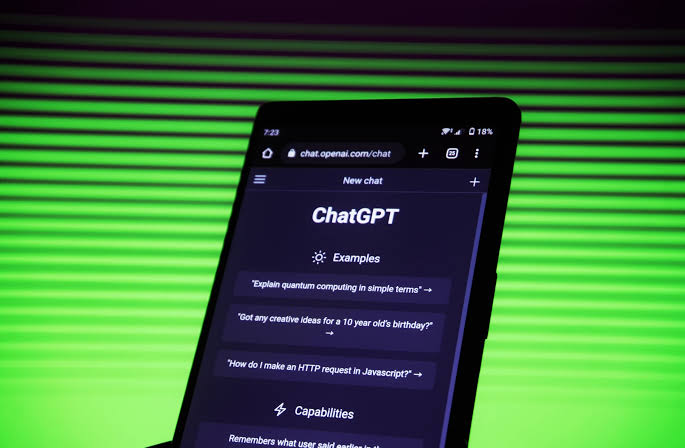
ChatGPT vs Claude for Document Analysis
ChatGPT is a broad productivity assistant that can analyse uploaded documents, extract information, rewrite passages, create structured outputs, and support follow-up questions. Its main advantage is workflow breadth: users can move from document analysis to drafting, spreadsheet work, coding, or visual interpretation within the same ecosystem.
OpenAI’s product documentation should be checked for the specific file types, limits, and account controls available to each plan. Claude is positioned strongly around reading, reasoning over, and transforming long-form material. Anthropic’s documentation describes capabilities for working with uploaded content and producing summaries, comparisons, classifications, and other text-based outputs. That makes it a natural fit for legal agreements, research papers, policy documents, meeting transcripts, and internal reports where preserving meaning matters more than gene
| Workflow need | ChatGPT | Claude |
|---|---|---|
| Summarising reports | Strong general-purpose option | Strong long-form reading option |
| Extracting fields | Useful with structured prompts | Useful for repeatable text extraction |
| Drafting from source material | Broad writing and formatting tools | Clear source-grounded drafting |
| Multimodal work | Wider assistant workflow | Primarily document and text focused |
| Governance checks | Depends on account and plan | Depends on account and plan |
The table is directional, not a benchmark. Performance can change with model selection, document quality, prompt design, account tier, and the size of the input.
Kevin Mandia, Privacy, and Verification
For sensitive documents, the first question is not whether ChatGPT or Claude produces the nicer summary. It is whether your organisation has approved the service, configured retention controls, and defined who can upload confidential material. OpenAI and Anthropic publish policy and product documentation, but administrators should verify current terms rather than assume consumer and business accounts behave identically.
A reliable workflow also separates extraction from interpretation. Ask the model to identify clauses, dates, obligations, names, and unresolved points first. Then request an analysis that cites the extracted passages, followed by human verification against the original file. Security deserves equal attention. Claude Security Vulnerabilities provides relevant context for why organisations should treat AI document tools as part of their security environment, not as isolated office software. The same principle applies to ChatGPT: upload permissions, browser extensions, connected applications, and staff habits can affect exposure.
Which Tool Fits Your Document Workflow?
Choose ChatGPT when document analysis is one part of a larger operation. It is a practical choice for teams that want to analyse a report, turn the findings into a presentation or email, inspect a data file, and continue working in one assistant. The decision becomes stronger when the organisation already uses OpenAI’s business controls and has an approved process for sensitive uploads.
Choose Claude when the central task is careful reading across substantial text. It may suit legal, academic, compliance, and editorial teams that need concise summaries, document comparisons, and source-linked reasoning before a human signs off. That does not remove the need for checking quotations, figures, dates, and omitted exceptions. Neither tool should be treated as the final authority on a contract, financial filing, medical record, or regulatory submission. Use a repeatable prompt, retain the original source, record the model and date used, and require a human reviewer for decisions with legal, financial, or safety consequences. For more detail, see VentureBeat AI.
The Practical Recommendation
For mixed files and broader workplace automation, start with ChatGPT. For text-heavy review where careful source handling is the priority, start with Claude.
Run the same anonymised document through both systems, compare extracted facts against the original, and measure correction time rather than judging the prose alone. The Kevin Mandia keyword does not describe either AI product, so it should not influence the technology decision; document sensitivity, review effort, and existing workplace controls should.
The next step is a controlled pilot with anonymised files, identical prompts, and a human accuracy checklist before either service enters a production document workflow.
FAQs
Is ChatGPT better than Claude for document analysis?
Neither is universally better. ChatGPT suits broader multimodal and productivity workflows, while Claude is often a strong candidate for text-heavy reading and comparison.
Can businesses upload confidential documents?
Businesses should upload confidential files only after checking the relevant plan’s retention, training, access, and administrator controls. Consumer and business settings may differ.
Should AI-generated summaries be trusted without checking?
No. Reviewers should compare names, numbers, dates, quotations, and exceptions with the original document before using the output operationally.
Which tool should a legal team choose?
A legal team should run a controlled comparison using anonymised agreements and evaluate extraction accuracy, missing clauses, citation quality, access controls, and review time.
Was this article helpful?
Your feedback directly improves future articles on this site.