Wi-Fi 7 routers have matured beyond early-adopter pricing into mainstream territory for 2026, delivering real-world benefits through Multi-Link Operation, 320MHz channels, and dramatically reduced latency. Whether prioritizing raw speed, mesh coverage, gaming performance, or budget value, these routers represent the best options for future-proofing your home network.
Best Wi-Fi 7 Routers 2026: Top Recommendations
Router Comparison
| Router | Use Case | Key Features | Price Range |
|---|---|---|---|
| ASUS RT-BE96U | Best Overall | Tri-band, 10Gbps ports, MLO, no subscription fees | High-end |
| TP-Link Archer BE9700 | Best Value | Tri-band Wi-Fi 7, dual 10GbE ports, EasyMesh | ~$200 |
| TP-Link Archer GE800 | Best Gaming | RGB lighting, low-latency MLO, gaming optimization | Mid-premium |
| Netgear RS700S | Fastest Speed | 19Gbps total, dual 10GbE, 2.6GHz quad-core CPU | Premium |
| Amazon eero 7 | Best Mesh Budget | Supports 5Gbps plans, 4,000 sq ft coverage (2-pack) | Mid-range |
ASUS RT-BE96U: Premium All-Rounder
The RT-BE96U delivers exceptional tri-band performance across 6GHz, 5GHz, and 2.4GHz frequencies with Multi-Link Operation enabling simultaneous band connections for reduced latency. Multiple 10Gbps Ethernet ports handle NAS devices, workstations, and multi-gig internet without bottlenecks.

ASUS bundles parental controls, traffic monitoring, and AiProtection security without subscription fees—a rarity in premium routers. The large footprint and premium pricing ($600+) mean it’s overkill for small spaces or basic usage, but power users appreciate its comprehensive feature set and future-ready hardware.
TP-Link Archer BE9700: Sweet Spot Value
At approximately $200 street price, the BE9700 offers tri-band Wi-Fi 7 with dual 10GbE ports and multiple 2.5GbE LAN connections—exceptional value for demanding home networks. EasyMesh support enables expansion with compatible nodes, while the straightforward web interface appeals to users wanting advanced features without overwhelming complexity.

Real-world throughput rivals routers costing twice as much, though coverage maxes out around 2,500-3,000 square feet for single-unit installations. For most homes with multi-gig internet and wired desktop needs, this delivers flagship performance at mid-tier pricing.
Gaming-Focused: TP-Link Archer GE800
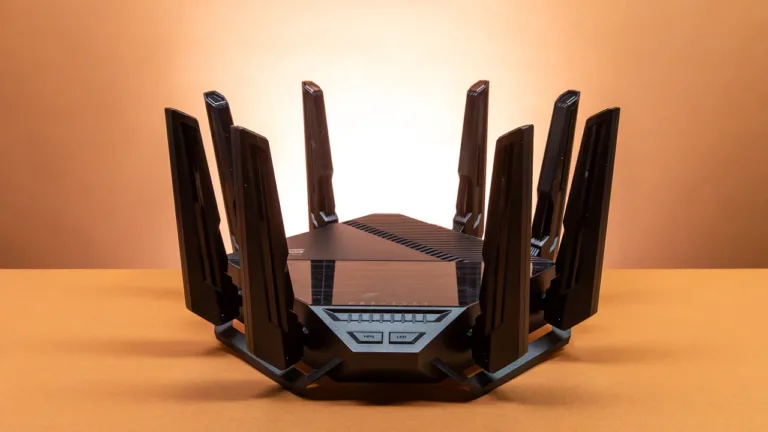
The GE800 targets gamers with customizable RGB lighting, dedicated gaming traffic prioritization, and low-latency MLO implementation. Multiple 2.5GbE and 10GbE ports support wired gaming PCs and consoles, while the tri-band setup isolates gaming traffic from household streaming and browsing.

The radical design polarizes opinions—some love the aggressive aesthetic, others find it excessive. Performance justifies the premium over standard routers, though subscription-based advanced features (parental controls, online protection) frustrate buyers expecting comprehensive free functionality.
Mesh Options: eero 7 for Simplicity
Amazon’s eero 7 mesh system prioritizes ease of use over raw specs, supporting internet plans up to 5Gbps with coverage reaching 4,000 square feet (2-pack). The streamlined app-based setup appeals to non-technical users wanting reliable whole-home coverage without configuration headaches.

Trade-offs include fewer Ethernet ports than traditional routers and less granular control over advanced settings. For households valuing consistent coverage and simplicity over maximum tweakability, eero 7 delivers reliable mesh performance with three-year warranty backing.
Who Should Upgrade to Wi-Fi 7?
Upgrade now if: You have multi-gig internet (1Gbps+), experience Wi-Fi dead spots, own Wi-Fi 7 devices (recent iPhones, laptops, consoles), or run bandwidth-intensive tasks like 4K/8K streaming, VR gaming, or large file transfers.
Wait if: Your current Wi-Fi 6/6E router handles all devices without congestion, you lack Wi-Fi 7 client devices, or your internet speed caps below 500Mbps. Prices continue dropping as 2026 progresses—patience rewards budget-conscious buyers.