ENG429/4
 SL407/6 (47.2/50 ov, target 430)
 FAT1
FAT1 SHA2
SHA2 KAI0
KAI0 PAO4
PAO4 ARA
ARA AZ
AZ DZG
DZG NEC
NEC FER
FER TOR
TOR JUV
JUV REN
REN LECH
LECH SUN
SUN OFI
OFI B04
B04 STG
STG OLM
OLM USG
USG HBE
HBE HAZ2
HAZ2 FAY2
FAY2 AUS-W
AUS-W NZ-W11/2 (2.4/14 ov)
 NAM174 (37.5/50 ov, target 230)
 IRE229/9
 NZ225/4
 IND230/6 (19.4 ov)
 EASTN
EASTN KZNIN
KZNIN BCBXI371/7 (90 ov)
 WI
WI IND-W
IND-W ZIM-W
ZIM-W LES
LES ZMB
ZMB NGA
NGA MOZ
MOZ AFG
AFG ZIM
ZIM GMB
GMB UGA
UGA DOLPH
DOLPH SWD
SWD TAS
TAS VIC
VIC AFG19
AFG19 BAN19
BAN19 BAN160
 CHN4
CHN4 SAM0
SAM0 ESP2
ESP2 AUS0
AUS0 Aston Villa3
 Viking FK1
 Bayern2
 Arsenal2
 Club Brugge3
 Lens0
Lens0 Inter Milan1
 Shakhtar0
 Betis1
 Feyenoord0
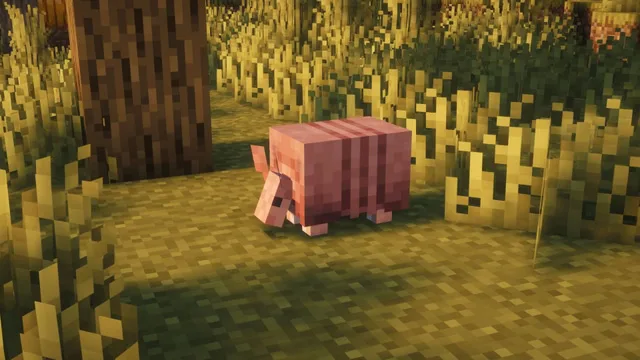
Minecraft‘s armadillos have been charming players since April 2024, winning the mob vote competition and instantly becoming beloved creatures in the Savanna biome. However, many players felt the scute-collection mechanics felt unrealistic—brushing their shells and collecting items seemed too easy. Enter the Hardened Armadillos mod, a game-changing modification that revolutionizes how you interact with these adorable critters while adding authentic challenge and survival mechanics to your gameplay.
Minecraft Understanding Armadillos: Before the Mod
| Aspect | Vanilla Minecraft | Hardened Armadillos Mod |
|---|---|---|
| Shell Brushing | Obtains scutes easily | Tool won’t work |
| Random Drops | Drop scutes while roaming | No random drops |
| Scute Acquisition | Passive collection | Kill drops only |
| Realism Level | Low | High |
| Survival Difficulty | Easy farming | Challenging farming |
| Loot Table | Limited | Expanded |
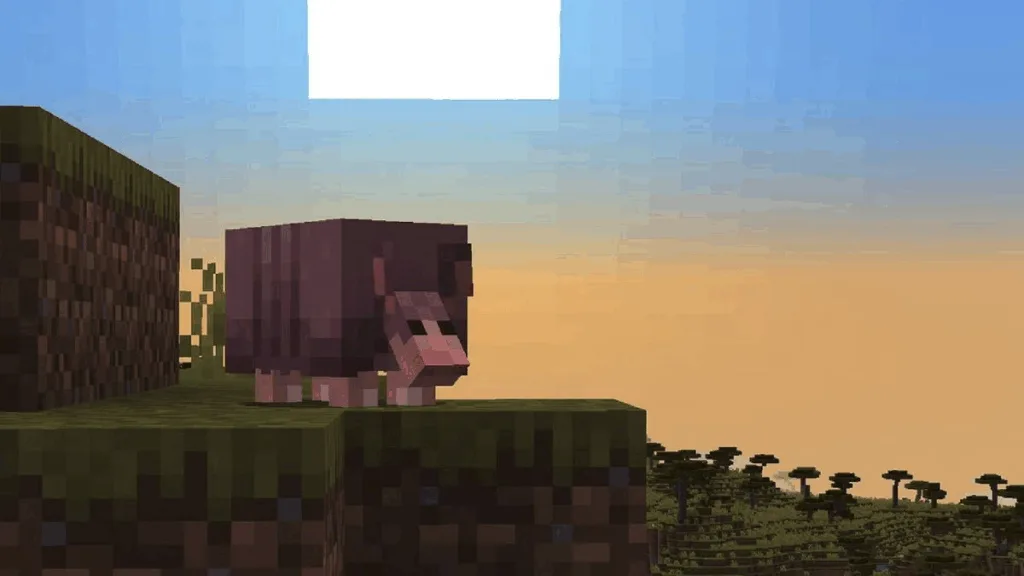
Armadillos are passive creatures that spawn in the Savanna biome and will jump and hide in their shell if you approach while walking or sprinting. In vanilla Minecraft, you can brush the armadillo’s shell to obtain its scutes, and they also drop scutes randomly while roaming around. Since this was not realistic whatsoever, a modder created the Hardened Armadillos mod to make them more robust and slightly realistic.
For comprehensive Minecraft mod guides and installation tutorials, explore TechnoSports Minecraft Hub.
What the Hardened Armadillos Mod Changes
Brush Tool No Longer Works
The most significant change: the brush tool becomes completely ineffective on armadillos. You can attempt to use your brush, but it won’t yield any scutes—making passive collection entirely impossible. This fundamental shift forces players to rethink their armadillo interaction strategy completely.
No More Random Scute Drops
Armadillos no longer drop scutes randomly while roaming around. In real life, armadillos do shed their scales (called scutes) throughout the year, but this mod prioritizes game balance over biological accuracy. The name “Hardened Armadillos” takes on double meaning—both their shells and their resistance to collection efforts.
New Loot Table: Kill for Scutes
Since both passive collection methods are eliminated, scutes have been added to the armadillo’s loot table. This means you must defeat armadillos to obtain their scutes. This transforms armadillos from peaceful collection targets into actual farming objectives requiring combat preparation, planning, and resource investment.
Visit TechnoSports Gaming Mods Guide for advanced modding tutorials and gameplay enhancement strategies.
Installation Guide: Step-by-Step
Prerequisites
Before installing Hardened Armadillos, ensure your system meets requirements and you have necessary software installed.
Step 1: Download NeoForge Visit <a href=”https://neoforged.net” target=”_blank”>NeoForge’s official site</a> and download version 1.21.1, which is compatible with this mod.
Step 2: Locate the Mod Head to <a href=”https://www.curseforge.com/minecraft/mc-mods/hardened-armadillos” target=”_blank”>CurseForge and search for Hardened Armadillos</a>. Click on the mod’s product page to access download options.
Step 3: Download Compatible File Download the mod file that’s compatible with NeoForge 1.21.1. Verify compatibility before downloading to prevent errors.
Step 4: Install to Mods Folder Copy the downloaded mod file into your “.minecraft/mods” folder. On Windows, this is typically located at C:\Users\[YourUsername]\AppData\Roaming\.minecraft. On Mac, check ~/Library/Application Support/minecraft.
Step 5: Launch Modded Game Open Minecraft’s launcher, select NeoForge 1.21.1 as your game version, and launch. The mod activates automatically upon world entry.