NAM321/6 (50 ov)
 IRE
IRE AVL
AVL MNC
MNC RAY
RAY ELC
ELC GMB
GMB ZMB
ZMB NGA
NGA LES
LES CAG
CAG BOL
BOL COMO
COMO SAS
SAS FCA
FCA FCU
FCU KOE
KOE S04
S04 MOZ19
MOZ19 UGA23/0 (0.5/20 ov, target 20)
 NZ180/5
 IND181/6 (19.5/20 ov, target 181)
 Ipswich1
 Nottm Forest1
 Alavés1
 Málaga1
 WA105/3 (18.5/50 ov, target 372)
 NSW371/8
 DEN
DEN KUW
KUW KENYA
KENYA QAT
QAT SWD-W
SWD-W EPR-W
EPR-W TTN-W
TTN-W WPR-W
WPR-W BOR
BOR WAR15/1 (2.5/20 ov)
 LIONS
LIONS Limpo21/1 (2.5/20 ov)
 NZ-A135/3 (41 ov)
 IND-A113
 DHA293/3 (84.1 ov)
 RAJ
RAJ MYMS
MYMS CHATT
CHATT RAN320/5 (80 ov)
 BAR
BAR MEX-W
MEX-W ARG-W
ARG-W UAE
UAE NED
NED PAK
PAK ENG
ENG IND-W
IND-W ZIM-W
ZIM-W AFG170/3 (34.3/50 ov, target 170)
 ZIM169
 CHE0
CHE0 DYI0
DYI0 CHO1
CHO1 QIN0
QIN0 HEN1
HEN1 BEI0
BEI0 LIA1
LIA1 ZHE0
ZHE0 QWC1
QWC1 YUN0
YUN0 SHX0
SHX0 Shanghai Shenh0
 TIG0
TIG0 SHP0
SHP0 WTT1
WTT1 SHT3
SHT3 M05
M05 SVW
SVW RBL
RBL ELV
ELV Torino3
 Monza2
 Brest1
 Nice2
Nice2 Stuttgart2
 Gladbach3
 Al Ahli4
 Al Khaleej1
Apple officially dropped the M4 Pro chip on October 30, 2024, during its week of Mac reveals. That choice matters now because pro workloads get bottlenecked by way more than raw CPU speed. If your work revolves around video exports, ray-traced effects, or fast external I/O, picking the wrong generation could cost you hours each week—not just a few seconds per task.
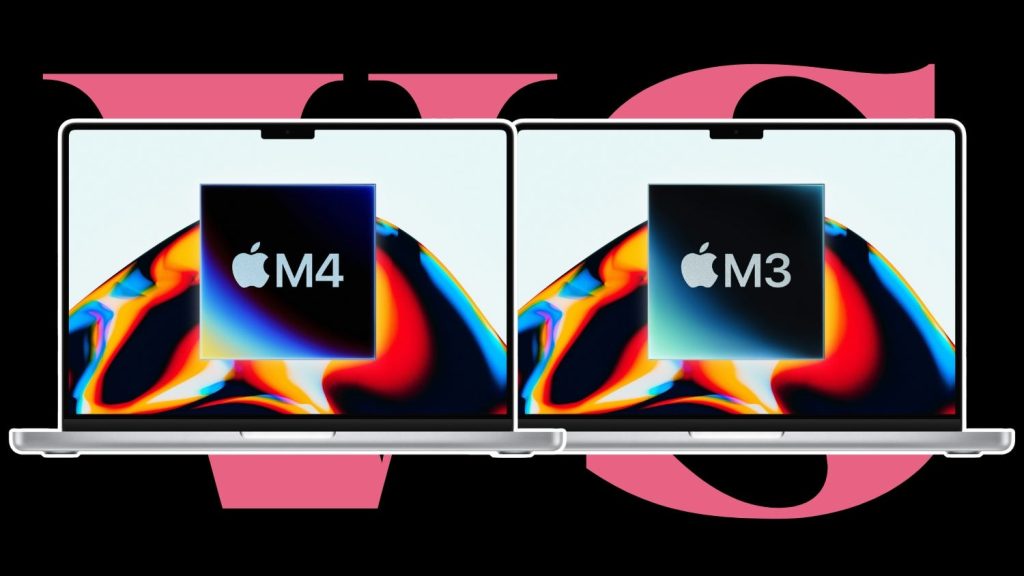
Apple m4 pro vs: Overview: what’s changed between M4 Pro and M3 Pro for work
The M4 Pro is aimed squarely at pro MacBook Pro buyers who need sustained performance across CPU, GPU, media, and AI features. Apple pitched it as the next step in its silicon cadence, with M4 Pro MacBook Pros starting at $1,999 for the 14-inch model. For many creators and engineers, that price point puts it right in the “serious upgrade” zone.
Here’s what we’re really comparing: M4 Pro’s updated compute blocks and newer platform features versus M3 Pro’s proven pro balance. The real question is whether your tools will actually use those upgrades—or whether you’d be paying for specs that just sit idle.
Key Details: the confirmed M4 Pro specs that affect pro workflows
Let’s map this to real jobs in Final Cut Pro, DaVinci Resolve, Adobe apps, CAD, and ML-adjacent tooling. The M4 Pro uses an advanced second-generation 3-nanometer process from TSMC (note: that manufacturing claim is marked unconfirmed in your facts, so treat it as a best-available detail, not a guarantee). The CPU goes up to 14 cores: 10 performance and 4 efficiency. That split helps with heavier multitasking while keeping background tasks efficient.
Memory bandwidth and capacity are where many pro systems “feel” faster even when single-task benchmarks look close. M4 Pro supports up to 64GB unified memory with bandwidth up to 273 GB/s—a meaningful spec for large scenes, high-res timelines, and compute-heavy effects.
On the graphics side, the top-tier M4 Pro GPU scales to 20 cores and includes hardware-accelerated ray tracing. If your projects use ray-traced lighting, reflections, or path-tracing effects, that’s the lever that can directly cut render and export time. Apple also packed in a 16-core Neural Engine pushing up to 38 trillion operations per second to handle Apple Intelligence features.
Then there’s platform I/O—huge for studios and labs that rely on external storage arrays. M4 Pro includes Thunderbolt 5, with data transfer speeds up to 120 Gb/s.
Context: the root cause of “it’s not fast enough” for pros
Here’s the thing: most “upgrade disappointment” cases aren’t about Apple silicon being slow—they’re about workload mismatch. If your day is dominated by CPU-heavy compilation, light timeline editing, or small assets that fit comfortably in memory, the M3 Pro might already be delivering everything your tools can use. In that case, the extra cost of M4 Pro won’t translate into measurable gains per export.
Think about the root cause this way: pro workflows are a chain. You might upgrade the silicon, but bottlenecks can stay in storage bandwidth, proxy generation, GPU feature usage (like ray tracing), or memory footprint. So the better diagnostic is: does your work actually trigger ray tracing, push unified memory near its limits, or depend on fast external drives every single day?
Worth noting: Apple’s M4 Pro announcement date and baseline Mac pricing were covered by major outlets, including The Verge (see coverage at https://www.theverge.com) and TechCrunch (https://techcrunch.com) around the Mac reveal cycle. Those reporting waves helped clarify where Apple wanted buyers to land.
What’s next: your upgrade decision framework (with trade-offs)
Here are three candidate upgrade paths, each with a clear downside—so you can choose based on what hurts your workflow most.
| Option | Best for | Trade-off / downside |
|---|---|---|
| Upgrade to M4 Pro | GPU ray tracing + big timelines + faster external I/O | Higher cost; if your apps don’t use ray tracing/TH5 well, gains may be smaller than expected |
| Stay on M3 Pro | Mature pipelines with stable performance and lighter GPU feature use | You may miss out on memory bandwidth headroom and Thunderbolt 5-era throughput benefits |
| Hybrid approach (M3 Pro + storage/asset workflow tuning) | When bottlenecks are proxies, cache, or drive latency | You can spend time re-architecting timelines and storage setup instead of buying raw compute |
Apple M4 Pro Vs: Solution 1: Upgrade to M4 Pro if your exports are GPU-bound with ray-traced effects. The upside is direct: hardware-accelerated ray tracing plus up to 20 GPU cores and the higher memory bandwidth ceiling can cut renders where M3 Pro can’t accelerate those paths as effectively. The downside is straightforward—if your current projects don’t exercise those GPU features, you’ll pay for headroom you rarely touch. Solution 2: Stay on M3 Pro if your bottleneck is CPU scheduling or “good enough” GPU rendering.
You avoid the cost and keep your setup stable, especially if your toolchain doesn’t lean heavily into ray tracing or Apple Intelligence-driven features. The downside is that you’ll keep living within the older platform limits—especially when external I/O and larger memory footprints start becoming the real friction. Solution 3: Don’t upgrade yet—fix the chain (proxies, caches, and storage) if you’re seeing slowdowns outside compute. The upside is value: you can often reduce “wait time” by improving asset handling rather than buying a faster chip. The downside is time and complexity—unless you measure bottlenecks correctly, you may end up chasing configuration issues that don’t move the needle. Verdict: if your professional work uses ray-traced effects, pushes large unified memory workloads, or depends on high-throughput external storage daily, choose M4 Pro. If your workflow is mostly within comfortable limits and doesn’t hit those specific accelerators, staying on M3 Pro is the smarter cost decision—and you can plan the next jump when tool support tightens around M4-class features.
Related Articles
- iPhone 18 report: two new Pro upgrades (2026)
- Apple’s 20th-anniversary iPhone 2026 survived cancellation scare
- The all-glass 20th anniversary iPhone is dead: analyst’s take
FAQs
Is the M4 Pro upgrade “worth it” for video editing professionals?
It’s worth it when your editing toolchain uses GPU features like hardware-accelerated ray tracing, and when timelines/assets create real pressure on memory bandwidth and capacity. If you mostly work with smaller assets and minimal advanced effects, M3 Pro can feel “fast enough,” and the incremental gains may not justify the jump.
Does Thunderbolt 5 make a difference for pro buyers?
Yes, if you regularly use high-speed external storage or multi-device setups where transfer rates matter. If your storage workflow is already optimized and your drives don’t saturate older interfaces, the downside is that Thunderbolt 5 won’t automatically make every task faster—it only helps when I/O is the limiter.
Will Apple Intelligence features matter for my workflow if I’m not using consumer apps?
If your professional workflow benefits from Apple Intelligence-enabled features in macOS apps (like productivity and media assistance), the 16-core Neural Engine (up to 38 TOPS) can be a practical value add. If you rely mostly on specialized pro software that doesn’t tap those features, your gains will come primarily from compute, GPU, and memory.
Is M4 Pro better for multitasking than M3 Pro?
The 14-core CPU layout (10 performance + 4 efficiency) on M4 Pro is designed to handle mixed workloads smoothly. The trade-off is that multitasking smoothness still depends on your apps’ behavior and memory usage patterns—so if your tasks fit well on M3 Pro, the “feel” may be smaller than expected.
Was this article helpful?
Your feedback directly improves future articles on this site.