
TechnoSports Media Group
  • Home
  • Technology
  • Smartphones
  • Deal
  • Sports
  • Reviews
  • Gaming
  • Entertainment
No Result
View All Result
  • Home
  • Technology
  • Smartphones
  • Deal
  • Sports
  • Reviews
  • Gaming
  • Entertainment
No Result
View All Result
TechnoSports Media Group
No Result
View All Result
Home Technology

WhatsApp Web & Desktop app gets integrated with Messenger Rooms

Anupam Modak by Anupam Modak
August 2, 2020
in Technology, Application
0
Messenger Room is now integrated to WhatsApp_TechnoSports.co.in

Facebook introduced its Messenger Room back in March, but in India, it comes out a few weeks back. From the beginning, it becomes the toughest competitor of Google Meet, Microsoft Teams, and other similar video calling platforms. Now, it becomes more effective and accessible as it integrates with WhatsApp.

From now, you will get access to the Messenger Room to form WhatsApp. Though it’s in beta for the mobile version, available for the desktop and web version. After this new update, you just get the Messenger Rooms option in WhatsApp, but ultimately it will take you to the Messenger website, when you click to the option, for further processes.

RelatedPosts

Micron Exits Crucial Consumer Business to Focus on AI Data Center Demand

Amazon Alexa+ Scene Jump Feature Now Live on Fire TV

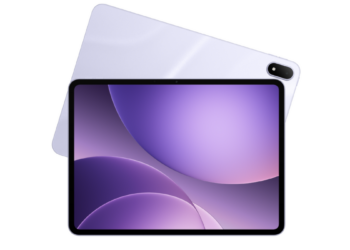
Oppo Pad 5 Receives BIS Certification: India Launch Imminent

Messenger Room 5_TechnoSports.co.in

Here are the steps to use the Messenger Rooms from WhatsApp web or desktop –

  • Open the WhatsApp Web or the desktop application
  • Reach out to the ‘Create Room’ option
    • Click on the three dots placed at the top of your chat list and select ‘Create a room’
    • or
    • Click on the ‘Attach’ icon (paper clip icon) and select the ‘Room’ (last icon)
  • A popup will appear asking if you want to ‘continue in Messenger to create a room’ or not. Click on ‘Continue in Messenger’. It will redirect you to the Messenger website.
  • Complete verification processes provided by Facebook
  • Tap on the ‘Create Room’ option at the bottom and you are good to go.

Just copy and share the room link to invite your friends. Do remember, the maximum capacity is 50. You can go for this option if your friends’ group is larger than 8 people.

Do Check Out 👇🏼

https://technosports.co.in/2020/08/01/samsung-begins-5nm-mass-production-also-plans-4nm-process-development/

TechnoSports 🔥 Stay Updated

Tags: FacebookMessengerMessenger RoomWhatsApp
Previous Post

Nokia C3 spotted in Geekbench with 3GB RAM and Unisoc SoC

Next Post

DGFT imposes restrictions on Colour TV import to India, will help boost local manufacturing

Related Posts

Technology

Micron Exits Crucial Consumer Business to Focus on AI Data Center Demand

December 5, 2025
Entertainment

Amazon Alexa+ Scene Jump Feature Now Live on Fire TV

December 5, 2025
Technology

Oppo Pad 5 Receives BIS Certification: India Launch Imminent

December 5, 2025
Apple

Apple Watch Hypertension Alerts Now Live in India After Regulatory Approval

December 5, 2025
Technology

Samsung DeepPix Camera Sensor Trademark Filed: ISOCELL Replacement Coming?

December 5, 2025
Technology

NTT DATA Launches AI Cyber Defense Centers Across India, UK, and USA

December 5, 2025
Next Post
Top Smart TVs in India 2018

DGFT imposes restrictions on Colour TV import to India, will help boost local manufacturing

Leave a Reply Cancel reply

Your email address will not be published. Required fields are marked *

TechnoSports Media Group

© 2025 TechnoSports Media Group - The Ultimate News Destination

Email: admin@technosports.co.in

  • Terms of Use
  • Privacy Policy
  • About Us
  • Contact Us

Follow Us

wp_enqueue_script('jquery', false, [], false, true); // load in footer
No Result
View All Result
  • Home
  • Technology
  • Smartphones
  • Deal
  • Sports
  • Reviews
  • Gaming
  • Entertainment

© 2025 TechnoSports Media Group - The Ultimate News Destination