Not every student or first-time laptop buyer needs a Windows machine that costs a small fortune. That’s the gap Primebook has been chasing, and its latest release — the Primebook 2 Max (8GB/128GB) — makes the strongest case yet for an affordable, India-built alternative that doesn’t feel like a compromise.
Priced at ₹29,990 (with an extra ₹500 off at checkout), this Android 15-based laptop is built for students, first-time buyers, and everyday multitaskers who want speed and reliability without the premium price tag.
Primebook 2 Max: Quick Specs Snapshot
| Feature | Details |
|---|---|
| Price | ₹29,990 (₹500 off at checkout) |
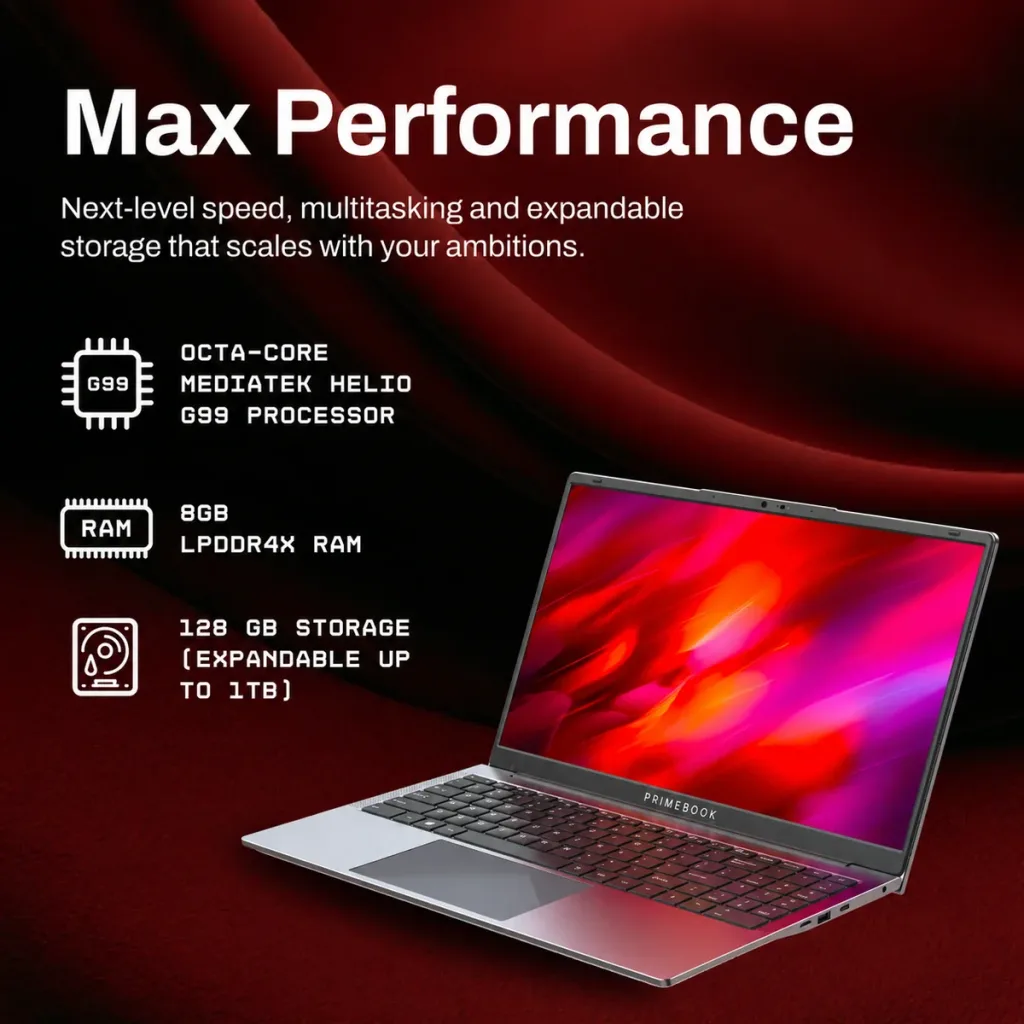
| Processor | MediaTek Helio G99 |
| RAM | 8GB LPDDR4X |
| Storage | 128GB UFS |
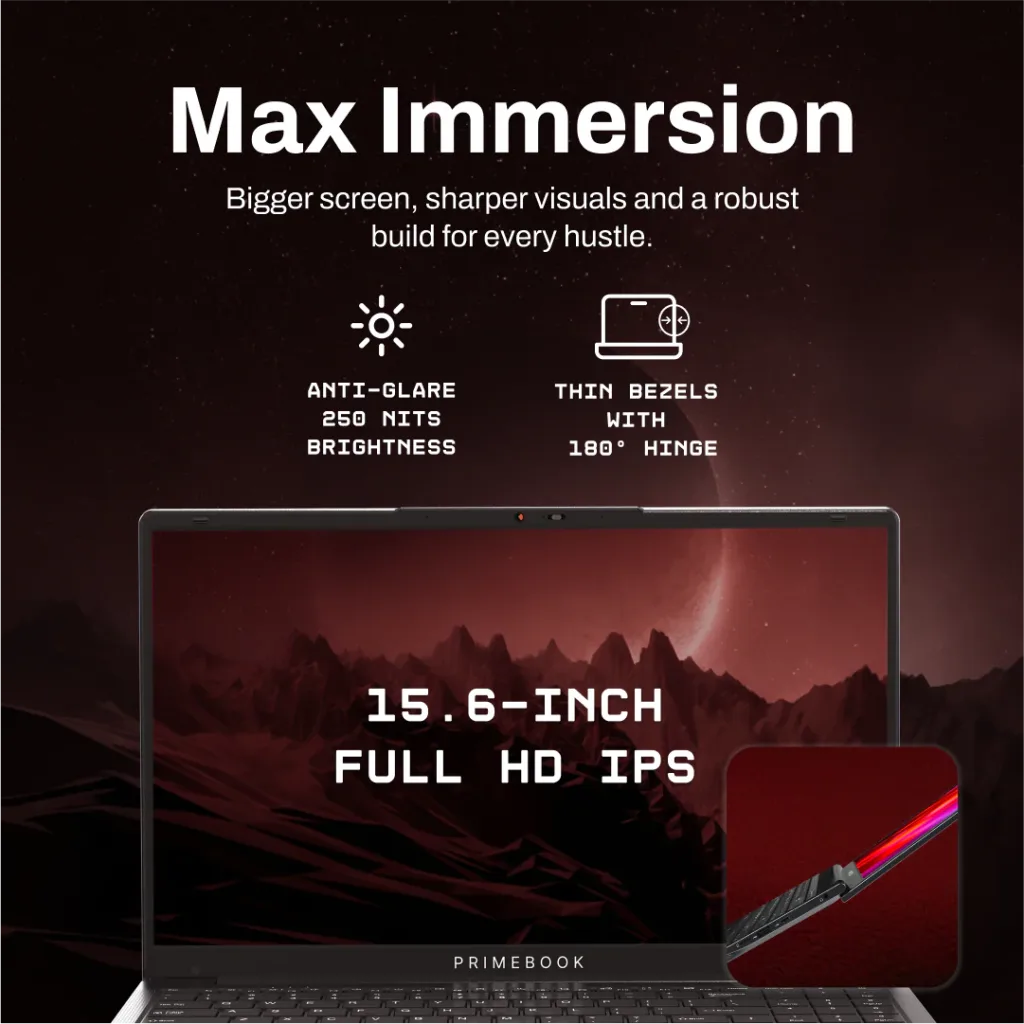
| Display | 15.6-inch Full HD IPS |
| Operating System | Android 15 with PrimeOS 3.0 |
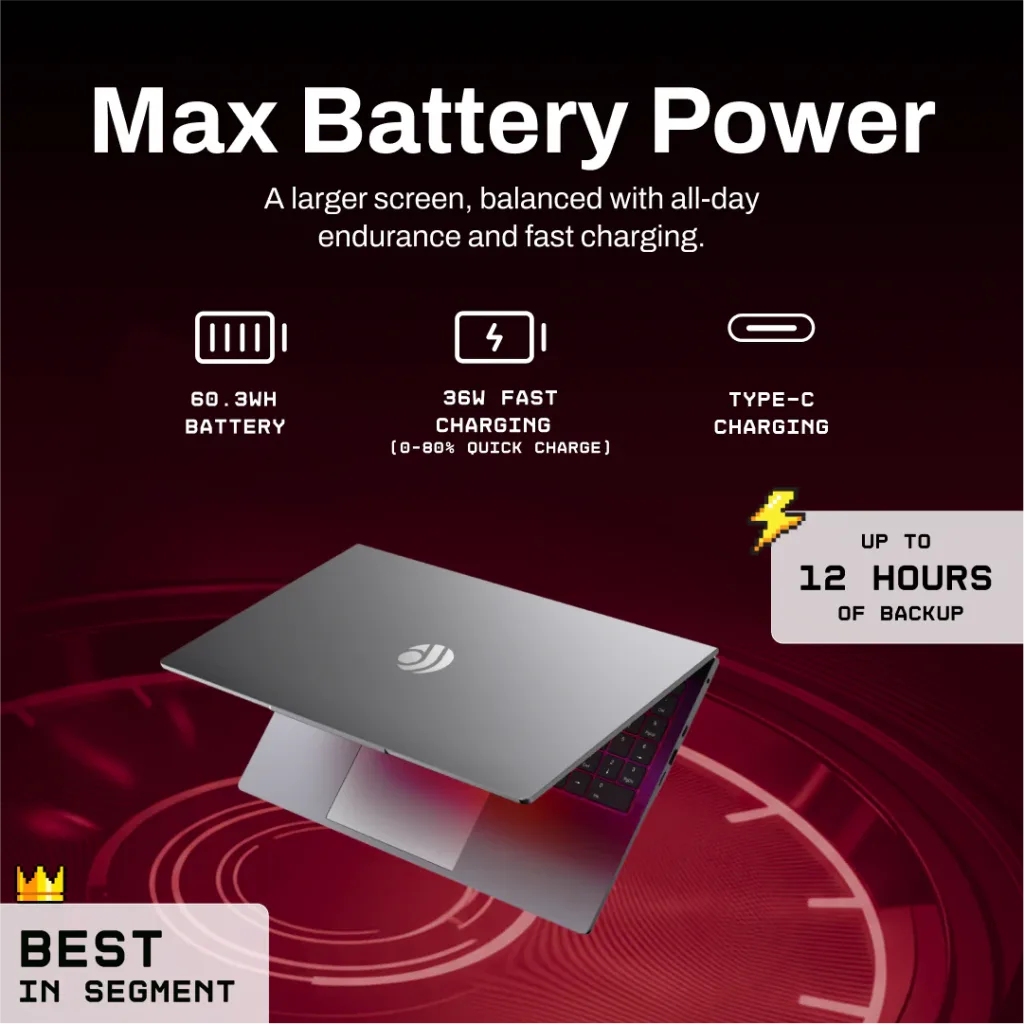
| Battery Life | Up to 12 hours |
| Extras | Backlit keyboard, Cloud PC, built-in AI Companion |
Performance That Punches Above Its Price
At the heart of the Primebook 2 Max sits the MediaTek Helio G99 chipset, paired with 8GB of LPDDR4X RAM. It’s a combination built for smooth day-to-day multitasking — browser tabs, streaming classes, note-taking apps, and light productivity work — without the lag budget laptops are usually known for. The 128GB UFS storage adds fast read-write speeds, so app launches and file transfers feel noticeably snappier than typical eMMC-based alternatives in this price bracket.
A Display And Battery Built For All-Day Use
The 15.6-inch Full HD IPS display gives users a larger, sharper canvas than most laptops in this segment — a real advantage for students juggling PDFs, spreadsheets, and video lectures side by side. Backing that up is a battery rated for up to 12 hours, meaning a full college day or work shift is realistically possible on a single charge, without hunting for a charging point every couple of hours.
PrimeOS 3.0: Where Android Meets Productivity
This is where the Primebook 2 Max sets itself apart. Instead of running Windows or ChromeOS, it uses PrimeOS 3.0, an Android 15-based operating system tailored specifically for laptop use. It brings:
- Cloud PC – access a full desktop environment remotely, useful for heavier software needs
- AI Companion – a built-in assistant for quick tasks and smarter navigation
- Backlit keyboard – a small but welcome touch for evening study sessions or dim workspaces
The result is a familiar Android ecosystem reshaped into a genuine productivity tool, letting users run apps, multitask, and stay connected in ways a typical Android tablet simply can’t match.
Who Should Buy The Primebook 2 Max?
This laptop is clearly positioned for:
- Students preparing for online classes, competitive exams, or assignment work
- First-time laptop buyers who want a capable machine without a five-figure Windows price tag
- Budget-conscious professionals needing a lightweight device for browsing, documentation, and cloud-based work
For heavy gaming or professional video editing, a Windows machine will still be the better fit — but for everyday learning and productivity, the Primebook 2 Max hits a sweet spot few Indian brands have managed at this price.
Looking for more budget tech reviews and the latest laptop launches in India? Explore more coverage on TechnoSports to stay ahead of the curve.