SA329
SA329 AUS185/3 (51.1 ov)
 BAN213/3 (74 ov)
 WI
WI FC Goa
 SCD
SCD MIL
MIL BOL
BOL PAR
PAR UDI
UDI VEN
VEN INT
INT GEN
GEN JUV
JUV MON
MON NAP
NAP UAE
UAE OMA
OMA ENG
ENG SL
SL IND-W133/2 (17/50 ov, target 132)
 ZIM-W131
 AS Roma4
 Cagliari2
 Torino1
 Como3
Como3 Sassuolo2
 Lazio6
 DEN
DEN QAT
QAT KENYA
KENYA KUW
KUW POA136/7 (19.2/20 ov)
 SPR
SPR SIKM184 & 87/4 (32 ov, target 212)
 NAGA187 & 208
 JHK131/4 (47 ov)
 DELHI515/5d
 ODSA194
 SVCS13/0 (5 ov)
 BRODA616
 J & K303 & 8/1 (6 ov) (f/o)
 CHD685/5d
 HP340/3 (104 ov)
 CGR216/8 (95 ov)
 AP231
AP231 HYD380
 PNJB431 & 57/0 (24 ov)
 AFG
AFG ZIM
ZIM BRB
BRB VAG
VAG LIONS
LIONS EASTN
EASTN WELL
WELL OTAGO
OTAGO MIS
MIS TOK
TOK JAB
JAB KAG
KAG PAK110
 NAM316/7
 IRE253 (44.5/50 ov, target 317)
 NZ198/3
 IND199/4 (13.2/20 ov, target 199)
 NED371/5
 SIB0
SIB0 MBV0
MBV0 TCV0
TCV0 SEO4
SEO4 Al Khaleej
 Al Hazem
 Frosinone
 Lecce
Lecce Abha0
Abha0 Al Faisaly1
 GAM1
GAM1 BUR1
BUR1 KAN3
KAN3 POH0
POH0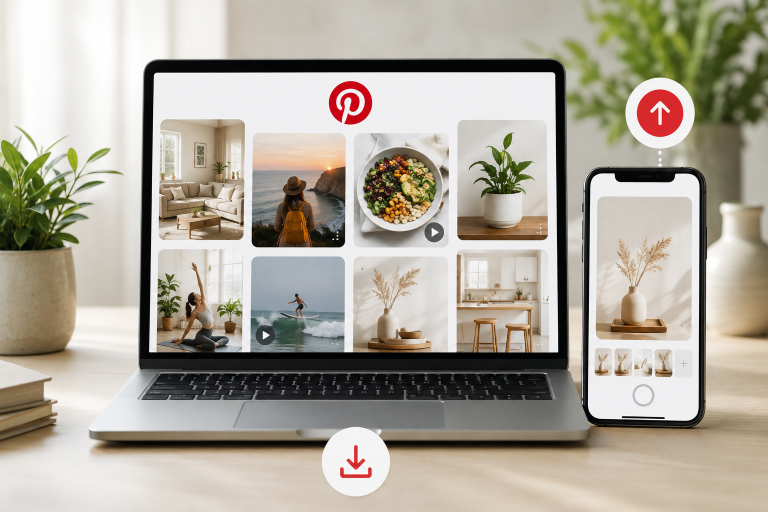
Pinterest works in two directions. Creators upload images and videos so people can discover them, while readers save useful Pins for later. Confusion begins when saving a Pin is treated as downloading it. The Save button adds a link to a board. A download puts the actual image or video on a phone or computer.
This 2026 guide looks at both sides of the exchange. First comes publishing: preparing the media, writing useful details, and choosing a board. Then comes offline access, including Pinterest’s own controls and a public Pinterest video download service for an eligible Pin. Downloading should be selective. Keep the files that serve a real offline purpose and leave the rest organized on Pinterest.
Prepare content before posting
Begin with something you made yourself or are allowed to post. One Pin should communicate one recognizable idea. For a recipe, the finished dish or a revealing cooking step will say more than a generic kitchen photograph. Shrink the preview to phone size before uploading. Can the words still be read? Is the main subject safely inside the crop?
Write the title and description for the person who discovers the Pin without context. Say what the idea is and what sits behind the destination link. Then file it on the closest matching board. “Weeknight pasta” gives a recipe more context than a board that mixes food, outfits, and holiday plans.
How to create a Pin on desktop
After signing in on the desktop, open Create and choose Create Pin. Drop a photo or video into the upload area, or select it from the computer. Several files can be chosen during one session; on desktop, they are normally prepared as separate Pins rather than combined into one post.
Fill in the title, description, link, and board. A video also needs a useful cover, since many viewers will first meet it as a still frame. Read everything once in the preview and correct the crop or wording before publishing. Scheduling may be available to business accounts for posts that need to go live later.
If you are publishing an image reference and later need a local copy, Pinterest offers Download image for some Pins. A separate Pinterest image download page can process an eligible public Pin when the native menu does not provide the file you need.
How to post from the Pinterest app
Open the app, tap the creation control, and choose Pin. Select a photo or video from the device, or use the Pinterest camera when appropriate. If several images and videos are selected in the app, Pinterest may combine them into one video Pin.
Continue to the editing screen, then add a title, description, link, board, and relevant topics when those fields are offered. Check the cover and crop carefully. Save a draft if the post is not ready, or publish it once every detail has been reviewed.
Creators who publish full screen video Pins can manage whether viewers are allowed to download them. Pinterest applies this permission to eligible full screen videos, and downloaded copies can show the creator’s username. This setting is useful when you want to encourage sharing while keeping attribution visible.
Keep cross platform reference files organized
A publishing project may draw on several public sources, not only Pinterest. Put permitted files in folders named by campaign, recipe, room, or client, and keep a short source note with each one. If the research also includes public images from X, a Twitter photo downloader can handle that platform while the Pinterest workflow stays separate.
Do not upload downloaded material as though you created it. A source note helps you return to the original post, verify the owner, request permission, and cite the creator correctly.
How to download content from Pinterest
Use Pinterest for eligible images
Open an image Pin and select the three dot menu. If the Download image appears, choose it. On Android, the picture normally goes to the Gallery. On iPhone, it is saved to Photos. Desktop browsers usually place it in Downloads unless you select another folder.
Use the creator enabled video option
Open the full screen video and check its menu. When the creator has enabled downloads, Pinterest can provide a copy directly. If the option is absent, respect that setting or consider whether you only need to save the Pin to a board.
Use Pinpea for a public Pin
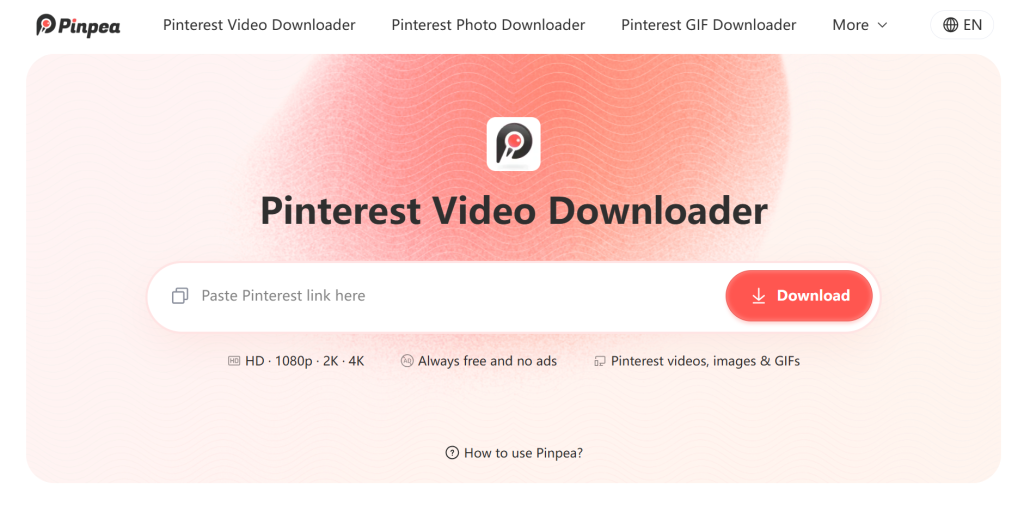
Pinpea is a third party browser service for public Pinterest links. Copy the direct Pin URL, paste it into Pinpea, and wait for the preview. It can handle videos, images, GIFs, and video covers when those files are available. Pinpea does not require Pinterest credentials and cannot access private or secret content.
For public boards, Pinpea can currently download up to 16 images in one batch. Board support for GIFs, videos, and more content types is planned for a later update. For a larger board, select the images you truly need and keep their original links.
Fix common posting problems
If an upload fails, check the file format, connection, and browser or app version. Try one file before repeating a large group. A video without a useful cover may look blank on a board, so choose the thumbnail before publishing.
When a Pin goes unnoticed, repeating the same keyword in its description is not a useful repair. Look instead at the chain from picture to title, board, and destination. Each part should set the same expectation. A person who clicks for a recipe should not land on an unrelated sales page.
Titles, descriptions, links, boards, and other details may be editable after publishing, depending on how the Pin was created. The underlying photo or video is different. When that media is wrong, a corrected new Pin may be the only clean fix.
Download with context and permission
Possessing the file says nothing about ownership. Trace any photo, clip, or GIF back to the person who made it before placing it in public work. Read the license and ask when the terms are unclear. Redistribution, editing, and commercial projects call for a much closer rights check than a private offline reference.
A sensible Pinterest routine in 2026 starts with rights and context. Post work you may share, explain where a click will lead, and keep each board focused. When an offline copy is truly useful, download an eligible public Pin and store its source beside it. The file remains connected to its creator instead of becoming an anonymous item in Downloads.
Read more: Google Gemini 3.7 Flash (Aug 2026): Spark Agent handles chores


![[Only for 18+] Top 15 Best Adult Actress in the World as of September 2025](https://technosports.co.in/wp-content/uploads/2025/08/Best-Adult-Actress-150x150.jpg)