MEX-W
MEX-W ARG-W
ARG-W ARS2
ARS2 EVE0
EVE0 COV0
COV0 FUL1
FUL1 OFC0
OFC0 NEU0
NEU0 NEOM2
NEOM2 ABH0
ABH0 RAC0
RAC0 ESP1
ESP1 KHO0
KHO0 ETT0
ETT0 BLK2
BLK2 WXM0
WXM0 CHE
CHE TOT
TOT VAL
VAL VIL
VIL DOR
DOR SGE
SGE RIY
RIY TAA
TAA LAZ
LAZ PAR
PAR RCL
RCL PAR
PAR ATM
ATM DEP
DEP FCA1
FCA1 FCU1
FCU1 KOE0
KOE0 S040
S040 M052
M052 SVW3
SVW3 RBL4
RBL4 ELV0
ELV0 KNGHT74/1 (12.1/20 ov)
 MPUMA
MPUMA NZ-A135/3 (41 ov)
 IND-A113
 SYL
SYL KHU
KHU MYMS299/4 (87 ov)
 CHATT
CHATT DHA293/3 (84.1 ov)
 RAJ
RAJ RAN320/5 (80 ov)
 BAR
BAR UAE
UAE NED
NED PAK
PAK ENG
ENG IND-W
IND-W ZIM-W
ZIM-W GMB
GMB LES
LES MOZ
MOZ ZMB
ZMB NGA
NGA UGA
UGA NAM321/6
 IRE290 (47.3/50 ov, target 322)
 NZ180/5
 IND181/6 (19.5 ov)
 CAR1
CAR1 BIR0
BIR0 LCN4
LCN4 BUR1
BUR1 PNE1
PNE1 WBA1
WBA1 QPR4
QPR4 SWA0
SWA0 STK0
STK0 BRC0
BRC0 Inter Milan
 Fiorentina
 SCP1
SCP1 HSV0
HSV0 CAG0
CAG0 BOL2
BOL2
Your phone’s battery drains way faster during public emergencies. It’s a shock that catches millions off guard exactly when they need to stay connected most. During crises like natural disasters, mass casualty events, or widespread power outages, your device’s battery can drop 20-30% in minutes instead of hours. That leaves you stranded without a way to communicate when it matters most.
Network Overload Kills Phone Battery Life
When emergencies hit, cellular networks get congested in seconds flat. Millions of people try to make calls, send texts, and upload data all at once. Your phone‘s radio has to work much harder to find available bandwidth. The result? Your modem burns 3-5x more power just trying to stay connected to overloaded towers.
Wired reported something striking: emergency responders documented battery depletion rates of 40% per hour during the 2024 California wildfires when network demand peaked.
Here’s the thing—your device constantly switches between 4G and 5G networks, burning extra power with each handoff. This relentless radio searching drains your battery faster than you’d see in any normal situation.
Hardware Stress & Location Services
Emergency situations automatically activate location services on most devices. GPS, cell tower triangulation, and Bluetooth scanning all run at once. That’s a triple hit on your battery. First responders increasingly depend on location data, so your phone’s hardware works overtime to pinpoint your exact position.
Modern devices struggle under this load because their RAM cycles accelerate dramatically when processing multiple location protocols. Your screen brightness also increases automatically in chaotic emergency scenes, adding another 15-20% to the power drain.
Why Phone Battery Life Suffers Most
Screen refresh rates spike during emergencies. Anxious users constantly check their devices, keeping displays on far longer than normal. Add network stress and location services to that, and you’ve got a critical vulnerability.
Emergency alerts themselves drain power. Your device receives repeated push notifications, and each one wakes your processor from sleep mode. The cumulative effect is devastating. Real-world testing shows phones lose 50% battery capacity within 90 minutes under sustained emergency conditions.
What Experts Recommend
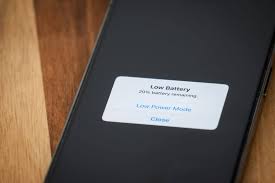
Disable location services manually during emergencies if you’re not directly involved in rescue operations. Switch to airplane mode periodically to let your battery stabilize. Turn on low-power mode right away—it cuts background processes by 80% and extends your emergency communication window significantly.
Carry portable chargers rated for your device. A solid emergency kit includes backup power solutions designed specifically for crisis situations. Experts stress that understanding these technology limitations actually saves lives by preventing communication failures when every second counts.
People Also Ask
Q: How much faster does battery drain during emergencies?
Your battery typically depletes 3-5x faster during crises due to network congestion, location services, and increased screen usage all happening at once.
Q: Can I improve battery performance during an emergency?
Yes. Turn on low-power mode, disable location services if you don’t need them, reduce screen brightness, and switch to airplane mode between important communications.
Q: Why do emergency alerts drain the battery so quickly?
Each alert wakes your processor from sleep mode, forcing full CPU activation. Repeated alerts compound this drain significantly.
Q: What’s the best way to preserve battery in a disaster?
Carry portable backup chargers, disable non-essential services, and limit screen-on time to essential communication only.