OPPO India just made your June a whole lot smarter. The ColorOS 16 June 2026 update is here — and it’s not just a patch, it’s a proper upgrade packed with features that genuinely change how you interact with your phone every day. From live football scores on your home screen to real-time security alerts, this update is all about making the everyday feel effortless.
📌 Stay updated with the latest OPPO and Android news at TechnoSports — India’s go-to destination for smartphone and tech coverage.
What’s New in ColorOS 16 June 2026 Update?
ColorOS, OPPO’s Android-based user interface, has been evolving rapidly in 2026 — and this June update continues that momentum. Here’s a quick look at everything new:
Feature
What It Does
🏟️ Sports Widget
Match schedules, live scores & updates on Home Screen/Shelf — auto-pushed 30 mins before kick-off via AI Suggest
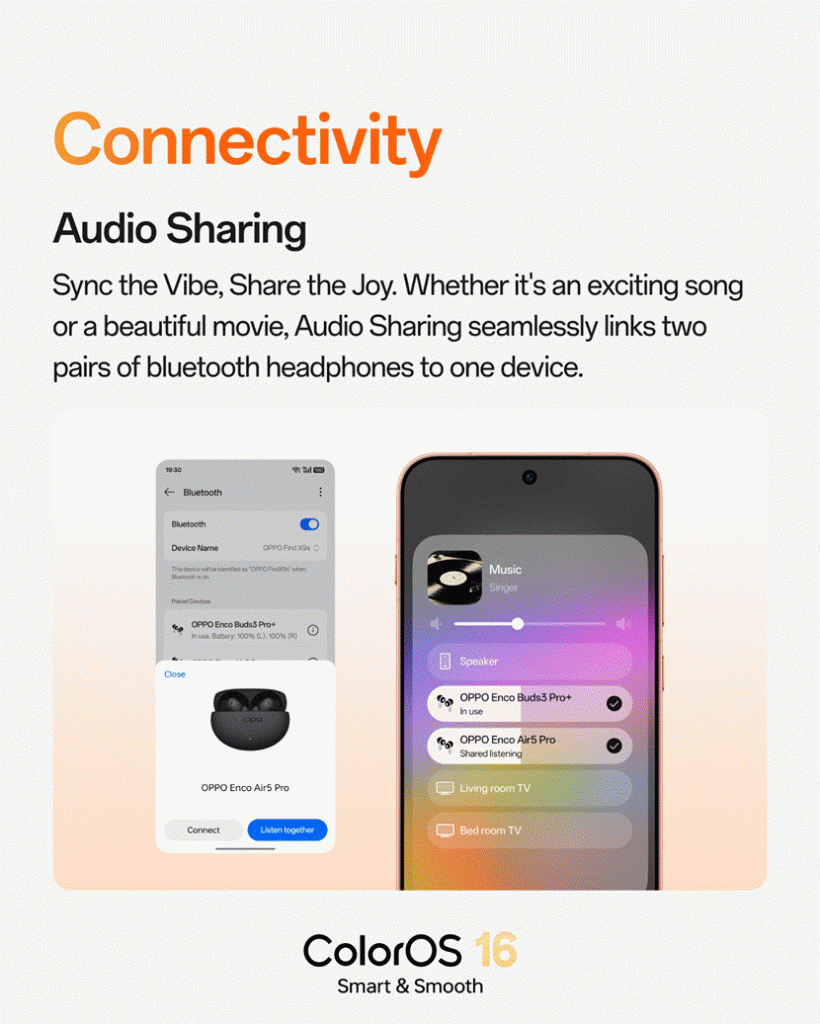
🎧 Audio Sharing
Stream audio simultaneously to two Bluetooth earphones from one phone
🔒 Accessibility Security Alerts
Real-time alerts when unknown-source apps gain Accessibility access, with instant revoke option
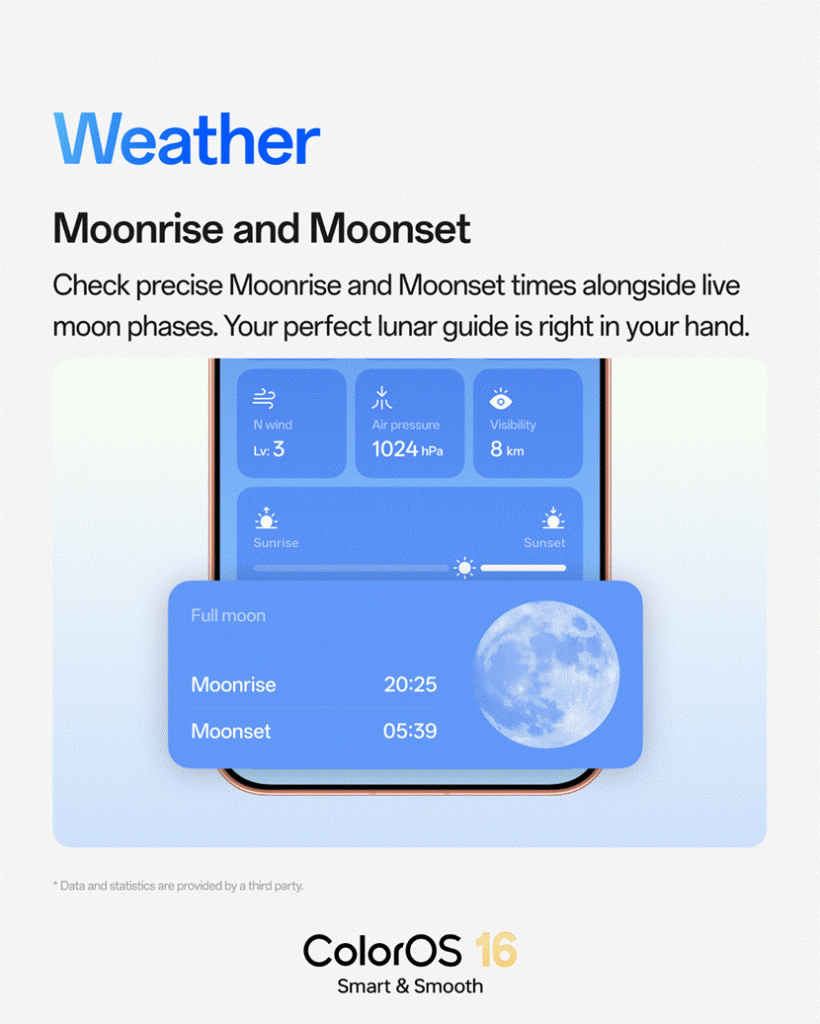
🌙 Moon Phase & Moonrise/Moonset
Richer Weather app with lunar tracking for photographers and outdoor enthusiasts
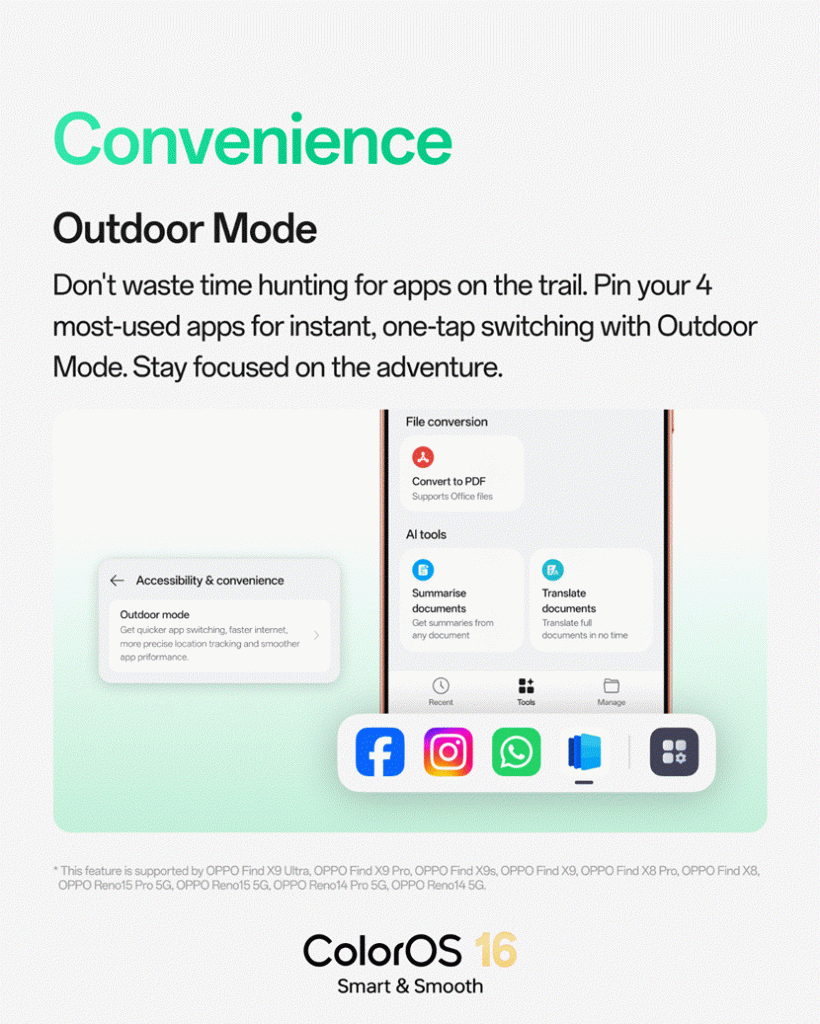
🌞 Outdoor Mode Enhancements
Pin up to 4 favourite apps, smoother transitions and better location responsiveness
🎮 2K Game Capture
Higher-resolution screenshot support in Game Capture mode
🗂️ App Suggestions in Drawer
Intelligently surfaces frequently used apps in the Categories view
Breaking Down the Big Features
🏟️ Sports Widget — Your Football Feed, Right on the Home Screen
This is the one fans have been waiting for. With the FIFA World Cup 2026 in full swing, ColorOS 16’s new Sports Widget means you never miss a kick-off again. Match info is automatically pushed to your Home Screen or Shelf 30 minutes before the first match of the day via AI Suggest — or you can pin it manually for always-on access. Less app-switching, more football.
📌 Pair this feature with live World Cup coverage at TechnoSports and you’ll never miss a moment of the action.
🎧 Audio Sharing — Because Great Moments Are Better Shared
Watching a movie on a long flight? Sharing a playlist? ColorOS 16 now lets you connect two Bluetooth earphones simultaneously to one device. Simple, convenient, and the kind of feature that makes you wonder how you lived without it.
🔒 Accessibility Security Alerts — Privacy Protection That Works Silently
This is a genuinely important security upgrade. If any app installed from an unknown source quietly gains Accessibility access — a common vector for malicious software — you get an instant notification with a one-tap revoke option. It runs silently in the background, doing the hard work so you don’t have to worry.
🌙 Moon Phase Updates — A Weather App Worth Opening
OPPO has added Moonrise, Moonset timings and live Moon Phase data to the Weather app. Whether you’re a night photographer, hiker, or just a little curious about what’s happening in the sky — this is a surprisingly delightful addition.
🌞 Outdoor Mode Gets Smarter
Outdoor Mode now lets you pin up to four frequently used apps for quick access, with smoother transitions and improved location accuracy. Great for joggers, cyclists, or anyone who uses their phone on the move.
Rollout Schedule
The June 2026 update rolls out in phases from June 1 through June 30 to eligible ColorOS 16 devices. Rollout timing may vary by region, device batch and carrier. Check for your OTA update under Settings → Software Update.
FAQs
Q: How do I add the Sports Widget to my OPPO home screen?
Go to your Home Screen, long-press on an empty area, tap Widgets, and search for Sports Widget — or let AI Suggest add it automatically 30 minutes before a match.
Q: Will my OPPO device get the ColorOS 16 June 2026 update?
If your device is already running ColorOS 16, you’ll receive this update as a phased OTA rollout through June 30. Head to Settings → Software Update to check availability on your specific device.
Follow us on Google NewsGet real-time updates & exclusive tech coverage

 SA329 (82.3 ov)
 AUS
AUS ROMA2
ROMA2 CAG1
CAG1 TOR1
TOR1 COMO0
COMO0 BRD1
BRD1 PET0
PET0 FLE1
FLE1 ARS0
ARS0 BAN
BAN WI
WI IND-W
IND-W ZIM-W
ZIM-W GOA
GOA SC Delhi
 Milan
Milan Bologna
 Parma
Parma Udinese
 Venezia
 Inter Milan
 Genoa
Genoa Juventus
 Monza
Monza Napoli
 SAS2
SAS2 LAZ6
LAZ6 AFG177
 ZIM140 (19.1/20 ov, target 178)
 ABH0
ABH0 ALF1
ALF1 PAK110
 SL114/2 (18.1/50 ov, target 111)
 SIKM184
 NAGA187 & 46/4 (34 ov)
 JHK131/4 (47 ov)
 DELHI515/5d
 ODSA194
 SVCS13/0 (5 ov)
 BRODA616
 J & K6/0 (4 ov)
 CHD685/5d
 HP49/0 (14 ov)
 CGR216/8 (95 ov)
 AP231
AP231 HYD193/2 (54 ov)
 PNJB431
 KNTKA297/7 (95 ov)
 TPURA194
 KER101/6 (35 ov)
 BENG350
 MAHA278/9 (100 ov)
 GUJ223
 MNPR364
 ARP111 & 95/2 (36 ov)
 UAE
UAE OMA
OMA ENG
ENG AUCK
AUCK CANT
CANT CD
CD ND
ND DEN
DEN QAT
QAT KENYA
KENYA KUW
KUW NAM316/7
 IRE253 (44.5/50 ov, target 317)
 NZ198/3
 IND199/4 (13.2/20 ov, target 199)
 NED371/5
 JAB113 (19.3/20 ov, target 133)
 KAY132/9
 UDC1
UDC1 ALM0
ALM0 ALC1
ALC1 LPA2
LPA2 TORD3
TORD3 MIR3
MIR3 LLA1
LLA1 PON1
PON1 BVV1
BVV1 RKC2
RKC2 DON2
DON2 EXT1
EXT1 MNR0
MNR0 AND0
AND0 DOR2
DOR2 SVW0
SVW0 Gamba Osaka
 Buriram
 Kashima
 Pohang Steelers
 Sevilla2
 Osasuna0
 PSG2
PSG2 Lyon0
Lyon0 Mohun Bagan1
 Chennaiyin0
 ALS3
ALS3 HIL1
HIL1