BAN88/3 (40 ov)
 WI356
 AFG113/1 (35 ov)
 ZIM504
 NZ
 IND
 WA
 ENG
 Inter Kashi
 SC Delhi
 Leeds
 Spurs
 Málaga
 Racing
 Cagliari
 Frosinone
 Torino
 Lecce
 Chennaiyin
 East Bengal
 EVE3
 COV1
 SEV0
 ALA0
 VEN2
 UDI1
 TOU3
 STR1
 ZIM-A261 (80 ov)
 IRE-A424
 NZ-A
 IND-A105/0 (32.5 ov)
 WI-A
 LIONS
 MR-W
 AS-W
 BH-W
 HH-W
 SS-W
 ST-W
 PS-W
 MS-W
 NAM-W
 USA-W
 EASTN162/2
 DOLPH118/5 (16.1 ov, target 127)
 RWA-W100/8
 CHR151/6
 POA121 (19/20 ov, target 152)
 MOUNT198
 ROCKS199/5 (46.1/50 ov, target 199)
 TUSK245/2 (46.2/50 ov, target 245)
 RHINO244
 CLT2
 FIU3
 DC1
 LEX0
 MARQ0
 AKR2
 CREI1
 DEP1
 BTLR0
 XAV2
 DUQ0
 LAS0
 FAU0
 MEM3
 PROV2
 SJU1
 URI0
 DAV0
 HALL2
 VILL0
 FLA0
 TB0
 BAN0
 CAT0
 Dortmund
 Elversberg
 Mainz
 Bayern
 HSV3
 BMG1
 FC Goa1
 BFC2

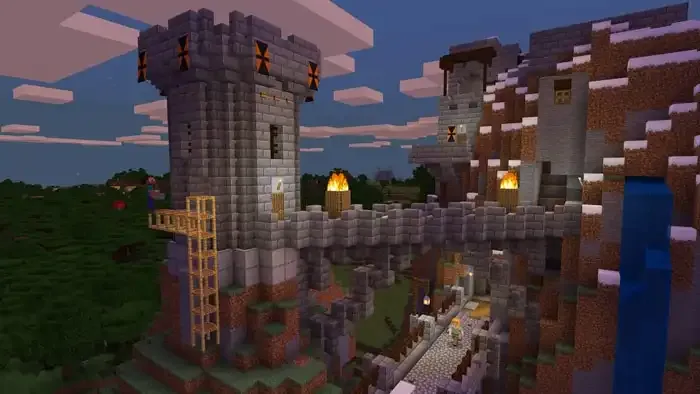
The Copper Age update has arrived, and Minecraft players are rushing to enhance their worlds with stunning visual effects. Iris Shaders remains the go-to mod for transforming vanilla Minecraft into a breathtaking visual experience. Whether you’re a casual player or hardcore modpack builder, this guide walks you through installing Minecraft 1.21.9 Iris Shaders with zero hassle.
Quick Installation Overview
| Step | Action | Time Required |
|---|---|---|
| 1 | Download Iris Shaders universal JAR | 2 minutes |
| 2 | Run installer and select version 1.21.9 | 1 minute |
| 3 | Configure installation directory | 30 seconds |
| 4 | Complete installation | 2 minutes |
| 5 | Launch Minecraft with Iris profile | 1 minute |
Why Choose Iris Shaders for Minecraft 1.21.9?
Iris Shaders has become the gold standard for shader installation in Minecraft. Its user-friendly interface makes it accessible for beginners, while its compatibility with mods like Distant Horizons satisfies advanced users. With millions of players worldwide using Iris, you’re joining a trusted community that values both performance and visual quality.
Unlike older shader loaders, Iris offers seamless integration with the Fabric mod loader, ensuring compatibility with the latest Minecraft updates including the Copper Age features.
Step-by-Step Installation Guide
Download Iris Shaders
Visit the official Iris Shaders website and download the universal JAR file. This single file contains everything you need for installation—no complicated setup processes or additional downloads required.
Run the Installer
Double-click the downloaded JAR file to launch the Iris installer. The interface is straightforward:
- Select Version: Choose 1.21.9 from the dropdown menu
- Fabric Option: If you already have Fabric 1.21.9 installed, uncheck the bundled installation. New users should keep this checked since Fabric is a necessary dependency
- Installation Directory: Ensure it points to your .minecraft folder (the installer usually auto-detects this)
Complete the Installation
Click the “Install” button and wait for the process to complete. The installer handles all technical aspects automatically—no manual file placement or configuration editing needed.
Launch Minecraft
Open the Minecraft Java Edition launcher. In the dropdown menu, you’ll see a new profile labeled “Iris Shaders 1.21.9.” Select this profile and click Play.
Important Note: You’ll receive a message about safety features not being supported. This is completely normal for modded instances. Click “Continue” and check the box to prevent future warnings if desired.
How to Use Iris Shaders
Once installed, applying shaders is surprisingly simple:
Download Shader Packs
Visit popular repositories like CurseForge or Modrinth to browse thousands of shader packs. Choose based on your preferred aesthetic—realistic lighting, vibrant colors, or cinematic effects.
Access Shader Settings
- Launch Minecraft with the Iris profile
- Navigate to Options → Video Settings
- Click “Shader Packs” in the right corner
- Select “Open Shader Pack Folder”
Install Your Shaders
Simply drag and drop your downloaded shader ZIP files into the folder that opens. Return to Minecraft, and your shaders will appear in the available options list.
Apply and Customize
Select your preferred shader and click “Apply.” The game will load the visual assets—this may take a moment, so don’t panic if the screen appears frozen. Once loaded, explore the Shader Pack Settings to customize lighting, sky behavior, water effects, and more to match your playstyle.
For players interested in cinematic visuals, check out our Minecraft Derivative Shaders guide for advanced customization options.
Performance Tips
Iris Shaders is optimized for performance, but running shaders can be demanding. Consider these tips:
- Start Light: Begin with performance-friendly shader packs before trying ultra-realistic options
- Adjust Settings: Most shaders offer quality presets—choose “Medium” or “Low” for older hardware
- Pair with Sodium: Iris works excellently with Sodium optimization mod for significant FPS boosts
- Close Background Apps: Free up system resources for smoother gameplay
Troubleshooting Common Issues
Game Won’t Launch: Ensure you’ve installed the correct Minecraft version (1.21.9) and that Fabric is properly installed.
Shaders Not Appearing: Verify shader files are ZIP format and placed directly in the shaderpacks folder without extraction.
Poor Performance: Lower shader quality settings or try lightweight shader packs designed for performance.
For comprehensive troubleshooting and best Minecraft mods for content creators, explore our extensive modding resources.
Conclusion
Installing Minecraft 1.21.9 Iris Shaders transforms your blocky world into a visual masterpiece without requiring technical expertise. The straightforward installation process, combined with endless shader customization options, makes Iris the perfect choice for players wanting enhanced graphics without compromising gameplay. Now that you’re equipped with this knowledge, dive in and experience Minecraft like never before!