NZ
NZ IND
IND NAM
NAM IRE
IRE MOZ
MOZ UGA
UGA Aston Villa
 Man City
 Rayo
Rayo Elche
Elche GMB
GMB ZMB
ZMB NGA
NGA LES
LES Cagliari
 Bologna
 IPS1
IPS1 NFO1
NFO1 ALA1
ALA1 MCF1
MCF1 TOR3
TOR3 MON2
MON2 BRE1
BRE1 NICE2
NICE2 TAS129/7 (23.3/35 ov, target 276)
 VIC304/7 (50 ov)
 WA
WA NSW38/1 (9/50 ov)
 NZ-A135/3 (41 ov)
 IND-A113
 DHA
DHA RAJ
RAJ MYMS
MYMS CHATT
CHATT RAN
RAN BAR
BAR SYL
SYL KHU
KHU MEX-W
MEX-W ARG-W
ARG-W UAE
UAE NED
NED AFG170/3 (34.3/50 ov, target 170)
 ZIM169
 IND-W200/1 (27.1/50 ov, target 198)
 ZIM-W197
 DOLPH56/0 (3.5/8 ov, target 56)
 SWD51/4 (8/8 ov)
 WSW1
WSW1 BRI1
BRI1 Como
Como Sassuolo
 Augsburg
 Union Berlin
 Cologne
 Schalke
 Mainz
Mainz Bremen
 RB Leipzig
 Elversberg
 VFB2
VFB2 BMG3
BMG3 AHL4
AHL4 KHA1
KHA1
The iPhone Action Button was reportedly limited to one assigned task, while reports about Apple’s iOS 27 announcement on Thursday, October 1, 2026, described a Shortcuts-based way to access several tools from one press. The announcement date and feature details remain based on leaks and supply-chain reports and have not yet been officially confirmed.
The iPhone Action Button Before iOS 27
Apple’s hardware was reportedly designed to replace the traditional mute switch with a programmable control, but its standard setup created a narrow choice. Users could reportedly assign it to a single function, such as Silent mode, the camera, or another available system control.
That reportedly meant the same button could not directly present a group of frequently used actions. A person who wanted the camera in one situation and accessibility controls in another would reportedly have to change the assignment manually. The result was useful hardware one-purpose switch. The limitation reportedly mattered because the button sits in an ideal position for quick access. It was capable of launching a task instantly, yet it reportedly could not act as a compact menu without help from the Shortcuts app.
What iOS 27 Changes
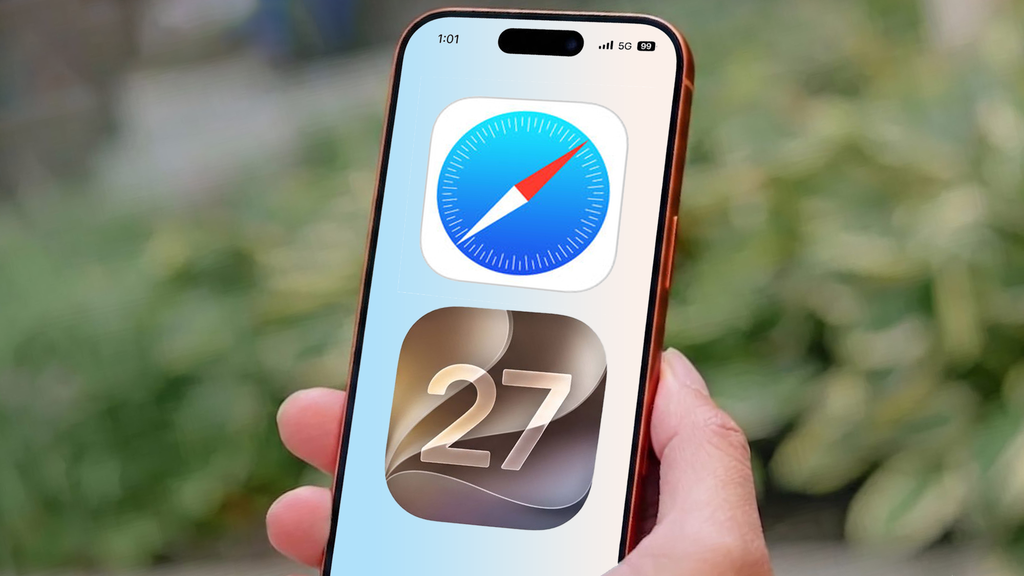
The reported change comes through an updated Shortcuts app. Instead of assigning the button to one application or command, users can reportedly create a folder containing three to five preferred actions and configure the control to open that collection. To build it, reportedly open Shortcuts, tap the back arrow beside Folders in the top-left corner, choose the new-folder icon, and name the folder Action Menu.
After opening that folder, tap the plus icon and add the tools used most often. This approach reportedly turns a single press into a selection screen. A user could place several utilities together rather than deciding which one deserves permanent priority. The wider set of Features iOS iPhone users rely on could therefore sit closer to the hardware control without changing each assignment separately. As first reported by Tomsguide, iOS 27 also reportedly connects these custom actions with Focus modes. That could allow the available menu to change according to the user’s location, activity, or selected Focus profile.
The iOS 27 iPhone Action Button After Setup
The reported after-state is more flexible but still deliberately simple. The button reportedly opens a compact list, the user selects one of the saved tools, and Focus modes can reportedly determine which collection appears in a particular context. For example, a work-focused menu could reportedly prioritise productivity utilities, while a personal profile could surface camera or communication shortcuts.
The exact list would reportedly depend on what the owner adds, so the feature would not require Apple to create a fixed universal menu. That distinction is important. iOS 27 reportedly does not make one press execute three actions simultaneously; it makes one press expose several actions at once. Users would still choose the final command, but they would reportedly no longer need to sacrifice every other shortcut to keep one function immediately available.
iPhone Action Button Before and After iOS 27
| Capability | Before iOS 27 | With iOS 27 setup |
|---|---|---|
| Default behaviour | One assigned task | A menu of saved actions |
| Configuration | Direct button assignment | Shortcuts folder |
| Number of actions | One at a time | Three to five actions in a folder |
| Context control | Manual reassignment | Focus mode-based menus |
| Main benefit | Fast access to one tool | Faster access to a group of tools |
The reported practical difference is less about adding new hardware and more about changing the software layer around it. Owners who use only Silent mode may see little reason to adjust anything, while people who regularly switch between utilities could gain a more useful workflow.
What iPhone Users Should Do Next With iOS 27
If you want one dependable function with no extra selection, keep the existing single-action setup. If you regularly switch between three to five tools, reportedly create the Shortcuts folder and connect it to the button.
If your routine changes by work, personal, or other Focus modes, the contextual menu could be the stronger choice. The central lesson is clear: iOS 27 reportedly makes the button a gateway rather than a destination. Apple’s next software updates will determine whether this remains a hidden Shortcuts trick or becomes a more visible part of everyday iPhone use. The best setup is simple: if you want speed, pick one action; if you want flexibility, pick the folder menu.
FAQs: iPhone Action Button
Does iOS 27 officially support multiple shortcuts?
The supplied reporting describes a reportedly Shortcuts-based method for accessing several saved actions, but the feature details have not yet been officially confirmed.
How many actions can the folder contain?
The reported setup recommends adding three to five frequently used actions to the custom folder.
Can Focus modes change the available menu?
According to the report, custom folders can reportedly be tied to Focus modes, allowing the available actions to change with the selected profile. Source: Tomsguide
Was this article helpful?
Your feedback directly improves future articles on this site.